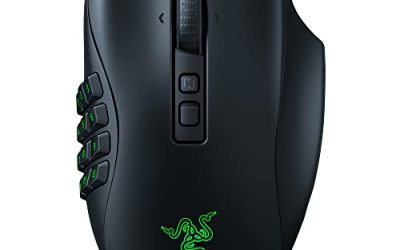
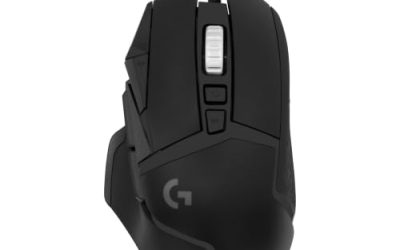
🛒 Best Price Today on Amazon
Prime members get fast, free shipping on everything above, plus member-only deals. New members get a 30-day free trial — cancel anytime.
Buying a gaming mouse for an Xbox is a different decision from buying one for a PC, because the console sets the rules. An Xbox has no Bluetooth mouse pairing, its dashboard ignores the mouse entirely, and each game developer decides whether mouse input works at all. So the real question is not which mouse has the highest DPI figure, but which mouse connects the way the console accepts, keeps its settings without PC software, and suits the games that actually enable mouse control.
This guide is for Xbox Series X|S and Xbox One owners who play mouse-enabled shooters, strategy titles, MMOs, and simulators, whether at a desk or from the couch. Every pick below was chosen from the names and specifications on its Amazon product page, and each one either states Xbox support on that page or comes from a manufacturer list of Xbox-compatible models.
Quick Picks
As an Amazon Associate we earn from qualifying purchases
| Product | Best for | Key spec from title |
|---|---|---|
| Razer DeathAdder V2 | Desk-based shooter players | 20K DPI optical sensor |
| Logitech G502 HERO | One mouse shared between Xbox and PC | HERO 25K sensor, 25,600 DPI |
| Corsair Harpoon RGB Wireless | Couch play without a cable | 10,000 DPI, Slipstream wireless |
| Corsair M65 RGB Ultra | Competitive FPS at a desk | 26,000 DPI Marksman sensor |
| Corsair Scimitar RGB Elite | MMOs and button-heavy strategy games | 17 programmable buttons |
How to Choose
Start With the Connection, Not the Sensor
Xbox consoles accept mice in exactly two ways: a wired USB cable or a wireless mouse whose own USB receiver plugs into the console. There is no Bluetooth pairing for mice anywhere in the Xbox system software, so a Bluetooth-only mouse will never connect, no matter how good its sensor is. Wired models are the safest route because the console reads them as standard USB devices. If you want wireless, look for a 2.4GHz dongle model and confirm the listing or the manufacturer names Xbox support, the way Corsair does for the Harpoon RGB Wireless.
Check Your Games Before You Check Mice
Mouse support on Xbox is granted game by game, not by the console. Titles such as Halo Infinite, Call of Duty: Warzone, Fortnite, Sea of Thieves, Minecraft, and Gears 5 accept mouse input, while many big releases ignore it completely and demand a controller. A mouse also cannot move around the Xbox dashboard, so a controller stays within reach regardless. Before spending anything, search for each game you actually play plus the words “mouse and keyboard support,” and treat any mouse purchase as an accessory for those specific titles rather than for the console as a whole.
Prioritize Onboard Settings Over Software Features
Most gaming mice are configured through PC software such as Razer Synapse, Logitech G HUB, or Corsair iCUE, and none of that software runs on an Xbox. What carries over to the console is whatever the mouse stores in its own onboard memory: DPI stages, basic button assignments, and polling behavior. A mouse with onboard profiles and a physical DPI button lets you set it up once on a PC and then adjust sensitivity on the console. The Xbox also offers a pointer speed setting under Devices and connections, which helps, but it cannot replace per-mouse DPI steps.
Match Shape and Buttons to Your Genres
A two-side-button mouse covers shooters comfortably, while MMO and real-time strategy players benefit from a side button grid they can reach without looking down. Shape matters over long sessions: large ergonomic shells like the DeathAdder V2 suit palm grips, while smaller ambidextrous-leaning shapes feel quicker for fingertip aim. Weight plays a role too. Adjustable-weight mice such as the G502 HERO and M65 RGB Ultra let you settle on a balance you like on PC first, then carry that same physical setup to the console unchanged.
The 5 Best Options
Razer DeathAdder V2

The DeathAdder V2 is the straightforward desk pick: a wired USB mouse the console reads instantly in any mouse-enabled game, with a large right-handed shell that has anchored PC setups for years. Its Focus+ optical sensor tracks at up to 20,000 DPI, and the onboard DPI button cycles sensitivity without any software, which is exactly what console play demands. Razer’s optical switches remove the double-click debounce delay found in mechanical designs, and the flexible Speedflex cable drags far less than a stiff rubber cord when the console sits beside a desk or monitor.
Specs
- Sensor: Razer Focus+ optical sensor, up to 20,000 DPI
- Switches: Razer Optical Mouse Switches, rated for 70 million clicks
- Buttons: 8 programmable buttons
- Cable: Razer Speedflex cable, wired USB connection
- Lighting: Razer Chroma RGB
- Weight: 82 g
- Dimensions: 5 x 2.87 x 1.69 inches
Best for: Desk setups playing mouse-enabled shooters and action games.
Watch out for: Button remapping and macros are set in Razer Synapse on a PC; on Xbox it runs on its stored profile, and the shape is right-handed only.
ASIN: B082G5SPR5
Logitech G502 HERO

If one mouse has to serve both a gaming PC and the Xbox next to it, the G502 HERO makes the strongest case. It connects over a wired USB cable, so console compatibility in supported games is not in question, and its HERO 25K sensor reaches 25,600 DPI with sensitivity adjustable in fine steps. Eleven programmable buttons cover weapon swaps and abilities in shooters, while the dual-mode scroll wheel switches between ratcheted and free-spinning movement. Five removable 3.6 g weights let you tune the balance on your PC, then unplug and carry the identical feel to the console.
Specs
- Sensor: Logitech HERO 25K optical sensor, up to 25,600 DPI
- Buttons: 11 programmable buttons
- Weights: Adjustable weight system with five removable 3.6 g weights
- Memory: On-board memory for stored profiles
- Lighting: Lightsync RGB
- Connection: Wired USB
- Weight: 121 g (before added weights)
Best for: Players splitting time between a PC and an Xbox with the same mouse.
Watch out for: It is one of the heavier mice here even before weights go in, and full button programming needs Logitech G HUB on a computer.
ASIN: B07GBZ4Q68
Corsair Harpoon RGB Wireless

The Harpoon RGB Wireless solves the living-room problem, and it does so with paperwork to back it up: the Amazon listing names Xbox among its platforms, and Corsair’s own compatibility page lists this model for Xbox One and Xbox Series X|S. For console use you plug in the Slipstream USB receiver or connect the cable, since the Xbox cannot pair with its Bluetooth mode. The sensor tops out at 10,000 DPI, plenty for television distances and couch play, and six programmable buttons handle the essentials. Battery life rated up to 60 hours means it can live on a coffee table without constant charging.
Specs
- Sensor: Optical sensor, up to 10,000 DPI
- Buttons: 6 programmable buttons
- Connectivity: Slipstream Wireless (USB receiver), Bluetooth, or USB wired
- Battery life: Up to 60 hours
- Lighting: RGB backlighting, iCUE compatible
- Weight: 99 g
- Model: CH-9311011-NA
Best for: Couch and living-room play where a cable cannot reach the console.
Watch out for: On Xbox you must use the USB receiver or the wired connection, because the console offers no Bluetooth mouse pairing; the longest battery figures assume lighter-use modes.
ASIN: B07KQWR72Z
Corsair M65 RGB Ultra

Corsair lists the M65 RGB Ultra among its gaming mice compatible with Xbox One and Xbox Series X|S, and on paper it is the most performance-focused wired pick here. Its Marksman optical sensor reaches 26,000 DPI with 650 IPS tracking, and the anodized aluminum frame gives it a rigidity plastic shells do not match. A dedicated sniper button drops sensitivity temporarily for long-range shots in supported shooters, and the tunable weight system adjusts the mouse between 97 g and 115 g. Optical Omron switches and a quickstrike button design aim for the fastest possible click response at a desk.
Specs
- Sensor: Corsair Marksman optical sensor, up to 26,000 DPI, 650 IPS tracking
- Buttons: 8 buttons, including a dedicated sniper button
- Polling: Up to 8,000Hz hyper-polling via AXON technology (PC)
- Switches: Optical Omron switches
- Weights: Tunable weight system, adjustable from 97 g to 115 g
- Frame: Anodized aluminum frame
- Model: CH-9309411-NA
Best for: Competitive shooter players at a desk who want the highest-end wired option.
Watch out for: The 8,000Hz polling, gyro-based Sensor Fusion features, and iCUE programming are PC-side capabilities; on Xbox it behaves as a fast standard USB mouse in supported games.
ASIN: B09CXQZMHG
Corsair Scimitar RGB Elite
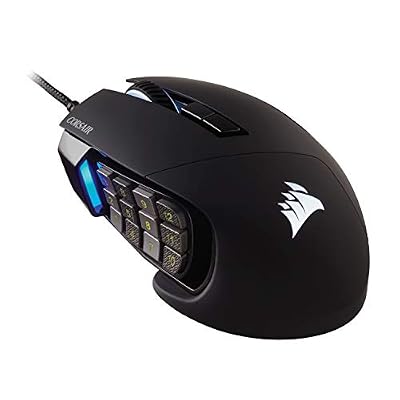
Strategy and MMO players ask more of a mouse than aim alone, and the Scimitar RGB Elite answers with buttons: seventeen programmable inputs, twelve of them arranged in a side grid that slides forward or back to sit under your thumb. Its Amazon listing names Xbox among the supported platforms, and Corsair includes the model on its Xbox-compatible list, so the wired connection is a known quantity on console. The PixArt PMW3391 optical sensor delivers 18,000 DPI adjustable in single-DPI steps, which helps when a strategy game needs slow, deliberate cursor placement. Programming the grid happens in iCUE on a PC beforehand.
Specs
- Sensor: PixArt PMW3391 optical sensor, up to 18,000 DPI, adjustable in 1 DPI steps
- Buttons: 17 fully programmable buttons
- Side panel: Patented Key Slider system with a 12-button side grid
- Switches: Omron switches, rated for 50 million clicks
- Software: Corsair iCUE compatible (PC)
- Connection: Wired USB
- Platforms named on listing: PC, Mac, PS5, PS4, Xbox
Best for: MMO, MOBA, and strategy players in mouse-enabled Xbox titles.
Watch out for: Not every Xbox game maps the extra side buttons, so confirm your main titles accept them; the button layout must be programmed in iCUE on a PC first.
ASIN: B082LRMY53
Which One Fits Your Situation
You Play Shooters at a Desk
Pick the Razer DeathAdder V2 for its stored DPI stages, light 82 g body, and a shape that stays comfortable through long sessions, or step up to the Corsair M65 RGB Ultra if you want an aluminum frame, a sniper button, and adjustable weight. Both are wired, both are read instantly by the console, and neither depends on software once plugged in.
Your Xbox Lives in the Living Room
Choose the Corsair Harpoon RGB Wireless and run it through its USB receiver, which frees you from stretching a cable across the room. Its battery rating suits a mouse that lives on the couch arm or coffee table, and Corsair explicitly lists it for Xbox consoles. Keep its charging cable nearby and a controller on hand for dashboard navigation.
You Play MMOs and Strategy Games
The Corsair Scimitar RGB Elite is the only pick here built around a twelve-button thumb grid, which suits ability rotations and unit commands in the Xbox titles that support mouse input. Program the layout in iCUE on a PC first, then verify in each game’s control settings that the side buttons register before relying on them in a match.
You Own a PC and an Xbox Side by Side
Take the Logitech G502 HERO. Its onboard memory keeps your DPI stages and button layout when you move the cable from one machine to the other, and the adjustable weights mean the physical feel never changes between platforms. It is heavier than the Razer, so players who prefer ultralight mice should pick the DeathAdder V2 instead.
Common Mistakes
- Buying a Bluetooth-only mouse and expecting it to pair with the console, when Xbox offers no Bluetooth mouse pairing at all.
- Assuming a favorite game accepts mouse input without checking, then discovering it is controller-only after the mouse arrives.
- Expecting PC software features such as macros, per-game RGB sync, and 8,000Hz polling to carry over to Xbox play.
- Choosing a mouse with no onboard memory, so its DPI and button settings reset to defaults on the console.
- Forgetting that the Xbox dashboard does not respond to a mouse, and putting the controller out of reach.
Frequently Asked Questions
Can I Use Any Wired USB Mouse on an Xbox?
Most wired USB mice are recognized by Xbox Series X|S and Xbox One consoles, but recognition is only half the story. The mouse will only control games whose developers enabled mouse support, and it will not navigate the dashboard. A gaming mouse with onboard DPI switching is the safer buy, because you can adjust sensitivity without PC software once it is connected to the console.
Do Wireless Mice Work on Xbox Consoles?
Some do, provided they connect through their own USB receiver rather than Bluetooth. The Corsair Harpoon RGB Wireless in this guide is listed by Corsair for Xbox One and Xbox Series X|S and works through its Slipstream receiver or its cable. Xbox consoles cannot pair with Bluetooth mice directly, so check that any wireless mouse you consider includes a USB dongle and names console support.
Which Xbox Games Support Mouse Controls?
Support varies by title and changes with updates, but well-known examples include Halo Infinite, Call of Duty: Warzone, Fortnite, Gears 5, Sea of Thieves, Minecraft, The Sims 4, and Microsoft Flight Simulator. Some games offer full mouse control, others limit it to menus or specific modes. Because Microsoft does not publish a definitive list, searching for your exact game plus “mouse and keyboard support” before buying is the reliable approach.
Will My DPI and Button Settings Carry Over From PC?
They will if the mouse stores them onboard. Mice with on-board memory, such as the G502 HERO, keep DPI stages and button assignments when moved to the console. Settings that live only in PC software do not transfer. The Xbox itself provides a pointer speed adjustment under Settings, then Devices and connections, then Mouse, which fine-tunes movement but does not replace the mouse’s own DPI steps.