🛒 Best Price Today on Amazon
Prime members get fast, free shipping on everything above, plus member-only deals. New members get a 30-day free trial — cancel anytime.
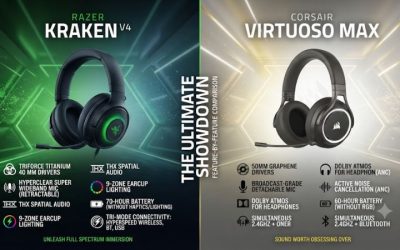
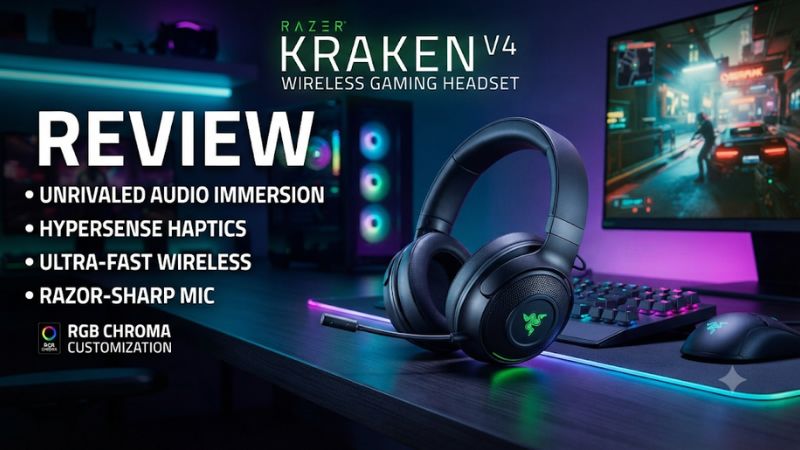
This Razer Kraken V4 wireless gaming headset review finds the standard V4 a better fit for Windows players who will use its chat controls, THX, or RGB. Its USB cable also carries audio on supported devices. On PS5 it works through the receiver, and battery life depends heavily on whether you leave the lighting on.
Kraken V4 verdict and specifications
The standard Kraken V4 is a good match for a PC player who wants an over-ear wireless headset with a retractable mic, separate game/chat controls, and the option to keep playing over wired USB. Its main strengths become clearer once Windows sound and voice apps are routed correctly. On PS5 it can still serve as a straightforward wireless headset, although the PC software is a smaller part of the purchase decision there.
| Feature | Razer Kraken V4 |
|---|---|
| Headset weight | Approximately 350 grams |
| Drivers | TriForce Titanium 40 mm |
| Gaming connection | 2.4 GHz HyperSpeed USB-C receiver |
| Additional connections | Bluetooth 5.3 and USB wired on supported devices |
| Microphone | Retractable HyperClear Super Wideband boom |
| PC audio features | THX Spatial Audio, EQ, and game/chat controls through the supported Windows setup |
| Lighting | Nine customizable Chroma zones |
| Battery over 2.4 GHz | Up to 70 hours with lighting off or 35 hours with lighting on |
| Console fit | Supports compatible PlayStation setups through the supplied receiver |
Which Kraken V4 is reviewed here?
This review covers the standard wireless Kraken V4, identified by the RZ04-0517 model family. The Kraken V4 Pro adds features such as an OLED control hub, haptics, and documented simultaneous wireless audio. The Kraken V4 X is a different wired model. Check which name appears on the product detail page, especially when several options share a single store listing.
For the standard V4, wireless gaming uses the included USB-C receiver. Bluetooth serves another device, and the supplied USB cable supports wired audio on compatible setups. The ability to accept a Bluetooth call during receiver use should be understood separately from uninterrupted game and Bluetooth media mixing. If you want both feeds all the time, compare against the Pro or another headset with that specific capability.
A useful way to read the spec sheet is to ask which of these modes you need weekly. USB audio, a retractable mic, and the receiver make a stronger case for this model than a feature that appears only in the product family’s comparison grid.
Who will get the most out of it?
A PC user who plays multiplayer and spends part of the session changing voice volume has the clearest reason to buy it. You can keep a stable gaming connection, move the mic out of the way between matches, and adjust the balance between properly routed game and chat sources. The software gives you enough control to keep different audio presentations for different games.
A PS5 user can still get useful everyday features from the hardware. Set up game sound and microphone input through the receiver. Then decide whether the fit, microphone design, and battery are enough to justify the price. The console’s own audio options are the place to manage its headphone spatial sound.
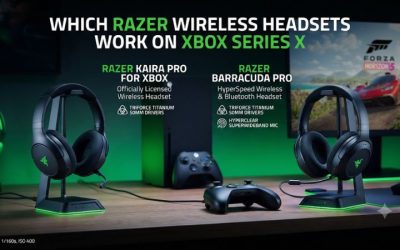
If you need an Xbox headset, a wireless model with explicitly supported Series X/S operation is the better starting point. If you need phone media to play alongside your game, look for documented simultaneous playback. The standard Kraken is at its best when those requirements do not define your setup.
Sound, THX, and microphone performance
Set a clear baseline before judging the drivers
The 40 mm titanium drivers can produce engaging game audio, and reviewers have reported good results after tuning. They have also reported changing their impressions based on setup and playback routing. Before deciding whether the headset is too bassy, harsh, or quiet, use one known working output and a clean stereo profile.
Start with familiar dialogue and effects at a moderate volume. Check whether a quiet voice remains clear when a soundtrack starts and whether a specific environmental effect is easy to locate. When testing in a multiplayer match, choose a repeatable cue and compare from the same position. Loudness can make an EQ setting appear more detailed during a quick comparison.
If you prefer different sound for music and games, make a modest EQ change for one use case and compare again before adjusting the rest of the range. The headset is easier to assess after you separate its basic sound from profile or endpoint changes.
THX Spatial Audio depends on the game and listening goal
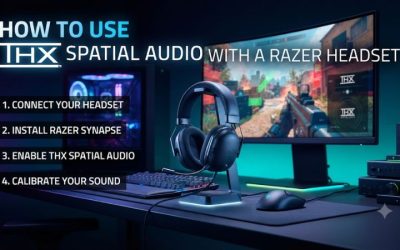
On a supported Windows PC, Synapse offers a stereo and THX Spatial Audio workflow. Try THX in a game where you know where sounds should originate. For story games, check whether dialogue and environment feel coherent. For shooters, check whether you can distinguish front from rear and whether quieter movement remains audible when effects overlap.
If your game includes a dedicated headphone or binaural mode, establish its behavior first. Then try THX as a separate option with the same in-game scene and listening level. Avoid assuming that the configuration with the widest effect has the best positional information. Consistency matters more when a sound changes how you aim or move.
On PS5, use the console’s 3D Audio for Headphones settings after verifying normal headset output. A PS5 buyer should judge the headset by the game and console features available there. The Windows version of the audio chain gives a different set of tuning choices.
Test the Game and Chat outlets the way you intend to use them
On a compatible Windows setup, the Kraken can expose separate Game and Chat playback endpoints. Direct Windows and the game to the appropriate game endpoint. In the voice app, choose the chat endpoint for output and select the Kraken microphone for input. Check that the two streams play before changing their balance.
Use the headset or software balance adjustment while someone speaks and the game plays at the same time. If both sounds change together, verify that the app and the game are using different playback routes. A headset with a working balance button can still seem broken when every program sends audio to the same device.
One published tester found a large difference between endpoints in their setup. Treat that as a reason to check Windows routing, effects, and profile selection. If the intended Game endpoint sounds wrong, try a clean preset and verify whether another app or a Windows audio effect changes that path. Keep the configuration that works for your complete setup, including any features that depend on channel separation.
The retractable boom is a practical strength
The microphone pulls out from the earcup and retracts when you do not need it. This is convenient for mixed sessions because you can put the mic away without carrying a separate part. It also lets you return to the same approximate position each time, which helps keep voice level consistent.
Aim the boom toward the corner of your mouth. Speak a full sentence at the level you use during play, then repeat with a quieter callout, a keypress, and a nearby fan. If the recording sounds distant, confirm the correct input device first. If the mic sounds overloaded, reduce gain or move it back slightly.
Published reviews generally describe the mic as useful for gaming, and its retractable design makes it simple to live with. Evaluate it through the app you use. Noise suppression and microphone processing can improve intelligibility in one setup and cut off speech in another, especially during brief or quiet callouts.
Verify the local monitoring and the outgoing voice separately
If you use mic monitoring in Synapse, set it after microphone input is working. Wear the headset normally, play a game at your usual level, and raise monitoring enough to hear your own speech comfortably. A recording or a party member’s feedback is still needed to judge what you are sending to others.
Keep the gain and monitoring adjustments separate. If the mic is too quiet in chat, examine the selected device, mute state, input level, and chat application. Raising the voice you hear locally may make it seem fixed without changing what teammates receive. Conversely, a good outgoing mic level can coexist with sidetone that feels distracting.
On PS5, select the headset as the microphone input and use the built-in mic meter. The basic setup can be verified there without PC software. If one game fails to send your voice after a successful system or party test, compare the game’s voice channel and mute settings before changing wireless modes.
Wireless connections, controls, and runtime
Use the receiver for your main gaming device
The USB-C HyperSpeed receiver is the standard wireless gaming route. Plug it into a supported data port and use the wireless connection for your first setup. That gives you a stable baseline before trying Bluetooth, wired USB, or software effects.
Check how it behaves at your actual desk or sofa. A port behind a metal case, through a dock, or near other wireless accessories can produce different results from an unobstructed connection. If you encounter drops, compare a direct port and test with Bluetooth activity paused. This helps distinguish receiver placement from a second-source issue.
If you use a laptop or console with limited ports, account for the physical connector and any adapter you need. A suitable adapter should carry data. A charging-only adapter or cable can leave an otherwise working headset absent from your device list.
SmartSwitch handles switching and calls
Pair Bluetooth to a supported phone or other device, then try the SmartSwitch controls. The standard Kraken can accept an incoming call from a paired device while using the receiver. Razer also documents a Do Not Disturb option in its Windows software for blocking those interruptions during 2.4 GHz gaming.
Try it while a game is already playing. Make a test call, end it, and verify that the game and voice app return to the route you expect. Then check Bluetooth music separately. If you depend on phone audio staying audible next to the game, choose a model that documents simultaneous media playback.
This is particularly relevant if you use Discord on a phone beside a console. Switching to the phone and back may be fine when you only need it between matches. If the conversation needs to continue while you hear every game cue, the standard V4’s control scheme is less useful than an actual two-source mix.
Wired USB helps when you work at a desk
The supplied cable supports wired USB audio on a compatible device. At a PC, this is useful when you need to charge during a long session or want to see whether a connection problem persists without radio. Use the cable as a data connection and verify the correct playback endpoint.
To prove that the sound travels via USB, test with the wireless receiver unplugged. If audio disappears, check whether you selected the wired device and whether the cable carries data. Once the wired route works independently, use it as a baseline for diagnosing problems that happen only with the receiver.
If you want a headset that plugs into the analog jack on a controller, compare models with a 3.5 mm path. The Kraken’s USB mode gives you a useful fallback on supported digital sources, and it cannot fulfill the specific job of an analog cable.
RGB can halve the advertised receiver runtime
Razer lists up to 70 hours over 2.4 GHz with lighting disabled and up to 35 hours with it on. The standard V4’s nine lighting zones are visible to others and can integrate with a Chroma setup. If you mostly play out of view of a camera or reflective surface, decide whether those effects are worth the shorter charging interval.
Try a week with lighting off before judging battery performance. Keep your connection and volume reasonably consistent. Then use the lighting pattern you prefer and compare how often you need the cable. A battery result from a review or product page only becomes useful when its conditions relate to your own use.
Razer also advertises roughly six hours of use from 15 minutes of charging under specified conditions. That is a convenient option between sessions. If you play near USB power most of the time, the wired audio fallback matters as much as how quickly the headset can charge.
Comfort, software, and purchase value
The 350-gram fit deserves a full-session test
The Kraken weighs about 350 grams and uses fabric-covered memory foam pads. The cups swivel, which helps them adjust to different heads and makes the headset easier to place on a desk. Reviews have liked aspects of its comfort and build, while a buyer should still check headband pressure and whether the ears touch the inside of the cups.
Try it with your usual glasses and the mic extended. Adjust both sides evenly, then sit where you normally game. If the pad seal changes when you turn your head or look down, you may hear a change in bass along with any comfort difference. Keep that in mind if you compare two tuning profiles after reseating the headset.
Notice whether you move the band after 45 minutes. A headset can feel plush at first and still concentrate pressure after a long match. If comfort is the reason you are upgrading, a sustained fit comparison is more informative than comparing driver size or advertised runtimes.
Synapse adds value when you will use its controls
For a supported Windows setup, Synapse brings together EQ, THX, mic options, lighting, and other device settings. Configure only what you need at first. Start with a working stereo connection and a good microphone level, then add game/chat routing, spatial audio, and lighting. That order lets you identify which option changed the result.
If you share the headset between PC and console, test each device as a separate setup. The PS5 has its own output, microphone, and 3D audio controls. Confirm which hardware settings behave as expected, and avoid basing the entire console experience on a profile created in Windows.
If software detection fails, confirm the receiver and headset work before reinstalling anything. Try a direct port and consult the firmware instructions for the Kraken V4 model family. Keep the product name and version handy. A download intended for the Kraken V4 Pro or another headset can belong to a different hardware platform.
Buy it for a feature you will keep using
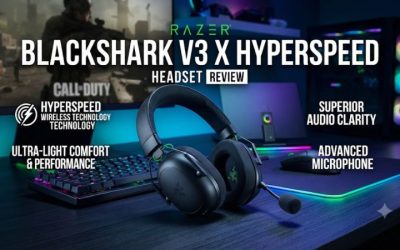
The Kraken V4 is best considered when a retractable mic, PC game/chat controls, and wired USB audio are advantages you will use regularly. If your only objective is a lightweight headset for competitive play, compare it with the BlackShark V3 X HyperSpeed, which weighs less and serves simpler single-source setups. If room noise or simultaneous mobile media drives the decision, compare a model with ANC or two-source playback.
For a used Kraken, check the included receiver and cable, test microphone extension and mute, and verify receiver audio for a full session. Test wired USB independently if it is a reason you are buying. Inspect the pads and whether the cups swivel evenly. A headset that powers on can still have unreliable input or a receiver that cuts out at normal range.
Compare prices with the way you actually play. A PC-focused discount can make the Kraken compelling for someone who enjoys setting up several profiles. A PS5-only shopper may prefer a simpler option when fit, receiver connection, and microphone quality are similar.
Conclusion
The standard Razer Kraken V4 is a good wireless headset for a Windows player who will use its retractable mic, chat mix, THX, or wired USB fallback. It also works for PS5 through the receiver. Disable RGB if battery life matters more than lighting. Buy for the controls and connection paths you need, and choose another model if you want simultaneous wireless media or a licensed Xbox connection.