🛒 Best Price Today on Amazon
Prime members get fast, free shipping on everything above, plus member-only deals. New members get a 30-day free trial — cancel anytime.
A USB-C monitor earns its place by turning a messy desk into a single-cable one: video, data, and a trickle of charge down one lead into a laptop. Under 400 dollars, the question is not whether such a display exists but which trade you are willing to make. Some models chase resolution, some chase refresh rate, some chase screen width, and one fits in a backpack. The USB-C port is the common thread, and the details on that port are where buyers get surprised.
This guide is for people who dock a laptop daily, split time between work and play, or want one screen for a MacBook, a Windows ultrabook, and a console. It covers seven monitors, from a 15.6-inch portable panel to 34-inch ultrawides. Each section leans on the specs in the listing titles, with notes on what to verify before you commit in 2026, especially the charging wattage your laptop expects.
Quick Picks

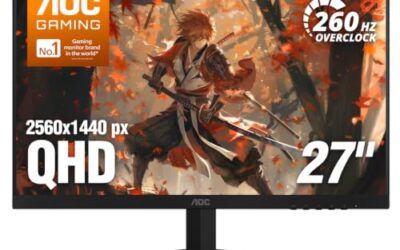
Dell 27 Plus QHD USB-C Monitor - S2725DC - 27-inch QHD (2560x1440) 144Hz 1ms Display, 2 x 3W Speakers, USB-C/HDMI/DisplayPort 1.4 Connectivity, Height/Tilt/Pivot/Swivel, AMD FreeSync - Ash White


As an Amazon Associate we earn from qualifying purchases. Product prices and availability are accurate as of the date/time indicated.

ViewSonic VA2448-MHU 24 Inch 1080p IPS Computer Monitor, 120Hz, USB C | Variable Refresh Rate, HDMI, VGA, USB C, Dual Speakers, Eye Care, Frameless, Home Office, Laptop, PC, Mac, 1ms, 300 Nits


As an Amazon Associate we earn from qualifying purchases. Product prices and availability are accurate as of the date/time indicated.

LG 27U631A-B 27-inch QHD (2560 x 1440) IPS Computer Monitor, 100Hz, 5ms, HDR10, Reader Mode, Flicker Safe, HDMI, USB Type-C 15W PD, Black


As an Amazon Associate we earn from qualifying purchases. Product prices and availability are accurate as of the date/time indicated.
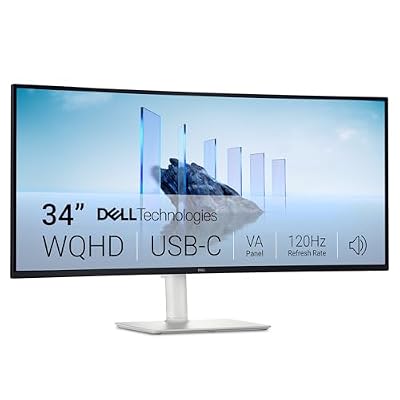
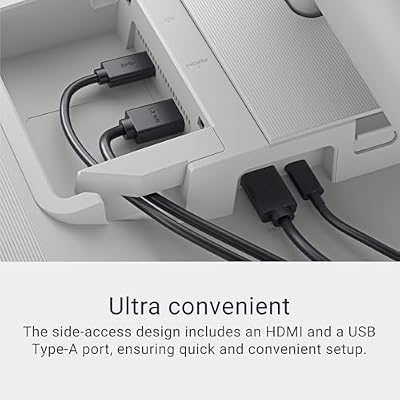
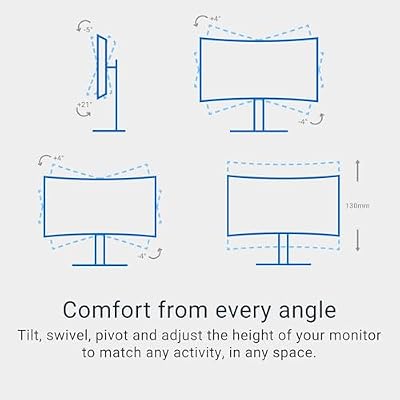
Dell 34 Monitor S3425DW, WQHD VA, 120Hz, FreeSync Premium, Eye Comfort | HDR10, Anti-Glare, 300 cd/m2 Brightness, 3,000:1 Contrast, 95% DCI-P3, 2x10W Speakers, USB-C 65W Power Delivery




As an Amazon Associate we earn from qualifying purchases. Product prices and availability are accurate as of the date/time indicated.
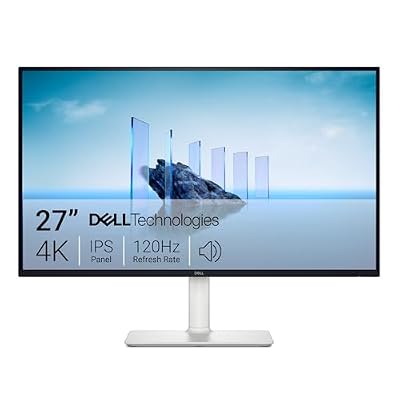
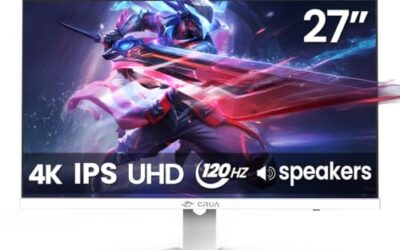
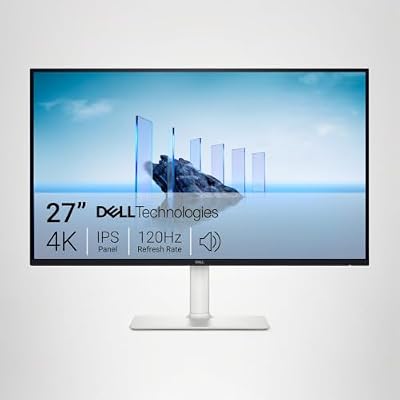
Dell 27 Monitor S2725QS, 4K UHD IPS, 120Hz, 5ms, FreeSync Premium | 350 cd/m2 Brightness, 1,500:1 Contrast, 99% sRGB, Anti-Glare, HDMI, DisplayPort, USB‑C, Height Adjustable, Swivel, Pivot




As an Amazon Associate we earn from qualifying purchases. Product prices and availability are accurate as of the date/time indicated.

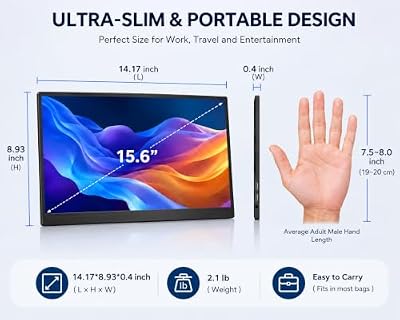
MNN 15.6" 1080P Portable Monitor IPS USB-C HDMI Gaming Screen for Laptop | 15.6" FHD IPS HDR, USB-C one-cable, PC/Mac/Phone/Switch, Smart Case,Laptop , low blue, work&game


As an Amazon Associate we earn from qualifying purchases. Product prices and availability are accurate as of the date/time indicated.
| Product | Best for | Key spec from the title |
|---|---|---|
| Dell S2725DC | Fast QHD for work and play | 27-inch QHD, 144Hz, 1ms, USB-C |
| Dell S2725QC | Sharp 4K workspace | 4K UHD IPS, 120Hz, 99% sRGB, 163 PPI |
| ViewSonic VA2448-MHU | Small desks and tight budgets | 24-inch 1080p IPS, 120Hz, USB C |
| LG 27U631A-B | Everyday office laptop docking | 27-inch QHD IPS, 100Hz, USB-C 15W PD |
| MNN 15.6-inch Portable | Travel and second-screen use | 15.6-inch 1080P IPS, USB-C one-cable |
| LG 34U530A-W | Spreadsheets and timelines | 34-inch UltraWide WFHD, 100Hz, DisplayHDR 400 |
| LG 34WR55QK-B | Immersion and multitasking | 34-inch curved WQHD 3440×1440, 100Hz |
How to Choose
Resolution and size together
Resolution only makes sense relative to screen size. A 24-inch panel at 1080p looks fine; a 27-inch panel at 1080p looks soft, so aim for QHD (2560×1440) or 4K at that size. A 4K 27-inch like the Dell S2725QC lists 163 PPI, which is why text looks crisp. Ultrawide 34-inch panels come as WFHD (2560×1080) or WQHD (3440×1440), and the second is much sharper.
What the USB-C port really does
Not every USB-C port delivers the same power. The LG 27U631A-B states 15W of power delivery, enough to keep a tablet or a light ultrabook topped up but not to run a power-hungry laptop. Always check the wattage on the product page against your charger. The port must also carry video (DisplayPort Alt Mode) on the laptop side, which is not guaranteed on every USB-C laptop.
Refresh rate and response
For office work, 60Hz is enough. For scrolling, console play, and casual games, 100Hz to 144Hz is noticeably smoother. The Dell S2725DC lists 144Hz and 1ms, while the 4K Dell lists 120Hz. Ignore very low response times in marketing unless you play fast shooters, since panel type often matters more.
Where budget monitors cut corners
Expect basic stands, modest brightness, and limited speakers. HDR10 or DisplayHDR 400 on a budget panel adds little real contrast. Height-adjustable stands are a bonus, and portable models trade stand quality for weight. Ignore speaker claims if you use headphones or a soundbar. If you sit close to the screen, a matte anti-glare coating is more useful than a brighter panel, especially in a room with a window behind you.
The 7 Best Options
Dell S2725DC
The S2725DC is a 27-inch QHD (2560×1440) monitor with a 144Hz refresh rate and 1ms response, plus two 3W speakers and USB-C, HDMI, and DisplayPort 1.4 inputs. The title also mentions height adjustability.
- Strength: QHD at 144Hz covers both daily work and smoother gaming.
- Strength: three input types let a laptop, desktop, and console share the screen.
- Trade-off: the 3W speakers are basic, so plan on headphones or a soundbar.
It suits someone who wants one screen for a work laptop by day and a game console after dinner, and who values motion smoothness more than 4K detail. A height-adjustable stand helps if you share the desk. Skip it if you want the sharpest text possible, because the 4K Dell sits higher on resolution.
Dell S2725QC
This 27-inch model pushes resolution: 3840×2160 on an IPS panel at 120Hz with 4ms response, 99% sRGB, FreeSync Premium, and a listed 163 PPI. The ports include USB-C, HDMI, and DisplayPort, and the title mentions anti-glare and eye comfort technology.
- Strength: 4K with 163 PPI gives crisp text and plenty of working room.
- Strength: 99% sRGB and IPS make it a reasonable pick for photo and web work.
- Trade-off: driving 4K at 120Hz demands a capable graphics source.
It is the choice for a developer, editor, or spreadsheet user who keeps many windows open and wants sharp characters. Skip it if your laptop only outputs lower resolutions over USB-C, or if you game on a weaker machine that cannot feed 4K at high frame rates.
ViewSonic VA2448-MHU
The VA2448-MHU is the compact option: a 24-inch 1080p IPS panel at 120Hz with variable refresh rate, HDMI, VGA, USB C, dual speakers, and a frameless design with eye care features listed.
- Strength: 120Hz on an IPS panel at this size is smooth and easy on the eyes.
- Strength: a VGA port helps with older office hardware, alongside HDMI and USB C.
- Trade-off: 1080p is the lowest resolution here, so text is less sharp than on the larger QHD options.
It fits a student desk, a spare room, or a shared office where space matters more than pixel count. Skip it if you plan to sit a bit close and want crisp fine text, or if you need a larger screen for side-by-side windows. As the smallest panel in the group, it also leaves the most room on the desk for a keyboard, notebooks, and a lamp.
LG 27U631A-B
LG pairs a 27-inch QHD IPS panel with 100Hz, 5ms response, HDR10, Reader Mode, flicker-safe backlighting, HDMI, and USB Type-C with 15W power delivery. It is a plain office tool with a few eye-care extras.
- Strength: QHD on 27 inches strikes a good balance between room and sharpness.
- Strength: Reader Mode and flicker-safe features suit long reading days.
- Trade-off: 15W PD will not fully charge a larger laptop.
It suits someone who reads and writes all day and charges the laptop with its own adapter. The 100Hz refresh rate is a small bonus. Skip it if you want the laptop powered entirely from the monitor, because 15W is a modest figure. Because the title also lists HDR10, remember that the label on a monitor at this tier mostly signals compatibility with HDR signals, not a dramatic jump in brightness.
MNN 15.6-Inch Portable Monitor
The MNN is a different kind of USB-C monitor: a 15.6-inch 1080P IPS panel with HDR, USB-C one-cable use, HDMI, and compatibility with PC, Mac, phones, and Switch, plus a smart case. The title frames it as a screen for laptops and gaming on the go.
- Strength: one-cable USB-C use keeps a travel setup simple.
- Strength: the included smart case protects the panel in a bag.
- Trade-off: a 15.6-inch panel is a secondary display, not a main workstation screen.
Consider it for a consultant who works from hotels or a gamer who wants a second screen for a handheld or Switch. Skip it if you need a primary monitor for a desk, because the size and resolution are limited. Also confirm that your phone or laptop supports video output over USB-C, since the one-cable promise depends on the source device, and bring a spare cable in case the first one is too short for a cramped airplane tray.
LG 34U530A-W
This 34-inch UltraWide offers WFHD (2560×1080) on an IPS panel at 100Hz, VESA DisplayHDR 400, HDMI, DisplayPort, USB Type-C, and a tilt, height, and swivel stand listed in the title.
- Strength: the wide canvas suits spreadsheets and video timelines.
- Strength: tilt, height, and swivel adjustment improve ergonomics.
- Trade-off: WFHD stretches 1080 lines across a wide panel, so pixel density is lower than the QHD options.
It fits a finance or editing desk where side-by-side windows matter more than fine detail. Skip it if you want sharper text, since the curved WQHD LG offers more pixels across the same width. It is also worth noting that DisplayHDR 400 is the entry rung of that certification, so treat it as a mild bonus for video rather than a reason to buy.
LG 34WR55QK-B
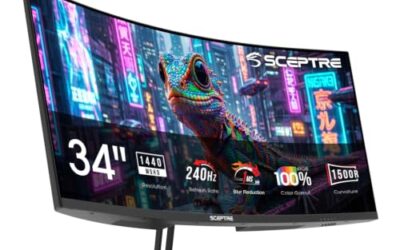
The 34WR55QK-B is a 34-inch curved UltraWide at WQHD (3440×1440), with 100Hz, 5ms response, HDR10, Reader Mode, HDMI, DisplayPort, USB Type-C, and a tilt and height stand.
- Strength: 3440×1440 gives more detail than the WFHD ultrawide.
- Strength: the curve helps keep the edges within view on a wide screen.
- Trade-off: it needs more desk depth than a flat 27-inch panel.
It is built for multitaskers who want an immersive single screen for work and games. Skip it if your desk is shallow, or if you often share the screen with others who sit off to the side. Buyers who plan to run a laptop and a desktop tower at the same time should also confirm how input switching works, since an ultrawide makes it tempting to keep both machines connected.
Which One Fits Your Situation
You dock a work laptop and play console games at night
The Dell S2725DC is a strong match, with its 144Hz refresh rate, QHD resolution, and three input types.
You live in spreadsheets and code
The Dell S2725QC and its 4K, 163 PPI panel give the best text sharpness on this list.
You travel or work from a laptop bag
The MNN 15.6-inch portable monitor, with its one-cable USB-C use and smart case, is the only truly mobile option.
You want one wide screen instead of two
Pick the LG 34WR55QK-B for the sharper WQHD ultrawide, or the LG 34U530A-W if you want to save desk depth and accept lower resolution.
Common Mistakes
- Assuming every USB-C port charges a laptop at full speed.
- Buying a 27-inch 1080p screen and then wondering why text looks soft.
- Choosing an ultrawide without measuring desk depth.
- Paying extra for HDR10 on a panel that is not bright enough to show it.
- Ignoring whether the laptop’s USB-C port supports video output at all.
Related guides
- Logitech G Pro X 2 Vs Steelseries Arctis Nova Pro Wireless
- Travel Controller Case For 8Bitdo Ultimate Series
- Gaming Pc Under 600 For Roblox And Minecraft
Frequently Asked Questions
Can one USB-C cable charge my laptop and carry video?
Often yes, if the monitor’s power delivery wattage matches your laptop and the laptop’s port supports video. Check both before buying, and keep your original charger as a fallback. If the monitor supplies less power than the laptop needs, the battery may still drain slowly under heavy load.
Is 4K worth it on a 27-inch monitor?
For text-heavy work, yes. The higher pixel density makes small type noticeably sharper, though it asks more of your graphics hardware. Older laptops may also need scaling set to 150 percent or so to keep icons readable.
Are portable monitors good enough for daily work?
They work well as a second screen, but a 15.6-inch panel gets cramped for full-time use.
Do I need a curved ultrawide?
No. The curve helps comfort on very wide panels, but a flat 27-inch QHD screen works well for most office tasks.