
Table of Contents
- 0.1 🛒 Best Price Today on Amazon
- 1 Best 540Hz Gaming Monitors Compared
- 2 ZOWIE XL2586X
- 2.1 Key Features
- 2.2 What Makes It Different
- 2.3 Pros
- 2.4 Cons
- 2.5 Use Case
- 2.6 Who It’s For
- 3 ASUS ROG Swift Pro PG248QP
- 3.1 Key Features
- 3.2 What Makes It Different
- 3.3 Pros
- 3.4 Cons
- 3.5 Use Case
- 3.6 Who It’s For
- 4 AOC AGON PRO AG246FK
- 4.1 Key Features
- 4.2 What Makes It Different
- 4.3 Pros
- 4.4 Cons
- 4.5 Use Case
- 4.6 Who It’s For
- 5 Acer Nitro XV242 F
- 5.1 Key Features
- 5.2 What Makes It Different
- 5.3 Pros
- 5.4 Cons
- 5.5 Use Case
- 5.6 Who It’s For
- 6 How to Choose the Best 540Hz Gaming Monitor
- 6.1 Make Sure Your PC Can Feed 540Hz
- 6.2 Compare Motion-Clarity Technologies
- 6.3 Check DisplayPort and HDMI Limits
- 6.4 Understand the TN Panel Trade-Off
- 7 540Hz vs 360Hz Gaming Monitors
- 8 Who Should Buy a 540Hz Monitor?
- 9 FAQ
- 9.1 Is 540Hz Noticeably Better Than 360Hz?
- 9.2 Do You Need 540 FPS for a 540Hz Monitor?
- 9.3 What Connection Do You Need for 540Hz?
- 9.4 What Games Benefit Most From 540Hz?
- 9.5 Is 1080p Enough for a 540Hz Gaming Monitor?
- 10 Conclusion
🛒 Best Price Today on Amazon
Prime members get fast, free shipping on everything above, plus member-only deals. New members get a 30-day free trial — cancel anytime.
The best 540Hz gaming monitor is built for players chasing the lowest possible motion blur and input latency in competitive FPS titles. These displays target esports use, favor Full HD resolution, and pair extreme refresh rates with fast TN-class panels, so choosing the right model depends on motion clarity, sync features, stand design, and ports.
Quick answer: For most people in 2026, the best 540hz gaming monitor is the ZOWIE XL2586X — our #1 rated choice. See the full ranked comparison, alternatives and buying advice below.
Best 540Hz Gaming Monitors Compared
| Monitor | Panel / Resolution | Maximum Refresh Rate | Motion / Sync Focus | Best For |
|---|---|---|---|---|
| ZOWIE XL2586X | 24.1-inch Fast TN, 1920×1080 | 540Hz | DyAc 2, VRR | Competitive FPS players |
| ASUS ROG Swift Pro PG248QP | 24.1-inch Esports-TN, 1920×1080 | 540Hz OC | G-SYNC, ULMB 2, Reflex Analyzer | NVIDIA esports setups |
| AOC AGON PRO AG246FK | 24.1-inch Ultra-Fast TN, 1920×1080 | 540Hz | FreeSync Premium, low input lag | Feature-rich esports desks |
| Acer Nitro XV242 F | Full HD TN | 540Hz | FreeSync Premium | Straightforward 540Hz gaming |
A 540Hz monitor refreshes the image up to 540 times per second, cutting the time between refreshes to about 1.85 ms. That does not guarantee lower system latency by itself, but it can make fast camera movement look clearer and reduce the visual delay between a rendered frame and what appears on screen when the PC can sustain very high frame rates.
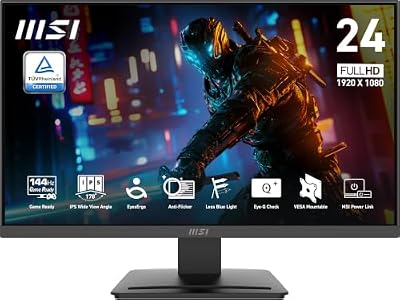
msi PRO MP243L E14 24-inch IPS 1920 x 1080 (FHD) Gaming Office Monitor, 144Hz, Free-Synch, HDR Ready, HDMI, VGA Port,VESA Mountable, Tilt, 4-Side Slim Bezel,1ms, Black
Included for 'Best 540Hz Gaming Monitor: Top Esports Displays Compared' because the listing specifies 144Hz and Free-Synch, details this guide uses to compare options.
View on Amazon →
Sceptre New 22-Inch Gaming Monitor, FHD 1080p, Up to 144Hz, HDMI, DisplayPort, Built-in Speakers, Machine Black (E225W-FW144 Series, 2026)
Included for 'Best 540Hz Gaming Monitor: Top Esports Displays Compared' because the listing specifies FHD 1080p and Up to 144Hz, details this guide uses to compare options.
View on Amazon →
SANSUI 27 Inch Curved 240Hz Gaming Monitor FHD 1080P, 1500R Curve Computer Monitor, 130% sRGB, 4000:1 Contrast, HDR, FreeSync, MPRT 1Ms, Low Blue Light, HDMI DP Ports, Metal Stand, Cable Incl.
Included for 'Best 540Hz Gaming Monitor: Top Esports Displays Compared' because the listing specifies 1500R Curve Computer Monitor and 130% sRGB, details this guide uses to compare options.
View on Amazon →
ASUS TUF Gaming VG27AQ3A 27 Inch 1440p 180Hz G-SYNC Gaming Monitor | Fast IPS, ELMB Sync, 1ms, 130% sRGB, Built-In Speakers, FreeSync Premium, HDR10, for PS5 and Xbox, 3yr warranty
Included for 'Best 540Hz Gaming Monitor: Top Esports Displays Compared' because the listing specifies Fast IPS and ELMB Sync, details this guide uses to compare options.
View on Amazon →The key limitation is hardware demand. Reaching 540 fps in games such as Counter-Strike 2, Valorant, or Overwatch 2 usually requires reduced graphics settings, a fast CPU, and a strong GPU. If your system stays well below 300 fps, a 540Hz panel may offer less benefit than a lower-refresh display with better image quality.
ZOWIE XL2586X
Best For: Competitive FPS and tournament-style setups
Key Features
- 24.1-inch Fast TN panel
- 1920×1080 resolution
- 540Hz refresh rate
- DyAc 2
- Black eQualizer
- Color Vibrance
- S Switch
- XL Setting to Share
- HDMI 2.1 and DisplayPort 1.4
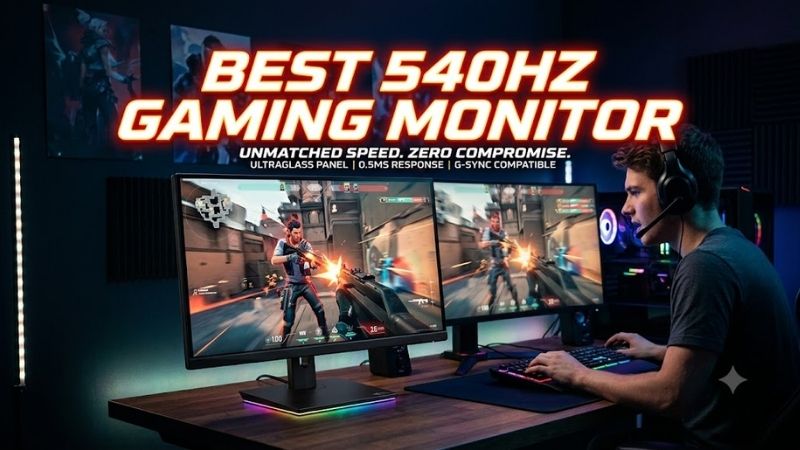
The ZOWIE XL2586X is a 24.1-inch Full HD 540Hz Fast TN monitor aimed directly at competitive FPS players. Its headline feature is DyAc 2 motion-clarity technology, supported by Black eQualizer, Color Vibrance, the S Switch controller, and XL Setting to Share, making it especially focused on tournament-style tuning and repeatable settings.
What Makes It Different
What makes the XL2586X different is its esports-first approach rather than broad multimedia versatility. ZOWIE lists 1920×1080 at 540Hz over HDMI 2.1 or DisplayPort 1.4, while the stand offers 155 mm height adjustment and generous tilt and swivel control. The trade-off is the familiar TN compromise in viewing angles and image richness.
Pros
- DyAc 2 targets clearer competitive motion
- 540Hz supported through HDMI 2.1 and DisplayPort
- Extensive FPS-oriented picture controls
- S Switch simplifies profile changes
- Highly adjustable esports stand
Cons
- Full HD resolution favors speed over detail
- TN technology is not designed for premium viewing angles
- Feature set is heavily focused on competitive gaming
Use Case
Use Case: Counter-Strike 2, Valorant, Rainbow Six Siege, Overwatch 2, and other games where target visibility, rapid tracking, and repeatable tournament settings matter more than high resolution.
Who It’s For
Who It’s For: Competitive players who already value ZOWIE’s esports ecosystem and want dedicated motion-clarity technology, physical profile controls, and a display designed around FPS competition rather than mixed gaming and media use.
ASUS ROG Swift Pro PG248QP
Best For: High-end NVIDIA competitive gaming systems
Key Features
- 24.1-inch Esports-TN panel
- 1920×1080 resolution
- Up to 540Hz overclocked refresh rate
- NVIDIA G-SYNC
- NVIDIA ULMB 2
- NVIDIA Reflex Analyzer
- Retractable stand feet
- DisplayHDR 400 certification
The ASUS ROG Swift Pro PG248QP uses a 24.1-inch 1920×1080 Esports-TN panel and reaches up to 540Hz through overclocking. It also supports NVIDIA G-SYNC, ULMB 2, and the NVIDIA Reflex Analyzer, creating a strong feature set for GeForce users who want motion clarity, latency measurement, and variable refresh support in one competitive display.
What Makes It Different
Its retractable stand feet free more desk space for low-sensitivity mouse movement, which matters with large mouse pads. ASUS specifies 540Hz over DisplayPort and notes that Windows 11, compatible GeForce hardware, overclocking, and Display Stream Compression must be configured correctly to unlock the full refresh rate.
Pros
- Native NVIDIA G-SYNC support
- ULMB 2 targets improved motion clarity
- Reflex Analyzer supports latency measurement
- Compact stand design benefits large mouse movements
- Esports-TN panel prioritizes response speed
Cons
- 540Hz requires the correct configuration
- Maximum refresh is an overclocked operating mode
- Full HD and TN are optimized for esports rather than cinematic gaming
Use Case
Use Case: NVIDIA-powered competitive PCs where the player wants to combine very high refresh, G-SYNC, motion-blur reduction, and system-latency analysis while retaining enough desk space for low-DPI aiming.
Who It’s For
Who It’s For: GeForce users building a dedicated esports station who will actually configure Windows, DisplayPort, DSC, overclocking, and compatible hardware to access 540Hz rather than expecting maximum refresh immediately after connecting the monitor.
AOC AGON PRO AG246FK
Best For: 540Hz gaming with broader desktop features
Key Features
- 24.1-inch Ultra-Fast TN esports panel
- 1920×1080 resolution
- Up to 540Hz
- AMD FreeSync Premium
- 0.5 ms GtG specification
- USB hub
- G-Menu
- RGB Light FX
- Ergonomic stand
- DisplayHDR 400
The AOC AGON PRO AG246FK is a 24.1-inch Full HD esports monitor with an Ultra-Fast TN panel and a maximum 540Hz refresh rate. It combines that speed with AMD FreeSync Premium, low-input-lag features, a USB hub, G-Menu control, RGB Light FX, and an ergonomic stand, giving it a broader desktop feature set.
What Makes It Different
AOC specifies 540Hz over DisplayPort, while HDMI is limited to lower refresh operation. The panel is rated for 0.5 ms GtG response and up to 400 nits brightness, and the stand supports height, tilt, swivel, and pivot adjustment. It suits players who want 540Hz speed without giving up useful connectivity and everyday desk ergonomics.
Pros
- 540Hz over DisplayPort
- FreeSync Premium support
- Integrated USB hub
- Height, tilt, swivel, and pivot adjustment
- G-Menu software and OSD controls
Cons
- HDMI does not provide the same maximum refresh mode
- TN remains a speed-first panel technology
- Some extra desktop features may be unnecessary for tournament-only users
Use Case
Use Case: Competitive gaming PCs where 540Hz remains the priority, but the monitor also needs useful USB connectivity, software controls, flexible ergonomics, and features that make it easier to use as a permanent everyday desktop display.
Who It’s For
Who It’s For: Players who want an esports-focused 540Hz monitor without choosing the most stripped-down tournament design, especially if USB devices, stand flexibility, FreeSync support, and desktop usability matter alongside competitive performance.
Acer Nitro XV242 F
Best For: A straightforward FreeSync-based 540Hz setup
Key Features
- Full HD TN panel
- 540Hz refresh rate
- AMD FreeSync Premium
- 0.1 ms listed response specification
- 99% sRGB listed coverage
- Adjustable stand
- HDMI and DisplayPort connectivity
- VESA DisplayHDR 400 listed by Acer
The Acer Nitro XV242 F is a Full HD TN esports monitor rated for 540Hz and paired with AMD FreeSync Premium. Acer also lists a 0.1 ms response figure, 99% sRGB coverage, DisplayHDR 400 support, and a fully adjustable stand, positioning it as a speed-focused model with a conventional gaming-monitor feature mix.
What Makes It Different
Its practical appeal is simplicity: 540Hz, adaptive sync, Full HD resolution, and a stand with height, tilt, swivel, and pivot adjustment. Acer lists two HDMI inputs and one DisplayPort input, but buyers should confirm which connection is required for the maximum refresh rate on their exact regional model and graphics card before purchase.
Pros
- 540Hz maximum refresh rate
- FreeSync Premium support
- Full ergonomic adjustment
- Familiar Full HD esports format
- Multiple video inputs
Cons
- Acer’s regional specification pages contain some differing display details
- TN prioritizes response speed over wide-angle image quality
- Connection requirements should be checked before targeting 540Hz
Use Case
Use Case: High-frame-rate competitive gaming where the buyer primarily needs Full HD, 540Hz, adaptive sync, and flexible stand adjustment without prioritizing proprietary tournament controllers or an NVIDIA-specific feature ecosystem.
Who It’s For
Who It’s For: Competitive players who prefer a conventional gaming-monitor design and want the core 540Hz experience with FreeSync Premium, particularly when specialized ZOWIE or NVIDIA features are not central to their setup.
How to Choose the Best 540Hz Gaming Monitor
Make Sure Your PC Can Feed 540Hz
Refresh rate should match the frame rate your PC can produce. A 540Hz panel has the most value when competitive settings keep the game near several hundred frames per second for long periods. Players using heavier graphics presets or slower CPUs may gain less and could benefit more from higher resolution or better contrast.
Compare Motion-Clarity Technologies
Motion-clarity technology matters because refresh rate alone does not define how sharp moving targets look. ZOWIE uses DyAc 2, while ASUS pairs its panel with ULMB 2. These systems can improve clarity in fast pans, but strobing may reduce brightness or conflict with variable refresh, so the best choice depends on how you play.
Check DisplayPort and HDMI Limits
Connectivity is easy to overlook at 540Hz because not every input supports the maximum mode. DisplayPort is required on several models, while ZOWIE also specifies 540Hz over HDMI 2.1. Check the monitor manual, GPU outputs, cable standard, operating system, and any DSC or overclock settings before expecting full refresh.
Understand the TN Panel Trade-Off
Panel type is a deliberate trade-off. Current 540Hz monitors center on TN or esports-tuned TN technology because response speed is the priority. That fits competitive shooters, but players who also edit photos, watch HDR video, or play cinematic games may prefer a slower OLED or IPS display with richer contrast and wider viewing angles.
540Hz vs 360Hz Gaming Monitors
Moving from 360Hz to 540Hz reduces the refresh interval from roughly 2.78 ms to about 1.85 ms. That creates more opportunities to display newly rendered frames and can improve motion sampling during rapid movement, but the difference is inherently subtler than major jumps such as 60Hz to 144Hz or 144Hz to 240Hz.
The upgrade makes the most sense when the entire system is optimized for esports. That includes a fast gaming CPU, a GPU capable of producing hundreds of frames per second, low graphics settings, an appropriate connection, and games where visual information changes quickly enough for additional refreshes to matter during aiming and tracking.
Who Should Buy a 540Hz Monitor?
A 540Hz monitor makes the most sense for competitive FPS players, esports enthusiasts, and skilled users who already own a high-performance PC. The benefit comes from combining high frame rates with extremely short refresh intervals, so players who prioritize reaction timing and motion tracking are more likely to appreciate the difference than casual users.
It makes less sense for gamers focused on 4K detail, HDR presentation, cinematic single-player titles, or maximum visual quality. Those users may gain more from OLED contrast, higher resolution, larger screen sizes, or stronger HDR performance, because many graphically demanding games cannot generate frame rates high enough to exploit 540Hz consistently.
FAQ
Is 540Hz Noticeably Better Than 360Hz?
Yes, 540Hz can feel smoother than 360Hz when the game runs at very high frame rates and the player is sensitive to motion clarity and latency. The improvement is smaller than moving from 60Hz to 144Hz, so it is most relevant to serious competitive players with fast hardware, optimized settings, and games that regularly exceed several hundred fps.
Do You Need 540 FPS for a 540Hz Monitor?
No. A 540Hz monitor still works at lower frame rates, but you will not fully use its refresh ceiling unless the GPU and CPU deliver frames fast enough. Adaptive sync can smooth uneven frame pacing on supported models, while competitive players often reduce graphics settings to keep frame rate high and render latency low.
What Connection Do You Need for 540Hz?
For most 540Hz monitors, DisplayPort is the most reliable path to maximum refresh. Some models also support 540Hz over HDMI 2.1, while others cap HDMI lower. Check the official manual for the exact model, because the required port, cable, Windows version, DSC setting, and GPU generation can affect whether 540Hz appears.
What Games Benefit Most From 540Hz?
A 540Hz monitor is best suited to esports titles such as Counter-Strike 2, Valorant, Overwatch 2, Rainbow Six Siege, and other games where very high frame rates, rapid camera movement, and split-second target tracking matter. It offers far less value in slower or graphically demanding games that rarely approach the refresh ceiling.
Is 1080p Enough for a 540Hz Gaming Monitor?
Full HD is intentional in this category because reducing pixel workload helps gaming PCs sustain the extreme frame rates needed to exploit 540Hz. At roughly 24 inches, 1080p also remains practical for competitive play, although users who prioritize desktop space, fine detail, or immersive single-player graphics may prefer a higher-resolution monitor.
Conclusion
The best 540Hz gaming monitor depends on your competitive setup. Choose the ZOWIE XL2586X for its esports-focused DyAc 2 toolkit, the ASUS PG248QP for G-SYNC and ULMB 2, the AOC AG246FK for a broader desktop feature set, or the Acer XV242 F for a straightforward 540Hz FreeSync option. Match the monitor to your GPU, ports, and game FPS.
Ready to decide? Our #1 pick for 2026 is the ZOWIE XL2586X.
Live price & availability on Amazon.









