🛒 Best Price Today on Amazon
Prime members get fast, free shipping on everything above, plus member-only deals. New members get a 30-day free trial — cancel anytime.
A glass gaming mousepad needs regular cleaning to maintain predictable mouse movement. Dust, fingerprints, skin oils, and tiny particles can affect how mouse skates interact with its surface. Choosing the best glass mousepad cleaning kit for gamers helps maintain consistent glide without exposing delicate surface finishes to unnecessary chemicals or abrasion.
Quick Verdict: Which Glass Mousepad Cleaning Kit Is Best?
A clean microfiber cloth and water are sufficient for many routine glass mousepad cleaning tasks. Specialized cleaning solutions may help remove stubborn residue, but their compatibility depends on the pad manufacturer’s instructions. The safest cleaning method prioritizes gentle contact, minimal moisture, and complete drying before gameplay resumes.
Best overall: E-Cloth Glass & Polishing Cloth
Best complete cleaning kit: WHOOSH! Screen Shine Cleaning Kit
Best for precision cleaning accessories: ZEISS Lens Cleaning Kit
Best budget microfiber option: MagicFiber Microfiber Cleaning Cloths
Best for controlled spray application: Koala Eyeglass Lens Cleaner Kit
Best for larger glass surfaces: MR.SIGA Microfiber Cleaning Cloths
Quick Comparison Table
| Cleaning product | Main components | Best use | Important limitation |
|---|---|---|---|
| E-Cloth Glass & Polishing Cloth | Specialized microfiber | Water-only cleaning | Requires proper cloth care |
| WHOOSH! Screen Shine Kit | Cleaning solution and microfiber | Fingerprints and oils | Confirm chemical compatibility |
| ZEISS Lens Cleaning Kit | Fluid, blower, brush, microfiber | Broader optical maintenance | Lens fluid is not universally approved for mousepads |
| MagicFiber Microfiber Cloths | Microfiber cloths | Daily dust removal | No dedicated cleaning solution |
| Koala Lens Cleaner Kit | Spray and microfiber | Controlled residue removal | Check mousepad surface requirements |
| MR.SIGA Microfiber Cloths | Reusable microfiber cloths | Large-area cleaning | Fabric must remain free of grit |
How We Selected These Glass Mousepad Cleaning Products
Selection focused on the tools and materials needed to remove dust and residue without scratching glass or changing its intended glide characteristics. We prioritized soft microfiber, controlled liquid application, reusable construction, and the ability to clean large surfaces without leaving visible lint or streaks.
Not every product in this roundup is manufactured specifically for gaming mousepads. General glass and lens cleaners are included as conditional alternatives, not universal recommendations. The manufacturer’s care instructions for the actual mousepad always take precedence over a cleaning product’s broader marketing claims.
The 6 Best Glass Mousepad Cleaning Kits for Gamers
Glass gaming mousepads differ from ordinary window glass because their surfaces may be etched, textured, treated, or manufactured with specialized finishes. A cleaning product that leaves an ordinary mirror looking clear could still be inappropriate for a gaming surface if it deposits residue or interacts with a particular surface treatment.
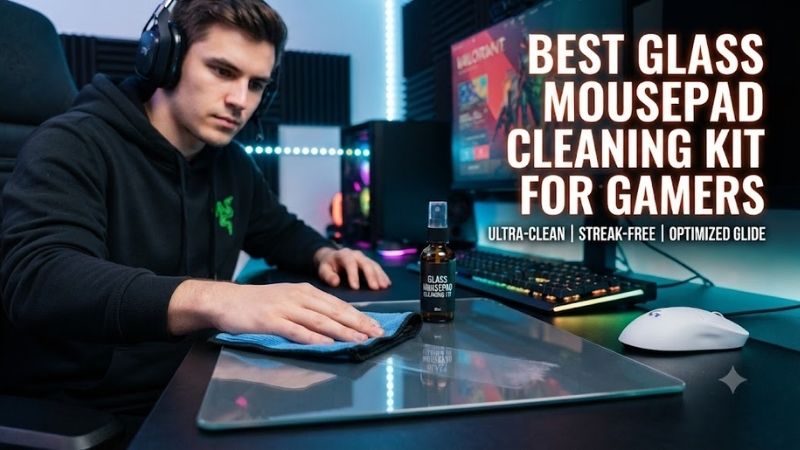
E-Cloth Glass & Polishing Cloth – Best Overall for Safe Routine Cleaning
The E-Cloth Glass & Polishing Cloth is an appealing starting point for gamers who prefer cleaning with water rather than chemical solutions. Its specialized microfiber construction is intended to remove surface marks and polish glass, making it useful for routine maintenance when the mousepad manufacturer permits damp microfiber cleaning.
Best for: Daily and weekly cleaning of compatible glass gaming mousepads.
Design and materials
The main advantage of an effective microfiber cloth is its ability to collect small particles while minimizing aggressive contact with the surface.
Ordinary household towels can leave lint, while rough paper products may drag abrasive particles across glass.
A properly maintained microfiber cloth provides a softer contact interface.
For a gaming mousepad, this matters because even small contaminants can be noticeable when a hard mouse skate passes over them.
Cleaning performance
Start by inspecting the pad for visible grit.
Remove loose particles before applying pressure.
When the manufacturer permits water, lightly dampen the cloth and wipe the surface with controlled movements.
Use a clean, dry section of the cloth to remove remaining moisture.
The objective is to eliminate fingerprints and dust without leaving a persistent film.
Why water-only cleaning matters
Some glass gaming mousepads tolerate particular glass-safe cleaners, while others have more restrictive care requirements.
Water-only cleaning avoids introducing unnecessary chemical ingredients.
It is therefore a sensible first method for users who have not yet confirmed whether their pad supports a particular cleaning solution.
However, water alone may not remove heavy oily deposits immediately.
In that situation, check the manufacturer’s instructions before choosing another product.
Durability and maintenance
Microfiber should be washed separately from lint-producing fabrics.
Avoid fabric softener because it can coat the fibers and affect their cleaning properties.
A contaminated cloth can scratch a glass surface regardless of how soft the original material is.
Keep one cloth dedicated to the mousepad rather than using the same cloth on dusty furniture.
Pros
-
Suitable for water-only cleaning
-
Reusable construction
-
No cleaning solution required
-
Useful for routine fingerprints and dust
-
Practical for large mousepads
Cons
-
Does not include a dedicated solution
-
Heavily contaminated cloths can cause scratches
-
Stubborn residue may require additional treatment
-
Requires proper washing and storage
Buy If: You want a simple, reusable cleaning tool for regular glass mousepad maintenance.
Skip If: You specifically need a complete kit with a manufacturer-approved cleaning solution.
WHOOSH! Screen Shine Cleaning Kit – Best Complete Cleaning Kit
The WHOOSH! Screen Shine Cleaning Kit combines a liquid cleaner with microfiber accessories for removing fingerprints and everyday residue from electronic displays. Its integrated cleaning approach can be convenient for gamers who maintain a monitor, laptop, and compatible glass mousepad.
Best for: Multi-device cleaning when the mousepad manufacturer approves the cleaning solution.
Cleaning system
A packaged cleaning kit offers the convenience of having both the liquid and cloth available.
However, the compatibility of a screen-cleaning formula with laptop displays does not automatically establish compatibility with gaming mousepads.
Glass mousepads may have unique surface structures or treatments.
The liquid should only be used on the mousepad if the manufacturer’s care guidance permits its ingredients.
Application technique
Never spray liquid directly across a gaming mousepad unless its manufacturer specifically recommends doing so.
A more controlled approach is to apply a small amount to the cloth.
This reduces the chance of liquid entering the edges or collecting beneath the pad.
Wipe gently without repeatedly scrubbing one area.
Finish with a clean, dry cloth.
Residue and glide consistency
An important consideration is whether the cleaner leaves any detectable film.
A product can remove fingerprints effectively yet still leave residue that changes how the mouse skates move.
For competitive gaming, even a subtle difference in friction can be undesirable.
After cleaning, inspect the surface under angled light.
Allow it to dry completely before testing mouse movement.
Broader gaming setup value
The strongest argument for WHOOSH! is convenience across several compatible devices.
Gamers who regularly clean display screens may already have a use for the kit.
It is less compelling when the sole objective is cleaning a glass mousepad that only requires water and microfiber.
Pros
-
Integrated liquid and microfiber system
-
Convenient for multiple devices
-
Useful for fingerprint removal
-
Portable cleaning approach
Cons
-
Chemical compatibility requires verification
-
More complicated than water-only cleaning
-
Potential for unwanted residue
-
Not necessary for every glass mousepad
Buy If: You want a broader electronics cleaning kit and have confirmed the solution is acceptable for your mousepad.
Skip If: Your mousepad manufacturer recommends water only.
ZEISS Lens Cleaning Kit – Best for Precision Cleaning Accessories
The ZEISS Lens Cleaning Kit is a broader precision-cleaning package that includes several tools suitable for delicate optical equipment. Its combination of microfiber, manual airflow, and cleaning accessories makes it useful for maintaining a gaming workstation, although some included products should not be applied to glass mousepads.
Best for: Gamers who also maintain cameras, glasses, displays, or other compatible optical devices.
Included accessories
-
Microfiber cleaning cloth
-
Manual air blower
-
Cleaning brush
-
Lens-cleaning fluid
-
Individually packaged cleaning wipes
-
Storage case
Why the accessories are useful
Loose dust should be removed before wiping a glass mousepad.
A manual air blower can dislodge debris without requiring direct contact.
The microfiber cloth can then be used for gentle surface cleaning.
This sequence reduces the chance of dragging grit across the pad.
The included liquid products are intended for optical equipment and require separate compatibility checks before being used on a gaming surface.
Limitations of lens-cleaning solutions
A lens cleaner is not necessarily the same as a gaming mousepad cleaner.
Optical coatings and mousepad finishes may have different chemical tolerances.
Some lens wipes contain alcohol-based ingredients.
Several gaming mousepad manufacturers warn against alcohol or other aggressive cleaning agents.
Therefore, use the ZEISS kit’s microfiber and blower as appropriate, but do not assume the liquid and wipes are safe for every glass gaming pad.
Practical value
The kit is most compelling for gamers who already own several optical accessories.
It provides a coordinated set of maintenance tools.
For someone who only needs to wipe a glass mousepad once a day, it may be unnecessarily comprehensive.
Pros
-
Multiple cleaning tools
-
Manual blower included
-
Useful microfiber
-
Protective storage case
-
Broad electronics-maintenance value
Cons
-
Not a dedicated gaming mousepad kit
-
Liquid and wipes require compatibility checks
-
More accessories than many users need
-
Higher complexity than a simple microfiber cloth
Buy If: You want precision-cleaning accessories for several compatible devices.
Skip If: You expect every included cleaning chemical to be automatically safe for your mousepad.
MagicFiber Microfiber Cleaning Cloths – Best Budget Option
MagicFiber Microfiber Cleaning Cloths provide a straightforward approach to keeping glass gaming mousepads free from ordinary fingerprints, dust, and surface marks. Rather than adding specialized cleaning equipment, they focus on a reusable fabric that can be used dry or lightly dampened according to the mousepad’s care instructions.
Best for: Budget-conscious gamers who clean their pads frequently.
Why multiple cloths are useful
A glass mousepad can accumulate skin oils and dust during everyday gaming.
Using one cloth repeatedly without washing it can eventually spread contaminants instead of removing them.
A multipack allows the user to rotate through clean cloths.
One can be reserved for initial cleaning, another for final drying, and additional cloths for future sessions.
Cleaning considerations
The cloth should be inspected before every use.
If it contains grit or debris, wash it before allowing it to contact the pad.
Use light pressure rather than attempting to polish the surface aggressively.
A glass mousepad should not require hard scrubbing during normal maintenance.
Material limitations
Microfiber quality can vary between product lines.
The absence of a dedicated solution means that heavily adhered residue may require a separate, manufacturer-approved cleaning method.
Nevertheless, simple cloth-based maintenance remains appropriate for many ordinary cleaning tasks.
Pros
-
Economical maintenance
-
Reusable
-
Useful multipack arrangements
-
No chemical cleaner required
-
Easy to store
Cons
-
No liquid solution
-
Requires washing
-
Quality and size vary by package
-
Contaminated fabric can scratch
Buy If: You want several dedicated cloths for routine glass mousepad cleaning.
Skip If: You need specialized treatment for stubborn residue.
Koala Eyeglass Lens Cleaner Kit – Best for Controlled Cleaning Application
The Koala Eyeglass Lens Cleaner Kit is intended for optical surfaces and typically combines a cleaning spray with microfiber cloths. For gaming mousepad owners, its main appeal is controlled liquid application, but the solution’s exact formulation must be approved for the specific pad before use.
Best for: Users who need a portable cleaner for compatible glass and optical accessories.
Liquid-control considerations
Applying a cleaner to a cloth rather than the mousepad helps control the quantity of moisture.
This is useful because excessive liquid can collect near the glass edges or underneath the pad.
However, controlled application does not make an incompatible chemical safe.
Always verify the ingredients and the mousepad’s maintenance guidance.
Microfiber functionality
The cloth provides a gentle way to remove fingerprints and light deposits.
A second dry cloth is preferable for finishing.
This reduces the chance of leaving a wet film before gaming resumes.
A clean surface should feel consistent across its entire area.
When this product makes sense
A small cleaning kit can be convenient for gamers who travel with their setup.
It is less attractive when the pad’s manufacturer recommends water only.
For such users, a dedicated microfiber cloth remains the simpler choice.
Pros
-
Portable cleaning system
-
Controlled spray format
-
Microfiber accessories
-
Useful for compatible optical equipment
Cons
-
Not specifically developed for glass mousepads
-
Solution compatibility must be checked
-
Potential for unwanted chemical residue
Buy If: You need a compact multi-device cleaning kit and have verified compatibility.
Skip If: Your glass pad has restrictive chemical-care instructions.
MR.SIGA Microfiber Cleaning Cloths – Best for Large Glass Mousepads
MR.SIGA Microfiber Cleaning Cloths are practical for users who want larger reusable cleaning fabrics for maintaining extensive gaming surfaces. They are particularly relevant to glass mousepads that cover a substantial portion of the desk and benefit from broad, continuous wiping movements.
Best for: Large glass mousepads and regular workstation cleaning.
Large-surface cleaning
A bigger cloth can reduce the number of separate passes needed to clean a broad surface.
It also gives the user more clean fabric area to work with.
This is helpful when removing fingerprints or dust from a large glass gaming pad.
However, larger fabric does not automatically mean safer cleaning.
The cloth must remain clean and free from abrasive particles.
Surface interaction
Use gentle movements.
Avoid placing excessive pressure on the cloth, especially when the surface contains visible dust.
The most important goal is removing contaminants rather than polishing the surface aggressively.
After damp cleaning, use a separate dry cloth to remove residual moisture.
Maintenance value
Reusable cloths can be washed and stored for repeated use.
A dedicated set prevents cross-contamination from household cleaning tasks.
For example, a cloth previously used on a dusty shelf should not be used immediately on a premium glass mousepad.
Pros
-
Useful for larger surfaces
-
Reusable construction
-
Practical for regular cleaning
-
No specialized chemical requirements
Cons
-
Generic rather than gaming-specific
-
Washing and storage matter
-
May leave lint if poorly maintained
-
No included cleaning solution
Buy If: You need a larger microfiber cloth for frequent cleaning.
Skip If: You prefer a compact specialized kit.
Buying Guide: How to Choose a Glass Mousepad Cleaning Kit
Glass gaming mousepads are generally easier to wipe than cloth mousepads, but their hard surfaces make small particles and residue especially noticeable. The correct cleaning process should maintain the manufacturer’s intended texture and avoid creating new sources of friction.
Understand Why Glass Mousepads Need Frequent Cleaning
Glass is relatively nonporous, so dust and skin oils remain on the surface rather than being absorbed into fabric.
This makes contamination easy to see and remove.
However, tiny hard particles can become trapped between the mouse skates and glass.
When the mouse moves, those particles may cause scratching sounds or uneven glide.
A short dry-microfiber wipe before gaming can reduce this problem.
Choose Microfiber Before Chemical Cleaners
For routine maintenance, a clean microfiber cloth is often sufficient.
Water may be used when the manufacturer permits it.
Specialized cleaning solutions should only be introduced when necessary.
Products intended for windows, mirrors, or camera lenses should not automatically be treated as compatible with gaming mousepads.
Avoid Abrasive Materials
Paper towels, coarse sponges, and contaminated cloths can drag abrasive debris across glass.
Do not use scraping tools to remove ordinary residue.
If a hard particle is visible, remove it carefully before wiping.
Preserving surface texture is more important than applying aggressive cleaning pressure.
Understand Coated and Uncoated Glass Pads
Not all glass gaming mousepads use identical manufacturing processes.
Some employ specialized texture or surface treatments.
Wallhack states that its glass pads use etched surfaces rather than coatings, while other manufacturers may use different designs.
Always follow the exact manufacturer’s care instructions instead of assuming one universal cleaning method.
How to Clean a Glass Gaming Mousepad Safely
Begin by moving the mouse away from the surface.
Inspect the pad for particles.
Remove loose debris gently with a clean, dry microfiber cloth.
If needed and permitted, lightly dampen a separate microfiber cloth with water.
Wipe the pad using controlled movements.
Dry the surface fully before returning the mouse.
Check the mouse skates for embedded grit as well.
Frequently Asked Questions
Can I use glass cleaner on a gaming mousepad?
Only if the manufacturer permits the specific cleaner or its ingredients.
Is water enough to clean a glass mousepad?
Often, yes, for routine fingerprints and light residue.
Can alcohol damage a glass mousepad?
Some manufacturers advise against it because it may affect surface treatments.
How often should I clean a glass gaming pad?
A quick wipe before gaming and more thorough cleaning when residue accumulates is a practical routine.
Can dirty mouse skates scratch glass?
Trapped grit and damaged skates can create scratching or undesirable contact.
Should I spray cleaner directly onto the pad?
It is generally safer to dampen the cloth, subject to the manufacturer’s instructions.
Final Verdict
The E-Cloth Glass & Polishing Cloth is a strong starting point for routine glass mousepad care because it supports gentle cleaning without unnecessary chemicals. MagicFiber and MR.SIGA offer practical reusable alternatives. WHOOSH!, ZEISS, and Koala are broader cleaning kits whose liquids should only be used when the mousepad manufacturer confirms compatibility.