🛒 Best Price Today on Amazon
Prime members get fast, free shipping on everything above, plus member-only deals. New members get a 30-day free trial — cancel anytime.
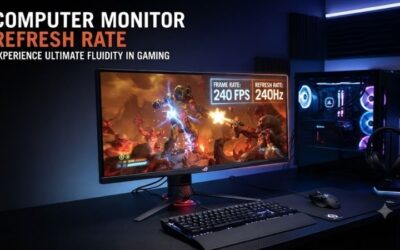
A high refresh rate gaming monitor can make fast gameplay feel smoother, reduce visible motion blur, and improve how quickly new frames appear during competitive games. The best choice depends on your GPU, target resolution, preferred panel technology, and whether you actually need 240Hz, 360Hz, or an extreme 480Hz display.
Quick answer: For most people in 2026, the best high refresh rate gaming monitor is the Monitor — our #1 rated choice. See the full ranked comparison, alternatives and buying advice below.
Best High Refresh Rate Gaming Monitors at a Glance
| Monitor | Best For | Resolution | Refresh Rate |
|---|---|---|---|
| LG UltraGear 27GX790A-B | Overall 480Hz gaming | 2560 × 1440 | 480Hz |
| ASUS ROG Swift OLED PG27AQDP | Competitive OLED gaming | 2560 × 1440 | 480Hz |
| Samsung Odyssey OLED G6 G60SD | 360Hz gaming | 2560 × 1440 | 360Hz |
| Alienware AW2725DF | QD-OLED gaming | 2560 × 1440 | 360Hz |
| Gigabyte M27Q X | Value 240Hz gaming | 2560 × 1440 | 240Hz |
| ASUS TUF Gaming VG259QM | High-FPS 1080p gaming | 1920 × 1080 | Up to 280Hz |
LG UltraGear 27GX790A-B
Best For: Overall high-refresh gaming
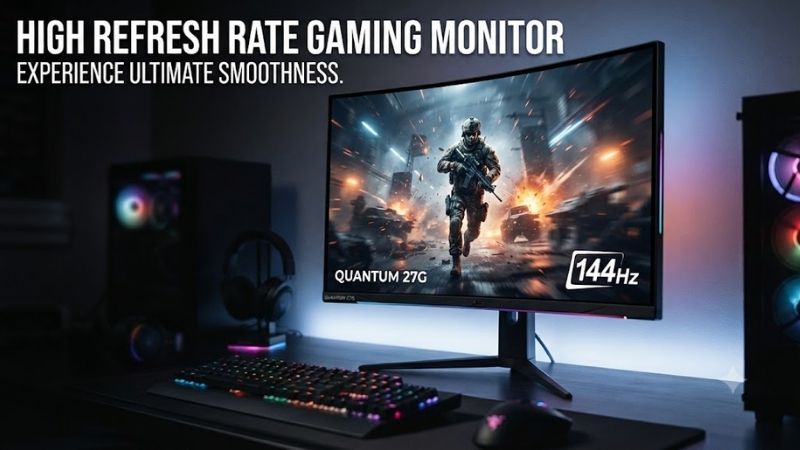
The LG UltraGear 27GX790A-B is designed for players who want extremely high refresh rates without dropping to 1080p. Its 27-inch-class OLED panel combines QHD resolution with a 480Hz refresh rate, giving competitive gamers a much sharper image than traditional Full HD esports monitors while still delivering exceptional motion performance.
The OLED panel also provides extremely fast pixel transitions. High refresh rate alone cannot guarantee clean motion if pixels respond too slowly, which is why OLED works particularly well in this category. Rapid pixel changes reduce trailing and smearing during fast camera movement, helping moving targets remain easier to identify.
QHD is also a sensible resolution for modern competitive gaming PCs. It is noticeably sharper than 1080p but significantly easier to drive than 4K. Powerful current GPUs can produce very high frame rates in esports games at 1440p, making a 480Hz QHD panel more realistic than a similarly fast 4K display.
DisplayPort 2.1 support is another useful feature for high-bandwidth configurations. The monitor is therefore suitable for enthusiasts building around a powerful modern GPU and intending to keep the display across several hardware upgrades rather than replacing it after one graphics-card generation.
Key Features
- 27-inch-class OLED panel
- 2560 × 1440 resolution
- 480Hz refresh rate
- Very fast OLED response
- DisplayPort 2.1
- HDMI 2.1
- Adaptive-sync support
- DisplayHDR True Black support
- Adjustable gaming stand
- High color-gamut coverage
What Makes It Different
The combination of QHD resolution and 480Hz OLED performance is the key attraction. Gamers no longer need to choose between a sharper 1440p desktop and the extreme refresh rates traditionally associated with lower-resolution esports monitors.
Pros
- Extremely fast 480Hz refresh rate
- QHD resolution
- OLED motion clarity
- Deep black levels
- Modern DisplayPort connectivity
- Excellent esports potential
Cons
- Expensive
- Requires a very powerful gaming PC
- OLED requires sensible static-content use
- 480Hz benefits are smaller outside competitive games
Use Case: Counter-Strike 2, Valorant, Overwatch, competitive shooters, high-end gaming PCs, and mixed esports gaming.
Who It’s For: Competitive players who want maximum speed without accepting a 1080p display.
ASUS ROG Swift OLED PG27AQDP
Best For: Premium competitive OLED gaming
The ASUS ROG Swift OLED PG27AQDP targets the same enthusiast market with a QHD OLED panel running at 480Hz. It is designed for players who want exceptional motion clarity while retaining the contrast and image quality advantages that make OLED attractive for single-player games and media.
A 480Hz display refreshes the image far more frequently than conventional 144Hz or 165Hz monitors. The practical difference becomes most visible during rapid mouse movement and competitive tracking, particularly when the PC can consistently produce several hundred frames per second.
The ASUS model also includes OLED-focused management features intended to protect the panel during normal use. These features are useful because desktop operating systems contain static taskbars, icons, browser elements, and game interfaces that can remain in the same position for extended periods.
Its biggest drawback is value. For most players, a good 240Hz display already provides excellent responsiveness. Moving to 480Hz makes more sense for competitive users who can distinguish small improvements in motion presentation and already own hardware capable of feeding the monitor properly.
Key Features
- 27-inch-class OLED display
- QHD resolution
- 480Hz refresh rate
- Fast OLED pixel response
- Adaptive-sync support
- Gaming-focused display controls
- OLED protection features
- Adjustable stand
- Wide color support
What Makes It Different
The PG27AQDP combines an extreme refresh rate with ROG gaming features and OLED image quality. It can function as both a serious esports monitor and a premium display for visually rich single-player games.
Pros
- 480Hz refresh
- Excellent OLED response
- QHD sharpness
- Deep contrast
- Strong gaming feature set
- Suitable for competitive and AAA gaming
Cons
- Premium pricing
- Very high frame rates require strong hardware
- OLED care remains important
- Overkill for casual gaming
Use Case: Competitive FPS, esports training, premium gaming setups, and users who play both multiplayer and cinematic titles.
Who It’s For: Enthusiasts who want one of the fastest OLED gaming experiences available.
Samsung Odyssey OLED G6 G60SD
Best For: Balanced 360Hz OLED gaming
The Samsung Odyssey OLED G6 G60SD combines a 27-inch QHD OLED panel with a maximum 360Hz refresh rate. This places it below 480Hz flagships but still far above conventional 144Hz and 165Hz monitors, making it a strong middle ground for players who want extreme speed without targeting the highest possible refresh category.
Its OLED panel provides a very fast 0.03ms-class response specification and exceptional black levels. Fast pixel transitions are particularly useful at 360Hz because slow response behavior can otherwise reduce the visual benefit of a high refresh rate by creating ghosting or smeared edges during motion.
QHD also creates a useful balance between clarity and GPU demand. Competitive games can still reach very high frame rates on powerful systems, while AAA games gain additional image detail compared with Full HD. This makes the G6 more versatile than esports displays designed almost exclusively around low-resolution competitive gaming.
The monitor also supports adaptive-sync technology, which matters when frame rates fall well below 360 fps. Demanding games rarely run at the maximum refresh rate continuously, so variable refresh helps the display remain useful across a much broader range of workloads.
Key Features
- 27-inch OLED panel
- 2560 × 1440 resolution
- Maximum 360Hz refresh rate
- 0.03ms-class response
- Adaptive-sync support
- HDR gaming capability
- Wide color gamut
- Gaming-oriented controls
- OLED protection technologies
What Makes It Different
The G6 delivers most of the motion-performance benefits serious gamers need while stopping short of the more specialized 480Hz category. This can make it a more practical premium monitor for users who divide their time between esports and visually demanding games.
Pros
- 360Hz refresh rate
- OLED response performance
- Strong contrast
- QHD resolution
- Good competitive gaming capability
- More attainable than 480Hz flagships
Cons
- Still expensive compared with IPS
- OLED considerations remain
- 360Hz still requires very high frame rates
- Bright-room performance depends on lighting
Use Case: Competitive gaming, shooters, racing, action games, and mixed AAA gaming.
Who It’s For: Gamers who want premium OLED speed but do not necessarily need 480Hz.
Alienware AW2725DF
Best For: QD-OLED color and competitive gaming
The Alienware AW2725DF combines QHD resolution with a 360Hz QD-OLED panel. It targets users who want competitive performance while also caring about strong color reproduction, deep blacks, and the visual impact of OLED during HDR and single-player gaming.
At 360Hz, each frame remains on screen for a very short period compared with 60Hz, 144Hz, or 165Hz displays. This improves motion presentation and reduces the delay between the GPU finishing a frame and the monitor being able to display a new refresh.
The 27-inch QHD format also works well outside games. Text and desktop applications appear sharper than on 1080p esports monitors, while the physical screen size remains manageable on normal gaming desks. Users can therefore keep the same monitor for work, entertainment, and competitive gaming.
QD-OLED also provides strong contrast and wide color performance, although OLED ownership involves different considerations from LCD. Static desktop elements should not remain unnecessarily bright and unchanged for extremely long periods, and users should allow built-in panel maintenance features to operate as intended.
Key Features
- 27-inch QD-OLED panel
- 2560 × 1440 resolution
- 360Hz refresh rate
- Fast OLED response
- Adaptive-sync functionality
- Wide color performance
- HDR capability
- Gaming-focused connectivity
- Adjustable stand
What Makes It Different
The AW2725DF is particularly appealing to users who do not want a high-refresh monitor to feel like a single-purpose esports tool. It delivers competitive speed while retaining the image quality expected from premium OLED hardware.
Pros
- 360Hz gaming
- Excellent OLED contrast
- Strong color quality
- QHD resolution
- Very fast pixel response
- Good mixed-use gaming monitor
Cons
- Higher cost than 240Hz IPS
- OLED maintenance matters
- Requires strong GPU performance
- 360Hz gains are smaller in slow-paced games
Use Case: Competitive shooters, RPGs, racing games, HDR gaming, and premium mixed-use setups.
Who It’s For: Players who want both esports-grade refresh and high-end OLED image quality.
Gigabyte M27Q X
Best For: Value-focused 240Hz gaming
The Gigabyte M27Q X is an excellent alternative for gamers who want high-refresh QHD without paying OLED prices. It uses a SuperSpeed IPS panel with a 240Hz refresh rate, providing significantly smoother motion than mainstream 144Hz and 165Hz gaming displays.
Two hundred forty hertz is also much easier to justify for a wider group of gamers than 360Hz or 480Hz. Modern gaming PCs can reach 200-plus frames per second in many esports titles, while the improvement over 144Hz remains clearly noticeable during fast mouse movement and camera panning.
A built-in KVM is one of the M27Q X’s most useful additional features. Users can connect a gaming desktop and work laptop while sharing the same keyboard and mouse. This makes the monitor particularly attractive for bedrooms or home offices where one desk handles both professional and gaming use.
The IPS panel cannot match OLED black levels, but it avoids OLED image-retention considerations and works comfortably with static desktop applications. For someone spending eight hours in spreadsheets or code before gaming at night, that simplicity can be a major practical advantage.
Key Features
- 27-inch SuperSpeed IPS display
- 2560 × 1440 resolution
- 240Hz refresh rate
- Fast IPS response
- Adaptive-sync support
- Built-in KVM
- USB connectivity
- HDR400-class support
- Gaming utilities
- Wide color capability
What Makes It Different
The M27Q X combines 240Hz gaming with productivity functionality at a more accessible level than premium OLED models. The KVM is particularly valuable for users who share one monitor between personal and work computers.
Pros
- 240Hz QHD gaming
- Strong value
- Built-in KVM
- IPS avoids OLED concerns
- Good for work and gaming
- Easier GPU requirements than 360Hz or 480Hz
Cons
- Lower contrast than OLED
- HDR is limited
- 240Hz is slower than current esports flagships
- IPS pixel response is not as instantaneous as OLED
Use Case: Esports, work-and-gaming desks, high-refresh QHD gaming, and value-focused performance builds.
Who It’s For: Most gamers who want genuinely fast motion without paying for extreme refresh-rate OLED hardware.
ASUS TUF Gaming VG259QM
Best For: High-FPS 1080p esports gaming
The ASUS TUF Gaming VG259QM takes a more traditional esports approach. Its approximately 25-inch Full HD IPS display prioritizes frame rate over resolution, reaching refresh rates well beyond 240Hz when configured appropriately. This makes it easier for competitive PCs to generate enough frames to use the monitor effectively.
Full HD is much less demanding than QHD, which remains valuable for players who care about frame rate above visual detail. Competitive shooters often use reduced graphics settings anyway, so the lower resolution can help the CPU and GPU push toward the monitor’s refresh ceiling.
The smaller screen size is also useful for esports. Players can see most of the image without moving their eyes as far as they would on larger 32-inch displays. At normal desk distance, the combination of roughly 25 inches and 1080p remains reasonably usable for gaming.
The trade-off is desktop clarity. QHD screens look noticeably sharper for text, productivity, and detailed single-player games. The VG259QM therefore makes the most sense as a competitive gaming monitor rather than a premium all-purpose display.
Key Features
- Approximately 25-inch IPS panel
- 1920 × 1080 resolution
- Refresh rate beyond 240Hz
- Adaptive-sync support
- Low-motion-blur gaming features
- Adjustable stand
- DisplayPort connectivity
- HDMI inputs
- Esports-oriented size
What Makes It Different
The VG259QM provides a straightforward route to very high frame rates without requiring the GPU power needed for QHD at 360Hz or 480Hz. It remains particularly relevant for competitive players using performance-focused graphics settings.
Pros
- Very high refresh rate
- Easier GPU requirements
- Competitive screen size
- Good motion performance
- More affordable than OLED flagships
Cons
- Only 1080p
- Less sharp for productivity
- Lower contrast than OLED
- Not ideal for cinematic gaming
Use Case: Valorant, Counter-Strike 2, Fortnite, Overwatch, competitive FPS, and lower-resolution high-FPS gaming.
Who It’s For: Players who prioritize frame rate and competitive responsiveness over resolution and premium image quality.
How to Choose a High Refresh Rate Gaming Monitor
144Hz vs 240Hz
Moving from 60Hz to 144Hz creates one of the most noticeable improvements in gaming smoothness. The jump from 144Hz to 240Hz is smaller but still meaningful for fast shooters and competitive games. For most serious gamers, 240Hz provides an excellent balance between performance, price, and hardware requirements.
240Hz vs 360Hz
A 360Hz monitor is more specialized. To benefit fully, the gaming PC needs to produce frame rates consistently above the 240fps range. Competitive esports titles can achieve this on strong systems, but many AAA games cannot.
If you mainly play story-driven RPGs or graphically demanding games, image quality and resolution may provide more value than moving from 240Hz to 360Hz.
Is 480Hz Worth It?
Four hundred eighty hertz is intended primarily for competitive players and enthusiasts. The motion improvement exists, but it is much subtler than the transition from 60Hz to 144Hz.
A 480Hz monitor makes sense when your favorite games consistently run at several hundred frames per second and you already have a fast CPU, powerful GPU, low-latency peripherals, and a setup optimized around competitive gaming.
QHD vs 1080p
QHD provides sharper images, better text clarity, and more desktop workspace. Modern high-end GPUs can also produce extremely high frame rates at QHD in esports titles, making 1440p increasingly attractive for competitive gaming.
Full HD remains easier to drive. Budget-conscious competitive gamers can redirect money from GPU performance toward a faster monitor and CPU instead of rendering additional pixels they do not consider important.
OLED vs IPS
OLED provides nearly instantaneous pixel response, exceptional blacks, and high contrast. These characteristics make OLED particularly effective for fast gaming because the pixels can keep up with extremely high refresh rates.
IPS remains attractive for affordability, productivity, and users concerned about static content. A good 240Hz IPS monitor can deliver excellent gaming performance at a considerably lower cost than a 360Hz or 480Hz OLED.
Match Refresh Rate to Your PC
Buying a 480Hz monitor does not force a game to run at 480 fps. The CPU and GPU must generate those frames. In CPU-limited esports titles, processor performance can be especially important because lowering graphics settings does not remove every frame-rate bottleneck.
Check actual performance in the games you play instead of buying based solely on the monitor’s maximum refresh rate.
Use Adaptive Sync
Adaptive-sync technology adjusts the monitor’s refresh timing to match changing frame rates. This can reduce visible tearing and provide smoother presentation when the GPU cannot maintain a fixed frame rate.
It remains valuable even on extremely fast monitors because modern AAA games often operate far below 240, 360, or 480 fps.
Check Connectivity
Extreme refresh rates require enough display bandwidth. DisplayPort and HDMI versions therefore matter more as resolution and refresh rate increase. Make sure the GPU and monitor provide compatible ports and use a suitable cable.
USB hubs and KVM switches are useful secondary features when the same screen is used for work and gaming.
High Refresh Rate Monitor vs Standard 60Hz Monitor
A 60Hz monitor updates the image sixty times per second, while a 240Hz display can refresh four times as often. This makes animations and camera movement appear smoother and can reduce the amount of time between new frames.
The benefit is particularly noticeable with mouse-controlled games where fast directional changes occur constantly. Productivity also feels smoother, although competitive gaming receives the greatest practical advantage.
A higher refresh rate does not automatically improve graphics quality. Resolution, contrast, color, HDR performance, and panel technology remain separate factors. The best gaming monitor balances these characteristics rather than pursuing one specification without considering the rest of the experience.
FAQ
Is 240Hz Good for Gaming?
Yes. A 240Hz monitor provides excellent motion smoothness and is fast enough for serious competitive gaming. It also requires less extreme hardware than 360Hz or 480Hz displays, making it a practical high-refresh target for many powerful gaming PCs.
Is 360Hz Better Than 240Hz?
Yes in motion performance, but the improvement is smaller than moving from 60Hz to 144Hz or from 144Hz to 240Hz. Players need very high frame rates and fast-paced games to receive the greatest benefit from 360Hz.
Can You See the Difference Between 240Hz and 480Hz?
The difference is visible to some users, especially experienced competitive players during fast motion, but it is relatively subtle. The improvement becomes most relevant when the PC can generate enough frames to keep the display operating close to its maximum potential.
Is OLED Good for Competitive Gaming?
Yes. OLED’s extremely fast pixel response works very well with high refresh rates, producing clean motion and excellent contrast. Buyers should also consider price and long-term static-content usage when deciding between OLED and IPS.
Does a High Refresh Rate Increase FPS?
No. The monitor only displays frames produced by the computer. A 360Hz monitor does not make a 120fps game run at 360fps. CPU, GPU, memory, game settings, and resolution determine the actual frame rate.
What Refresh Rate Should I Buy?
Choose 144Hz to 180Hz for mainstream gaming, 240Hz for serious high-refresh gaming, 360Hz for competitive esports, and 480Hz for enthusiasts seeking maximum motion performance. Your actual game frame rates should determine which tier provides the best value.
Conclusion
The best high refresh rate gaming monitor depends on resolution, GPU performance, and competitive goals. LG 27GX790A-B and ASUS PG27AQDP target extreme 480Hz gaming, Samsung G6 and Alienware AW2725DF deliver 360Hz OLED performance, Gigabyte M27Q X offers excellent 240Hz value, while ASUS VG259QM remains a practical high-FPS 1080p choice.
Ready to decide? Our #1 pick for 2026 is the Monitor.
Live price & availability on Amazon.