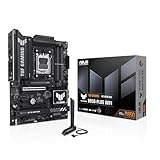
🛒 Best Price Today on Amazon
Prime members get fast, free shipping on everything above, plus member-only deals. New members get a 30-day free trial — cancel anytime.
- Best Mini ITX Motherboards for Gaming Compared
- What Makes a Good Mini ITX Gaming Motherboard?
- ASUS ROG Strix B850-I Gaming WiFi — Best Overall AM5
- MSI MPG B850I Edge TI WiFi — Best for Fast Networking
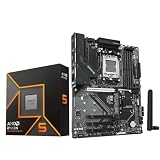
- Gigabyte B850I AORUS Pro — Best Balanced AM5 Option
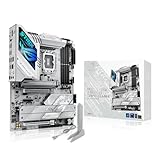
- ASUS ROG Strix Z890-I Gaming WiFi — Best Intel Option
- Which Mini ITX Motherboard Should You Choose?
- Buying Guide for a Mini ITX Gaming Motherboard
- FAQ
- Conclusion
Choosing the best mini ITX motherboard for gaming requires more than finding the smallest board that supports your CPU. A strong Mini ITX model must balance power delivery, DDR5 memory, PCIe bandwidth, NVMe storage, networking, cooling, and usable connectivity without making a compact gaming build difficult to assemble.
Quick answer: For most people in 2026, the best mini itx motherboard for gaming pcs is the Motherboard — our #1 rated choice. See the full ranked comparison, alternatives and buying advice below.
Best Mini ITX Motherboards for Gaming Compared
| Motherboard | Platform | Memory | Main PCIe Slot | M.2 Storage | Networking | Best For |
|---|---|---|---|---|---|---|
| ASUS ROG Strix B850-I Gaming WiFi | AMD AM5 / B850 | DDR5 | PCIe 5.0 x16* | 2 x M.2 | 2.5GbE + Wi-Fi 7 | Premium AM5 gaming |
| MSI MPG B850I Edge TI WiFi | AMD AM5 / B850 | DDR5 | PCIe 5.0 x16* | 2 x M.2 | 5GbE + Wi-Fi 7 | Fast wired networking |
| Gigabyte B850I AORUS Pro | AMD AM5 / B850 | DDR5 | PCIe 5.0 x16* | 2 x M.2 | 2.5GbE + Wi-Fi 7 | Balanced AM5 builds |
| ASUS ROG Strix Z890-I Gaming WiFi | Intel Z890 | DDR5 | PCIe 5.0 x16 | 2 x M.2 | 2.5GbE + Wi-Fi 7 | Intel Core Ultra builds |
*PCIe capabilities can vary by installed Ryzen processor.
What Makes a Good Mini ITX Gaming Motherboard?
Mini ITX boards measure only 170 x 170 mm, so manufacturers must fit the CPU socket, memory slots, storage, networking, power delivery, and internal headers into very limited space. That makes layout quality more important than on ATX boards, where additional PCB area provides more room for connectors and cooling hardware.
A Mini ITX gaming system normally gives the graphics card the board’s only full-length expansion slot. You therefore need to choose built-in features carefully because adding Ethernet cards, sound cards, capture cards, or storage expansion later is difficult. Strong integrated networking and enough M.2 capacity are especially valuable in compact gaming PCs.
The motherboard itself rarely creates a meaningful gaming frame-rate advantage when identical CPUs, GPUs, and memory settings are used. More important differences include CPU compatibility, PCIe lane allocation, memory support, storage expansion, USB bandwidth, networking speed, cooling design, BIOS recovery, and physical clearance.
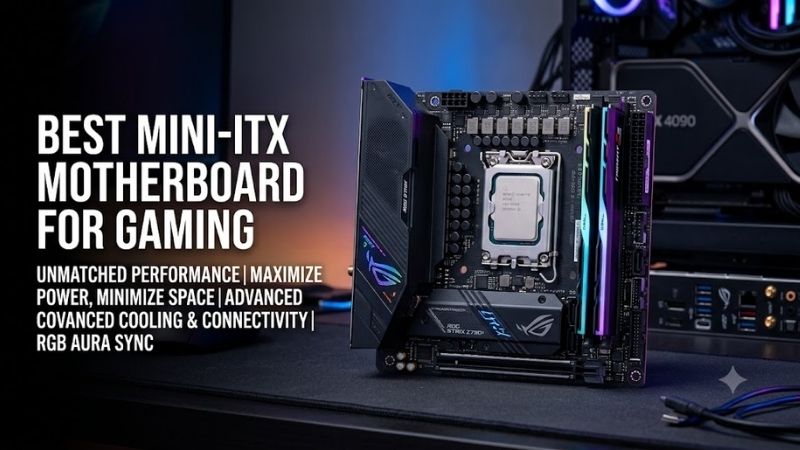
ASUS ROG Strix B850-I Gaming WiFi — Best Overall AM5
Best For
High-end Ryzen gaming builds requiring strong storage support and extensive rear connectivity.
Key Features
- AMD B850 chipset
- Socket AM5
- Ryzen 7000, 8000, and 9000 Series support
- Two DDR5 DIMM slots
- Up to 128GB memory
- PCIe 5.0 x16 support with compatible CPUs
- Two M.2 slots
- 2.5Gb Ethernet
- Wi-Fi 7
- BIOS FlashBack
- Clear CMOS button
The ASUS ROG Strix B850-I Gaming WiFi is designed for builders who want a premium AM5 platform without moving beyond Mini ITX. It combines support for modern Ryzen processors with DDR5 memory, current PCIe connectivity, two M.2 slots, Wi-Fi 7, and enough rear USB connectivity for a gaming setup with several peripherals.
Its storage configuration is particularly useful for enthusiast compact systems. With compatible Ryzen 7000 or Ryzen 9000 processors, both M.2 slots can support PCIe 5.0 x4 storage. This allows two high-bandwidth NVMe drives to be installed without consuming the board’s only full-length PCIe slot or relying on external storage.
Rear connectivity is another major strength. The board includes a mixture of high-speed USB Type-A and Type-C ports, Ethernet, HDMI, wireless antenna connections, audio outputs, BIOS FlashBack, and Clear CMOS controls. For a small PC tucked beneath or beside a desk, having these controls accessible from the rear can simplify troubleshooting.
What Makes It Different
Dual Gen5-capable M.2 storage separates the ROG Strix B850-I from several competing B850 Mini ITX boards that combine one Gen5 slot with one Gen4 slot. This matters most for enthusiasts running multiple fast NVMe drives, although gaming alone rarely requires two PCIe 5.0 SSDs to deliver a responsive experience.
Pros
- Dual M.2 storage
- Dual Gen5 M.2 capability with compatible Ryzen CPUs
- PCIe 5.0 graphics support with compatible CPUs
- Wi-Fi 7
- 2.5Gb Ethernet
- Extensive rear USB connectivity
- BIOS FlashBack
- Clear CMOS button
Cons
- Premium feature set may be excessive for basic gaming builds
- Only two memory slots, as expected from Mini ITX
- Dense socket area requires cooler-clearance planning
Use Case
This board fits a high-end Ryzen gaming system using a powerful graphics card, multiple NVMe drives, fast DDR5 memory, and several USB peripherals. It is especially useful when the case leaves little room for additional expansion hardware, because most important gaming and networking features are already integrated.
Who It’s For
Choose the ROG Strix B850-I Gaming WiFi if you are building around Ryzen and want a feature-rich Mini ITX board with strong storage flexibility. Gamers using only one SSD and basic networking can use a simpler model, but demanding SFF builders can benefit from the additional connectivity and recovery features.
MSI MPG B850I Edge TI WiFi — Best for Fast Networking
Best For
Compact gaming PCs connected to multi-gig routers, switches, home servers, or network storage.
Key Features
- AMD B850 chipset
- Socket AM5
- Ryzen 7000, 8000, and 9000 Series support
- Two DDR5 DIMM slots
- Up to 128GB memory
- PCIe 5.0 x16 with compatible processors
- Two M.2 slots
- 5Gb Ethernet
- Wi-Fi 7
- Rear 20Gbps USB-C
The MSI MPG B850I Edge TI WiFi focuses on modern connectivity while preserving the essentials required for an enthusiast AM5 gaming build. It supports current Ryzen desktop families, DDR5 memory, a full-length graphics slot, two NVMe drives, Wi-Fi 7, and high-speed USB, but its most distinctive feature is faster wired Ethernet.
The board provides one CPU-connected M.2 slot capable of PCIe 5.0 x4 operation with supported processors and another chipset-connected PCIe 4.0 x4 M.2 slot. This arrangement is practical for gaming because the primary drive can use the newest interface while a second Gen4 SSD can hold a large game library without requiring an expansion card.
Its Realtek 5Gb Ethernet controller is particularly useful for gamers who already have multi-gig network hardware. Faster LAN can improve large transfers between the gaming PC and local servers or NAS devices, although it will not reduce internet latency by itself and provides little advantage when the rest of the network is limited to 1Gbps.
What Makes It Different
The MSI board’s main differentiator is 5Gb Ethernet, giving it more wired-network bandwidth than common 2.5GbE Mini ITX solutions. It also includes Wi-Fi 7, so builders can use either fast wired networking or modern wireless connectivity depending on desk placement, router capabilities, and the layout of the room.
Pros
- 5Gb Ethernet
- Wi-Fi 7
- Gen5 primary M.2 slot
- PCIe 5.0 graphics support with compatible CPUs
- Rear 20Gbps USB-C
- Two M.2 slots
- Flash BIOS functionality
Cons
- Second M.2 slot is PCIe 4.0
- 5Gb LAN requires suitable network hardware to be useful
- Premium networking is unnecessary for many gaming-only systems
Use Case
The MPG B850I Edge TI WiFi is ideal for a gaming PC that also interacts with network storage, local servers, large media libraries, or another workstation. It can also suit streamers and creators who move large files around a home network and want their compact PC to avoid becoming the bottleneck during transfers.
Who It’s For
Choose this model if 5Gb Ethernet is more valuable to you than having two Gen5 M.2 slots. It is particularly sensible for users who already own a compatible multi-gig switch or NAS. For ordinary gigabit networking, however, the additional Ethernet capability may remain unused throughout the life of the system.
Gigabyte B850I AORUS Pro — Best Balanced AM5 Option
Best For
Ryzen gaming builds that need current connectivity without an unnecessarily complicated feature set.
Key Features
- AMD B850 chipset
- Socket AM5
- Ryzen 7000, 8000, and 9000 Series support
- Two DDR5 DIMM slots
- Up to 128GB memory
- PCIe 5.0 x16 with supported CPUs
- One Gen5 M.2 slot
- One Gen4 M.2 slot
- 2.5Gb Ethernet
- Wi-Fi 7
- Q-Flash Plus
The Gigabyte B850I AORUS Pro provides the core features most current Ryzen gaming systems need while avoiding some specialized extras found on more elaborate Mini ITX boards. It supports AM5 processors, DDR5 memory, two NVMe drives, current wireless connectivity, and a PCIe 5.0 graphics interface when paired with a compatible Ryzen CPU.
Storage consists of one front M.2 slot that can support PCIe 5.0 x4 with compatible processors and a second PCIe 4.0 x4 M.2 connector on the rear of the motherboard. The rear location helps Gigabyte fit two NVMe drives onto a 170 mm PCB, although installing that second SSD before mounting the board is usually more convenient.
For networking, the board includes 2.5Gb Ethernet alongside Wi-Fi 7 and Bluetooth functionality. That combination covers typical gaming needs well because users can run a wired connection for stable online play while retaining wireless support for flexible desk placement, controllers, headsets, phones, and other compatible devices.
What Makes It Different
The B850I AORUS Pro focuses on balance rather than one headline feature. It lacks the MSI model’s 5Gb Ethernet and the ASUS B850-I’s dual Gen5 M.2 configuration, yet it still provides a Gen5 primary SSD interface, modern wireless networking, current AM5 support, and useful firmware recovery features in Mini ITX.
Pros
- AM5 platform
- Gen5 primary M.2 slot
- PCIe 5.0 graphics support with compatible processors
- Wi-Fi 7
- 2.5Gb Ethernet
- Two M.2 slots
- Q-Flash Plus
Cons
- Second M.2 slot is PCIe 4.0
- Rear-mounted M.2 slot is less convenient to access
- Less high-speed rear USB connectivity than some premium rivals
Use Case
This board makes sense in a conventional small-form-factor gaming PC using one fast primary NVMe drive, a secondary SSD, a dedicated graphics card, and standard gaming peripherals. Its networking configuration is sufficient for most homes, while two storage slots allow a clean cable-free setup without requiring 2.5-inch drives.
Who It’s For
Choose the B850I AORUS Pro if you want a straightforward AM5 Mini ITX platform without paying primarily for 5Gb networking or dual Gen5 storage. It is a sensible match for gaming-focused systems where CPU and GPU capability matter more than having every possible premium motherboard feature.
ASUS ROG Strix Z890-I Gaming WiFi — Best Intel Option
Best For
Premium Mini ITX gaming PCs built around Intel Core Ultra Series 2 desktop processors.
Key Features
- Intel Z890 chipset
- Intel Core Ultra Series 2 support
- Two DDR5 DIMM slots
- Up to 128GB memory
- PCIe 5.0 x16 graphics slot
- Two M.2 slots
- Wi-Fi 7
- 2.5Gb Ethernet
- BIOS FlashBack
The ASUS ROG Strix Z890-I Gaming WiFi is the Intel-focused motherboard in this selection. It supports Intel Core Ultra Series 2 desktop processors and combines DDR5 memory, modern PCIe connectivity, two M.2 storage positions, fast networking, and enthusiast-oriented firmware controls within the standard Mini ITX footprint.
Its PCIe configuration deserves closer attention than the basic specification list suggests. Although the motherboard offers a PCIe 5.0 x16 graphics slot and two fast M.2 interfaces, installing an SSD in the second M.2 position can affect the available graphics lanes, so users should plan storage and GPU connectivity before completing the build.
This lane-sharing behavior does not automatically make the board unsuitable for gaming, but it illustrates why Mini ITX specifications must be examined more carefully than simple connector counts imply. Compact boards have fewer CPU and chipset resources to route, so populating one connector may occasionally alter how another interface operates.
What Makes It Different
The ROG Strix Z890-I Gaming WiFi serves a different processor platform from the three AMD boards above. Its purpose is not to compete as another AM5 alternative but to give Core Ultra Series 2 builders access to a compact enthusiast board with Z890 features, modern storage, Wi-Fi 7, and strong rear connectivity.
Pros
- Intel Core Ultra Series 2 support
- PCIe 5.0 x16 graphics slot
- Two M.2 slots
- Wi-Fi 7
- 2.5Gb Ethernet
- High-speed USB connectivity
- BIOS FlashBack
Cons
- Not compatible with AMD Ryzen processors
- Storage configuration can affect graphics-lane allocation
- Premium features may exceed the needs of simple gaming systems
Use Case
The Z890-I suits compact Intel gaming PCs where physical size must remain minimal without giving up current connectivity. It is appropriate for powerful GPUs, DDR5 memory, fast NVMe storage, and modern wireless networking, provided the builder understands the board’s lane-sharing behavior before selecting the final SSD configuration.
Who It’s For
Choose this motherboard if your build already centers on an Intel Core Ultra Series 2 processor and you specifically want Mini ITX. AMD buyers should consider the B850 options instead because processor compatibility determines the motherboard platform long before differences in USB count, networking, or storage become relevant.
Which Mini ITX Motherboard Should You Choose?
For an AMD system, the ROG Strix B850-I Gaming WiFi emphasizes storage and rear connectivity, while the MPG B850I Edge TI WiFi emphasizes 5Gb wired networking. The B850I AORUS Pro takes a more balanced approach, providing the primary features most gaming builds require without making specialist connectivity its main selling point.
Intel builders have a different decision because the Z890-I belongs to the Core Ultra Series 2 platform rather than AM5. Choosing between AMD and Intel boards should therefore begin with CPU selection. Once the platform is established, differences in NVMe layout, Ethernet speed, USB connectivity, and BIOS features become easier to evaluate.
Do not choose a Mini ITX motherboard based on the expectation of noticeably higher gaming FPS. With the same processor, graphics card, memory configuration, and stable power limits, motherboard differences are primarily about functionality. Spend extra money only when additional storage, networking, connectivity, or build features solve a real requirement.
Buying Guide for a Mini ITX Gaming Motherboard
Choose the CPU Platform First
Socket compatibility is the first filter when shopping for the best mini ITX motherboard for gaming. The AMD B850 models use socket AM5, while Z890 serves Intel Core Ultra Series 2 desktop processors. These platforms are not interchangeable, so selecting the CPU family first immediately removes boards that cannot work with your processor.
Check the GPU Interface
A Mini ITX board normally provides one full-length expansion slot, and a gaming PC will almost always use it for the graphics card. Check both the physical slot and the lane mode supported by your chosen CPU. Some processors provide fewer PCIe lanes or a lower PCIe generation, even when the motherboard itself supports a newer standard.
Examine M.2 Storage Carefully
Two boards can both advertise two M.2 slots while offering different bandwidth, placement, and lane behavior. Determine whether each slot is PCIe 5.0 or PCIe 4.0, whether one is located on the rear, and whether using the second drive affects another interface. These details are especially important when future upgrades will be difficult.
Consider Ethernet Speed
A 5Gb Ethernet controller is attractive, but it only delivers its full value when the router, switch, cabling, NAS, or another device also supports multi-gig networking. For users with conventional gigabit internet and no local server, 2.5GbE already provides substantial headroom and can be the more practical motherboard feature level.
Evaluate Wi-Fi Support
Wi-Fi 7 is increasingly common on premium Mini ITX gaming boards and can be useful when running Ethernet is inconvenient. Actual wireless performance still depends on the router, operating system, channel availability, signal strength, interference, and local regulations. Buying Wi-Fi 7 does not automatically guarantee maximum advertised speeds.
Count Rear USB Ports
Compact systems often rely heavily on integrated USB because there is little room to add expansion cards later. Count your keyboard, mouse, headset dongle, controller, DAC, webcam, external drive, microphone, and other devices before buying. High-speed 10Gbps or 20Gbps ports are most valuable for storage, capture hardware, and fast peripherals.
Check Cooler Clearance
Mini ITX boards place the CPU socket close to memory modules, VRM heatsinks, M.2 cooling hardware, and motherboard edges. Large tower coolers or AIO pump blocks can interfere with these components. Check the cooler manufacturer’s compatibility information together with case clearance before buying parts for a tightly packed gaming system.
Look for BIOS Recovery Features
BIOS FlashBack, Flash BIOS, or Q-Flash Plus can be valuable because they allow firmware recovery without relying on normal system boot behavior. A rear Clear CMOS button is also convenient after unstable memory settings. These features matter more in Mini ITX because reaching internal jumpers may require removing the graphics card or other components.
Plan Fan and Pump Connections
A small case may still contain several fans, an AIO pump, or both, but Mini ITX motherboards have less physical space for fan headers. Count the available CPU, chassis, and pump connections before assembly. Splitters or fan hubs can solve shortages, although adding them introduces more wiring inside an already cable-constrained enclosure.
Avoid Paying for Unused Features
Premium Mini ITX boards can combine Gen5 storage, high-speed networking, elaborate audio, advanced power delivery, and numerous USB ports. Those features are useful only when the rest of the system can exploit them. Money saved on unnecessary motherboard extras can often improve gaming more when invested in the GPU, CPU, or cooling.
FAQ
Is Mini ITX Good for Gaming?
Yes. Mini ITX can support powerful gaming components when the motherboard, case, CPU cooler, and power supply are chosen correctly. The small form factor mainly limits expansion and makes thermal management more demanding. It does not inherently reduce gaming performance simply because the motherboard measures 170 x 170 mm.
Does Mini ITX Reduce GPU Performance?
A Mini ITX motherboard does not automatically reduce GPU performance. The important factors are the PCIe generation, available lane width, CPU configuration, and whether other devices share those lanes. Check the motherboard manual carefully because some storage configurations can alter the operating mode of the primary graphics slot.
Are Two RAM Slots Enough for Gaming?
Two memory slots are standard on Mini ITX boards and are sufficient for gaming when capacity is planned in advance. Using a matched two-module DDR5 kit also allows dual-channel operation. The main limitation is future expansion because increasing capacity may require replacing both existing modules instead of simply adding another pair.
Do I Need a PCIe 5.0 SSD for Gaming?
No. PCIe 5.0 storage provides higher interface bandwidth, but current gaming responsiveness does not depend solely on peak sequential transfer rates. A capable PCIe 4.0 NVMe SSD remains appropriate for many gaming systems. Gen5 is more compelling when you also perform workloads that regularly move very large files.
Is Wi-Fi 7 Important for a Gaming PC?
Wi-Fi 7 can be useful when Ethernet is unavailable and compatible networking hardware is already installed. For competitive gaming, a stable wired connection remains attractive because it avoids many sources of wireless interference. The value of Wi-Fi 7 therefore depends more on your network and room layout than the motherboard alone.
How Many M.2 Slots Should a Gaming Mini ITX Board Have?
Two M.2 slots are a practical target because one drive can hold Windows and core applications while the second provides additional game storage. More important than the raw number is how those slots operate. Check their PCIe generations, physical locations, supported drive sizes, cooling arrangements, and any lane-sharing restrictions.
Conclusion
The best mini ITX motherboard for gaming depends on your CPU platform and the features your compact build will actually use. ASUS B850-I favors storage and connectivity, MSI B850I adds 5Gb networking, Gigabyte B850I offers balanced AM5 features, while ASUS Z890-I covers Intel Core Ultra builds. Check lanes, cooling, and ports before buying.
Ready to decide? Our #1 pick for 2026 is the Motherboard.
Live price & availability on Amazon.