🛒 Best Price Today on Amazon
Prime members get fast, free shipping on everything above, plus member-only deals. New members get a 30-day free trial — cancel anytime.

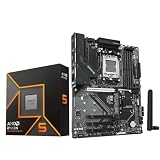
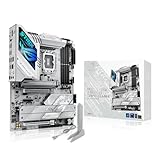
GIGABYTE B850 AORUS Elite WIFI7 AMD AM5 ATX Motherboard, Support AMD Ryzen 9000/8000/7000 Series, DDR5, 14+2+2 Power Phase, 3X M.2, PCIe 5.0, USB-C, WIFI7, 2.5GbE LAN, EZ-Latch, 5-Year Warranty
Included for 'Best Motherboard for Ryzen 9: 5 Top AM5 Boards for 2026' because the listing specifies Support AMD Ryzen 9000/8000/7000 Series and DDR5, details this guide uses to compare options.
View on Amazon
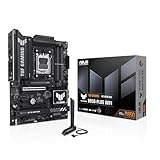
AMD 9950X3D Processor with GIGABYTE X870E AORUS Elite WIFI7 ICE Motherboard | Micro Center CPU Motherboard Combo,Ryzen 9, ATX, DDR5, 4X M.2, PCIe 5.0, USB4, WIFI7, 2.5GbE LAN, EZ-Latch
Included for 'Best Motherboard for Ryzen 9: 5 Top AM5 Boards for 2026' because the listing specifies Micro Center CPU Motherboard Combo and Ryzen 9, details this guide uses to compare options.
View on AmazonFinding the best motherboard for Ryzen 9 means balancing strong power delivery, DDR5 support, PCIe 5.0, storage expansion, and reliable connectivity. This guide compares several AM5 boards for Ryzen 9 7000 and 9000 CPUs, helping gamers and creators choose the right platform without paying for unnecessary features.
Quick Comparison
| Motherboard | Chipset | M.2 Layout | Wired LAN | Wireless | Best For |
|---|---|---|---|---|---|
| ASUS ROG Crosshair X870E Hero | X870E | 5 total; 3 Gen5 | 5Gb + 2.5Gb | Wi-Fi 7 | Premium all-round builds |
| MSI MPG X870E Carbon WiFi | X870E | 4 total; 2 Gen5 | 5Gb + 2.5Gb | Wi-Fi 7 | Heavy connectivity |
| Gigabyte X870E AORUS Master | X870E | 4 total; 3 Gen5 | 5Gb | Wi-Fi 7 | Fast multi-drive storage |
| ASRock X870E Taichi Lite | X870E | 4 total; 1 Gen5 | 5Gb | Wi-Fi 7 | Expansion and SATA |
| ASUS TUF Gaming X870-Plus WiFi | X870 | 4 total; 2 Gen5-capable | 2.5Gb | Wi-Fi 7 | Gaming builds |
ASUS ROG Crosshair X870E Hero
The ROG Crosshair X870E Hero is the most feature-dense option here for builders who expect to use several premium interfaces at once. ASUS equips it with X870E, five M.2 slots, two PCIe 5.0 x16-length slots, dual USB4 ports, Wi-Fi 7, 5Gb Ethernet plus 2.5Gb Ethernet, and extensive onboard troubleshooting controls.
Its main advantage is platform flexibility rather than raw CPU speed. Three PCIe 5.0 M.2 slots give fast-storage builders more headroom than boards with only one Gen5 socket, while the two full-length Gen5 slots are useful for users planning add-in cards. Lane sharing still matters, so the manual should be checked before filling every slot.
For Ryzen 9 9950X or 9950X3D systems used for gaming, streaming, editing, and heavy multitasking, the Hero makes sense when the motherboard will be a long-term platform. It is harder to justify for a simple one-GPU, one-SSD gaming PC because much of its appeal comes from connectivity, expansion, and enthusiast-oriented setup tools.
Best For: Premium mixed-use Ryzen 9 systems
Key Features: Five M.2 slots, three Gen5 M.2, dual USB4, Wi-Fi 7, dual LAN
What Makes It Different: Broad storage plus enthusiast controls
Pros: Rich expansion; strong networking; useful debug tools
Cons: Excessive for simple one-GPU builds
Use Case: Gaming, streaming, editing, workstation tasks
Who It’s For: Enthusiasts using several premium interfaces
MSI MPG X870E Carbon WiFi
The MSI MPG X870E Carbon WiFi is built around high-speed connectivity and a cleaner balance of premium features. MSI specifies four M.2 slots, with two PCIe 5.0 x4 and two PCIe 4.0 x4 sockets, dual rear USB4 Type-C, Wi-Fi 7, 5Gb Ethernet, 2.5Gb Ethernet, and a PCIe 5.0 x16 graphics slot for Ryzen 9000 and 7000 processors.
That dual-LAN layout is the Carbon’s clearest differentiator in this group. It can suit workstation users who want a fast primary wired network plus a separate 2.5Gb connection for a secondary network, NAS, or lab setup. The rear I/O is also unusually rich, which helps creators who connect several fast external drives and USB devices.
The trade-off is bandwidth sharing around its CPU-connected expansion. MSI notes that the main PCIe slots and the second M.2 socket share resources in some configurations. That does not make the board unsuitable for Ryzen 9, but it means buyers using a GPU, multiple add-in cards, and both Gen5 M.2 slots should plan the lane layout first.
Best For: Connectivity-heavy Ryzen 9 builds
Key Features: Four M.2, two Gen5 M.2, dual USB4, Wi-Fi 7, dual LAN
What Makes It Different: Dual wired networking and dense rear I/O
Pros: Flexible networking; strong storage mix; DIY features
Cons: Lane sharing needs planning
Use Case: Gaming plus NAS, capture, creator peripherals
Who It’s For: Users with many wired and USB devices
Gigabyte X870E AORUS Master
The X870E AORUS Master is a strong fit for builders who prioritize storage cooling, high-speed networking, and straightforward installation. Gigabyte lists four M.2 sockets, three of them PCIe 5.0 x4, plus a PCIe 5.0 x16 graphics slot, 5Gb Ethernet, Wi-Fi 7, dual USB4 Type-C, and tool-free M.2 and PCIe release mechanisms.
Its storage design stands out because three Gen5 M.2 sockets can support a fast multi-drive setup without forcing every drive onto older interfaces. Gigabyte also uses large M.2 heatsinks and an expanded VRM cooling assembly. Those features are more relevant to sustained transfers and dense builds than cosmetic motherboard lighting.
The AORUS Master is especially attractive for a Ryzen 9 creator machine that may grow from one NVMe drive to several. Its strength is not that it makes the CPU inherently faster, but that it gives high-end components room to coexist. Builders should still confirm slot-sharing rules before assuming every connector runs at maximum bandwidth together.
Best For: Multi-drive creator and gaming systems
Key Features: Four M.2, three Gen5 M.2, 5Gb LAN, Wi-Fi 7, dual USB4
What Makes It Different: Strong Gen5 storage density
Pros: Three Gen5 M.2; large heatsinks; tool-free installation
Cons: Expansion planning still matters
Use Case: Large NVMe libraries and content workloads
Who It’s For: Builders prioritizing fast internal storage
ASRock X870E Taichi Lite
The ASRock X870E Taichi Lite takes a different approach by putting substantial power delivery and expansion onto a less decorative board. ASRock specifies a 24+2+1 phase power design with 110A smart power stages, two PCIe 5.0 x16-length slots, one Gen5 M.2 socket, three Gen4 M.2 sockets, 5Gb Ethernet, Wi-Fi 7, and dual USB4.
The Taichi Lite is particularly useful for builders who want a second full-length CPU-connected slot. With Ryzen 9000 and 7000 processors, ASRock supports x16 operation on the first slot or x8/x8 across the two Gen5 slots. That makes the board interesting for specialized add-in cards where physical slot layout matters as much as gaming features.
Storage is more conventional than on the Hero or AORUS Master because only one M.2 slot is Gen5, while the other three are Gen4. That is not a practical weakness for many gaming builds, since fast Gen4 NVMe drives remain adequate for large game libraries. The six SATA ports also give it unusual flexibility for bulk local storage.
Best For: Expansion-focused Ryzen 9 systems
Key Features: Two Gen5 x16-length slots, four M.2, six SATA, 5Gb LAN, dual USB4
What Makes It Different: x8/x8 Gen5 option with Ryzen 9000/7000
Pros: Flexible add-in cards; six SATA; strong power design
Cons: Only one Gen5 M.2 slot
Use Case: Gaming workstations with add-in cards
Who It’s For: Builders needing physical expansion flexibility
ASUS TUF Gaming X870-Plus WiFi
The ASUS TUF Gaming X870-Plus WiFi is the practical choice for a Ryzen 9 build that needs modern I/O without an enthusiast-board feature bill. ASUS gives it four M.2 slots, with two CPU-connected sockets capable of PCIe 5.0 x4 on Ryzen 9000 and 7000, Wi-Fi 7, 2.5Gb Ethernet, dual rear USB4 ports, BIOS FlashBack, and an ATX layout.
Its biggest compromise is lane sharing around the second Gen5 M.2 slot. ASUS states that using M.2_2 reduces the main PCIe 5.0 graphics slot to x8, while another M.2 socket shares bandwidth with the secondary PCIe slot. That makes the board best for conventional gaming systems where one GPU and a carefully planned storage layout are enough.
For buyers who do not need 5Gb Ethernet, several Gen5 SSDs, or a second high-bandwidth expansion card, the TUF can be the more rational platform. It still provides USB4 and Wi-Fi 7, and it supports the same AM5 Ryzen families as the premium boards here. The main task is matching its lane-sharing behavior to your planned devices.
Best For: Straightforward high-end gaming builds
Key Features: Four M.2, two Gen5-capable M.2, dual USB4, Wi-Fi 7, 2.5Gb LAN
What Makes It Different: Modern essentials without extreme extras
Pros: Practical features; USB4; BIOS FlashBack
Cons: M.2 sharing can reduce GPU link width
Use Case: One-GPU gaming with several SSDs
Who It’s For: Gamers not needing workstation-class I/O
How to Choose the Best Motherboard for Ryzen 9
Power delivery matters most when a Ryzen 9 is held under long multi-core loads, especially with Precision Boost Overdrive or manual tuning. The exact phase count is not a performance score by itself, so heatsink design, firmware behavior, airflow, and power-stage quality matter too. All five boards here are positioned for high-end AM5 processors.
Do not buy a motherboard solely because it advertises extreme DDR5 frequencies. AMD officially lists DDR5 support for Ryzen 9 9950X, while board vendors quote much higher overclocked memory speeds under specific DIMM and CPU conditions. A stable EXPO kit with a validated capacity is more important than choosing the highest number on a product page.
PCIe lane sharing deserves more attention than the chipset name. A board may advertise several Gen5 M.2 sockets and multiple full-length slots, yet populating one connector can reduce another slot’s link width or disable it. This matters most for users combining a high-end GPU with capture cards, 10Gb adapters, RAID cards, or multiple Gen5 SSDs.
USB4 is now common across the X870 and X870E boards in this roundup, making it useful for fast external SSDs, docks, displays, and creator peripherals. The difference is how many additional high-speed USB ports each board offers around it. Count the devices you actually use rather than treating a long I/O list as automatically better.
Networking needs are easier to separate. Wi-Fi 7 appears across all five picks, but wired Ethernet varies from 2.5Gb on the TUF to 5Gb on several X870E models, with the MSI and ASUS Hero also offering two wired controllers. A 5Gb port is most useful when your switch, NAS, cabling, and storage can sustain more than 2.5Gb.
Storage planning should include both speed and capacity. One fast Gen5 system drive plus one or two Gen4 game drives is enough for many users, while video editors may value three Gen5-capable M.2 sockets. SATA still matters for high-capacity SSDs and hard drives, so the Taichi Lite’s six ports can be more useful than another Gen5 slot.
BIOS recovery and debug tools are worth paying for on a Ryzen 9 system because memory tuning and firmware updates can create failed boots. Flashback buttons, POST-code displays, debug LEDs, clear-CMOS controls, and tool-free latches reduce time spent opening the case or removing hardware when troubleshooting.
Form factor is simple but easy to overlook. Every board in this roundup uses ATX, so a standard mid-tower or full-tower case is the natural match. Before buying, confirm GPU thickness, bottom-slot clearance, radiator placement, front USB-C support, and the location of M.2 heatsinks. A premium motherboard cannot compensate for a cramped case layout.
If your Ryzen 9 PC is mainly for gaming with one GPU and two SSDs, prioritize stable power delivery, a good BIOS, enough USB ports, and a lane layout that keeps the GPU at the width you want. You do not need the board with the most M.2 sockets or Ethernet controllers unless those features solve a real expansion need in your build.
For gaming plus streaming, capture, or content creation, expansion becomes more important. A capture card, high-speed external storage, fast NAS, and several NVMe drives can consume lanes and I/O quickly. In that scenario, the Hero, Carbon, AORUS Master, or Taichi Lite offers more room to build around the Ryzen 9 without immediate compromises.
Which Ryzen 9 Motherboard Fits Your Build?
The ROG Crosshair X870E Hero is the strongest fit when you want maximum onboard storage flexibility and enthusiast controls. The MSI Carbon is compelling for dual wired networking and extensive rear I/O. The AORUS Master emphasizes three Gen5 M.2 slots and cooling, while the Taichi Lite favors expansion and SATA density over decorative extras.
The TUF Gaming X870-Plus WiFi is easier to recommend for a conventional one-GPU build because it keeps the essentials while trimming premium extras. Its lane-sharing rules demand attention, but that is also true of more expensive models. The best choice depends on how many devices you plan to install, not on buying the highest-tier chipset label.
The safest way to choose is to sketch your finished PC before ordering the board. List the GPU, every M.2 drive, any capture or network card, front-panel USB needs, wired network speed, and cooling headers. Then map those devices to the motherboard manual. That simple step catches more real compatibility issues than comparing marketing claims.
FAQ
Do Ryzen 9 9000 and Ryzen 9 7000 processors use AM5?
Ryzen 9 9000 and 7000 desktop processors use AM5, so any board in this roundup is from the correct socket family. Compatibility can still depend on BIOS support for a specific CPU revision, especially if a board has been sitting in inventory. Use the vendor’s CPU support list and update method before assembling the system.
Do I need an X870E motherboard for Ryzen 9?
X870E is not required for strong Ryzen 9 performance. It mainly gives manufacturers more room to build premium expansion and connectivity around the CPU. The X870-based TUF can still support Ryzen 9, PCIe 5.0 storage, PCIe 5.0 graphics, USB4, and Wi-Fi 7. Choose by actual ports and lane behavior rather than chipset prestige alone.
Can I use B650E or X670E with Ryzen 9?
A B650E or X670E board can also run many AM5 Ryzen 9 processors when the specific model and BIOS support the CPU. The reason this roundup leans toward X870 and X870E is feature consistency for new high-end builds, not because older chipsets are automatically too slow. A well-equipped existing AM5 board may not need replacement.
Does a more expensive motherboard increase Ryzen 9 gaming performance?
For most gaming workloads, the motherboard does not create a new performance class once the CPU is powered correctly and the GPU runs as intended. Differences show up more clearly in thermals, memory tuning, storage topology, networking, USB bandwidth, troubleshooting features, and how easily the system can be expanded later.
Conclusion
The best motherboard for Ryzen 9 is the one whose lane layout, storage, networking, and firmware tools match the rest of your system. These five AM5 boards cover distinct priorities without assuming one model is universally superior. Choose by the devices you will install now and the upgrades you realistically expect.