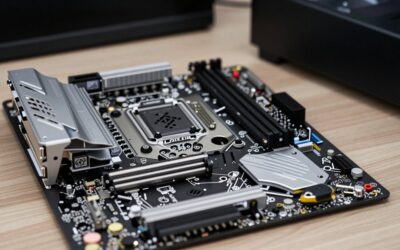
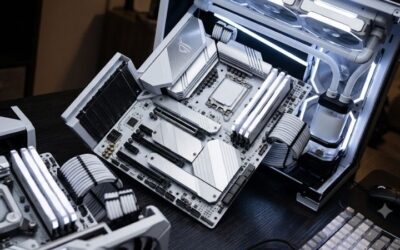
- Top Pick: ASUS ROG STRIX Z890-A GAMING WIFI Z890 LGA 1851 ATX motherboard, Intel® Core™ Ultra Series 2 Ready, Advanced AI PC-ready, 16+2+1+2 stages, DDR5, WiFi 7, 2.5G, 5x M.2, Thunderbolt™ 4, USB Type-C, AI OC
- Best Value: MSI PRO B760-P WiFi DDR4 ProSeries Motherboard – Supports 12th/13th/14th Gen Intel Processors, LGA 1700, DDR4, PCIe 4.0, M.2, 2.5Gbps LAN, USB 3.2 Gen2, HDMI/DP, Wi-Fi 6E, Bluetooth 5.3, ATX
- Premium Choice: ASUS ROG Strix Z890-E Gaming WiFi Intel® Z890 LGA 1851 ATX Motherboard, Advanced AI PC-Ready, 18+2+1+2 Stages, DDR5, WiFi 7, 7X M.2, Thunderbolt™ 4, USB Type-C®, AI Overclocking, Cooling & Networking
Building an Intel gaming rig starts with choosing the right motherboard, and that decision shapes everything from your memory speed to your storage expansion and overclocking headroom. Intel’s platform spans the latest LGA 1851 socket for Core Ultra chips and the mature LGA 1700 for 12th through 14th Gen processors, each with a range of chipsets to match your budget.
- Watch: Best Intel Motherboard For Gaming — Video Review
- How to Choose an Intel Gaming Motherboard
- The Best Intel Gaming Motherboards Reviewed
- What to Look For Before You Pick a Board
- Which One Should You Buy?
- Common Mistakes When Buying an Intel Gaming Motherboard
- Step-by-Step Compatibility Check
- Related Guides
- Frequently Asked Questions
- Final Thoughts
- Related Articles
The best Intel gaming board balances solid power delivery, generous connectivity, and the features you will actually use. We compared standout models across chipsets and price points, weighing VRM quality, M.2 support, and networking so you can pair a motherboard with your Intel CPU and build with confidence rather than guesswork.


As an Amazon Associate we earn from qualifying purchases at no extra cost to you.


🎮 Get More From Your Setup — Free
Prime Gaming gives you free PC games every month, in-game loot, and a free Twitch channel sub — plus fast free shipping on all the gear above. New members get a 30-day free trial.
Watch: Best Intel Motherboard For Gaming — Video Review
How to Choose an Intel Gaming Motherboard
- Match the socket: Choose LGA 1851 for Core Ultra Series 2 chips or LGA 1700 for 12th through 14th Gen Intel processors.
- Chipset tier: Z-series boards allow overclocking and add features; B-series boards deliver strong gaming value without it.
- Memory type: Confirm DDR4 or DDR5 support; DDR5 is faster and future-proof, while DDR4 boards can save money.
- Power stages: More robust VRMs keep high-end K-series chips stable, especially under sustained gaming and overclocking.
- Connectivity: Look for Wi-Fi 6E or 7, 2.5Gb LAN, multiple M.2 slots, and PCIe 5.0 for a future-ready build.
The Best Intel Gaming Motherboards Reviewed
ASUS ROG Strix Z890-E Gaming WiFi
An LGA 1851 flagship with 18+2+1+2 stages, DDR5, Wi-Fi 7, seven M.2 slots, and Thunderbolt 4. The top pick for a high-end Core Ultra build.
ASUS ROG Strix Z890-A Gaming WiFi
Another strong LGA 1851 board with 16+2+1+2 stages, DDR5, Wi-Fi 7, and five M.2 slots. Excellent power delivery and features for enthusiasts.
ASUS ROG Strix B760-A Gaming WiFi
A DDR5 LGA 1700 board with PCIe 5.0, Wi-Fi 6E, and Aura Sync. A great-value choice for 12th through 14th Gen gaming without overclocking.
MSI PRO B760-P WiFi DDR4
A budget-friendly LGA 1700 board with DDR4 support, PCIe 4.0, Wi-Fi 6E, and 2.5Gb LAN. Ideal for a cost-effective Intel gaming build.
GIGABYTE B760M Gaming Plus WiFi DDR4
A compact M-ATX LGA 1700 board with dual M.2, PCIe 4.0, and Q-Flash Plus. A tidy, affordable pick for smaller Intel gaming rigs.
What to Look For Before You Pick a Board
Match the Socket to the Processor Generation
Intel boards are not interchangeable across generations. Check the socket and chipset first, then the CPU support list on the manufacturer’s page.
| Socket | Typical chipsets | Processors | Memory |
|---|---|---|---|
| LGA 1151 (300 series) | Z390 | 8th and 9th Gen Core | DDR4 |
| LGA 1700 | Z790, B760 | 12th, 13th and 14th Gen Core | DDR4 or DDR5, depending on the board |
| LGA 1851 | Z890, B860 | Core Ultra 200S series | DDR5 |
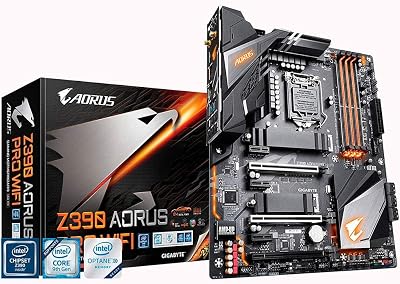
The Z390 boards in the lineup, such as the ROG Strix Z390-E Gaming and the Z390 AORUS boards, only make sense if you already own a compatible 8th or 9th Gen chip. They cannot accept newer processors.
DDR4 or DDR5 Is a Board Decision
The two memory types use differently notched modules and do not fit each other’s slots. LGA 1700 boards come in both flavors, which is why a name like MSI PRO B760-P WiFi DDR4 spells it out. For other LGA 1700 listings, confirm the memory type on the specification table. Z890 and B860 boards are DDR5 designs.
Chipset Tier and Overclocking
Z-series chipsets are the ones intended for unlocking K-series processors, while B-series boards usually focus on stability and value. Many B-series boards still permit memory tuning, but how much varies by chipset and generation, so verify the details on the listing. If you do not plan to overclock, a well-built B-series board is often the more sensible choice than a higher-tier Z-series one.
Power Delivery, M.2 Slots and Firmware
Power phases with large heatsinks help unlocked high-core-count chips stay at boost clocks. Count the M.2 slots and note which ones sit under heatsinks, because additional NVMe drives are the most common reason to want more slots. A feature often called BIOS Flashback lets you update firmware without an installed processor, which matters when a board predates your CPU. Because 13th and 14th Gen chips received stability-related microcode updates in 2024, install the latest BIOS on any LGA 1700 board before heavy use.
Which One Should You Buy?
| If you… | Choose… |
|---|---|
| Are building around the newest Core Ultra processors with a full-size ATX layout | ASUS ROG Strix Z890-E Gaming WiFi or Z890-A Gaming WiFi |
| Need a compact Intel build | ASUS ROG Strix B860-I Gaming WiFi |
| Want a 12th to 14th Gen platform with an unlocked chipset | ASUS TUF Gaming Z790-Plus WiFi |
| Want a value LGA 1700 build and care less about overclocking | ASUS ROG Strix B760-A Gaming WiFi or MSI PRO B760-P WiFi DDR4 |
| Already own an 8th or 9th Gen processor and DDR4 | GIGABYTE Z390 AORUS Ultra, Z390 AORUS Pro Wi-Fi or ASUS ROG Strix Z390-E Gaming |
Common Mistakes When Buying an Intel Gaming Motherboard
- Buying a board that does not match the processor socket. Always verify socket and CPU support before checkout.
- Mixing up DDR4 and DDR5. Modules do not fit across types, and a wrong purchase means a return.
- Paying for overclocking you will not use. A non-K processor on a Z-series board gains little from it.
- Overlooking form factor. ATX, micro-ATX and mini-ITX boards need matching cases, and mini-ITX boards usually offer fewer slots.
- Ignoring I/O. Check USB ports, network speed and Wi-Fi generation against your peripherals.
- Skipping the BIOS update. New processors on older firmware may fail to boot until updated.
Step-by-Step Compatibility Check
- Write down the exact processor model, including the suffix, for example K, KF or F.
- Look up its socket on the manufacturer’s specification page, then limit your search to boards with that socket.
- Pick the memory type you already own or plan to buy, and filter out boards that do not match.
- Choose the chipset tier based on whether you will overclock and how many drives and ports you need.
- Open the board’s CPU support list and confirm your processor, noting the minimum BIOS version required.
- Check the form factor against your case and the number of M.2 slots against your storage plan.
A short example shows why this order matters. Imagine you own a Core i7 processor from the 9th Generation and a DDR4 kit. Only an LGA 1151 board of the 300 series fits that chip, so the Z390 models from the lineup are the sensible candidates. If you instead plan to buy a 14th Gen chip, the LGA 1700 models apply, and the Z390 boards are ruled out no matter how good their feature list looks. In the same way, a Core Ultra processor requires an LGA 1851 board, which means a Z890 or B860 model and DDR5 memory.
Wi-Fi generation is the last detail worth checking. Boards with built-in wireless save a separate adapter, but the supported standard varies by model, so read the specification line instead of assuming the newest one.
Related Guides
Frequently Asked Questions
Do I need a Z-series board for gaming?
Only if you want to overclock a K-series CPU or need maximum features. B-series boards deliver excellent gaming performance for less.
DDR4 or DDR5 for an Intel build?
DDR5 is faster and future-proof, but DDR4 boards remain capable and cheaper. Choose based on your budget and whether you already own DDR4.
Which socket should I buy?
LGA 1851 for the newest Core Ultra chips, or LGA 1700 for still-excellent and often cheaper 12th through 14th Gen processors.
Does the motherboard affect gaming performance?
Directly very little, provided it delivers stable power. It matters more for memory speed, connectivity, and upgrade options.
Final Thoughts
The ASUS ROG Strix Z890-E is our top pick for high-end Core Ultra builds, while the ROG Strix B760-A offers the best value for LGA 1700 gamers. Budget builders should look at the MSI PRO B760-P DDR4 for a capable, affordable foundation.
Top picks from this guide
 ASUSASUS ROG Strix Z890-E Gaming WiFi Intel® Z890 LGA 1851…$300 \xc2\xb7 99/100
 GIGABYTEGIGABYTE Z390 AORUS PRO Wi-Fi (Intel LGA1151/Z390/ATX/2xM.2 Thermal Guard/Onboard AC…$341 \xc2\xb7 98/100
 msiMSI PRO B760-P WiFi DDR4 ProSeries Motherboard - Supports 12th/13th/14th…$140 \xc2\xb7 95/100
 GIGABYTEGIGABYTE Z390 AORUS Ultra (Intel LGA1151/Z390/ATX/3xM.2 Thermal Guard/Onboard AC Wi-Fi/RGB…$390 \xc2\xb7 94/100