🛒 Best Price Today on Amazon
Prime members get fast, free shipping on everything above, plus member-only deals. New members get a 30-day free trial — cancel anytime.
- Best Trackball Mouse for Gaming: Quick Comparison
- Ploopy Classic 2 — Best Performance Trackball for Gaming
- Ploopy Thumb — Best Gaming Trackball for Thumb Control
- ELECOM HUGE Wired — Best Large-Ball Gaming Trackball
- ELECOM DEFT PRO — Best Multi-Connection Gaming Trackball
- Logitech MX Ergo S — Best Ergonomic Trackball for Gaming
- Logitech ERGO M575S — Best Trackball for Casual Gaming
- How to Choose a Trackball Mouse for Gaming
- FAQ
- Conclusion
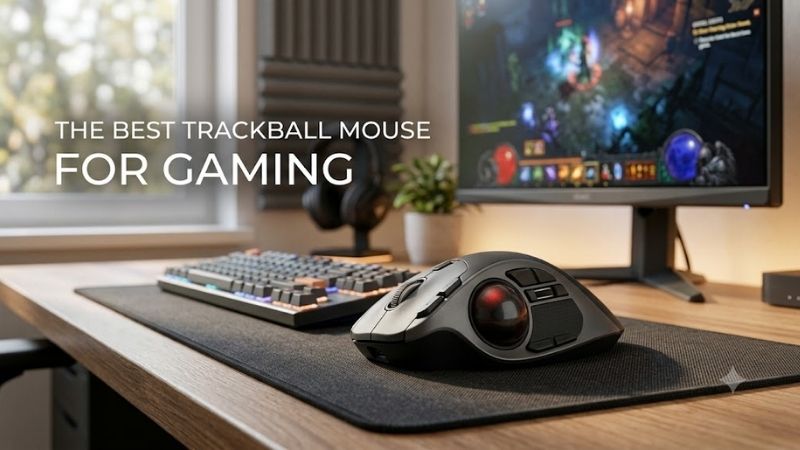
The best trackball mouse for gaming should combine smooth ball control, dependable clicks, useful button placement, and enough tracking headroom for your game style. This guide compares true trackballs that fit gaming setups, from high-polling enthusiast models to ergonomic wireless options for slower-paced play.
Quick answer: For most people in 2026, the best trackball mouse for gaming is the Trackball — our #1 rated choice. See the full ranked comparison, alternatives and buying advice below.
Best Trackball Mouse for Gaming: Quick Comparison
| Trackball | Best For | Control Style | Connection | Key Gaming Advantage |
|---|---|---|---|---|
| Ploopy Classic 2 | Performance-focused gaming | Finger | Wired USB-C | PMW-3360, 1,000Hz+ polling |
| Ploopy Thumb | Gaming-focused thumb control | Thumb | Wired | PMW-3360, QMK/VIA |
| ELECOM HUGE Wired | MMO and strategy | Finger | Wired USB-A | 52mm ball, 8 programmable buttons |
| ELECOM DEFT PRO | Multi-device gaming | Finger | Wired / 2.4GHz / Bluetooth | 8 customizable buttons |
| Logitech MX Ergo S | Comfort and mixed use | Thumb | Logi Bolt / Bluetooth | Tilt, precision control, 6 customizable buttons |
| Logitech ERGO M575S | Casual gaming | Thumb | Logi Bolt / Bluetooth | Compact setup, up to 2000 DPI |
A gaming trackball is not just a standard mouse with a ball added. Ball size, finger versus thumb control, sensor ceiling, polling behavior, button access, and connection type all change how quickly you can aim or pan. Competitive players should favor low-latency wired designs, while casual players may value comfort and wireless freedom more.
Ploopy Classic 2 — Best Performance Trackball for Gaming
Ploopy Classic 2 is the strongest fit here for players who want trackball control with gaming-class sensor headroom. Its PMW-3360 supports polling above 1,000Hz and up to 12,000 CPI, while QMK and VIA let you remap buttons. The wired USB-C design also avoids battery management, but its roller bearings are audibly noisy.
Best For: Performance-focused gaming and experienced finger-trackball users
Key Features:
- PixArt PMW-3360 sensor
- More than 1,000Hz polling
- Up to 12,000 CPI
- 1.75-inch ball
- USB-C connection
- QMK firmware
- VIA compatibility
What Makes It Different: It combines a trackball layout with sensor and polling specifications much closer to dedicated gaming hardware than conventional office trackballs.
Pros:
- High polling capability
- Wide CPI adjustment range
- Persistent button customization
- Open-source hardware and firmware
- No wireless battery management
Cons:
- Roller bearings produce noticeable noise
- Large shape
- Finger-trackball control takes practice
The large 1.75-inch ball and finger-operated layout suit players willing to learn fine cursor control with the index and middle fingers. That can work well for strategy, RPGs, builders, and even aim-heavy games after practice. The trade-off is a steeper adaptation curve than a conventional mouse, plus a relatively large desk footprint.
Use Case: A stationary gaming setup where precise ball control, high polling, and programmable inputs matter more than silence or portability.
Who It’s For: Gamers specifically seeking a high-performance trackball rather than an ergonomic office mouse that can also play games.
Ploopy Thumb — Best Gaming Trackball for Thumb Control
Ploopy Thumb targets gamers who prefer thumb steering but still want a performance-oriented sensor and deep customization. It uses a PMW-3360 and Omron D2LS-21 switches, while QMK and VIA support persistent remaps. Compared with office-focused thumb trackballs, that hardware makes it a more natural fit for gaming-first setups.
Best For: Gamers who already prefer thumb-operated trackballs
Key Features:
- PixArt PMW-3360 sensor
- Omron D2LS-21 switches
- QMK firmware
- VIA compatibility
- Open-source design
What Makes It Different: Most thumb trackballs prioritize office comfort, while the Ploopy Thumb pairs the familiar thumb layout with enthusiast-grade components and highly configurable firmware.
Pros:
- Gaming-capable sensor
- Extensive remapping
- Familiar thumb-ball concept
- Repairable open-source design
- Persistent firmware customization
Cons:
- Less mainstream than Logitech alternatives
- Thumb aiming requires practice
- Not aimed at users wanting simple plug-and-play software
Thumb operation keeps the hand mostly planted, which can feel intuitive if you already use Logitech-style trackballs. It is best for RPGs, MMOs, strategy titles, and mixed desktop use where comfort and shortcuts matter more than ultra-light flick aiming. Players new to thumb balls should expect a learning period for tiny corrections.
Use Case: Gaming where you want stationary hand positioning but still need a capable sensor and extensive button configuration.
Who It’s For: Trackball enthusiasts who specifically prefer controlling the pointer with the thumb rather than the index and middle fingers.
ELECOM HUGE Wired — Best Large-Ball Gaming Trackball
ELECOM HUGE Wired is a practical pick for gamers who want a large finger-operated ball without relying on wireless. Its 52mm ball, three resolution settings at 500, 1000, and 1500 DPI, eight programmable buttons, and direct USB-A connection give it useful control for games with many commands and frequent camera movement.
Best For: MMO, strategy, simulation, and shortcut-heavy games
Key Features:
- 52mm trackball
- 500 / 1000 / 1500 DPI
- Eight programmable buttons
- Wired USB-A connection
- Wide ergonomic body
What Makes It Different: The combination of a very large ball and numerous programmable controls favors deliberate cursor movement and shortcut access rather than minimalist competitive play.
Pros:
- Large ball supports fine finger control
- Eight programmable buttons
- No charging or batteries
- Stationary design saves movement space
- Useful for command-heavy games
Cons:
- 1500 DPI maximum is relatively modest
- Large chassis
- Right-handed ergonomic layout
The extra-wide body supports the palm while the ball handles cursor travel, so the mouse itself stays stationary during play. That can be helpful on cramped desks and in simulation, MMO, strategy, and productivity-heavy setups. Its 1500 DPI ceiling is modest beside gaming sensors, so high-sensitivity players may find it limiting.
Use Case: Games where camera control, menus, macros, or repeated shortcuts matter more than extremely high sensitivity.
Who It’s For: Finger-trackball users who want a large control surface and several programmable inputs without wireless complexity.
ELECOM DEFT PRO — Best Multi-Connection Gaming Trackball
ELECOM DEFT PRO is the most flexible connection option in this group. It supports Bluetooth, 2.4GHz USB wireless, and wired USB, with a 44mm finger-operated ball, 500/1000/1500 DPI choices, eight customizable buttons, and tilt scrolling. Wired mode is especially useful when you want continuous power during long sessions.
Best For: Gaming across several PCs or mixed gaming/work setups
Key Features:
- 44mm finger-operated ball
- 500 / 1000 / 1500 DPI
- Eight customizable buttons
- Bluetooth
- 2.4GHz USB wireless
- Wired USB mode
- Tilt scrolling
What Makes It Different: Few trackballs offer three connection methods while retaining a large finger-operated ball and a broad programmable button layout.
Pros:
- Wired and wireless operation
- Eight customizable buttons
- Large 44mm ball
- Flexible multi-system use
- Wired mode avoids battery interruptions
Cons:
- 1500 DPI ceiling
- Button customization software has platform limitations
- More complex layout than basic trackballs
DEFT PRO makes sense for a gamer who swaps between a desktop, laptop, or work machine and wants one trackball to cover all of them. Its programmable layout can hold navigation, push-to-talk, media, or game shortcuts, while the palm-fit shape supports longer sessions. The main compromise is the same 1500 DPI ceiling.
Use Case: A hybrid workstation where the same trackball handles gaming, editing, browsing, and multiple computers.
Who It’s For: Players who value connection flexibility and programmable controls more than maximum sensor sensitivity.
Logitech MX Ergo S — Best Ergonomic Trackball for Gaming
Logitech MX Ergo S is a comfort-first thumb trackball that can still handle slower-paced gaming and mixed work/play setups. It offers a 20-degree tilt, a dedicated precision button, six customizable buttons through Logi Options+, Bluetooth and Logi Bolt connectivity, plus USB-C charging. It can also switch between two devices.
Best For: Long gaming and productivity sessions
Key Features:
- Thumb-operated trackball
- 20-degree tilt
- Dedicated precision button
- Six customizable buttons
- Bluetooth
- Logi Bolt receiver support
- USB-C charging
- Two-device switching
What Makes It Different: MX Ergo S emphasizes forearm posture and adjustable cursor control while offering more customizable buttons than Logitech’s simpler M575S.
Pros:
- Strong ergonomic focus
- Six customizable buttons
- Precision-speed switching
- Multi-device support
- Rechargeable battery
Cons:
- Designed primarily for productivity
- No wired data mode for gaming
- Thumb control may not suit fast competitive aiming
Its strengths are hand support, easy device switching, and shortcut control rather than competitive mouse behavior. The thumb ball suits turn-based games, strategy, RPGs, management sims, and general desktop use, especially if you want one device all day. For twitch shooters, a gaming-focused wired trackball is the safer match.
Use Case: Playing slower-paced games between long periods of office, creative, or browsing work without switching pointing devices.
Who It’s For: Users who prioritize ergonomics and mixed productivity over competitive gaming specifications.
Logitech ERGO M575S — Best Trackball for Casual Gaming
Logitech ERGO M575S is the simpler wireless thumb option for gamers who prioritize a compact stationary setup. It reaches up to 2000 DPI, connects through Bluetooth or the included Logi Bolt receiver, and uses five buttons with three customizable controls in Logi Options+. One AA battery is rated for up to 18 months.
Best For: Casual games, compact desks, and first-time trackball users
Key Features:
- Thumb-operated ball
- Up to 2000 DPI
- Five buttons
- Three customizable controls
- Bluetooth
- Logi Bolt receiver
- AA battery power
What Makes It Different: It offers a straightforward Logitech thumb-trackball layout without the larger feature set, rechargeable system, or adjustable tilt of MX Ergo S.
Pros:
- Compact stationary operation
- Up to 2000 DPI
- Simple button layout
- Bluetooth and receiver connectivity
- Long advertised battery life
Cons:
- No wired mode
- Only three customizable controls
- Not designed around competitive gaming
For casual gaming, browsing, strategy, or living-room use, the M575S offers an easy entry into thumb-operated trackballs without a complex button layout. Quiet clicks also suit shared spaces. It lacks a dedicated gaming sensor, wired mode, and broad button array, so it is better for relaxed play than competitive or input-heavy titles.
Use Case: Turn-based games, strategy titles, casual RPGs, cloud gaming, and compact setups where the mouse cannot move across a large pad.
Who It’s For: New trackball users who want a simple wireless option that can handle everyday PC use alongside casual gaming.
How to Choose a Trackball Mouse for Gaming
Finger vs Thumb Control
Start with control style. Finger-operated trackballs usually use a larger ball and let the index or middle fingers handle movement, which can support broad sweeps and fine corrections. Thumb trackballs keep a more mouse-like hand position and may feel familiar sooner. Neither is automatically superior; the better choice depends on your dexterity.
Sensor Range and Polling Rate
For gaming, sensor and polling capability matter because rapid ball movement must translate into stable cursor updates. A higher CPI ceiling gives more sensitivity range, while a higher polling rate can reduce the time between reports. Those numbers do not guarantee better aim, but low ceilings can restrict players who prefer fast cursor movement.
Programmable Buttons
Button layout matters most in MMOs, RPGs, simulations, and games with repeated shortcuts. Extra programmable buttons can move push-to-talk, map, inventory, or camera commands closer to the hand. Check whether remaps are stored on the device or depend on desktop software, especially if you switch computers or operating systems often.
Wired, 2.4GHz, or Bluetooth
Connection type changes both convenience and predictability. Wired USB removes battery concerns and is the clearest choice for latency-sensitive play. A 2.4GHz receiver suits a clean desk, while Bluetooth is better treated as a flexible general-use option. Multi-device switching is useful if the same trackball serves work and gaming.
FAQ
Is a Trackball Mouse Good for FPS Gaming?
Yes, a trackball can work for FPS games, but it demands a different aiming technique and a longer adaptation period than a conventional gaming mouse. High-polling models with capable sensors are the better candidates for shooters. Even then, comfort with ball acceleration, stopping, and micro-corrections matters more than the label on the device.
Is a Finger or Thumb Trackball Better for Gaming?
Finger trackballs usually offer a larger control surface and let multiple fingers move the ball, which can help with broad sweeps and precise stops. Thumb trackballs keep the hand in a familiar mouse posture and can be easier to adopt. For gaming, choose the style that gives you repeatable control rather than assuming one format is faster.
Does DPI Matter on a Trackball Mouse?
DPI or CPI still affects cursor sensitivity on a trackball, but the useful range depends on ball size, system settings, and your preferred movement speed. A very high ceiling is not mandatory for strategy or RPG play. It matters more when you want fast cursor travel or enough range to tune sensitivity without heavy software scaling.
Does a Trackball Need Less Desk Space?
A trackball needs less desk movement because the device stays in place while the ball moves the pointer. That makes it useful for compact desks, couch setups, or rigs crowded by keyboards, controllers, and flight or racing hardware. The body can still be large, though, so check its physical dimensions before assuming it will fit a narrow tray.
Do Gaming Trackballs Need Cleaning?
Trackballs need routine cleaning because dust and skin oils can collect around the ball and its bearings or support points. If movement feels sticky, remove the ball only as directed by the manufacturer and clean the contact areas. For gaming, consistent glide matters because changes in resistance can disrupt repeated cursor movements.
Conclusion
The best trackball mouse for gaming depends on how seriously you value gaming-grade tracking versus comfort and versatility. Ploopy’s Classic 2 and Thumb stand out for performance-focused hardware, while ELECOM and Logitech offer practical ergonomic alternatives. Match ball style, sensor range, buttons, and connection to your games.
Ready to decide? Our #1 pick for 2026 is the Trackball.
Live price & availability on Amazon.