🛒 Best Price Today on Amazon
Prime members get fast, free shipping on everything above, plus member-only deals. New members get a 30-day free trial — cancel anytime.
- Best Mouse for FPS Gaming: Quick Comparison
- Razer Viper V3 Pro — Best Balanced Wireless FPS Mouse
- Logitech G PRO X3 SUPERSTRIKE — Best for Tunable Clicks
- Pulsar X2 CrazyLight Medium — Best Ultra-Light FPS Mouse
- ZOWIE EC2-DW — Best Ergonomic FPS Mouse
- Endgame Gear OP1 8k v2 — Best Wired FPS Mouse
- Logitech G PRO X SUPERLIGHT 2 DEX — Best Ergonomic Wireless Alternative
- How to Choose the Best Mouse for FPS Gaming
- FAQ
- Conclusion
The best mouse for FPS gaming should make fast flicks, micro-corrections, recoil control, and long tracking movements feel natural rather than forced. This roundup focuses on low weight, dependable sensors, practical polling rates, shape, click design, and grip fit so you can match the mouse to how you actually aim.
Quick answer: For most people in 2026, the best mouse for fps gaming is the Razer Viper V3 Pro — our #1 rated choice. See the full ranked comparison, alternatives and buying advice below.
Best Mouse for FPS Gaming: Quick Comparison
For most FPS players, shape should come before headline DPI. A mouse that supports your grip lets you stop cleanly, reset quickly, and maintain consistent crosshair placement through long sessions. Polling rate, sensor tuning, switches, feet, and wireless stability matter too, but they cannot rescue a shape that fights your hand.
| Mouse | Best For | Max Polling Rate | Connection |
|---|---|---|---|
| Razer Viper V3 Pro | Balanced wireless FPS play | 8,000 Hz | 2.4 GHz / Wired |
| Logitech G PRO X3 SUPERSTRIKE | Adjustable click actuation | 8,000 Hz | LIGHTSPEED / Wired |
| Pulsar X2 CrazyLight Medium | Ultra-light claw and fingertip aim | 8,000 Hz | Wireless / Wired |
| ZOWIE EC2-DW | Ergonomic right-hand control | 4,000 Hz | 2.4 GHz Wireless |
| Endgame Gear OP1 8k v2 | Compact wired claw grip | 8,000 Hz | Wired |
| Logitech G PRO X SUPERLIGHT 2 DEX | Ergonomic competitive wireless | 8,000 Hz | LIGHTSPEED / Wired |
Razer Viper V3 Pro — Best Balanced Wireless FPS Mouse
Best For: Competitive players wanting a lightweight wireless mouse with a versatile FPS-focused shape.
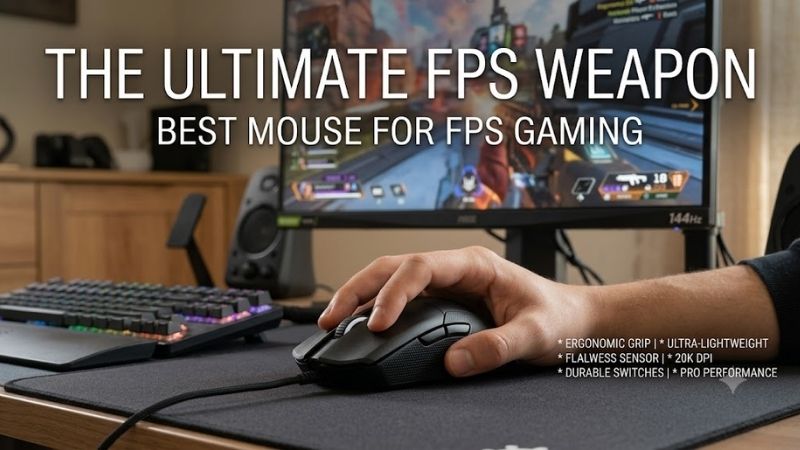
The Razer Viper V3 Pro is built around a right-handed symmetrical shell that favors fast repositioning without forcing a deep palm hold. Its low mass makes repeated swipes easier, while the broad rear and defined side walls give claw and relaxed claw users a stable platform for Counter-Strike 2, VALORANT, Apex Legends, and similar shooters.
Key Features
- Approx. 54 g in black.
- Focus Pro 35K Optical Sensor Gen-2.
- Up to 8,000 Hz HyperPolling.
- Wired and 2.4 GHz wireless modes.
- Up to 95 hours at 1,000 Hz.
- 100% PTFE feet.
What Makes It Different
Its main advantage is balance: the shape is neutral enough for several grip styles, the wireless design keeps the pad clear, and the sensor settings allow fine sensitivity and lift-off tuning. The trade-off is that very small hands or strict palm users may prefer a shorter or more sculpted body with stronger rear-hand support.
Pros
- Low weight supports fast flicks and repeated resets.
- 8K wireless polling is available.
- Fine DPI and lift-off adjustments.
- Strong fit for claw and relaxed claw users.
Cons
- Higher polling rates shorten battery life.
- Shape may feel long for smaller hands.
- Not a strongly sculpted palm-grip design.
Use Case: Tactical shooters, battle royale titles, arena FPS games, and high-refresh competitive setups.
Who It’s For: Players wanting one versatile wireless FPS mouse rather than a highly specialized grip shape.
Logitech G PRO X3 SUPERSTRIKE — Best for Tunable Clicks
Best For: Competitive FPS players who want adjustable main-button actuation and rapid reset behavior.
The Logitech G PRO X3 SUPERSTRIKE targets players who want to tune the click itself, not only DPI and polling rate. Its Haptic Inductive Trigger System lets the main buttons use adjustable actuation and reset behavior, which can suit rapid taps in tactical shooters or repeated firing in tracking-heavy games without changing your grip.
Key Features
- Haptic Inductive Trigger System.
- Adjustable actuation and reset points.
- Maximum 8,000 Hz reporting in wired or LIGHTSPEED wireless mode.
- Manufacturer-rated battery life above 135 hours.
- NxLOGI chipset.
What Makes It Different
That adjustability is the key difference from conventional optical or mechanical switches. Players who like a fixed, familiar click may not need the extra control, but users who experiment with rapid reset points can tailor button response to their habits. It best fits competitive players who enjoy fine-tuning click behavior.
Pros
- Adjustable click actuation.
- Rapid trigger reset functionality.
- 8K wired and wireless reporting.
- Long manufacturer-rated battery life.
Cons
- Click customization may be unnecessary for many players.
- More settings can mean additional setup time.
- Benefits depend on personal click technique.
Use Case: VALORANT, Counter-Strike 2, Overwatch, and other shooters where rapid, repeated primary-button inputs matter.
Who It’s For: Competitive users who enjoy tuning input behavior as precisely as mouse sensitivity.
Pulsar X2 CrazyLight Medium — Best Ultra-Light FPS Mouse
Best For: Claw and fingertip players prioritizing extremely low mouse weight.
The Pulsar X2 CrazyLight Medium is aimed at players who prioritize minimal mass and a centered, low-hump shape. It is especially relevant for claw and fingertip users who lift the mouse often, make frequent micro-corrections, or play low sensitivity with wide arm movements. The light shell reduces inertia, so direction changes require less effort.
Key Features
- Approx. 39 g with dot skates.
- XS-1 flagship sensor.
- Up to 32,000 DPI.
- Up to 8,000 Hz polling.
- 750 IPS maximum tracking speed.
- Symmetrical low-hump design.
What Makes It Different
Its shape is flatter and less palm-filling than an ergonomic FPS mouse, creating room for finger movement but offering less full-hand support. That suits agile aiming styles, though players who anchor the palm heavily may prefer a taller rear hump or asymmetrical shell. High polling options are available when the system can use them.
Pros
- Exceptionally low weight.
- Good freedom for fingertip adjustments.
- Up to 8K polling.
- Fine DPI adjustment options.
Cons
- Low profile provides less palm support.
- Very light weight may feel less planted to some players.
- High polling requires appropriate system resources.
Use Case: Low-sensitivity FPS aiming, repeated lift-offs, fast target switching, and wide mousepad movements.
Who It’s For: Players using claw or fingertip grip who want minimal resistance during rapid aim corrections.
ZOWIE EC2-DW — Best Ergonomic FPS Mouse
Best For: Right-handed players who prefer a planted ergonomic shape and driverless configuration.
The ZOWIE EC2-DW uses a medium ergonomic shell shaped for the right hand. Its curved back gives the palm a planted reference point, which can help players who value controlled horizontal movement and steady tracking over a flat fingertip feel. It is particularly suitable for relaxed claw and palm-claw grips.
Key Features
- Medium ergonomic right-handed design.
- Approx. 60 g.
- Up to 4,000 Hz report rate.
- 2.4 GHz wireless connection.
- Adjustable lift-off distance and click response.
- Motion Sync control.
- Driverless configuration.
What Makes It Different
ZOWIE keeps configuration driverless, so DPI, report rate, lift-off distance, click response, and Motion Sync can be adjusted without background software. That is useful for tournament PCs or shared setups. The trade-off is less software customization than some rivals, and the ergonomic shape is less flexible for left-hand use.
Pros
- Supportive ergonomic shape.
- Driverless configuration.
- Multiple polling-rate options.
- Charging dock function is built into the enhanced receiver.
Cons
- Maximum polling is 4K rather than 8K.
- Right-handed ergonomic shape limits versatility.
- Fixed DPI stages offer less granular adjustment.
Use Case: Tactical FPS games where controlled horizontal aim and consistent hand placement are priorities.
Who It’s For: Right-handed relaxed claw or palm-claw users who prefer shape and simplicity over extensive software features.
Endgame Gear OP1 8k v2 — Best Wired FPS Mouse
Best For: Compact claw-grip users prioritizing wired performance and input customization.
The Endgame Gear OP1 8k v2 is a wired FPS mouse for players who want a compact claw-focused shape and do not mind a cable. Its narrow body and flatter sides leave room to position the fingers precisely, while low weight helps rapid corrections. The wired connection also removes battery management during long sessions.
Key Features
- Approx. 49.5 g.
- Custom PixArt PAW3950 sensor implementation.
- Up to 30,000 CPI.
- Up to 8,000 Hz polling.
- 750 IPS maximum speed.
- Kailh GX mechanical main switches.
- Swappable main-button switch design.
What Makes It Different
Its standout feature is the mix of high polling, a performance-focused sensor implementation, and swappable main-button switches. The cable is the clear compromise versus wireless rivals, but a good mouse bungee can reduce drag. This model fits users who value tuning, crisp inputs, and a compact claw shape.
Pros
- 8K wired polling.
- Compact shape designed around claw use.
- Low weight.
- Main switches can be changed without soldering.
Cons
- Wired connection can introduce cable drag.
- Compact dimensions may not suit palm users.
- Extensive tuning options are unnecessary for casual players.
Use Case: Fixed competitive desks, tournament practice stations, and claw-grip FPS setups using a mouse bungee.
Who It’s For: Players who prefer wired consistency and extensive hardware tuning over wireless convenience.
Logitech G PRO X SUPERLIGHT 2 DEX — Best Ergonomic Wireless Alternative
Best For: Right-handed users wanting an ergonomic FPS shape while retaining competitive wireless specifications.
The Logitech G PRO X SUPERLIGHT 2 DEX suits right-handed players who want ergonomic support without moving to a bulky mouse. Its asymmetrical shell adds contour under the hand, while the moderate weight remains suitable for low-sensitivity swipes. The design is easier to settle into than a narrow fingertip shell for many palm-claw users.
Key Features
- Approx. 60 g.
- HERO 2 sensor.
- 100–44,000 DPI range.
- Up to 8,000 Hz LIGHTSPEED report rate.
- LIGHTFORCE switches.
- Manufacturer-rated battery life up to 95 hours.
- Asymmetrical right-handed shape.
What Makes It Different
Compared with flatter symmetrical mice, the DEX gives the thumb and palm a more defined position, which can improve repeatability for players who dislike floating the hand above the shell. The trade-off is less freedom for aggressive fingertip adjustments, and left-handed users should look elsewhere. It suits comfort-first competitive aim.
Pros
- Supportive asymmetrical shell.
- 8K LIGHTSPEED wireless polling.
- Strong fit for palm-claw and relaxed claw grips.
- Long manufacturer-rated battery life.
Cons
- Not intended for left-handed use.
- Less fingertip freedom than low-profile symmetrical mice.
- Larger body may feel excessive for small hands.
Use Case: Long tactical FPS sessions, low-sensitivity aiming, and players moving from traditional ergonomic mice to lighter esports hardware.
Who It’s For: Right-handed players who prioritize stable hand placement without giving up a competitive wireless platform.
How to Choose the Best Mouse for FPS Gaming
Choose the Right Shape for Your Grip
Shape determines where your fingers, palm, and thumb naturally apply pressure. Fingertip players often benefit from shorter or lower shells that leave room for finger motion, while claw users may want a supportive rear hump without too much width. Palm-claw players can prefer ergonomic curves that create a repeatable hand position.
Consider Weight Without Chasing the Lowest Number
Lower weight can make flicks, lift-offs, and direction changes easier, especially at low sensitivity, but lighter is not automatically more accurate. Some players stop more consistently with a little extra mass and palm contact. Choose the lightest mouse that still feels controlled, balanced, and comfortable in your normal grip.
Decide How Much Polling Rate You Need
Higher polling rates reduce the interval between reports, but the benefit depends on frame rate, display refresh rate, game support, CPU headroom, and sensitivity to input changes. A stable 1,000 Hz setup is already responsive for FPS play. Use 2K, 4K, or 8K when your system handles it cleanly and the extra cost is acceptable.
Look Beyond Maximum DPI
Modern flagship sensors exceed the sensitivity most FPS players use, so maximum DPI is rarely the deciding factor. More useful settings include consistent tracking, predictable lift-off behavior, sensible DPI steps, Motion Sync, and angle or sensor tuning where available. Focus on repeatable control at your real in-game sensitivity.
Wireless vs Wired for FPS Gaming
Competitive wireless mice can remove cable drag while keeping the desk cleaner, but battery life and receiver placement still matter. Wired mice avoid charging and can suit fixed setups. If you choose wireless, place the receiver close to the mousepad and keep the signal path clear, especially in crowded RF environments.
FAQ
What DPI Is Best for FPS Gaming?
There is no universal best DPI for FPS gaming because in-game sensitivity changes the final effective sensitivity. Many players use moderate mouse DPI with lower game sensitivity, but consistency matters more than copying others. Pick a setting that lets you turn comfortably while still making small head-level corrections without overshooting.
Do I Need an 8K Polling Rate Mouse for FPS Games?
An 8,000 Hz mouse is not required for strong FPS play. It sends reports more frequently than 1,000 Hz, but the practical difference is easier to notice on fast systems and high-refresh displays. It can also increase CPU activity or reduce wireless battery life. Start at 1,000 Hz, test higher rates, and keep the setting that stays smooth.
Is a Lighter Mouse Better for FPS Gaming?
A lighter mouse can reduce effort during large swipes and repeated lift-offs, which is useful for low-sensitivity aiming, but weight alone does not determine accuracy. Shape, balance, feet, pad friction, and grip stability all affect control. A slightly heavier ergonomic mouse may feel more precise if it gives your hand a repeatable stopping point.
Which Mouse Shape Is Best for Claw, Palm, or Fingertip Grip?
Claw grip often pairs well with a defined rear hump and narrow waist, fingertip grip usually benefits from lower mass and extra room for finger movement, and palm-claw users may prefer an ergonomic shell. Hand size changes every recommendation, so treat grip labels as a starting point and compare dimensions and shape profiles before buying.
Is Wireless Good Enough for Competitive FPS Gaming?
Wireless is a practical choice for competitive FPS gaming when the mouse uses a strong 2.4 GHz gaming link and the receiver is positioned correctly. The main advantages are unrestricted movement and no cable drag. Wired models still suit players who never want to charge a battery or who prefer a fixed setup with a mouse bungee.
Conclusion
The best mouse for FPS gaming is the one whose shape, weight, and click feel stay predictable when your aim gets fast. Choose the Viper V3 Pro for balanced wireless performance, the X2 CrazyLight for minimal mass, the EC2-DW or DEX for ergonomic support, the OP1 8k v2 for wired tuning, or SUPERSTRIKE for adjustable click behavior.
Ready to decide? Our #1 pick for 2026 is the Razer Viper V3 Pro.
Live price & availability on Amazon.