🛒 Best Price Today on Amazon
Prime members get fast, free shipping on everything above, plus member-only deals. New members get a 30-day free trial — cancel anytime.
- Quick Comparison
- How I Chose the Best Claw Grip FPS Mice
- Razer Viper V4 Pro — Best Lightweight Wireless Pick
- Endgame Gear OP1 8k v2 — Best Dedicated Claw Shape
- Pulsar X2 CrazyLight Mini — Best for Compact Aggressive Claw
- ZOWIE U2-DW — Best for Secure Curved-Side Claw Control
- How to Choose a Mouse for Claw Grip FPS
- FAQ
- Conclusion
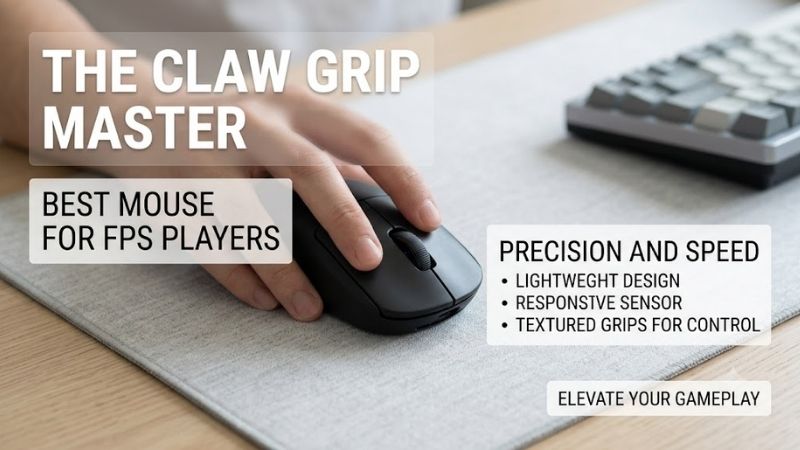
The best mouse for claw grip FPS should give your fingertips room to steer while the rear of the shell supports controlled stopping. Weight, side curvature, hump position, click feel, and wireless stability matter more than extreme DPI. These picks target competitive shooters where fast flicks and micro-adjustments both count.
Quick answer: For most people in 2026, the best mouse for claw grip fps is the Mouse — our #1 rated choice. See the full ranked comparison, alternatives and buying advice below.
Quick Comparison
| Mouse | Best For | Weight | Polling | Connection |
|---|---|---|---|---|
| Razer Viper V4 Pro | Lightweight wireless claw | <49 g black | Up to 8000 Hz | Wireless / wired |
| Endgame Gear OP1 8k v2 | Dedicated claw control | 49.5 g | Up to 8000 Hz | Wired |
| Pulsar X2 CrazyLight Mini | Compact aggressive claw | ±35 g with dot skates | Up to 8000 Hz | Wireless / wired |
| ZOWIE U2-DW | Secure curved claw shape | 60 g | Up to 4000 Hz | 2.4 GHz wireless |
How I Chose the Best Claw Grip FPS Mice
For this roundup, shape comes first because claw grip depends on where the palm contacts the shell and how securely the fingers pinch the sides. I then prioritize low mass, stable sensor behavior, responsive clicks, practical polling options, and FPS-focused controls. Extra buttons or RGB add little value here.
Razer Viper V4 Pro — Best Lightweight Wireless Pick
Razer’s Viper V4 Pro suits players who want a very light wireless mouse without moving to an unusually short shell. Its symmetrical right-handed form leaves room for curled fingers, while the low mass favors rapid direction changes. The trade-off is that its longer body may feel less compact to aggressive claw users.
Best For: Lightweight wireless FPS play
Key Features: 127.1 × 63.9 × 39.9 mm; black model under 49 g; Focus Pro 50K Optical Sensor Gen-3; up to 8000 Hz in wired and wireless modes.
What Makes It Different: Very low weight in a full-length esports shell.
Pros:
- Under-49 g black chassis
- 8K wired and wireless polling
- 100% PTFE feet
- USB-C charging
Cons:
- Longer shell than compact claw-focused mice
- Running at 8000 Hz cuts rated battery life compared with 1000 Hz operation
Use Case: Low-sensitivity flicking, tracking, and wide swipes without cable drag
Who It’s For: Players who want a modern wireless FPS mouse and use relaxed or moderate claw
Use the Viper V4 Pro if your claw grip is relaxed or moderately curled and you want wireless freedom for wide swipes in games such as VALORANT, Counter-Strike 2, Apex Legends, or Overwatch 2. Players who want a pronounced rear hump pressing firmly into the palm may prefer a more claw-specific shape.
Endgame Gear OP1 8k v2 — Best Dedicated Claw Shape
The Endgame Gear OP1 8k v2 is the most purpose-built claw option here. Its flatter sides, compact dimensions, and extended side walls allow flexible finger placement without forcing the ring finger onto the main-button edge. The wired design removes battery concerns, although some players will still prefer cable-free movement.
Best For: Firm claw grip and precise micro-adjustments
Key Features: 118.2 × 60.5 × 37.2 mm; 49.5 g; PixArt PAW3950 sensor; 1000/2000/4000/8000 Hz polling; wired USB connection.
What Makes It Different: Claw-focused shape with flatter sides, extended side walls, and hot-swappable main switches.
Pros:
- Shape explicitly designed around versatile claw grip
- Low 49.5 g weight
- True 8000 Hz polling
- Swappable mechanical main switches
Cons:
- Wired only
- Narrower shell will not suit every hand
Use Case: Tactical FPS, micro-corrections, rapid tap firing, and frequent mouse resets
Who It’s For: Players who prioritize claw geometry and click tuning over wireless freedom
Choose the OP1 8k v2 if you use a firm claw grip, make frequent micro-corrections, and like a narrower shell that can be steered with the fingertips. Its hot-swappable main switches also appeal to players who care deeply about click feel. The main limitation is simple: it is wired rather than wireless.
Pulsar X2 CrazyLight Mini — Best for Compact Aggressive Claw
The Pulsar X2 CrazyLight Mini is aimed at players who want the least hand resistance possible from a compact wireless shell. Its low hump and wide waist are explicitly designed around claw and fingertip grips, while the very low mass makes repeated lifts easy. Large hands may find the Mini too short for relaxed claw.
Best For: Small, light claw setups and fast mouse resets
Key Features: 115.6 × 61 × 36.6 mm; ±35 g with dot skates; XS-1 sensor; up to 32,000 DPI; up to 8000 Hz polling; low-hump symmetrical shape.
What Makes It Different: Exceptionally low mass in a Mini shell built for claw and fingertip grips.
Pros:
- Extremely low weight
- Compact Mini dimensions
- Claw/fingertip-focused shape
- 8K dongle included
Cons:
- May feel too short for larger hands
- Very low mass can feel less planted to players used to heavier mice
Use Case: Fast resets, tracking-heavy FPS, and low-sensitivity aim requiring repeated lifts
Who It’s For: Small-to-medium-hand users who prefer aggressive claw or claw/fingertip hybrids
This model makes sense for small to medium hands using aggressive claw, especially in aim-heavy shooters where fast resets and low inertia matter. It also works for players who alternate between claw and fingertip during tracking. If you want stronger palm contact for braking, a taller or longer shell may feel more planted.
ZOWIE U2-DW — Best for Secure Curved-Side Claw Control
The ZOWIE U2-DW takes a different route by shaping the sides around claw-grip mechanics instead of chasing the lowest possible weight. Its inward curves are intended to stabilize lifts and finger placement during multi-angle movement. At 60 g, it feels heavier than the lightest picks here but offers a more anchored shell.
Best For: Stable claw grip during multi-angle movement
Key Features: 60 g; 2.4 GHz wireless; 125/500/1000/2000/4000 Hz polling; driverless controls; inward-curved sides designed for claw-grippers.
What Makes It Different: Side geometry is intentionally shaped to stabilize finger placement and mouse lifts.
Pros:
- Claw-specific inward-curved sides
- Driverless plug-and-play setup
- Enhanced receiver doubles as a charging dock
- Multiple polling-rate options
Cons:
- Heavier than the other picks
- Tops out at 4000 Hz rather than 8000 Hz
Use Case: VALORANT, Counter-Strike 2, Apex Legends, and other shooters with repeated lift-and-reset movement
Who It’s For: Players who value secure finger anchoring and consistent shape over minimum weight
Pick the U2-DW if you want a claw shape that feels secure during repeated lifts, angle changes, and controlled stops. Its driverless setup also suits tournament or shared-PC environments where installing software is inconvenient. Players focused purely on minimum mass may prefer the Viper V4 Pro or X2 CrazyLight Mini.
How to Choose a Mouse for Claw Grip FPS
Shape and Hump Position
Shape should decide the purchase before sensor specifications. A claw grip usually works best when the rear or center-rear of the mouse gives some palm support while the sides remain easy to pinch with bent fingers. Too much shell can restrict fingertip steering; too little support can make stopping feel less consistent.
Weight and Stopping Control
Lower weight reduces the effort needed to start, stop, and lift the mouse, which can help during repeated flicks and low-sensitivity swipes. However, lighter is not automatically better. Some claw players prefer extra mass because it makes braking feel steadier, especially when their palm maintains firm contact with the rear shell.
Polling Rate
A higher polling rate lets the mouse report movement more frequently, but it should not override shape or comfort when choosing an FPS mouse. Rates above 1000 Hz can be most noticeable on high-refresh displays and powerful systems. They also increase CPU activity and, on wireless models, can reduce battery life.
Click Feel and Side Buttons
Click feel matters in claw grip because the index and middle fingers are already bent and often press from a steeper angle. Crisp switches can make rapid taps easier to judge, while heavier or softer clicks may suit players who want more resistance. Side-button placement matters too if your thumb pinches the shell tightly.
Hand Size
Hand size changes how the same shell behaves. A compact mouse can create an aggressive claw grip in a large hand but feel relaxed in a smaller hand. Compare your current mouse with published dimensions and note where your palm touches it. That reference is more useful than buying from a generic small, medium, or large label.
FAQ
Is claw grip good for FPS games?
Claw grip can work very well for FPS because it combines fingertip steering with some palm support. That balance can help with both quick flicks and small corrections. It is not automatically superior to palm or fingertip grip, though. The best grip is the one you can hold consistently without strain during long sessions.
Is a rear hump better for claw grip?
A rear hump can help claw grip by giving the palm a stable contact point during fast stops, but the ideal hump depends on how aggressively you curl your fingers. Relaxed claw users may prefer a lower or more central profile, while aggressive claw users often appreciate stronger rear support and a shorter-feeling shell.
Do I need 8000 Hz polling for competitive FPS?
You do not need 8000 Hz polling to play competitive FPS well. A stable 1000 Hz connection is already responsive, and shape, weight, sensor consistency, and click control usually matter more. Higher polling can improve motion granularity on fast displays, but it may use more system resources and wireless battery.
Is wireless good enough for competitive FPS?
Wireless gaming mice are suitable for competitive FPS when they use a modern low-latency connection and the receiver is positioned properly. Wired models still avoid charging and battery concerns, while wireless models reduce cable drag. The better choice depends on whether unrestricted movement or zero power management matters more to you.
Conclusion
The best mouse for claw grip FPS is the one whose shape supports your palm without taking control away from your fingertips. The Viper V4 Pro emphasizes light wireless speed, the OP1 8k v2 targets dedicated claw control, the X2 CrazyLight Mini favors compact agility, and the U2-DW prioritizes secure curved sides.
Ready to decide? Our #1 pick for 2026 is the Mouse.
Live price & availability on Amazon.