
🛒 Best Price Today on Amazon
Prime members get fast, free shipping on everything above, plus member-only deals. New members get a 30-day free trial — cancel anytime.
- Identify the exact machines
- Hardware comparison at a glance
- The display choice is more than one inch
- Intel versus AMD without benchmark theater
- Battery capacity and portable efficiency
- SSD format, ports, and upgrade planning
- Windows and control software
- Scenario decision matrix
- Docked, travel, and mixed-use buyers
- Who should buy the MSI Claw 8 AI+?
- Who should buy the ROG Ally X?
- FAQ
- Sources
- Related Guides
MSI Claw 8 AI+ vs ROG Ally X: Buyer Analysis
The MSI Claw 8 AI+ and ASUS ROG Ally X approach premium Windows handheld gaming from different platform directions. MSI combines an 8-inch 1200p VRR display with Intel Core Ultra Series 2 silicon and 32GB of fast memory. ASUS uses AMD’s Ryzen Z1 Extreme with a smaller 7-inch 1080p VRR panel, 24GB of memory, and an 80Wh battery. The best choice depends less on an isolated processor claim and more on screen preference, game compatibility, storage serviceability, and how the device will be used away from a charger.
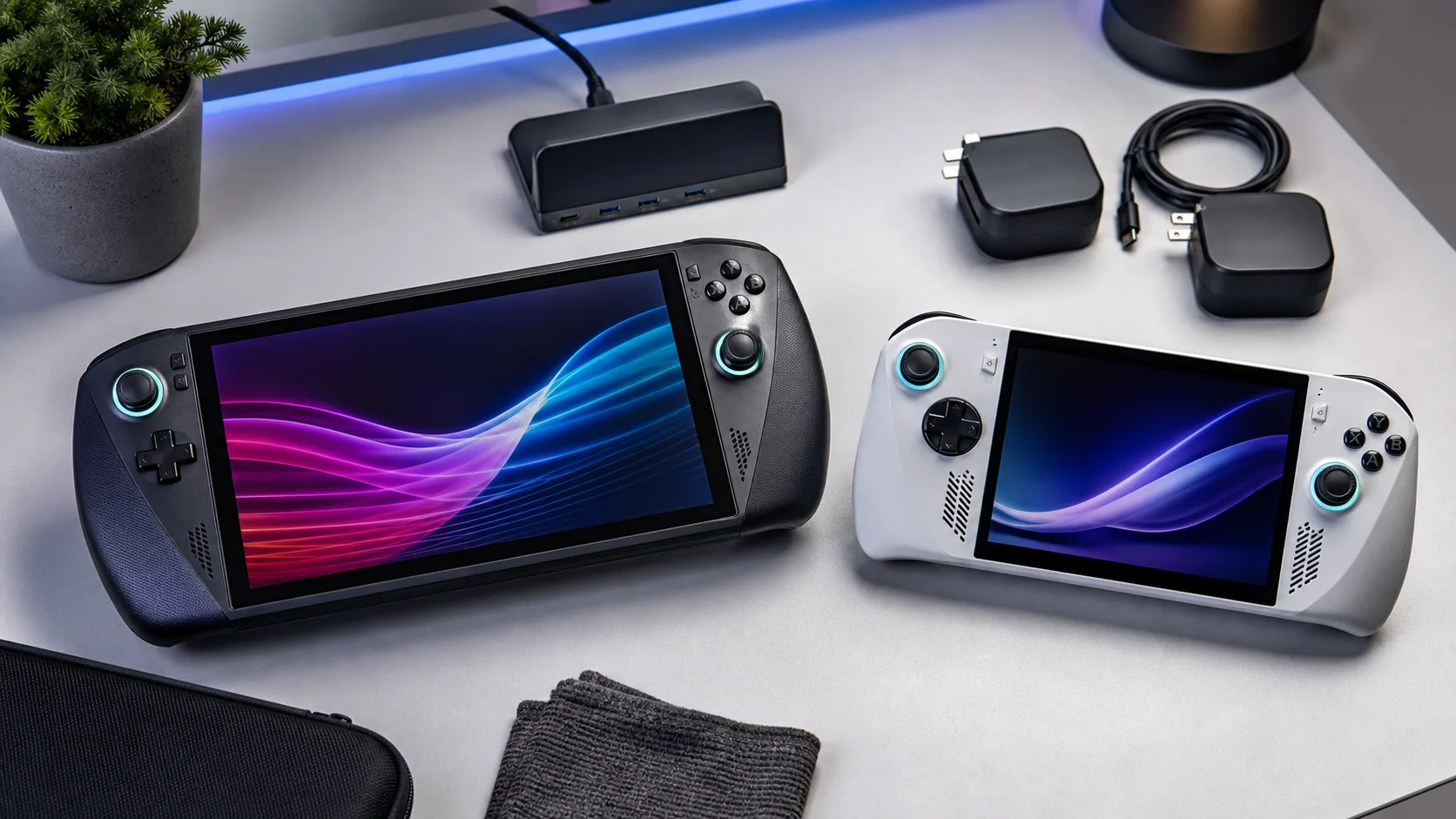
Handheld comparison illustration—not a product photograph, FPS test, or battery measurement.
As an Amazon Associate we earn from qualifying purchases at no extra cost to you.



![Spigen GlasTR SLIM Screen Protector for MSI Claw 8 AI+/A8 BZ2EM [2 Pack]](https://m.media-amazon.com/images/I/41II8U29pWL._SL160_.jpg)


Identify the exact machines
This comparison concerns the MSI Claw 8 AI+ A2VM and ASUS ROG Ally X RC72LA. It does not apply automatically to the original MSI Claw, the smaller Claw 7 AI+, the first ROG Ally, or newer Xbox-branded Ally hardware. Similar family names conceal meaningful changes.
MSI’s official specification page lists an 8-inch 1920×1200 touch display with a 48–120 Hz VRR range, up to an Intel Core Ultra 7 Series 2 processor with Arc 140V graphics, 32GB LPDDR5X-8533 memory, and an M.2 2230 storage slot. ASUS lists a Ryzen Z1 Extreme, Radeon RDNA 3 graphics, 24GB LPDDR5, a 7-inch 1920×1080 120 Hz FreeSync Premium display, and 1TB or 2TB M.2 2280 configurations depending on region.
Those are manufacturer specifications. They are suitable for identifying hardware, but they do not prove which handheld produces more frames in every game.
Hardware comparison at a glance
| Area | MSI Claw 8 AI+ A2VM | ROG Ally X RC72LA | Practical question |
|---|---|---|---|
| Processor platform | Intel Core Ultra Series 2 | AMD Ryzen Z1 Extreme | Which games and drivers behave best for your library? |
| Display | 8-inch, 1920×1200, 48–120 Hz VRR | 7-inch, 1920×1080, 120 Hz VRR | Larger workspace or smaller chassis? |
| Memory | 32GB LPDDR5X-8533 listed | 24GB LPDDR5 listed | Heavy multitasking may value more headroom |
| Battery | 80Wh listed | 80Wh listed | Equal capacity does not guarantee equal runtime |
| SSD slot | M.2 2230 | M.2 2280 | 2280 drives are commonly easier to source |
| Wireless | Wi-Fi 7 listing varies by configuration/market | Wi-Fi 6E, Bluetooth 5.4 listed | Router and regional support determine benefit |
| Operating system | Windows 11 Home | Windows 11 Home | Both require desktop-OS maintenance |
If you are comparing a retailer listing, match its full model code to the manufacturer page. Memory, storage, processor, and bundled accessories can vary.
The display choice is more than one inch
MSI’s 8-inch 16:10 panel provides more physical area and 120 additional vertical pixels. That can improve text legibility, strategy-game interfaces, and Windows dialogs. Its listed VRR range helps presentation when frame delivery fluctuates within the supported window.
The Ally X’s 7-inch 16:9 display matches the shape of much video and console-oriented game content. Its lower pixel count reduces the rendering load at native resolution. ASUS lists 500-nit brightness, 100% sRGB coverage, a 120 Hz ceiling, and FreeSync Premium. MSI also lists a 500-nit class panel and touch support.
A larger, higher-resolution screen is not free performance. Running a demanding game at 1200p asks more from the GPU than 1080p, and both devices may benefit from lower render resolutions or upscaling. Panel specifications cannot tell us which color tuning a particular buyer prefers, so this article does not assign an image-quality winner.
Intel versus AMD without benchmark theater
The Claw uses Intel’s Core Ultra Series 2 platform with integrated Arc graphics. The Ally X uses the handheld-focused AMD Ryzen Z1 Extreme with 12 RDNA 3 compute units. Architecture, drivers, memory behavior, game engine, power profile, and graphics settings all influence results.
Vendor performance charts are useful for understanding the conditions a manufacturer chose to demonstrate, but they are not cross-platform laboratory evidence. A fair speed comparison requires current firmware and drivers, the same game build, matched resolution and settings, controlled power limits, and repeatable capture. We did not perform that bench work here.
For a purchase, inspect current independent data for the exact games you play. Older DirectX titles, modern APIs, emulators, and productivity tools can favor different drivers. The extra MSI memory may help specific heavy workloads, but it should not be translated into a universal FPS promise.
Battery capacity and portable efficiency
Both manufacturers list 80Wh batteries, an unusually useful capacity for this category. That equality removes one easy talking point but not the actual runtime question. Processor efficiency at a chosen power level, panel area, brightness, refresh rate, wireless radios, speakers, background applications, and the game itself determine discharge rate.
MSI promotes efficiency improvements for its Lunar Lake platform, while ASUS publishes operating modes around the Ally ecosystem. These remain manufacturer positions. Do not treat a quoted “up to” runtime as the number expected in a demanding game.
For travel, compare mass, charger size, case dimensions, and standby behavior in addition to the battery. An 80Wh internal pack also affects airline power-bank planning differently from an external battery. Verify current airline rules before departure.
SSD format, ports, and upgrade planning
The Claw 8 AI+ specification identifies an M.2 2230 PCIe 4.0 slot. The ROG Ally X moved to the longer M.2 2280 format, which gives buyers a wider field of mainstream desktop-class drives. A common format does not remove the need to check physical fit, thermals, power draw, warranty terms, and recovery instructions.
MSI lists two Thunderbolt 4-capable USB-C connections. ASUS lists one USB4 Type-C port and another USB 3.2 Gen 2 Type-C port, both with display and power-delivery functions subject to their specifications. Either device can support a capable desk setup, though dock bandwidth and display support depend on the port and accessory used.
Back up important data before an SSD change. Use the manufacturer service guide, disconnect power, control static, and prepare recovery media. A handheld enclosure is less forgiving than a desktop case.
Windows and control software
Both systems run Windows 11, so both can access common PC storefronts and utilities. They also inherit Windows behavior on a small touch screen: account prompts, background updates, desktop dialogs, and occasional need for a keyboard or pointer.
MSI Center M provides device settings and launcher functions for the Claw. Armoury Crate SE fills that role on the Ally X. Feature sets and stability change with updates, so screenshots from an old launch review may not describe the current experience. Review current release notes and support pages before assuming a missing function remains missing.
For buyers still considering a Linux-led device, our Steam Deck vs ROG Ally guide explains the broader Windows-versus-SteamOS trade. The ROG Ally X overview provides more context on ASUS’s model.
Scenario decision matrix
| Buyer scenario | Better starting point | Reason to investigate |
|---|---|---|
| Wants the largest integrated screen | MSI Claw 8 AI+ | 8-inch 16:10 panel |
| Wants a common SSD upgrade format | ROG Ally X | M.2 2280 slot |
| Runs memory-heavy applications | MSI Claw 8 AI+ | Official 32GB configuration |
| Prefers an established AMD handheld platform | ROG Ally X | Z1 Extreme ecosystem has longer market history |
| Needs two high-spec peripheral connections | Compare carefully | Both have two USB-C ports, but capabilities differ |
| Primarily plays at native resolution | Depends on game | 1200p and 1080p impose different loads |
| Needs verified game-specific speed | Neither from specs alone | Consult current matched independent benchmarks |
Docked, travel, and mixed-use buyers
A desk-focused buyer should inventory peripherals before choosing. Count the display connection, power input, external SSD, Ethernet, audio interface, and controller receiver. Confirm that a dock supports the target resolution and refresh rate through the chosen port. Avoid assuming every USB-C dock exposes the same video bandwidth.
A frequent traveler may care more about the complete packed mass and screen size than peak specifications. MSI’s larger display can reduce squinting, while ASUS’s ecosystem has a broader history of cases, docks, and community documentation. Accessory availability changes by market, so this is a shopping check rather than a permanent advantage.
Our handheld gaming PC roundup should be used only after deciding whether Windows itself is acceptable. Buying powerful hardware does not remove the small-screen desktop compromises.
Who should buy the MSI Claw 8 AI+?
Start with MSI if the 8-inch 1200p VRR screen, 32GB memory configuration, and Intel platform are central to your use. It is particularly interesting for someone who treats the handheld as a compact PC as well as a game system and accepts the smaller 2230 SSD format.
Before ordering, confirm the processor suffix, storage capacity, wireless configuration, charger, and warranty region. Then check current independent results for several representative games rather than one promotional title.
Who should buy the ROG Ally X?
Start with the Ally X if you prefer its smaller 1080p panel, Ryzen Z1 Extreme platform, M.2 2280 upgrade path, and mature accessory/community footprint. Its 24GB memory remains substantial for a handheld, and the two differently specified USB-C ports provide useful flexibility.
The Ally X is not automatically the value winner. Price, included storage, and regional support can reverse the calculation. Compare complete configurations on the same day.
FAQ
Is 32GB on the Claw automatically faster than 24GB on Ally X?
No. Capacity can prevent pressure in memory-heavy scenarios, but game speed also depends on the processor, graphics architecture, memory allocation, drivers, power, and settings.
Do equal 80Wh batteries mean equal gaming time?
No. Capacity is only stored energy. Consumption under the selected workload determines runtime.
Which device is better for an external GPU?
Both expose high-bandwidth connectivity in their specifications, but enclosure compatibility, drivers, bandwidth, power, and display routing matter. Verify the exact enclosure with current manufacturer support before buying around this use.
Sources
- MSI Claw 8 AI+ A2VM specifications
- ASUS ROG Ally X RC72LA specifications
- Intel Core Ultra Series 2 product information
- AMD Ryzen Z Series product information









