Dust is the silent killer of PC performance. Over months it coats fan blades, clogs radiator fins, and blankets dust filters, choking off airflow until your components run hotter, throttle down, and get louder. A gaming PC that has never been cleaned can easily run 10 to 15 degrees warmer than it should, quietly costing you frames and shortening the life of your parts.
The good news is that cleaning your PC fans and filters is a simple 20-minute job you should do every three to six months. This guide walks through doing it safely in 2026, including the dust filters that catch the worst of it before it ever reaches your components, so your system stays cool and quiet.
As an Amazon Associate we earn from qualifying purchases at no extra cost to you.
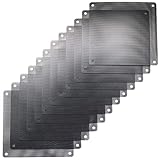


![MoKo 400x300mm DIY PC Case Dust Mesh Filter, [4 Pack] PVC Dustproof Magnetic Dust Filter Cover, PC Mesh Grill with Magnetic Frame Strip Computer Cooler Fan Dust Filter for Computer PC Case, Black](https://m.media-amazon.com/images/I/51YgJYNN2-L._SL160_.jpg)


⚡ Save on Your Next PC — Amazon Prime
Prime members get fast free shipping on the systems above, plus early access to Prime Day & Black Friday PC deals. New members get a 30-day free trial.
Watch: How to Clean Your PC Fans and Filters — Video Review
Gather Your Supplies
You need very little. A can of compressed air or an electric air duster does the heavy lifting, and a few microfiber cloths handle stubborn grime. Do not use a household vacuum, which can generate static. Magnetic dust filters like the ThreeBulls 120mm covers or MoKo mesh filters, if you fit them, make future cleanings far quicker by trapping dust at the case intakes.
Power Down and Open Up
Shut the PC off fully and unplug the power cable. Move the case to a well-ventilated area or outdoors, since you are about to blow a surprising amount of dust into the air. Remove the side panel, and if your case has snap-off dust filters on the front, top, or bottom, take those off first as they hold the most buildup.
- Rinse washable magnetic filters under water and let them dry fully before refitting.
- Never reinstall a damp filter, as moisture near electronics is risky.
Clean the Fans
Hold each fan blade still with a finger before blasting it with compressed air. This is important: letting the air spin the fan freely can generate a small voltage that may damage the fan or motherboard header. Blow dust off the blades and out of the fan hub, working from the clean side toward the vent so debris exits the case.
Tackle Radiators and Heatsinks
CPU air-cooler fins and AIO radiators trap dust between their thin fins where it insulates heat. Use short bursts of compressed air straight through the fin stack to push the dust out the other side. A clean radiator can drop your cooling temperatures noticeably and let the fans spin slower and quieter.
Tips
- Always hold fans stationary while air-dusting them to avoid generating damaging voltage.
- Fit magnetic dust filters on your intake fans to cut how often you need a deep clean.
- Set up positive air pressure, more intake than exhaust, so dust enters mainly through filtered vents.
- Clean every three to six months, more often if you have pets or a carpeted room.
Frequently Asked Questions
How often should I clean my PC fans?
Every three to six months for most people. Homes with pets, smokers, or carpet may need monthly attention as they generate far more airborne dust.
Can I use a vacuum to clean my PC?
Avoid regular vacuums, which can build static that harms components. Compressed air or an electric air duster is the safe choice; hold fans still while you use it.
Why hold the fan blades while cleaning?
A spinning fan acts as a small generator and can send a voltage spike back into the motherboard header, potentially damaging it. Holding the blades prevents this.
Do dust filters actually help?
Yes. Magnetic mesh filters on your intakes trap the bulk of incoming dust, keeping the inside of your case much cleaner and reducing how often you need to open it up.
Conclusion
Regular cleaning keeps a gaming PC cool, quiet, and reliable. Power down, remove the dust filters, hold each fan still while blasting it with compressed air, and clear the radiator fins. Add magnetic intake filters and clean every few months, and your components will run cooler and last longer with minimal effort.