- Top Pick: 4 Generation Picture Frame 4 X 6, Four Generations Families Picture Frame.
- Best Value: Beliran Three Generations Picture Frame 5×7, Family Photo Frame, Family Birthday Christmas Gifts for Parents Grandparents, 3 Generations Wooden Picture Photo Frames for Desk Home Room Decor
- Premium Choice: Cudwid Family Wooden Frame Suitable For 5×7 Inch Photo – Four Generations One Common Thread…Love – Modern Farmhouse Home Tabletop Shelf Display Picture Frame – Family Keepsake Gift – A09
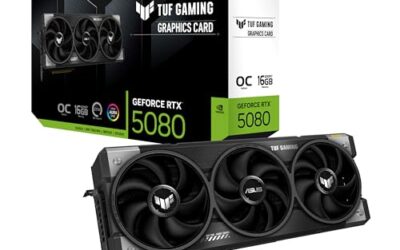
If you have shopped for a graphics card recently, you have seen frame generation splashed across every box: numbers like 4X performance and triple-digit frame rates that seem too good to be true. Frame generation is one of the most talked-about and most misunderstood technologies in PC gaming right now, and understanding what it actually does helps you judge those marketing claims and decide when to switch it on.
This guide explains frame generation in plain language for 2026: how it creates extra frames, what it does to input latency, and where it genuinely improves your experience versus where it can hurt it. By the end you will know exactly what that big frame-rate number on the box really means.
As an Amazon Associate we earn from qualifying purchases at no extra cost to you.




⚡ Save on Your Next PC — Amazon Prime
Prime members get fast free shipping on the systems above, plus early access to Prime Day & Black Friday PC deals. New members get a 30-day free trial.
Watch: What Is Frame Generation? — Video Review
What Frame Generation Actually Is
Frame generation is a technique where your GPU inserts entirely new, AI-generated frames in between the frames the game engine actually renders. Instead of drawing every frame from the game’s logic, the card analyzes two real frames, predicts what the image should look like in between, and displays that synthetic frame to smooth out motion. The result is a much higher on-screen frame rate from the same underlying hardware.
How It Differs From Upscaling
People often confuse frame generation with upscaling, but they solve different problems. Upscaling, such as DLSS or FSR super resolution, renders the game at a lower resolution and intelligently sharpens it to look like a higher one, which reduces GPU load. Frame generation instead adds extra frames on top of whatever is already being rendered. Many gamers run both together for the biggest smoothness boost.
- Upscaling reduces the work per frame by rendering fewer pixels.
- Frame generation increases the number of frames shown between real ones.
- Combined, they can multiply your effective frame rate dramatically.
The Latency Trade-Off
Here is the crucial detail the marketing skips. Generated frames make motion look smoother but do not reduce input latency, because the game logic still updates at the real render rate. In fact, frame generation can slightly increase latency, which is why it feels great in single-player and slow-paced games but is best avoided in fast competitive shooters where responsiveness matters more than visual smoothness.
When to Use It
Frame generation shines when your base frame rate is already reasonable, ideally above 60fps before it is enabled, and you want to push a high-refresh monitor to its full potential. Turning it on to rescue a game running at 30fps tends to feel sluggish and can introduce visual artifacts around fast-moving objects.
Tips
- Aim for a base frame rate near 60fps before enabling frame generation for the best feel.
- Turn it off in competitive multiplayer shooters where low latency beats smoothness.
- Pair it with a latency-reduction feature like NVIDIA Reflex to offset the added input lag.
- Use a high-refresh monitor, 120Hz or more, so the extra generated frames are actually displayed.
Frequently Asked Questions
Does frame generation increase input lag?
Slightly, yes. Generated frames smooth motion but do not update game logic, so your inputs still register at the real render rate, which can add a small amount of latency.
Is frame generation the same as fake frames?
Critics call generated frames fake because they come from AI prediction rather than the game engine. They are real, displayed frames that improve perceived smoothness, but they do not improve responsiveness like true rendered frames do.
Should I use frame generation in every game?
No. It is excellent in single-player and visually rich games but best turned off in fast esports titles where every millisecond of input latency counts.
Do I need a new GPU for frame generation?
Hardware-based frame generation typically requires a recent GPU generation, though some driver-level and software implementations extend a version of the feature to older cards with varying quality.
Conclusion
Frame generation is a powerful tool for turning a good frame rate into a buttery-smooth one on a high-refresh display, but it is not free performance and it does not lower latency. Use it in single-player and story games where smoothness matters most, keep it off in competitive shooters, and start from a solid base frame rate. Understand that trade-off and those big box numbers finally make sense.