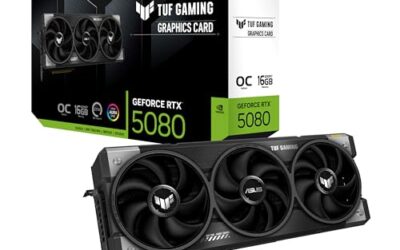
- Top Pick: ASUS TUF Gaming NVIDIA GeForce RTX 5070 12GB GDDR7 OC Edition Graphics Card, (PCIe 5.0, HDMI/DP 2.1, 3.125-Slot, Military-Grade Components, Protective PCB Coating, Axial-tech Fans), 3 Year Warranty
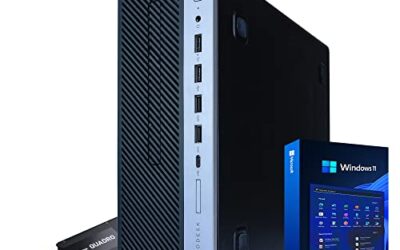
- Best Value: KOTIN Prebuilt Gaming PC RTX 5070 12GB, Ryzen 7 9700X, 32GB DDR5, 1TB SSD
- Premium Choice: ASUS TUF Gaming 27” 1440P HDR Monitor (VG27AQ3A) – QHD (2560 x 1440), 180Hz, 1ms, Fast IPS, 130% sRGB, Extreme Low Motion Blur Sync, Speakers, Freesync Premium, G-SYNC Compatible, HDMI, DisplayPort
1440p has become the resolution sweet spot for PC gaming in 2026. It delivers a noticeably sharper image than 1080p while demanding far less horsepower than 4K, and paired with a high-refresh QHD monitor it hits the balance of clarity and frame rate that most players actually want. The catch is choosing a GPU with enough memory and grunt to drive those extra pixels at 100fps and beyond.
We rounded up the best graphics cards and ready-to-run systems for 1440p gaming this year, from the current-gen RTX 5070 to the still-capable RTX 4070 Super, plus the QHD monitors that make the resolution shine. Whether you build or buy prebuilt, there is a pick here to keep your frame times smooth.
As an Amazon Associate we earn from qualifying purchases at no extra cost to you.


⚡ Save on Your Next PC — Amazon Prime
Prime members get fast free shipping on the systems above, plus early access to Prime Day & Black Friday PC deals. New members get a 30-day free trial.
Watch: Best GPU for 1440p Gaming — Video Review
How to Choose
- VRAM: Target 12GB or more for 1440p, since modern textures and ray tracing can exceed 8GB and cause stutter at this resolution.
- Frame generation: Cards supporting the latest upscaling and frame-gen tech stretch performance further, letting mid-range GPUs push high refresh rates.
- Monitor pairing: A GPU is only half the equation; a 1440p 165Hz or faster panel unlocks the smoothness the card can deliver.
- Power supply: Check your PSU wattage and connectors before buying, as newer cards may use a 12VHPWR connector.
- Prebuilt vs DIY: A prebuilt saves assembly and often bundles a warranty, while building lets you spend more of the budget on the GPU itself.
The Best Picks Reviewed
ASUS TUF Gaming RTX 5070 12GB
Our top overall 1440p card. The RTX 5070 with 12GB of GDDR7 chews through QHD at high settings, and the TUF cooler keeps it quiet under load. With current-gen frame generation it comfortably exceeds 100fps in demanding titles, making it the card most 1440p gamers should target.
MSI GeForce RTX 4070 Super 12GB
The value pick. Last generation’s 4070 Super still handles 1440p beautifully with 12GB of GDDR6X, and as prices settle it often undercuts newer cards while delivering nearly the same real-world experience at this resolution.
KOTIN Prebuilt (RTX 5070, Ryzen 7 9700X)
If you would rather not build, this prebuilt pairs the RTX 5070 with a Ryzen 7 9700X, 32GB of DDR5, and a 1TB SSD, a balanced 1440p machine out of the box. It is a clean turnkey route to high-refresh QHD gaming.
ASUS TUF Gaming VG27AQ3A 27″ Monitor
The card needs a screen to match. This 27-inch QHD 180Hz Fast IPS panel covers 130% sRGB and pairs perfectly with a 5070 or 4070 Super, turning raw frames into visibly smoother motion at a reasonable price.
ASUS ROG Strix XG27ACDNG QD-OLED
For those chasing the best image, this 26.5-inch QD-OLED runs QHD at 360Hz with a stunning 0.03ms response. It is a premium pairing that shows off exactly what a strong 1440p GPU can produce in fast competitive titles.
Frequently Asked Questions
How much VRAM do I need for 1440p?
12GB is the comfortable target in 2026. 8GB cards can still play at 1440p but may force texture compromises in the newest games or with ray tracing enabled.
Is the RTX 4070 Super still worth buying?
Absolutely. For 1440p it delivers an experience close to the 5070 and frequently costs less, making it one of the best value cards at this resolution.
What refresh rate should my 1440p monitor be?
144Hz or 165Hz is the practical sweet spot; a strong GPU like the 5070 can feed those frame rates in most titles, and 240Hz-plus OLED panels reward competitive players.
Do I need frame generation for 1440p?
Not strictly, but it helps. Frame generation lets mid-range cards hit higher refresh rates in demanding games, extending the useful life of your GPU.
Final Thoughts
The ASUS TUF RTX 5070 is the card we would put in most 1440p builds thanks to its 12GB buffer and current-gen features, while the RTX 4070 Super remains a savvy value choice. Whichever you pick, pair it with a 165Hz-plus QHD monitor like the VG27AQ3A to actually feel the frames, and your 1440p setup will stay competitive for years.
Top picks from this guide
 ASUSASUS ROG Strix 26.5” 1440P QD-OLED Gaming Monitor (XG27ACDNG) -QHD…$549 \xc2\xb7 99/100
 KOTINKOTIN Prebuilt Gaming PC RTX 5070 12GB, Ryzen 7 9700X,…$2,200 \xc2\xb7 99/100
 ASUSASUS TUF Gaming VG27AQM5A 27 Inch 1440p 300Hz G-SYNC Gaming…$199 \xc2\xb7 98/100
 ASUSASUS TUF Gaming VG27AQ3A 27 Inch 1440p 180Hz G-SYNC Gaming…$179 \xc2\xb7 96/100