Affiliate disclosure: As an Amazon Associate we earn from qualifying purchases. This post contains affiliate links — we may earn a small commission at no extra cost to you. This never affects our picks. Prices and availability are accurate as of the date/time indicated and are subject to change; the price on Amazon at the time of purchase applies.
Top picks at a glance:
Related guide: Monitors for beginners
As an Amazon Associate we earn from qualifying purchases at no extra cost to you.



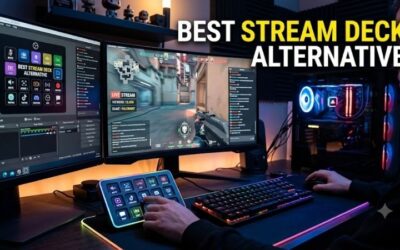
Streaming has matured to the point where the entry tier of “looks and sounds professional on Twitch” has a clear, repeatable parts list. This $1500 streaming setup is what I’d assemble for someone starting out on Twitch, YouTube Gaming, or Kick today: a wireless headset for comfort, a 4K webcam that doesn’t make you look like a Zoom call, a premium USB mic that punches above its price, dual monitors for stream control plus gameplay, an ergonomic chair, and acoustic treatment that stops your room from echoing into the mic.
Quick answer:
I’m Alex Rivera. I’ve built plenty of streaming setups for friends. The audio always matters more than the video.
🛒 Best Price Today on Amazon
Prime members get fast, free shipping on everything above, plus member-only deals. New members get a 30-day free trial — cancel anytime.
Setup Parts Breakdown
| Category | Pick | Why It’s Here | Approx Price (May 2026) |
|---|---|---|---|
| Microphone | Shure MV7+ USB/XLR hybrid | Broadcast-quality, USB simplicity, XLR upgrade path | $279 |
| Headset | SteelSeries Arctis Nova 7P Wireless | Comfortable, dual wireless (2.4GHz + Bluetooth), 38-hour battery | $169 |
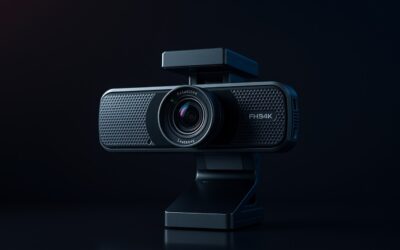
| Webcam | Logitech MX Brio 4K | Real 4K sensor, good low-light, customizable framing | $199 |
| Primary Monitor | Gigabyte M27Q X 27″ 1440p 240Hz IPS | Sharp 1440p, fast for gaming | $329 |
| Secondary Monitor | Dell S2425H 24″ 1080p IPS | Stream control, OBS, Discord, chat | $129 |
| Monitor Arm | Vivo dual-monitor arm (heavy-duty) | Stacked or side-by-side flexibility | $69 |
| Mic Arm | Elgato Wave Mic Arm LP | Low-profile, doesn’t cross camera frame | $99 |
| Chair | Used Steelcase Series 1 or new Sihoo Doro | Ergonomic for long stream sessions | ~$250 |
| Acoustic Foam | 4-pack 12″x12″ Auralex panels + corner bass traps | Kills room echo behind/beside camera | $129 |
Total runs $1652 MSRP. With a used chair and routine sales, the build lands at $1450-1550. The MV7+ is the single most important purchase; everything else is replaceable – the audio is what makes or breaks a stream.
Performance Expectations
Paired with a content-creator-tier PC (RTX 5070 Ti or 5080), this setup delivers:
- 4K webcam at 30 FPS for HD streaming with depth and color accuracy
- Broadcast-quality mic via USB plug-and-play, XLR upgrade for future audio interface
- 1440p 240Hz primary for high-refresh gaming, secondary for OBS/chat/Discord
- Dual-band wireless headset simultaneously connects to PC and phone (for music or alerts)
- Acoustic foam reduces room reflections so the mic captures voice, not the ceiling
- Ergonomic chair supports 4-6 hour streaming sessions without fatigue
Your stream will sound and look better than 80% of mid-tier Twitch streamers on day one.
Where to Skip and Where to Splurge
Skip: Studio-grade audio interfaces at this tier; the MV7+’s built-in USB handles it. Skip ring lights; soft area lighting from a $40 floor lamp with a daylight bulb beats most ring lights for skin tones. Skip the green screen; modern OBS plus a 4K webcam handles background blur cleanly. Skip dedicated stream PCs unless you’re at the very top of the algorithm; modern GPUs handle game + AV1 NVENC encode simultaneously.
Splurge: The mic. The MV7+ is the floor for broadcast-quality streaming. Splurge on the chair; long streams destroy bad chairs. Splurge on the mic arm; the Elgato Wave Mic Arm LP keeps the mic out of camera frame, which makes the stream look more professional than any other single upgrade.
Upgrade Path
Streaming setups grow as your audience grows:
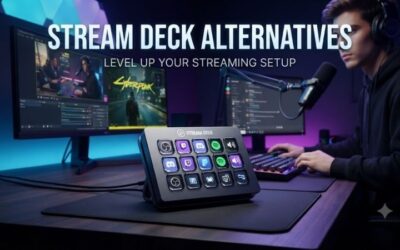
- +$300: Stream Deck XL for scene switching, BRB transitions, sponsor reads
- +$400: GoXLR Mini or Mackie M1 audio mixer for live audio routing
- +$500: Sony ZV-E10 with capture card for true cinema-quality face cam
- +$250: Govee + Elgato Key Light Air for color-accurate lit setup
- +$800: Second streaming PC dedicated to encode, freeing the gaming PC for max FPS
The path here is gradual professional growth. Start with this setup and add upgrades as your audience and revenue grow.
Bottlenecks to Watch
Streaming bottlenecks are usually environmental, not hardware:
- Upload bandwidth: Twitch wants 6-8 Mbps stable for 1080p60. Test your upload at speedtest.net and run wired Ethernet, never Wi-Fi for streaming
- Room acoustics: Even the best mic sounds bad in a bare room. Acoustic foam, rugs, and curtains soften reflections cheaply
- Lighting consistency: Sunlight changes throughout the day. Closed curtains + controlled artificial light gives reproducible camera output
- Mic placement: Cardioid mics need to be 6-8 inches from mouth. Mic arm makes this consistent
- Stream encoding: NVENC AV1 on RTX 50 series is excellent, but software x264 on slower CPUs will tank game FPS. Use hardware encode
- Heat in small rooms: Streaming generates heat from PC + lights + body. Room ventilation matters more than people expect
Frequently Asked Questions
Why USB mic instead of XLR? The MV7+ does both. Start with USB for simplicity, then add an audio interface (Focusrite Scarlett Solo) later when you want preamp tone control.
Do I need a dedicated streaming PC? No, not in 2026. NVENC AV1 on RTX 50 cards is virtually free in terms of game FPS impact. Only top-tier streamers genuinely benefit from dual-PC setups.
What about a Stream Deck? Helpful but not essential at this tier. Add it when you have multiple scenes, BRB transitions, and sponsor reads to manage.
Wireless vs wired headset for streaming? Wireless is fine for streaming since you’re stationary. Battery management is the only consideration; the Arctis Nova 7P’s 38-hour battery covers a full week of streams.
How much acoustic foam do I need? Just the back wall behind you and the two sidewalls of your “voice cone.” Don’t foam the whole room, it kills the natural sound of music if you also produce content.
What about face cam framing? 16:9 with your face occupying roughly 30-40% of frame, eyes about a third from the top. The Brio’s adjustable framing handles this automatically.
Final Take
The 2026 streaming setup is the most accessible it has ever been. The MV7+ alone replaces what used to require a Shure SM7B + Cloudlifter + Scarlett 2i2 chain at three times the cost. The MX Brio 4K replaces what used to be a Sony ZV-E10 + capture card chain.
The biggest piece of advice I give new streamers: spend 80% of your first year focused on content and consistency, not gear. This $1500 setup is enough to carry you through your first 200 streams. Upgrade gear when your audience demands it, not before.
I’d hand this setup to a friend starting their streaming journey without hesitation.
Related Guides
Ready to decide? Our #1 pick for 2026 is the Microphone.
Live price & availability on Amazon.