🛒 Best Price Today on Amazon
Prime members get fast, free shipping on everything above, plus member-only deals. New members get a 30-day free trial — cancel anytime.
- Best 500GB and 512GB SSD Prices Compared
- Kingston NV3 500GB – Best Overall Value
- WD Blue SN5000 500GB – Best Balanced NVMe SSD
- Crucial P310 500GB – Best for Laptop Upgrades
- Samsung 870 EVO 500GB – Best SATA SSD
- Crucial P3 500GB – Best for Older NVMe Systems
- How Much Does a 512GB SSD Cost?
- 500GB vs 512GB SSD
- SATA vs NVMe
- Is 512GB Enough for Gaming?
- Is 512GB Enough for a Laptop?
- Should You Buy 512GB or 1TB?
- FAQ
- Conclusion

Sandisk Optimus 5100 500GB NVMe SSD, PCIe 4.0, M.2 2280 | Up to 6,600MB/s Read Speeds, Up to 5,600MB/s Write Speeds, Internal Solid State Drive - SDSP51500GAN
Included for 'SSD 512GB Price: Best 500GB and 512GB SSDs in 2026' because the listing specifies PCIe 4.0 and M.2 2280, details this guide uses to compare options.
View on Amazon
TEAMGROUP T-Force Vulcan Z 512GB SLC Cache 3D NAND TLC 2.5 Inch SATA III Internal Solid State Drive SSD (R/W Speed up to 530/470 MB/s) T253TZ512G0C101
Included for 'SSD 512GB Price: Best 500GB and 512GB SSDs in 2026' as a relevant option in this category; details come from the product listing.
View on AmazonThe typical SSD 512GB price depends heavily on interface and performance. Budget SATA and entry-level NVMe drives usually cost less, while faster PCIe 4.0 models command a premium. Kingston NV3 is the strongest value NVMe option, WD Blue SN5000 offers balanced Gen4 performance, Samsung 870 EVO suits SATA systems, and Crucial P310 is a strong modern laptop upgrade.
Best 500GB and 512GB SSD Prices Compared
| SSD | Best For | Interface | Approx. Read Speed | Price Tier |
|---|---|---|---|---|
| Kingston NV3 500GB | Best Overall Value | PCIe 4.0 NVMe | Up to 5,000 MB/s | Budget |
| WD Blue SN5000 500GB | Best Balanced NVMe | PCIe 4.0 NVMe | Up to 5,000 MB/s class | Midrange |
| Crucial P310 500GB | Best Laptop Upgrade | PCIe 4.0 NVMe | High-speed Gen4 | Midrange |
| Samsung 870 EVO 500GB | Best SATA SSD | SATA 6Gb/s | Up to 560 MB/s | Midrange |
| Crucial P3 500GB | Best Older NVMe System | PCIe 3.0 NVMe | Gen3 class | Budget |
Although buyers often search specifically for “512GB SSD,” many major manufacturers sell drives labeled 500GB instead. In everyday use, these capacities belong to the same practical category. The difference is rarely important unless you need a very specific amount of usable space.
A 500GB or 512GB SSD is large enough for Windows, applications, personal files, and several games, making it a popular choice for laptop upgrades and affordable PC builds. However, 1TB drives have become increasingly attractive because the price difference is sometimes relatively small.
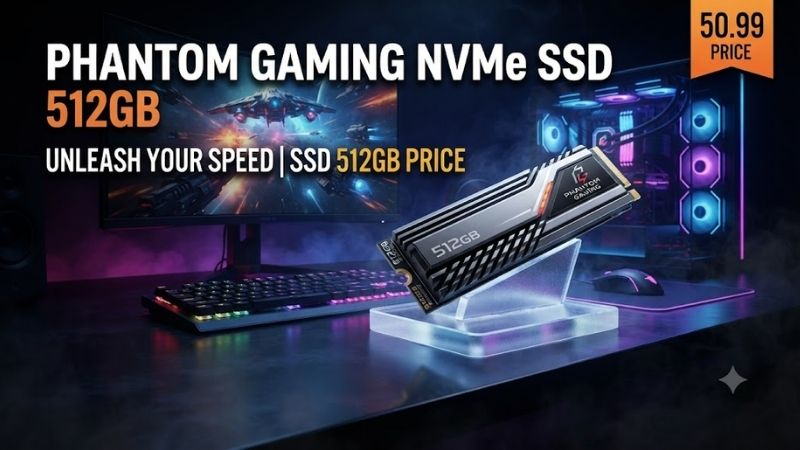
Kingston NV3 500GB – Best Overall Value
Best For: Affordable gaming PCs, laptops, everyday upgrades, and users moving from SATA to NVMe
Kingston NV3 is one of the strongest budget PCIe 4.0 SSD options in the 500GB class. The 500GB version is rated for sequential reads up to approximately 5,000 MB/s and writes up to 3,000 MB/s.
That performance is several times faster than the theoretical real-world range of a SATA SSD and makes the NV3 suitable for Windows, gaming, productivity, and general file storage.
Key Features
- 500GB capacity
- PCIe 4.0 x4 interface
- NVMe storage
- Up to 5,000 MB/s sequential read
- Up to 3,000 MB/s sequential write
- M.2 2280 version available
- Compact M.2 2230 version available
- 160TBW endurance for 500GB model
- Five-year limited warranty
- Low-power design
What Makes It Different
Value is the biggest reason to choose the NV3.
PCIe 4.0 drives used to command substantial premiums over PCIe 3.0 models, but budget Gen4 drives now make high sequential speeds accessible to inexpensive desktops and laptops.
The NV3 is especially useful for systems that support PCIe 4.0 but do not need premium enthusiast SSD performance. Gaming, browsing, productivity, and Windows boot times generally benefit more from simply having a good NVMe SSD than from chasing the absolute fastest benchmark score.
Performance
A 5,000 MB/s maximum read specification places the 500GB NV3 comfortably ahead of mainstream PCIe 3.0 SSDs and dramatically ahead of SATA.
Actual performance depends on system hardware, workload, file size, drive temperature, and remaining free space.
For everyday PC use, the improvement over an old hard drive is enormous. Applications open faster, Windows feels more responsive, and large game installations transfer much more quickly.
Endurance
The 500GB version is rated for around 160TBW.
That is sufficient for normal consumer workloads, where most users write nowhere near hundreds of terabytes during the useful life of the PC.
Heavy video editors or workstation users performing massive daily writes may prefer a higher-end SSD with stronger endurance.
Pros
- Strong price-to-performance ratio
- PCIe 4.0 interface
- Up to 5,000 MB/s reads
- Low power consumption
- Five-year warranty
- Available in multiple form factors
- Excellent basic gaming drive
- Good laptop upgrade
Cons
- 500GB fills quickly with modern games
- Lower endurance than some premium SSDs
- Sustained performance is below flagship drives
- Premium Gen4 models are faster
Who It’s For
Choose Kingston NV3 if you want a modern NVMe SSD without spending heavily. It is especially attractive for budget gaming systems and laptops with an available PCIe 4.0 M.2 slot.
WD Blue SN5000 500GB – Best Balanced NVMe SSD
Best For: Mainstream desktops and laptops that need dependable Gen4 storage
WD Blue SN5000 sits between entry-level SSDs and high-end gaming drives. It uses a PCIe 4.0 NVMe interface and targets mainstream users who want stronger performance without paying for premium enthusiast products.
The 500GB model provides plenty of speed for operating-system duties, productivity applications, gaming, and everyday content creation.
Key Features
- 500GB capacity
- M.2 2280 form factor
- PCIe 4.0 NVMe
- Approximately 5,000 MB/s-class read performance
- Designed for mainstream PCs
- Suitable for laptops
- Compact single-drive installation
- Strong general-purpose performance
What Makes It Different
The WD Blue family traditionally targets mainstream computing rather than extreme gaming.
This positioning makes the SN5000 appealing for buyers who want a recognizable SSD platform with strong everyday performance but do not need an expensive WD_BLACK model.
A 500GB SN5000 can serve as a Windows boot drive while larger HDDs or secondary SSDs handle bulk storage.
Performance
PCIe 4.0 bandwidth provides more than enough performance for typical desktop workloads.
Windows startup, browser caching, software installation, game loading, and file transfers all benefit from NVMe latency and throughput.
For gaming, storage speed usually affects loading behavior rather than average GPU frame rates. Buying an even faster premium SSD will not automatically increase FPS.
Pros
- PCIe 4.0 performance
- Good mainstream balance
- Suitable for laptops and desktops
- Strong Windows boot drive
- Compact M.2 design
- Faster than SATA alternatives
Cons
- Can cost more than budget NVMe drives
- 500GB capacity may be restrictive
- Not positioned as a flagship gaming SSD
- Price differences versus 1TB models should be checked
Who It’s For
Choose the WD Blue SN5000 if you want a balanced 500GB NVMe drive for a modern PC and prefer mainstream reliability over chasing the lowest possible purchase price.
Crucial P310 500GB – Best for Laptop Upgrades
Best For: Thin laptops, compact PCs, everyday productivity, and efficient Gen4 storage
Crucial P310 is a modern PCIe 4.0 SSD aimed at users who need strong performance from a compact M.2 drive.
The 500GB version works particularly well as a laptop replacement drive because NVMe storage removes SATA cables and uses very little internal space.
Key Features
- 500GB capacity
- PCIe 4.0 NVMe
- M.2 format
- Fast Gen4 performance
- Low-profile installation
- Suitable for modern notebooks
- Suitable for desktop motherboards
- Good application responsiveness
- Modern controller platform
What Makes It Different
Crucial has long focused on straightforward consumer upgrade products.
The P310 continues that approach by targeting buyers who want a current-generation NVMe SSD without immediately stepping up to expensive enthusiast drives.
This makes it useful for upgrading laptops that originally shipped with smaller 128GB or 256GB SSDs.
Laptop Benefits
Replacing a small SSD with a 500GB model provides both capacity and convenience.
Windows itself can consume a significant amount of storage once updates, temporary files, recovery data, applications, and user files accumulate.
With 500GB available, users can install Office applications, browsers, productivity tools, photos, and a reasonable selection of games without constantly managing free space.
Pros
- Modern PCIe 4.0 interface
- Compact design
- Good for laptops
- Strong everyday responsiveness
- Suitable for Windows installations
- Good middle-ground performance
Cons
- 1TB can offer better value per gigabyte
- Not necessary for older SATA-only systems
- High sequential speed offers limited benefit in basic office tasks
- Price can fluctuate
Who It’s For
Choose Crucial P310 if you are replacing a smaller laptop SSD and your system supports PCIe NVMe storage.
Samsung 870 EVO 500GB – Best SATA SSD
Best For: Older laptops, desktops without NVMe slots, and SATA-only upgrades
Samsung 870 EVO 500GB is fundamentally different from the NVMe drives above.
It uses the older 2.5-inch SATA interface and is rated for sequential reads up to approximately 560 MB/s and writes up to 530 MB/s.
Those figures look slow compared with PCIe 4.0 drives, but the 870 EVO remains an excellent upgrade for computers that cannot use an M.2 NVMe SSD.
Key Features
- 500GB capacity
- 2.5-inch form factor
- SATA 6Gb/s interface
- Up to 560 MB/s sequential read
- Up to 530 MB/s sequential write
- Samsung V-NAND
- Dedicated DRAM cache
- TRIM support
- S.M.A.R.T. support
- Five-year limited warranty
What Makes It Different
Compatibility is the main advantage.
Millions of older laptops and desktops contain 2.5-inch SATA drive bays but no NVMe slot. Replacing a mechanical hard drive in these systems with an 870 EVO can produce one of the largest noticeable performance improvements possible without replacing the entire computer.
Even though SATA bandwidth limits peak speed, SSD access latency is dramatically lower than a mechanical HDD.
Real-World Performance
Booting Windows from a SATA SSD is much faster than from an old 5400RPM laptop hard drive.
Programs open more quickly, file searches feel more responsive, and the computer no longer waits for mechanical platters to seek data.
Moving from SATA SSD to NVMe is a smaller perceived improvement for basic office use than moving from HDD to SATA SSD.
Pros
- Excellent SATA performance
- Strong compatibility
- Good reputation
- DRAM-equipped design
- Five-year warranty
- Great older-PC upgrade
- Easy 2.5-inch replacement
Cons
- Much slower than NVMe
- SATA cables required in desktops
- Often relatively expensive for its performance
- Poor choice if a similarly priced NVMe drive is compatible
Who It’s For
Choose Samsung 870 EVO when your computer supports only 2.5-inch SATA storage or when replacing an older laptop hard drive.
Crucial P3 500GB – Best for Older NVMe Systems
Best For: Affordable PCIe 3.0 upgrades and PCs that cannot take advantage of Gen4 speeds
Crucial P3 is a PCIe 3.0 NVMe SSD aimed at value-oriented computers.
Although newer PCIe 4.0 drives are faster on paper, P3 remains useful when installed in systems limited to PCIe 3.0 because buying a much faster drive may provide little additional practical benefit.
Key Features
- 500GB-class capacity
- PCIe 3.0 NVMe
- M.2 2280 format
- Faster than SATA SSDs
- Suitable for older NVMe laptops
- Suitable for PCIe 3.0 desktops
- Affordable product positioning
- Compact cable-free installation
What Makes It Different
Compatibility and pricing define the P3.
A laptop from several years ago may support NVMe but only through PCIe 3.0. Installing an expensive high-performance Gen4 SSD in such a machine means the drive simply operates within the older interface limits.
A cheaper P3 can therefore make more financial sense.
Pros
- Good PCIe 3.0 performance
- Affordable
- Suitable for older laptops
- Faster than SATA
- Easy M.2 installation
- Good basic boot drive
Cons
- Slower than current Gen4 drives
- New Gen4 SSDs may sometimes cost nearly the same
- 500GB capacity is relatively modest
- Not the best choice for a new high-performance PC
Who It’s For
Choose Crucial P3 if your system supports NVMe but is limited to PCIe 3.0 and the drive is significantly cheaper than newer Gen4 alternatives.
How Much Does a 512GB SSD Cost?
The price varies according to interface, brand, NAND technology, performance, warranty, and market availability.
Budget Tier
Budget 500GB or 512GB SSDs are often the best choice for basic laptop and desktop upgrades.
Expect simpler SATA drives or entry-level NVMe models.
Kingston NV3 frequently competes in this category despite using PCIe 4.0, making it particularly attractive.
Midrange Tier
Midrange drives typically offer stronger sustained performance, better endurance, established controller platforms, or better warranty support.
WD Blue and mainstream Crucial products often occupy this category.
Premium Tier
Premium 500GB drives can become difficult to justify because a 1TB mainstream SSD may cost approximately the same amount.
At this capacity, buyers should avoid paying a large premium solely for benchmark performance unless their workload specifically needs it.
500GB vs 512GB SSD
For most buyers, there is no meaningful purchasing difference.
Manufacturers use different NAND configurations and capacity conventions, resulting in products labeled 480GB, 500GB, 512GB, or similar amounts.
A 500GB drive and a 512GB drive both belong to roughly the same practical storage class.
Actual usable space shown by Windows will also be lower than the number printed on the packaging because of formatting and differences between decimal and binary capacity calculations.
SATA vs NVMe
SATA SSDs generally top out around the 500–560 MB/s range because of the SATA interface.
NVMe SSDs communicate over PCIe and can reach several thousand megabytes per second.
Kingston NV3 reaches up to around 5,000 MB/s reads on its 500GB version, almost nine times the sequential specification of Samsung 870 EVO.
This does not mean every task will become nine times faster.
Simple web browsing or opening small documents depends on many other system components.
Is 512GB Enough for Gaming?
It is enough for a small gaming library.
After Windows and applications are installed, the remaining usable space can disappear quickly when individual AAA games consume 80GB, 100GB, or more.
For gaming PCs, 1TB is increasingly the more practical minimum.
A 500GB drive still works well as a boot SSD paired with another SSD or hard drive for additional game storage.
Is 512GB Enough for a Laptop?
For office and student use, yes.
A 500GB or 512GB SSD provides ample room for Windows, productivity software, browsing, documents, photos, and moderate media storage.
Video editors and users with large local photo libraries should consider 1TB or 2TB instead.
Should You Buy 512GB or 1TB?
Check the price difference before buying.
If a 1TB version costs only modestly more than 500GB, the larger drive normally provides better long-term value because it offers roughly twice the storage and often better endurance.
500GB makes the most sense when budget is strict or the SSD will serve as a secondary drive.
FAQ
What Is the Average SSD 512GB Price?
A 500GB or 512GB SSD typically falls into the budget-to-midrange storage category. Pricing changes significantly by brand, interface, and promotions, so compare both 500GB and 1TB models before ordering.
Is 500GB the Same as 512GB?
They are not mathematically identical capacities, but they belong to the same practical SSD size category and are often compared directly when shopping.
Which 512GB SSD Is Best?
Kingston NV3 500GB is one of the strongest value choices for modern PCIe 4.0 systems. Samsung 870 EVO is better when the computer supports only 2.5-inch SATA storage.
Is NVMe Better Than SATA?
NVMe provides significantly higher maximum transfer speeds and lower protocol overhead. SATA remains useful for older systems that do not support M.2 NVMe drives.
Is 512GB Enough for Windows 11?
Yes. It provides plenty of space for Windows 11, common applications, personal files, and regular updates, assuming you do not maintain an extremely large game or media library.
Should I Upgrade From HDD to a 512GB SSD?
Yes, if capacity is sufficient. Moving Windows from a mechanical hard drive to an SSD typically produces a major improvement in startup, program loading, responsiveness, noise, and power efficiency.
Conclusion
The best SSD 512GB price depends on your computer’s interface and workload. Kingston NV3 500GB delivers excellent PCIe 4.0 value, WD Blue SN5000 offers balanced modern performance, Crucial P310 is ideal for laptop upgrades, Samsung 870 EVO remains excellent for SATA-only systems, and Crucial P3 makes sense for older PCIe 3.0 computers.