🛒 Best Price Today on Amazon
Prime members get fast, free shipping on everything above, plus member-only deals. New members get a 30-day free trial — cancel anytime.
- Quick Answer: Which NAS Hard Drive Should You Buy?
- CMR, SMR and Why NAS Drives Matter
- Workload Rating Explained
- Best Hard Drives for NAS: Standard Tier (Budget to Mid-Range)
- Best Hard Drives for NAS: Pro Tier (Premium)
- RAID Levels: What to Know Before Buying Drives
- Best Hard Drives for a Server
- Best 3TB and 6TB NAS Hard Drives
- Bay Count and Capacity Planning
- Pick X If… Decision Table
- Alternatives to Consider
- Noise, Heat and Placement in a Home NAS
- How to Choose Capacity and Plan for Growth
- Warranty, Monitoring and Replacement
- Synology, QNAP and TrueNAS Considerations
- Common Mistakes When Buying NAS Drives
- Mixing Drive Brands and Models
- Frequently Asked Questions
Updated November 2026 – The best hard drives for NAS use are the WD Red Plus, Seagate IronWolf, and Toshiba N300 for home and small-office boxes with two to four bays, and the WD Red Pro, Seagate IronWolf Pro, and Toshiba N300 Pro class for larger or busier arrays.
If you are looking for the best hard drives for NAS builds, whether a Synology or QNAP box, a TrueNAS machine, or a home server running Plex and backups, the rules are simple: buy CMR drives sold for NAS, match the workload rating to your bay count, and treat RAID as uptime protection rather than a backup. This guide explains how each family differs, how to think about RAID 5 and RAID 6, and which drive suits which build.
Quick Answer: Which NAS Hard Drive Should You Buy?
For a two-to-four-bay home NAS, WD Red Plus or Seagate IronWolf is the usual choice. For five or more bays, heavy multi-user use, or a longer warranty, step up to WD Red Pro or IronWolf Pro. Toshiba N300 is the 7200 RPM alternative that reviewers often rank well on cost per terabyte. Avoid SMR drives in any array.
| Drive | Best for | Key stated specs | Limits |
|---|---|---|---|
| WD Red Plus | Quiet 2 to 4 bay home NAS | CMR; reviewers report 180 TB per year and 3-year warranty | Not aimed at large multi-user arrays |
| Seagate IronWolf | Home and small office NAS | Reviewers report 180 TB per year and 3-year warranty | Standard tier workload |
| Toshiba N300 | 7200 RPM value NAS | 7200 RPM across the line per reviewers; 180 TB per year reported | Louder than WD Red Plus |
| WD Red Pro | 5 to 8 bay or busy NAS | Pro-tier workload; sources cite 300 or 550 TB per year | Check the datasheet for your capacity |
| Seagate IronWolf Pro | Busy NAS, data recovery included | Sources cite 300 or 550 TB per year; Rescue recovery reported | Sources disagree on exact rating |
| Toshiba N300 Pro | Large array alternative | One source lists 550 TB per year | Less widely covered; check the datasheet |
| Synology Plus Series HDD | Synology boxes | The maker positions these for its own NAS | Brand-tied |
CMR, SMR and Why NAS Drives Matter
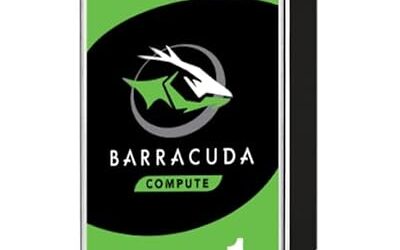
Most buyer guides agree that a NAS should use CMR drives. SMR drives overlap tracks, which can make writes and especially array rebuilds slow, and several guides explicitly warn against the older non-Plus WD Red models, the Seagate BarraCuda, and the WD Blue in a NAS. The WD Red Plus line was introduced as the CMR option, and WD Red Pro is also a CMR family.
Beyond recording technology, NAS drives differ from desktop drives in three ways that the makers advertise: firmware tuned for RAID error handling, vibration tolerance in multi-bay enclosures, and a stated workload rating in terabytes per year. Always read the exact datasheet for the capacity you plan to buy, because some capacities and generations differ.
Workload Rating Explained
The workload rating describes how much data the maker expects to read and write per year. Reviewers report 180 TB per year for the standard WD Red Plus, IronWolf, and N300 tiers. For the Pro tiers, sources disagree: some list 550 TB per year for WD Red Pro and IronWolf Pro, others list 300 TB per year, and one lists 272 TB per year for IronWolf Pro. That disagreement is reason enough to read the maker’s datasheet for the exact model. One buyer’s guide notes that a typical home NAS generates only a modest number of terabytes a year, so the standard tier is enough for most households.
Best Hard Drives for NAS: Standard Tier (Budget to Mid-Range)
WD Red Plus – Best for a Quiet Home NAS
WD Red Plus · 3.5-inch SATA · CMR · NAS tuned firmware · reviewers report 180 TB per year and a 3-year warranty
WD Red Plus is the default recommendation in many buyer guides for two-to-four-bay boxes. Reviewers describe it as the quietest of the three standard families. It is a good fit for Synology and QNAP home models, photo backups, and shared family storage.

Western Digital 2TB WD Red Plus NAS Internal Hard Drive HDD - 5400 RPM, SATA 6 Gb/s, CMR, 64 MB Cache, 3.5" - WD20EFRX
Included for 'Best Hard Drives for NAS and Home Servers in 2026 (Synology, QNAP and RAID)' as a representative home product in this roundup; selection reflects the product set returned for this topic.
View on AmazonSeagate IronWolf – Best for Home and Small Office NAS
Seagate IronWolf · 3.5-inch SATA · NAS family · reviewers report 180 TB per year and a 3-year warranty
IronWolf targets the same buyer as WD Red Plus. It is available in a wide capacity range, so it suits a mixed upgrade path from small to large drives. Seagate also offers a health-management tool for supported NAS devices, according to the maker’s marketing, so check your NAS vendor’s compatibility list.
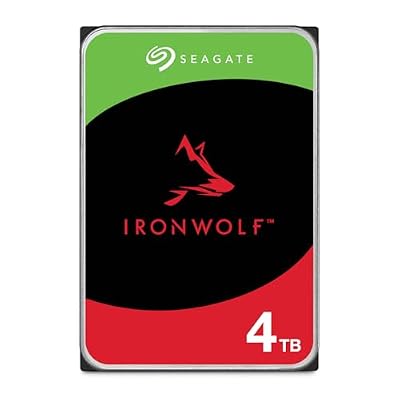
Seagate IronWolf 4TB NAS Internal Hard Drive CMR 3.5 Inch SATA 6Gb/s 5400 RPM 64MB Cache for RAID Network Attached Storage Rescue Services (ST4000VNZ06/006)
Included for 'Best Hard Drives for NAS and Home Servers in 2026 (Synology, QNAP and RAID)' because the listing lists an explicit depth/thickness, which is the attribute this article compares.
View on AmazonToshiba N300 – Best for 7200 RPM Value
Toshiba N300 · 3.5-inch SATA · 7200 RPM per reviewers · 180 TB per year reported
The N300 is described by reviewers as the lowest cost per terabyte of the standard NAS trio and the loudest, since the line runs at 7200 RPM. It suits a NAS in a closet or garage where noise is less of an issue.

Toshiba N300 12TB NAS 3.5-Inch Internal Hard Drive - CMR SATA 6 Gb/s 7200 RPM 512 MB Cache - HDWG51CXZSTA
Included for 'Best Hard Drives for NAS and Home Servers in 2026 (Synology, QNAP and RAID)' as a representative home product in this roundup; selection reflects the product set returned for this topic.
View on AmazonBest Hard Drives for NAS: Pro Tier (Premium)
WD Red Pro – Best for Five or More Bays
WD Red Pro · 3.5-inch SATA · 7200 RPM class · Pro-tier workload rating (sources cite 300 or 550 TB per year) · longer warranty reported
One buyer guide names the WD Red Pro 16TB as its best overall pick for most builds. It is built for larger enclosures and heavier use, and some sources list a five-year warranty. Choose it when the NAS has many bays, multiple users, or surveillance and virtual-machine workloads.

Western Digital 12TB WD Red Pro NAS Internal Hard Drive HDD - 7200 RPM, SATA 6 Gb/s, CMR, 512 MB Cache, 3.5" - WD122KFBX
Included for 'Best Hard Drives for NAS and Home Servers in 2026 (Synology, QNAP and RAID)' as a representative home product in this roundup; selection reflects the product set returned for this topic.
View on AmazonSeagate IronWolf Pro – Best for Busy NAS With Recovery Coverage
Seagate IronWolf Pro · 3.5-inch SATA · Pro tier · sources cite 300, 272, or 550 TB per year · reported 3 years of Rescue data recovery
IronWolf Pro adds a higher workload rating and a data recovery service, according to reviewers. The recovery coverage is a selling point for small businesses with irreplaceable data, though it does not replace backups.

Seagate IronWolf Pro, 8 TB, Enterprise NAS Internal HDD –CMR 3.5 Inch, SATA 6 Gb/s, 7,200 RPM, 256 MB Cache for RAID Network Attached Storage (ST8000NT001)
Included for 'Best Hard Drives for NAS and Home Servers in 2026 (Synology, QNAP and RAID)' because the listing lists an explicit depth/thickness, which is the attribute this article compares.
View on AmazonToshiba N300 Pro – Best Alternative for Large Arrays
Toshiba N300 Pro · 3.5-inch SATA · Pro-tier NAS and business line · one source lists 550 TB per year
This model is less covered by reviewers, so rely on the maker’s datasheet. It is an option when WD Red Pro and IronWolf Pro are not available in your capacity.
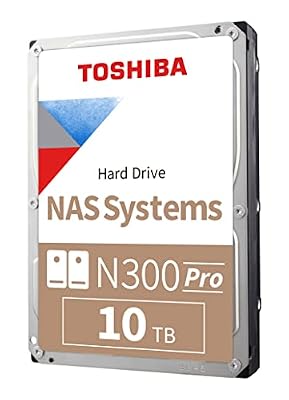
Toshiba N300 PRO 10TB Large-Sized Business NAS (up to 24 Bays) 3.5-Inch Internal Hard Drive - Up to 300 TB/Year Workload Rate CMR SATA 6 GB/s 7200 RPM 512 MB Cache - HDWG71AXZSTB
Included for 'Best Hard Drives for NAS and Home Servers in 2026 (Synology, QNAP and RAID)' as a representative home product in this roundup; selection reflects the product set returned for this topic.
View on AmazonSynology Plus Series HDD – Best for Synology Compatibility
Synology Plus Series · 3.5-inch SATA · sold by Synology for its own NAS · check the maker’s compatibility list
Synology sells its own drives and publishes a compatibility list. Some Synology models reportedly show warnings or limits with unlisted drives, so users who want the smoothest experience sometimes buy the maker’s drive. Read the current Synology compatibility notes for your model.

Synology HAT3320 8TB Plus Series SATA HDD 3.5" (HAT3320-8T), Mechanical Hard Disk
Included for 'Best Hard Drives for NAS and Home Servers in 2026 (Synology, QNAP and RAID)' as a representative home product in this roundup; selection reflects the product set returned for this topic.
View on AmazonRAID Levels: What to Know Before Buying Drives
Best Hard Drives for RAID 5
For RAID 5, use CMR NAS drives of identical size from a NAS family, since the array tolerates one drive failure and rebuilds read every remaining drive. Larger drives make rebuilds longer, which is why many guides suggest pairing RAID 5 with a tested backup.
Best Hard Drives for RAID 6
RAID 6 tolerates two drive failures and needs at least four drives. It suits larger drives and bigger arrays, where Pro-tier models are a sensible fit. The trade-off is lost capacity, with two drives’ worth used for parity.
Best Hard Drives for TrueNAS (formerly FreeNAS)
Searches for FreeNAS drives now lead to TrueNAS, which commonly runs ZFS. Community guidance favors CMR NAS drives, and avoiding SMR drives is widely repeated because slow resilvering can stress a pool. Check the TrueNAS hardware guidance for current advice.
RAID Is Not a Backup
RAID keeps a NAS running when a disk fails; it does not protect against deletion, ransomware, fire, or controller faults. Keep a separate copy following the 3-2-1 approach.
Best Hard Drives for a Server
For a home server that also runs Plex, Docker, or virtual machines, NAS Pro-tier drives are reasonable. For rack servers and heavy 24/7 duty, enterprise lines such as Seagate Exos and WD Ultrastar are the class to look at, and they are usually louder and run hotter than NAS drives.
Best 3TB and 6TB NAS Hard Drives
Small capacities such as 3TB suit older or entry-level NAS boxes and keep rebuild times short. 6TB is a middle step. Check that the exact part number is the current CMR model rather than an older generation, and prefer the capacities the maker lists on its NAS pages.
Bay Count and Capacity Planning
- Two bays: Mirror (RAID 1) with two matching drives.
- Four bays: RAID 5 or RAID 6 depending on how much capacity you can give up.
- Six or more bays: Pro-tier drives and RAID 6 or similar double-parity layouts.
- Mixed sizes: Some Synology configurations allow different sizes, but many layouts use the smallest drive as the baseline.
Pick X If… Decision Table
| Pick this | If you need |
|---|---|
| WD Red Plus | A quiet 2 to 4 bay NAS at home |
| Seagate IronWolf | Wide capacity choices and standard NAS workload |
| Toshiba N300 | 7200 RPM value and noise is not a concern |
| WD Red Pro | 5 or more bays or heavy use |
| Seagate IronWolf Pro | Pro tier plus recovery coverage |
| Synology Plus Series | The smoothest fit inside a Synology box |
| Seagate Exos or WD Ultrastar | Rack or enterprise-style 24/7 duty |
Alternatives to Consider
SSD cache or all-flash NAS
For small databases or virtual machines, an SSD cache can help, though it adds cost and wear considerations.
Enterprise drives
Seagate Exos and WD Ultrastar target data centers and are worth considering for heavy server duty.
External backup drives
Pair the NAS with a separate external hard drive or a cloud service so you have a second copy.
Noise, Heat and Placement in a Home NAS
NAS drives spin all day, so noise and heat matter more than they do in a desktop. Reviewers describe WD Red Plus as the quietest of the standard families and the Toshiba N300 as the loudest because it runs at 7200 RPM. A NAS in a living area favors quieter drives, while a unit in a garage or closet can use faster ones. Good airflow and a stable temperature help any drive, and enclosure makers list recommended operating ranges in the manual. Avoid placing a NAS inside a closed cabinet without ventilation.
How to Choose Capacity and Plan for Growth
Start with the data you have today and add room for growth. A common approach is to choose the largest capacity that keeps rebuild times reasonable for your RAID level, because a very large drive can take a long time to rebuild. Buying drives of the same model and capacity simplifies the array. Some administrators stagger purchase dates or batches so every drive does not age at once, though makers do not publish guidance for this.
When you upgrade, read the NAS maker’s compatibility page and firmware notes. Many boxes support swapping drives one at a time and letting the array rebuild, but the exact procedure is in the manual. Always have a recent backup before starting.
Warranty, Monitoring and Replacement
Standard NAS drives carry a three-year warranty according to reviewers, while some Pro-tier lines are listed with five years, so the warranty is part of the cost comparison. Turn on SMART monitoring and email alerts in your NAS software, and replace a drive that reports growing bad sectors or repeated errors. Keep a spare drive on the shelf if the NAS holds data you rely on daily.
Consider an uninterruptible power supply for a NAS that holds important data. A sudden power loss during a write can corrupt a volume, and many NAS makers mention UPS protection in their guides.
Synology, QNAP and TrueNAS Considerations
Synology and QNAP both publish compatibility lists, and the lists change as new drive generations arrive, so the maker’s page is the authority for your model. Synology also sells branded drives and may display warnings with unlisted drives on some newer models. QNAP generally accepts a wide range of drives, but the same advice applies: pick a CMR NAS drive from a major maker. TrueNAS runs on general hardware, so the choice depends on your server and storage controller, and the TrueNAS community documentation discusses drive selection, SMR avoidance, and pool layouts in detail.
Common Mistakes When Buying NAS Drives
- Buying by name only: A line called Red or Blue can include older SMR models, so the exact part number matters.
- Mixing speeds without a reason: Mixing 5400 and 7200 RPM drives in one array is possible but rarely brings a benefit.
- Skipping the backup: RAID protects uptime, not data. A second copy is still needed.
- Ignoring bay count: Standard tiers suit small boxes; busy multi-bay units are where Pro tiers are meant to be used.
- Over-buying: A home NAS with a few users rarely needs the highest workload rating.
Mixing Drive Brands and Models
Most NAS software lets you combine drives from different makers, but a matched set keeps behavior predictable. Differences in speed, cache size, and firmware can make one drive the bottleneck, and a mismatch in capacity wastes space in many RAID layouts because the smallest drive sets the limit. If you must mix, stick to CMR NAS-class drives with the same rotation speed and read the NAS maker’s notes on mixed arrays before you start.
Frequently Asked Questions
What are the best NAS hard drives right now?
WD Red Plus, Seagate IronWolf, and Toshiba N300 are the common standard picks, and WD Red Pro, IronWolf Pro, and N300 Pro cover larger arrays. All should be CMR.
Can I use regular desktop drives in a NAS?
It is possible, but buyer guides advise against it. Desktop drives lack NAS firmware and some, like BarraCuda and WD Blue, may be SMR, which hurts rebuilds.
What is the best hard drive for RAID 5 or RAID 6?
Use matching CMR NAS drives, and consider Pro-tier models for larger arrays. RAID 6 needs four or more drives and tolerates two failures.
Which drives work best with Synology or QNAP?
Both makers publish compatibility lists. WD Red Plus and IronWolf are widely used, and Synology also sells its own Plus Series drives. Read the list for your model.
Do I need Pro drives for a home NAS?
Usually not. Reviewers note that a typical home NAS handles modest yearly data, so standard NAS drives are normally enough unless you have many bays or heavy use.
Is RAID a replacement for backups?
No. RAID guards against a drive failure but not against deletion, malware, or theft. Keep a separate copy of important data.