🛒 Best Price Today on Amazon
Prime members get fast, free shipping on everything above, plus member-only deals. New members get a 30-day free trial — cancel anytime.
- Product Overview
- Performance
- USB 3.2 Gen 2 Connectivity
- Design And Portability
- Heat And Sustained Transfers
- Security
- Samsung Magician Software
- Compatibility
- Capacity Options
- Pros
- Cons
- Samsung T7 For Gaming
- Samsung T7 For Video Editing
- Samsung T7 vs Portable Hard Drive
- Samsung T7 vs Newer Portable SSDs
- Who Should Buy The Samsung T7?
- Who Should Skip It?
- FAQ
- Conclusion

Samsung T7 Portable SSD 1TB Titan Gray, USB 3.2 Gen 2, Up to 1,050MB/s | Reliable External Solid State Drive Storage for Gaming, Students, Professionals (MU-PC1T0T/AM)
Included for 'Samsung T7 Portable SSD Review: Fast External Storage 2026' because the listing specifies USB 3.2 Gen 2 and Up to 1, details this guide uses to compare options.
View on AmazonSamsung T7 Portable SSD, 4TB External Solid State Drive, Speeds Up to 1,050MB/s, USB 3.2 Gen 2, Reliable Storage for Gaming, Students, Professionals, MU-PC4T0T/AM, Gray
Included for 'Samsung T7 Portable SSD Review: Fast External Storage 2026' because the listing specifies 4TB External Solid State Drive and Speeds Up to 1, details this guide uses to compare options.
View on Amazon
SAMSUNG T7 Portable SSD, 1TB External Solid State Drive, Speeds Up to 1,050MB/s, USB 3.2 Gen 2, Reliable Storage for Gaming, Students, Professionals, MU-PC1T0H/AM, Blue
Included for 'Samsung T7 Portable SSD Review: Fast External Storage 2026' because the listing specifies 1TB External Solid State Drive and Speeds Up to 1, details this guide uses to compare options.
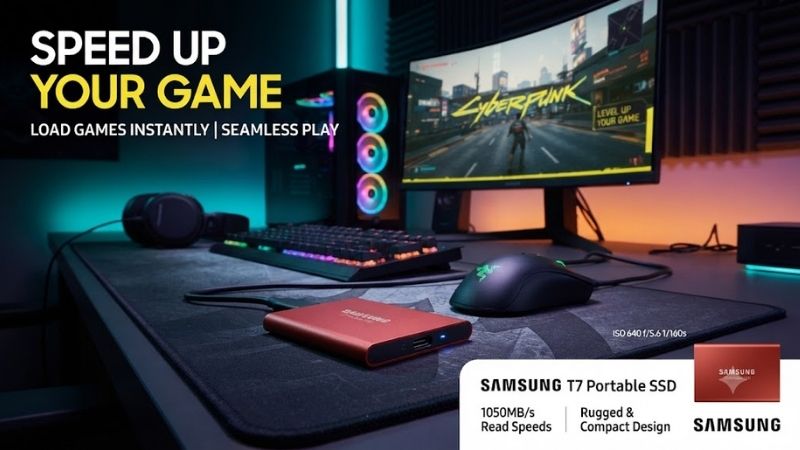
View on AmazonThe Samsung T7 Portable SSD is a compact external drive built for fast file transfers, backups, photo and video projects, and everyday portable storage. It uses USB 3.2 Gen 2, reaches up to 1,050MB/s reads and 1,000MB/s writes, weighs just 72g, and adds AES 256-bit hardware encryption in a slim aluminum body.
Product Overview
Samsung designed the T7 as a mainstream portable SSD that offers significantly more performance than traditional external hard drives without becoming bulky or complicated. It connects through USB, requires no separate power supply, and is small enough to carry in a pocket, camera bag, or laptop sleeve.
The current T7 family includes capacities up to 4TB, although availability depends on region. Its 85 x 57 x 8 mm enclosure is smaller than many portable SSDs, while its lightweight construction makes it practical for users who regularly move between a desktop, laptop, tablet, or other compatible device.
Key Specifications
| Specification | Samsung T7 Portable SSD |
|---|---|
| Interface | USB 3.2 Gen 2, 10Gbps |
| Sequential Read | Up to 1,050MB/s |
| Sequential Write | Up to 1,000MB/s |
| Dimensions | 85 x 57 x 8 mm |
| Weight | Approximately 72g |
| Security | AES 256-bit hardware encryption |
| Drop Resistance | Up to 2 meters |
| Software | Samsung Magician |
| Warranty | 3 years |
| Capacities | Up to 4TB |
Performance
Performance is the primary reason to buy the Samsung T7. Its maximum sequential read speed of 1,050MB/s and write speed of 1,000MB/s are close to what users can reasonably expect from a 10Gbps USB connection after protocol overhead is considered.
These speeds make the T7 substantially faster than portable hard drives and basic USB flash drives. Large video files, RAW photo folders, project archives, and system backups can move much more quickly when both the source drive and computer interface are fast enough.
Actual transfer speed varies with file size, host controller, cable, operating system, and thermal conditions. Copying one large video file usually produces much higher numbers than transferring thousands of tiny files because small-file workloads involve more individual operations.
The source storage also matters. Connecting the T7 to a fast USB port will not produce 1,000MB/s writes if the internal drive feeding it can only read at 400MB/s. Both ends of the transfer need enough bandwidth.
USB 3.2 Gen 2 Connectivity
The T7 uses USB 3.2 Gen 2 with a theoretical 10Gbps interface. This is an important distinction because plugging the SSD into an older USB connection can dramatically reduce performance even though the drive remains compatible.
A USB 5Gbps port can restrict the T7 well below its maximum speed, while USB 2.0 creates an even larger bottleneck. Users should check the laptop or motherboard specification instead of assuming every USB-A or USB-C connector offers identical bandwidth.
Samsung supplies connectivity intended for modern computers, making the drive practical across desktops and laptops. USB-C is particularly convenient for newer notebooks, while USB-A compatibility remains valuable for older systems and conventional desktop PCs.
Design And Portability
At only 85 mm long, 57 mm wide, and 8 mm thick, the T7 occupies less space than many card wallets. Its roughly 72-gram weight means it can remain in a laptop bag without becoming noticeable during travel.
The aluminum enclosure gives it a more premium feel than inexpensive plastic external drives. It also provides a solid shell around the internal storage while helping move heat away from the controller and NAND during sustained transfers.
There are no moving components inside. This makes the T7 inherently better suited to portable use than a mechanical hard drive, where spinning platters and moving heads are more vulnerable to sudden impact during operation.
Samsung rates the T7 for resistance to drops of up to two meters under its specified testing conditions. That does not make the drive indestructible, but it adds useful protection for everyday travel.
Heat And Sustained Transfers
Fast portable SSDs can become warm when transferring hundreds of gigabytes continuously. The T7 is no exception because its controller and NAND generate heat during sustained high-speed workloads.
Samsung uses thermal-management technology designed to control operating temperature and performance. Under demanding workloads, the drive can regulate itself rather than allowing internal temperatures to rise without control.
Users transferring ordinary documents or a few gigabytes of photos are unlikely to notice significant heat. Long video backups, large game libraries, or repeated professional transfers are more likely to warm the aluminum shell.
The exterior becoming warm is not automatically evidence of a problem. Aluminum helps conduct heat away from internal components, so some warmth during sustained transfers is expected.
Security
The T7 supports AES 256-bit hardware encryption. Users can enable password protection through Samsung’s software, helping prevent immediate access to stored files if the drive is lost or stolen.
Hardware encryption is particularly valuable for business documents, client files, personal photographs, and other sensitive information carried between locations. It provides stronger protection than simply hiding folders or relying on the physical possession of the drive.
Password protection should still be used carefully. Losing the password can create serious access problems, so users should maintain appropriate recovery practices and separate backups of important data.
No portable SSD should be treated as the only copy of irreplaceable files. Encryption protects confidentiality, while a separate backup protects against loss, accidental deletion, hardware failure, or physical damage.
Samsung Magician Software
Samsung Magician provides management functionality for compatible Samsung storage. Users can check drive information, maintain firmware, configure supported security features, and inspect the status of the device from one application.
The software is useful but not required for basic storage. The T7 can function as an ordinary external drive without constantly running a management utility in the background.
Firmware updates can still be worth checking because they may improve compatibility or address identified issues. Users should avoid disconnecting the SSD while firmware is being updated.
Samsung currently supports Magician on major desktop platforms, although exact OS requirements can change. Buyers using older computers should confirm software compatibility if management features are important.
Compatibility
The Samsung T7 works with Windows, macOS, and supported Android devices. This makes it useful for users who regularly move data among different systems rather than relying on one computer.
File-system choice affects cross-platform compatibility. A drive formatted exclusively for one operating system may not provide full read-and-write access on another without additional software.
ExFAT is commonly used when users need convenient file exchange between Windows and macOS, while platform-specific formats can provide additional functionality when the SSD remains dedicated to one environment.
Console, camera, smartphone, and tablet compatibility depends on the exact device, power requirements, supported file system, and operating system. Users should confirm support before buying the T7 for a specialized device.
Capacity Options
The T7 is available in multiple capacities, with current Samsung specifications extending up to 4TB. The right size depends more on workload than performance because the models share the same basic USB interface and headline speed targets.
A 500GB model is practical for documents, photographs, school files, and moderate backups. It is also an inexpensive entry point for users who primarily need a fast transfer drive rather than a complete portable library.
The 1TB version is the strongest general-purpose capacity. It provides enough space for large photo libraries, work projects, games, and regular backups without becoming excessively expensive for many users.
The 2TB model is better for video creators, photographers, developers, and users storing multiple large projects. A 4TB version makes more sense when the T7 will function as a major portable media or backup drive.
Pros
- Up to 1,050MB/s read speed
- Up to 1,000MB/s write speed
- Compact 85 x 57 x 8 mm body
- Lightweight 72g design
- USB 3.2 Gen 2 interface
- AES 256-bit hardware encryption
- Up to 2-meter drop resistance
- Windows and macOS compatibility
- Multiple capacity options
- Samsung Magician support
- No external power adapter required
- Three-year warranty
Cons
- Slower than newer 20Gbps portable SSDs
- Maximum speed requires a 10Gbps USB port
- Aluminum enclosure becomes warm during heavy transfers
- Three-year warranty is shorter than some internal SSD warranties
- Not waterproof like rugged outdoor models
- Cable performance matters
- Users with only older USB ports cannot use its full speed
Samsung T7 For Gaming
The T7 works well as external game storage where the platform supports running games from USB storage. Its roughly 1,000MB/s-class performance is far faster than mechanical external drives and can significantly reduce file-copy and installation times.
For PC gaming, the T7 is especially useful for moving game libraries between systems or storing titles that do not need the maximum speed of an internal NVMe drive.
It is not a substitute for a PCIe Gen4 internal SSD when games specifically depend on very high internal-storage performance. However, for general external PC storage, its speed remains more than adequate for many titles.
Samsung T7 For Video Editing
Video workflows are one of the T7’s strongest use cases. The SSD can quickly ingest footage from another drive, transport projects between systems, and provide portable storage for editing assets.
Its sustained performance is sufficient for many compressed 4K workflows, although demanding multi-stream professional editing should be evaluated according to codec, bitrate, project complexity, and application requirements.
Creators working with very large media libraries may prefer the 2TB or 4TB capacities. Filling a 500GB model with high-resolution footage can happen quickly, reducing the benefit of an otherwise fast drive.
Samsung T7 vs Portable Hard Drive
A portable hard drive offers more storage per dollar but cannot match the T7 in speed, size, silence, or resistance to physical movement. Hard disks remain useful for inexpensive bulk backup where performance is less important.
The T7 is better for active files that users access regularly. Photo libraries, current projects, games, and travel data all benefit from faster loading and transfer speeds.
For an ideal backup strategy, users may combine both technologies: the T7 for active portable storage and a larger hard drive or network backup for inexpensive long-term copies.
Samsung T7 vs Newer Portable SSDs
The main limitation in 2026 is that newer portable SSDs can use 20Gbps USB interfaces and reach roughly twice the sequential speed of the T7. Some Thunderbolt or USB4 storage products go even further.
Those faster drives only provide their full benefit when the computer supports the matching interface. A user with ordinary 10Gbps USB gains little from paying more for a 20Gbps SSD.
This is why the T7 remains relevant. Its performance closely matches the practical capability of the extremely common USB 10Gbps interface while avoiding unnecessary hardware requirements.
Who Should Buy The Samsung T7?
The T7 is ideal for photographers, students, office users, developers, travelers, gamers, and content creators who want fast portable storage without carrying a bulky enclosure.
It is especially attractive for users with laptops that include USB 3.2 Gen 2. These systems can take advantage of almost the full capability of the drive without requiring Thunderbolt or newer USB4 hardware.
Users who regularly handle sensitive data also benefit from hardware encryption and optional password protection.
Who Should Skip It?
Users needing maximum external-storage performance should consider newer 20Gbps or faster SSDs if their computers support the required interfaces.
People working outdoors in difficult environments may prefer the T7 Shield or another ruggedized SSD with stronger protection against water, dust, and physical impact.
Budget-focused users who only need archival backup may also get more capacity for the money from a portable hard drive, especially when transfer speed is not important.
FAQ
How fast is the Samsung T7 Portable SSD?
Samsung rates the T7 for sequential reads up to 1,050MB/s and sequential writes up to 1,000MB/s when used with suitable hardware and a USB 3.2 Gen 2 connection.
Is Samsung T7 good for gaming?
Yes. It is fast enough for external game storage on compatible systems and is substantially quicker than a portable hard drive. Internal NVMe storage remains preferable for games that specifically require maximum internal SSD performance.
Does Samsung T7 support encryption?
Yes. The drive supports AES 256-bit hardware encryption and optional password protection through Samsung’s supported software.
Does Samsung T7 get hot?
It can become warm during sustained transfers because the aluminum enclosure conducts heat from internal components. Samsung includes thermal-management features to control operation during demanding workloads.
Is Samsung T7 compatible with Mac?
Yes. Samsung lists compatibility with macOS as well as Windows and supported Android systems. The file system should be chosen according to whether the drive needs to move regularly between different operating systems.
Is Samsung T7 still worth buying in 2026?
Yes, particularly when priced competitively and paired with a computer that has a 10Gbps USB port. Newer SSDs are faster, but the T7 already approaches the practical limit of USB 3.2 Gen 2 and remains compact, secure, and easy to use.
Conclusion
The Samsung T7 Portable SSD remains an excellent external drive for users who value speed, portability, compatibility, and straightforward security. Its 1,050MB/s read and 1,000MB/s write ratings, compact 72g aluminum body, AES 256-bit encryption, and multiple capacity options make it a strong everyday choice. Faster drives exist, but the T7 still offers an excellent balance for mainstream USB 10Gbps systems.