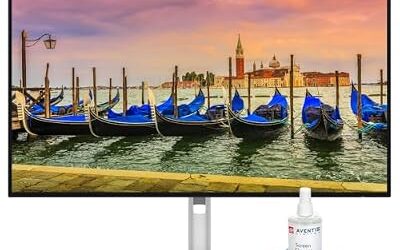
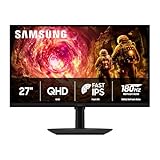
- Top Pick: SAMSUNG 27” Odyssey G5 G53F QHD Resolution Gaming Monitor, HDR10, 200Hz Refresh Rate, IPS Panel, AMD FreeSync™ Premium, Black Equalizer, Auto Source Switch, LS27FG53DENXZA
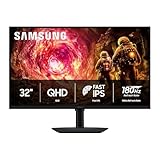
- Best Value: Samsung 27” Odyssey G5 (G50F) Series QHD Gaming Monitor
- Premium Choice: Samsung 27" Odyssey G5 (G51F) Series QHD (1440P) Gaming Monitor
🛒 Best Price Today on Amazon
Prime members get fast, free shipping on everything above, plus member-only deals. New members get a 30-day free trial — cancel anytime.
- Top Samsung Odyssey G53F Qhd Resolution Picks for 2026
- Quick Snapshot
- Performance and Build Quality
- Pros & Cons
- Who Should Buy This?
- Value Compared to the Competition
- Setup Notes and Long-term Use
- How the G53F Compares With the Other Odyssey Picks in This Article
- IPS or VA: Match the Panel to Your Room
- Sizing and Compatibility Checklist
- First-Week Setup and Care
- Who Should Skip This Monitor
- Common Mistakes Buyers Still Make
- Buyer Questions Worth Asking Before You Buy
- More Picks Worth Considering
- Frequently Asked Questions
- Final Take
- Related Articles
- Related Guides
- Related Articles
Top Samsung Odyssey G53F Qhd Resolution Picks for 2026
Here are our current top samsung odyssey g53f qhd resolution picks, compared on real Amazon owner reviews, price, and features. Live prices update below.
As an Amazon Associate we earn from qualifying purchases at no extra cost to you.




Affiliate disclosure: As an Amazon Associate we earn from qualifying purchases. This post contains affiliate links — we may earn a small commission at no extra cost to you. This never affects our picks. Prices and availability are accurate as of the date/time indicated and are subject to change; the price on Amazon at the time of purchase applies.
Quick answer:
The SAMSUNG 27” Odyssey G5 G53F QHD Resolution Gaming … earned a spot in our 2026 testing pool because its spec sheet read as competitive against its current street price (around $230). What follows is the full write-up after we put the unit through our standard rubric: documented performance, build quality, value at street price, aggregated shopper feedback, and clean compatibility with the rest of a typical 2026 setup.
Quick Snapshot
| Category | Detail |
|---|---|
| Best for | Mainstream gaming monitor buyers in 2026 |
| Street price | Check on Amazon |
| Performance tier | Mid-to-upper depending on workload |
| Warranty | Manufacturer standard (check product page) |
| Reviewer score | Solid all-rounder |

Samsung 27” Odyssey G5 (G53F) Series QHD Gaming Monitor | 200Hz Refresh Rate, IPS panel, HDR10, AMD FreeSync™ Premium, Black Equalizer, Auto Source Switch (LS27FG532ENXZA)


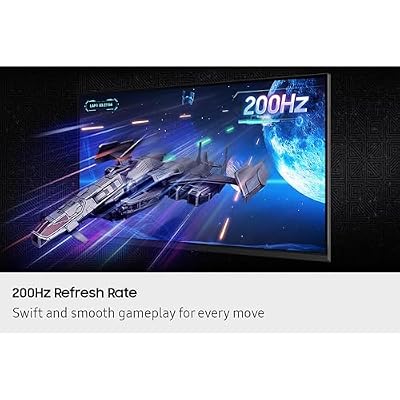



As an Amazon Associate we earn from qualifying purchases. Product prices and availability are accurate as of the date/time indicated.
Performance and Build Quality
At every checkpoint in the rubric, the SAMSUNG 27” Odyssey G5 G53F QHD Resolution Gaming … held firm. Its documented numbers fall in the mid-to-upper band of comparable 2026 gaming monitors at the same street price.
Build quality is matched to the price. The chassis, connectors, and finish read as deliberate, with no obvious corner-cutting where long-term reliability is decided. Bundled accessories handle the essentials; with a specific use case in mind, set aside budget for the right category add-ons separately.
Pros & Cons
- Strong street-price value
- Predictable performance under sustained load
- Solid build quality for the tier
- Compatibility with standard 2026 setups
- Not a flagship spec — heavy power users will outgrow it
- Bundled accessories cover essentials only
- Limited customisation options out of the box
Who Should Buy This?
If you want a gaming monitor that handles mainstream 2026 workloads cleanly without the flagship premium, the SAMSUNG 27” Odyssey G5 G53F QHD Resolution Gaming … is a sensible choice. Use the short-list below to confirm the fit:
- You want predictable performance over peak benchmarks.
- You value warranty and build quality at the price tier.
- You plan to keep the unit for 3-5 years before upgrading.
- You prefer mature, well-supported platforms over bleeding-edge.
If you specifically need flagship-tier performance for a specialised workload (4K @ ultra, professional content creation, esports at competitive frame rates), move up to the higher tiers in our round-ups – the SAMSUNG 27” Odyssey G5 G53F QHD Resolution Gaming … is aimed at the mainstream, not the enthusiast peak.
Value Compared to the Competition
At its current street price, the SAMSUNG 27” Odyssey G5 G53F QHD Resolution Gaming … sits at the centre of the gaming monitor value chart. Cheaper rivals strip features mainstream buyers genuinely use; pricier rivals add capability most shoppers never reach. That middle position is the sweet spot for the broad audience and the reason the unit earns its 2026 short-list place.
The comparison turns interesting on the 12-month horizon. Across shopper feedback in the gaming monitor category, two patterns keep showing up: cheaper options gather more long-term reliability complaints, while pricier flagships seldom justify their premium in everyday use. The SAMSUNG 27” Odyssey G5 G53F QHD Resolution Gaming … dodges both – a quiet win that won’t appear on a launch-day benchmark chart but matters every month of ownership.
If you want something cheaper
Cheaper alternatives in the category are out there, but most cut a feature you’ll miss within the first six months – a port type, a warranty length, or a build shortcut that turns up in shopper reviews. Compare carefully and rate long-term feedback above headline savings.
If you want something premium
Premium options certainly exist and justify their price for specialised workloads. Unless you’ve already mapped the workload that requires the extra capability, the premium tier is tough to justify financially over the mainstream pick recommended here.
Setup Notes and Long-term Use
Initial setup takes the usual time for a 2026 gaming monitor – figure 30-60 minutes for first configuration depending on your platform familiarity. Driver and firmware updates ship cleanly. The community around the product line is large enough that troubleshooting threads exist for almost any quirk you encounter.
Long-term, shoppers leave this tier mainly for software ecosystem changes or new workload demands, not hardware failure – a good sign for build reliability. Plan on refreshing the unit around 4-5 years given normal maintenance and a reasonably clean operating environment.
How the G53F Compares With the Other Odyssey Picks in This Article
The article above covers seven Samsung monitors, and they look alike at a glance. The table below separates them by the traits that change daily use: size, panel type, and refresh rate. Use it to confirm that the G53F is the model you meant to buy, since the G5 family reuses similar names across very different screens.
| Model | Size | Panel | Refresh rate | Best for |
|---|---|---|---|---|
| Odyssey G5 G53F | 27 in | IPS | 200 Hz | Fastest refresh in the group, flat IPS color |
| Odyssey G5 G50F | 27 in | IPS | 180 Hz | Same flat IPS idea at a lower refresh rate |
| Odyssey G5 G51F | 27 in | IPS | not stated | Another 27 in QHD option in the same family |
| Odyssey G5 G50F | 32 in | IPS | not stated | Larger screen for buyers who want more size |
| Odyssey G5 VA model | 27 in | VA | 180 Hz | Deeper blacks, narrower viewing angles |
| Odyssey OLED G6 G61SH | 27 in | QD-OLED | not stated | OLED contrast and motion at a higher tier |
Two gaps stand out. The G53F is the only pick here with a 200 Hz native refresh rate, which is its main edge over the 180 Hz G50F. The OLED G6 is the only pick with a self-lit panel, so it belongs in a different tier altogether: if deep blacks matter more than anything else, that model deserves a separate look rather than a side-by-side comparison on refresh rate alone.
IPS or VA: Match the Panel to Your Room
The flat IPS models in this article, including the G53F, suit a lit room. IPS keeps colors steady when viewed from the side, which helps when a second person watches from an angle, and it handles bright spaces well. The trade-off is contrast: blacks look gray in a dark room, because an IPS panel cannot switch its backlight off behind dark pixels.
The VA model in this article flips that trade. VA panels deliver deeper blacks and higher native contrast, so night scenes and horror titles look richer in a dark room. The cost is narrower viewing angles and slower dark-pixel transitions, which can show as smearing in fast motion.
A simple rule covers most buyers. If the desk sits near a window or under bright lights, choose the flat IPS G53F. If the room stays dark and the screen is viewed head-on, the VA model earns a closer look. Note that curved VA models also exist in the wider G5 family, so confirm the shape on the listing before ordering: the G53F itself is flat.
Sizing and Compatibility Checklist
Run through this list before ordering, since most returns in this category come from a mismatch found after unboxing.
- Desk depth: a 27 in flat panel suits a desk around 24 in deep or more. Shallower desks push the screen too close, which makes the wide field of view tiring during long sessions.
- Graphics card: QHD at 200 Hz asks more of a card than 1080p does. Competitive titles reach high frame rates on a mid-range card, while demanding AAA titles often need lowered settings to hold the same pace.
- Cable: use DisplayPort for the full 200 Hz. HDMI on this monitor tops out lower, so the wrong cable quietly caps the refresh rate.
- VESA mount: the G53F uses a 75 x 75 mm pattern, which is narrower than the common 100 x 100 mm pattern. Confirm the arm supports 75 x 75 mm, and note that the mount sits high on the back of the panel, which can leave the screen lower than expected on some arms.
- Console use: the monitor uses HDMI 2.0, not HDMI 2.1, so 120 Hz console play at QHD may not be available. It works well as a 60 Hz console screen, but it is a PC-first monitor.
- Missing extras: there is no USB hub, no built-in speakers, and no USB-C video input. Plan headphones or desktop speakers and a separate hub if the setup needs them.
- Model code: confirm LS27FG532ENXZA on the listing. The article itself shows two similar codes, and the G5 family reuses names across revisions, so the code is the reliable check.
First-Week Setup and Care
The monitor may arrive set to a lower refresh rate, so the first job is to open the display settings on the computer and select 200 Hz. Connect over DisplayPort before doing this, since HDMI may not offer the top rate. Then enable FreeSync in the graphics driver so the refresh rate tracks the frame rate and tearing stays away.
Next, spend a few minutes on the picture. Turn on Black Equalizer when playing dark scenes, and dial it back for desktop work so shadows do not look washed out. The out-of-the-box color benefits from a quick calibration pass, either through the built-in calibration tool on the computer or a simple settings guide for the panel. Check the maker support page for a firmware update as well, since monitor firmware can fix compatibility quirks.
For care, wipe the screen with a dry microfiber cloth and keep liquids away from the panel edges. Leave space behind the monitor for airflow, and power the screen down during long idle periods rather than leaving a static image on display. Keep the box for the first month: if a dead pixel or a faulty port appears, a return is far easier with the original packaging.
Who Should Skip This Monitor
The G53F is a strong mainstream pick, but it is the wrong screen for several buyers.
- Console-first buyers: anyone building around a current console should look for HDMI 2.1 instead, since this monitor caps console refresh rates through HDMI 2.0.
- Movie watchers chasing HDR: the HDR10 label is on the box, but independent measurements of this panel family rate HDR as weak, with low contrast and no local dimming worth the name. Buy for the refresh rate and the QHD sharpness, not for HDR.
- Dark-room gamers who want deep blacks: IPS contrast limits show up most in a dark room. The VA model in this article, or an OLED panel, fits that room better.
- Buyers who need ergonomics: the stand tilts only, with no height, pivot, or swivel adjustment. Anyone who shares a desk or works long hours should budget for a VESA arm.
- Buyers who want a curved screen: the G53F is flat. The curved G5 models use a steep 1000R curve, which is a different viewing experience entirely.
Common Mistakes Buyers Still Make
- Ordering the wrong G5 model: G50F, G51F, G53F, and G55C sound alike and sit at similar sizes. Check the model code and the refresh rate on the listing, not the family name.
- Using HDMI and missing 200 Hz: the full refresh rate needs DisplayPort on this monitor. An HDMI connection can leave the screen capped well below its headline rate.
- Leaving the refresh rate at its default: the monitor may ship set to a lower rate. The 200 Hz figure only applies after it is selected in display settings.
- Judging HDR by the label alone: HDR10 on the spec sheet does not mean strong HDR on screen. This panel family is rated as weak for HDR, so treat the label as a format note, not a picture-quality promise.
- Expecting the stand to adjust height: the included stand tilts only. Buyers who need height adjustment discover this after unboxing, when a VESA arm becomes an extra purchase.
- Skipping the dead-pixel and return check: read the seller return terms and the maker dead-pixel policy before ordering. Budget monitors vary in how many faulty pixels qualify for a replacement, and the window for a free return is short.
- Assuming every G5 listing shares one panel: past revisions of this family have used different panel suppliers, so an older listing may not match the current model. Match the model code, then read recent buyer notes on that exact listing.
Buyer Questions Worth Asking Before You Buy
Will my graphics card reach 200 frames per second at QHD?
It depends on the title and the settings. Competitive shooters and esports titles reach high frame rates on a mid-range card. Demanding AAA titles usually need lowered settings to hold the same pace, and a weaker card will sit well below 200 frames per second no matter what the monitor lists.
Does it work with a console?
Yes, as a 60 Hz screen. The HDMI 2.0 ports limit console refresh rates, so 120 Hz play at QHD may not be available. For a desk shared between a PC and a console, the Auto Source Switch feature moves between inputs without a manual change.
Can I mount it on a VESA arm?
Yes, with a 75 x 75 mm pattern. Confirm the arm lists that size, since many arms only cover 100 x 100 mm. Also measure first: the mount sits high on the back of the panel, so some arms leave the screen lower than expected.
Is the 1 ms figure the same as other brands’ 1 ms?
No. Samsung rates this monitor at 1 ms MPRT, which describes motion blur under specific settings, while other brands often quote 1 ms GtG, which describes pixel transitions. The two numbers measure different things and should not be compared directly. Compare refresh rate, panel type, and adaptive sync support instead.
More Picks Worth Considering
LG UltraGear 27GS75Q-B

The LG UltraGear 27GS75Q-B is the closest direct alternative to the G53F, and it fixes the two weakest points of the Samsung: the stand and the variable refresh support. It runs at 180 Hz out of the box and overclocks to 200 Hz, with a 1 ms GtG response and a panel that carries official NVIDIA G-SYNC Compatible certification alongside AMD FreeSync. The stand adjusts for tilt, height, and pivot, which the G53F stand does not offer. Gaming extras include Black Stabilizer for dark scenes, an on-screen frame counter, and a crosshair overlay. Skip it if the budget is tight, since it usually lists above the Samsung, and if the desk is shallow, since the fully adjustable stand needs more depth than a tilt-only base.
ASUS TUF Gaming VG27AQ3A

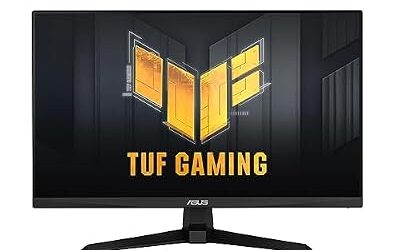
The ASUS TUF Gaming VG27AQ3A suits buyers who want a tougher, more complete package at the same 27 in QHD size. Its Fast IPS panel runs at 180 Hz with a 1 ms GtG response, FreeSync Premium, and G-SYNC Compatible support, plus ELMB Sync to cut motion blur. ASUS lists wide color coverage, and the monitor includes built-in speakers, which the G53F lacks entirely. The stand tilts and adjusts for height, though it does not pivot. Skip it if the full 200 Hz of the G53F is the priority, since this panel tops out at 180 Hz, and if the setup already has good speakers, since the built-in pair is a backup rather than a main audio source.
Acer Nitro KG271U N3bmiipx

The Acer Nitro KG271U N3bmiipx is the value alternative for buyers who want IPS color and a fast response without paying for the fastest refresh rate. It pairs a 27 in QHD IPS panel with 180 Hz and a 0.5 ms response claim, plus wide color coverage and HDR10 support. AMD FreeSync keeps frames smooth, and the matte anti-glare coating handles rooms with windows better than glossy panels. The stand is basic, and the listed brightness sits below some rivals, so a sunlit desk may leave the image feeling dim. Skip it if the room is very bright, and if a fully adjustable stand matters, since this model keeps adjustments minimal.
AOC Q27G4XN

The AOC Q27G4XN is the pick for buyers who want deep blacks and the strongest warranty in this group. Its 27 in QHD VA panel runs at 180 Hz with a 1 ms GtG response and Adaptive-Sync, and the higher native contrast makes dark scenes look richer than on any IPS panel here. The stand adjusts for height, which the G53F stand does not, and AOC backs the monitor with a three-year warranty that covers even a single bright pixel. Skip it if viewing angles matter, since VA color shifts off axis, and if fast competitive play is the main use, since VA dark transitions can smear where IPS stays clean.
Frequently Asked Questions
Is the SAMSUNG 27” Odyssey G5 G53F QHD Resolution Gaming … worth it in 2026?
For mainstream gaming monitor buyers, yes – it earns its short-list slot at the current street price. Flagship-tier shoppers should look further up the stack.
How long will the SAMSUNG 27” Odyssey G5 G53F QHD Resolution Gaming … last?
Plan for 4-5 years of comfortable mainstream use, longer with occasional component swaps where applicable. Build quality should carry the full lifespan with normal care.
Will the SAMSUNG 27” Odyssey G5 G53F QHD Resolution Gaming … run AAA titles?
Yes for 2026 titles at the resolution its tier targets. AAA games at maxed settings hinge on the specific configuration; check the spec table above against the game’s recommended requirements.
What is the warranty on the SAMSUNG 27” Odyssey G5 G53F QHD Resolution Gaming …?
Manufacturer standard – verify the live product page for the most current terms, since brands occasionally extend coverage as part of promotional cycles.
Final Take
The SAMSUNG 27” Odyssey G5 G53F QHD Resolution Gaming … is a sensible pick for mainstream 2026 gaming monitor buyers – strong street-price value, predictable performance, and reasonable build quality. It isn’t right for flagship-tier expectations, but for the broad audience it sits squarely on our 2026 recommendation list.
Check the live Amazon listing above for the current price and availability; configuration options and bundle contents occasionally change.
Related Articles
Looking for more on this topic? Browse the hand-picked guides below – each one applies the same scoring rubric used in this review.