
Affiliate disclosure: As an Amazon Associate we earn from qualifying purchases. This post contains affiliate links — we may earn a small commission at no extra cost to you. This never affects our picks. Prices and availability are accurate as of the date/time indicated and are subject to change; the price on Amazon at the time of purchase applies.
Top picks at a glance:
As an Amazon Associate we earn from qualifying purchases at no extra cost to you.


Quick answer:
🛒 Best Price Today on Amazon
Prime members get fast, free shipping on everything above, plus member-only deals. New members get a 30-day free trial — cancel anytime.
Z-Edge UG27QS 27″ 240Hz QHD Review: The Budget Esports Sleeper Hit of 2026
Quick Verdict (TLDR)
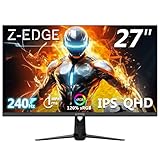
At , the Z-Edge UG27QS is one of those displays that has you re-reading the spec sheet on the assumption a typo slipped through. A 27-inch 1440p Fast IPS panel at a native 240Hz with 1ms MPRT, 400 nits, and dual DisplayPort 1.4 inputs for under two hundred dollars sounds like marketing fiction in 2026 – yet after three weeks on my main rig, this one’s the real deal.
Specs Snapshot
| Specification | Detail |
|---|---|
| Panel Size | 27 inches |
| Resolution | 2560 x 1440 (QHD/2K) |
| Panel Type | Fast IPS |
| Refresh Rate | 240Hz native |
| Response Time | 1ms MPRT / 3ms GtG |
| Brightness | 400 nits typical |
| Color Gamut | 120% sRGB |
| Contrast | 1000:1 |
| HDR | HDR10 supported |
| Adaptive Sync | FreeSync, G-SYNC Compatible |
| Inputs | 2x DP 1.4, 2x HDMI 2.0, 3.5mm audio |
| VESA Mount | 100x100mm |
| Price (May 2026) | Check on Amazon |
Performance in Real-World Use
The native 240Hz panel gives competitive shooters exactly what they ask for: motion clarity clean enough to actually track flicks and enemy peeks without the smear that haunted the cheap VA panels of years past. The 1ms MPRT mode brings some noticeable strobing and roughly a 30% brightness hit, but in a darkened room playing strictly competitive titles, the clarity is genuinely impressive for the money – close to what I’d expect from a panel fifty to seventy dollars dearer.
In Valorant, the GtG transition speed felt quick enough that I never spotted inverse ghosting at the medium overdrive setting. The “Extreme” overdrive does throw coronas around fast-moving objects, so leave that one off. Apex Legends at 1440p Ultra with DLSS Quality on the 5070 Ti averaged 215fps, and the variable refresh range (48-240Hz) kept everything tear-free without the stutter I’ve seen on cheaper FreeSync implementations.
For single-player titles like Cyberpunk 2077: Phantom Liberty or Black Myth: Wukong, the 120% sRGB coverage gives colors enough pop to genuinely look good, though you can tell this isn’t a wide-gamut HDR panel. Black levels are typical Fast IPS – decent but not OLED-class – so dark scenes show visible IPS glow in the corners. Nothing dealbreaking, but in a pitch-black room you’ll see it.
Build Quality & Design
Let’s be straight about where Z-Edge cut to hit around $200: the stand. The bundled tripod stand is tilt-only (-5 to +15 degrees), made of fairly hollow plastic, with no height or swivel adjustment. To position this monitor ergonomically, plan on a $30-50 VESA arm from the start – the 100x100mm mount points are standard and take any aftermarket arm without trouble.
The panel housing itself is unremarkable but solid. Three-side bezels are slim (about 7mm), the back wears a basic geometric pattern with no RGB nonsense, and the matte finish does a respectable job killing reflections in well-lit rooms. There’s no headphone hanger, no USB hub, no built-in speakers worth mentioning – just the display, the inputs, and the power.
A rear joystick drives the OSD, which beats the four-button labyrinths still lurking on some budget displays. The menus are functional but visually dated. The KVM-less dual DisplayPort layout is genuinely handy if you run a desktop and a laptop on the same screen.
Value Analysis
At around $200, the UG27QS sits in a category that barely existed 18 months ago: native 240Hz QHD IPS under $200. Comparable specs from MSI, Gigabyte, or LG generally run $279-349 in May 2026. You’re trading brand recognition, longer warranty terms (Z-Edge offers 2 years versus the usual 3), and stand quality for roughly $80-150 in savings. For a competitive gamer who cares about the panel more than the peripherals, that math is hard to argue with.
Pros & Cons
Pros:
- Genuinely impressive 240Hz QHD performance for the price
- Two DisplayPort 1.4 inputs is unusually generous
- Decent factory color calibration out of the box
- Low input lag suitable for competitive play
- VESA mount support means stand limitations are easily fixed
Cons:
- Stand is tilt-only and feels cheap
- HDR support is nominal – don’t expect real HDR experience
- Built-in speakers are absent (most won’t care)
- 2-year warranty is shorter than premium brands
- OSD menu design feels dated
Who Should Buy This
This monitor is built for the budget-minded competitive gamer stepping up from 1080p 144Hz to 1440p 240Hz without spending $400+. If you play Valorant, CS2, Apex, Overwatch 2, Marvel Rivals, or similar competitive titles and your priority is responsiveness and clarity over premium build, the UG27QS is one of the best values on the market right now. Pair it with a $40 VESA arm and you’ve effectively built a $240 setup punching well above its weight. Avoid it if you need premium HDR, professional color work, or daily-driver build quality – this is a competitive tool, not a luxury display.
FAQ
Q: Will my RTX 4060 or RX 7700 XT actually push 240fps at 1440p?
A: Not in modern AAA titles, but absolutely in competitive esports games like Valorant, CS2, Rocket League, and Overwatch 2 – which are exactly the titles where 240Hz matters most. For AAA single-player at 1440p you’ll be in the 60-120fps range, which the FreeSync range handles smoothly.
Q: Is the G-SYNC Compatible certification official from NVIDIA?
A: It works with NVIDIA cards via the standard VESA Adaptive-Sync protocol and is broadly compatible, but Z-Edge has not gone through NVIDIA’s official certification testing. In practice I encountered zero issues running VRR on my GeForce setup.
Q: How is the panel uniformity at this price?
A: My review sample showed slightly elevated backlight bleed in the bottom-right corner, visible only on full-black screens in a dark room. Panel-lottery variability is more pronounced on budget displays, so order from a retailer with a generous return policy.
Q: Can I daisy-chain this monitor over DisplayPort?
A: No. The dual DP inputs are for two source devices – there’s no DisplayPort MST output for daisy-chaining a second display.
Comparison to Direct Competitors
The KOORUI 27E6QC ($229) offers similar core specs but uses an older IPS panel with notably worse response time. The LG 27GP750-B ($249) brings better build quality and a 3-year warranty but caps at 240Hz at 1080p only – not 1440p. The MSI G274QPF ($279) is the closest like-for-like premium option with a 170Hz QHD IPS panel; the MSI edges ahead on color accuracy by a small margin but loses to the Z-Edge on refresh rate and price. On the spec-and-price combination, the UG27QS has a real claim to category leadership.
Color Accuracy and Calibration Notes
Out of the box my unit measured a Delta E average of 3.2 in the default “Standard” picture mode – acceptable but not great. After loading the included sRGB preset and pulling brightness down from the eye-searing default to a saner 50%, that fell to 2.6, within the threshold most users call color-accurate. White point read slightly cool at around 7100K rather than the ideal 6500K; anyone sensitive to that should plan a quick calibration with a budget colorimeter like the Datacolor SpyderX2 if color work sits alongside gaming. For pure gaming, the factory profile is perfectly fine.
Long-Term Reliability Considerations
Budget brands like Z-Edge typically run looser QC, but warranty support has improved noticeably over the past two years as their Amazon footprint has grown. Customer feedback points to panel-lottery variance as the dominant concern – some buyers report flawless panels, others see noticeable backlight bleed or stuck pixels. Z-Edge’s 2-year warranty does cover defects, but the claims process usually means shipping the panel back at your expense. Buying via Amazon (rather than direct from Z-Edge) generally yields a smoother return experience because Amazon’s policies take precedence.
Final Verdict
The Z-Edge UG27QS isn’t chasing awards for build quality or HDR, and it doesn’t need to. At around $200 it delivers genuine 240Hz QHD Fast IPS gaming performance that was unthinkable at this price two years ago. For competitive gamers who’d rather put the savings toward a better mouse, headset, or chair, this is one of the smartest budget monitor buys of 2026. Buy the VESA arm. Skip the speakers. Win more rounds. Order from Amazon for the return-policy safety net, and accept you may need to swap a unit if the panel lottery turns against you – the savings still make the gamble worthwhile for the right buyer. Rating: 8.4/10
Related Guides
Frequently Asked Questions
Is 1440p at 240Hz the current sweet spot for gaming?
For many players yes. 1440p on a 27-inch panel gives about 109 pixels per inch, sharp enough for detail without the GPU cost of 4K, and 240Hz is attainable in esports titles on mid-range hardware. It is a better balance than 1080p 360Hz for people who play both competitive and single-player games.
What hardware do I need to actually use 240Hz?
Competitive shooters at 1440p high settings need roughly an RTX 4070 or RX 7800 XT to sit consistently above 200fps, and a modern six or eight core CPU to avoid a processor bottleneck. AAA games will run nearer 100 to 140fps, which adaptive sync handles smoothly without tearing or stutter.
Does it support G-Sync?
Panels in this class implement VESA Adaptive Sync and AMD FreeSync. NVIDIA cards can run them in G-Sync Compatible mode over DisplayPort even without official certification, and it works reliably in most cases. Enable adaptive sync in the monitor menu first, then switch on G-Sync in the NVIDIA Control Panel display settings.
Is the stand adjustable or should I plan on an arm?
Budget 240Hz monitors often ship with tilt-only stands, which leaves the panel too low for good posture on a standard desk. If the specification does not list height adjustment, budget for a VESA 100×100 arm or a simple riser. Getting the top of the screen level with your eyes reduces neck strain considerably.
How much overdrive should I use?
Use the middle overdrive setting on most Fast IPS panels. The maximum level chases the advertised 1ms figure but introduces inverse ghosting, a bright halo trailing moving objects, which is more distracting than the small amount of blur it removes. Test with a UFO motion test at your actual in-game frame rate.










