🛒 Best Price Today on Amazon
Prime members get fast, free shipping on everything above, plus member-only deals. New members get a 30-day free trial — cancel anytime.

ErGear Heavy Duty Monitor Arm for 13-49″ Ultrawide Screens, 37.4 lbs Capacity, Full Motion Monitor Desk Mount, Rock-Solid Support, Dual C-Clamp & Grommet Mount, VESA 75x75/100x100mm
Included for 'Best Monitor Arm for Ultrawide Monitors: 5 Heavy-Duty Picks' because the listing specifies 37.4 lbs Capacity and Full Motion Monitor Desk Mount, details this guide uses to compare options.
View on Amazon
HUANUO TitanLift Heavy Duty Monitor Arm for Screens up to 49", Holds 44 lbs, Aluminum Ultrawide Screen Monitor Mount, Fully Adjustable Single Gaming Desk Mount with Dual C-Clamp, Max VESA 100x100mm
Included for 'Best Monitor Arm for Ultrawide Monitors: 5 Heavy-Duty Picks' because the listing specifies Holds 44 lbs and Aluminum Ultrawide Screen Monitor Mount, details this guide uses to compare options.
View on Amazon
VIVO Single 13 to 38 inch Ultrawide Monitor Arm Desk Mount, Regular Screens up to 32 inches, 22 lbs capacity, Fully Adjustable Stand with C-Clamp and Grommet Base, Black, STAND-V001
Included for 'Best Monitor Arm for Ultrawide Monitors: 5 Heavy-Duty Picks' because the listing specifies Regular Screens up to 32 inches and 22 lbs capacity, details this guide uses to compare options.
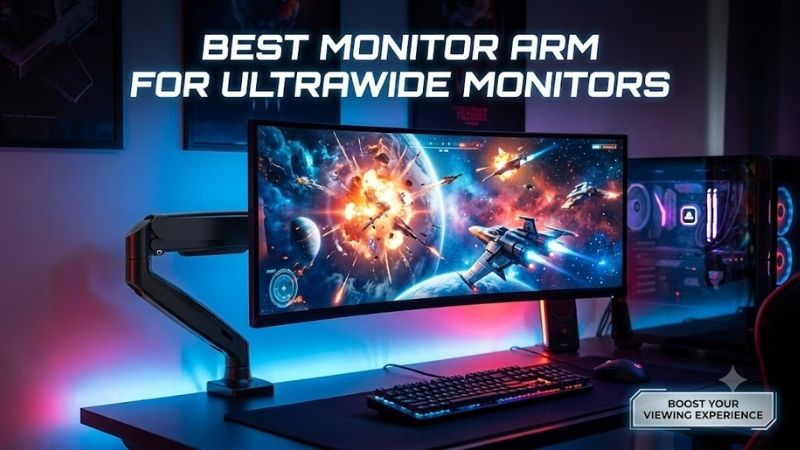
View on AmazonThe best monitor arm for ultrawide monitors must handle more than screen size. Weight capacity, tilt strength, VESA support, desk mounting, and arm reach all affect stability. This roundup focuses on heavy-duty arms suited to large curved gaming displays, including demanding 49-inch and super-ultrawide setups.
Quick Comparison
| Monitor Arm | Best For | Weight Capacity | Screen Support | VESA |
|---|---|---|---|---|
| Ergotron HX Single | Heavy curved ultrawides | 20–42 lb | Large displays within weight limit | 75×75, 100×100, 200×200 |
| Secretlab MAGNUS Heavy Duty | 49–57-inch gaming monitors | 17.6–35.2 lb | 34–57 in | 75×75, 100×100 |
| Humanscale M8 Pro | Premium heavy monitors | 9–50 lb | Up to 60 in width | Configuration dependent |
| VIVO STAND-V100M | Value 49-inch setup | Up to 44 lb | 32–49 in | 75×75, 100×100 |
| VIVO STAND-V110K | Extra-tall adjustment | Up to 44 lb | Up to 49 in | 75×75, 100×100 |
Ergotron HX Single Monitor Arm
Best For: Heavy curved ultrawide gaming monitors
Key Features:
- 20–42 lb monitor capacity
- 11.5-inch lift
- Up to 25-inch extension
- 75×75 and 100×100 VESA support
- 200×200 VESA support included
- Desk clamp and grommet mounting
- Heavy-duty spring mechanism
The Ergotron HX is built around heavy displays rather than conventional office monitors. Its single-monitor configuration supports screens between 20 and 42 pounds, giving it enough capacity for many substantial ultrawides. Ergotron also notes that the listed screen-size guidance can be exceeded when the monitor remains within its supported weight range.
That distinction matters with ultrawide monitors because diagonal size alone is a poor way to choose an arm. Two 49-inch screens can have very different stand-free weights and center-of-gravity characteristics. Checking the actual monitor weight against the arm’s supported range is therefore more useful than choosing solely from an advertised maximum screen size.
The HX provides 11.5 inches of lift and can extend up to 25 inches from its mounting point. That long reach is useful with deep desks, curved displays, and cockpits where the monitor may need to move toward the player. It also allows the screen to be pushed back when more keyboard, controller, or racing-wheel space is required.
VESA support is another advantage. The HX Single supports common 75×75 and 100×100 patterns and includes support for 200×200 mounting. This can simplify installation for larger displays using less common rear mounting layouts, although buyers should always verify the exact VESA pattern and monitor weight before ordering the arm.
What Makes It Different: The HX combines substantial load capacity with a long articulating reach rather than behaving like a fixed heavy-duty pole. That balance makes it useful for gaming setups where the screen must remain secure but still move regularly for racing, flight simulation, productivity, or different seating positions.
Pros:
- 42-pound maximum monitor capacity
- Long 25-inch extension
- 11.5-inch vertical lift
- Multiple VESA patterns
- Clamp and grommet mounting
- Designed for heavier screens
Cons:
- Minimum supported weight is relatively high
- Large arm requires adequate space behind the desk
Use Case: Large curved gaming monitors, heavy 49-inch ultrawides, deep desks, and simulation setups where the display must move toward and away from the player.
Who It’s For: Gamers who prioritize structural capacity and adjustment range over having the smallest possible monitor-arm footprint.
Secretlab MAGNUS Monitor Arm Heavy Duty Edition
Best For: 49-inch to 57-inch gaming ultrawides
Key Features:
- Supports 34–57-inch monitors
- 17.6–35.2 lb weight range
- 265 mm height adjustment
- 530 mm extended reach
- Heavy-duty tilt pivot
- Built-in tension indicator
- 75×75 and 100×100 VESA support
Secretlab designed the MAGNUS Heavy Duty specifically around large ultrawide gaming displays. The arm supports monitors from 34 to 57 inches and loads between 8 and 16 kg, or 17.6 to 35.2 pounds. That clearly defined operating range makes compatibility easier to check before mounting an expensive curved panel.
A common problem with super-ultrawides is forward tilt. The screen’s size and curved shape place considerable leverage on the pivot even when its total weight appears acceptable. Secretlab addresses this with a dedicated heavy-duty tilt pivot and double-locking VESA mechanism intended to prevent the display from gradually sagging forward.
The arm offers 265 mm of height adjustment and approximately 530 mm of reach. Tilt is rated at plus or minus 20 degrees, while swivel and rotation reach plus or minus 90 degrees. These ranges provide meaningful positioning for gaming or work without relying on a tall fixed pole behind the monitor.
Its desk clamp supports surfaces from 10 to 50 mm thick. The arm uses 75×75 or 100×100 VESA mounting and is constructed from aluminum. Owners of monitors with larger VESA patterns should check whether their display requires a manufacturer adapter before assuming that screen size alone guarantees mechanical compatibility.
What Makes It Different: Secretlab combines ultrawide capacity with integration into its MAGNUS desk ecosystem. Cable channels along the arm can route display and power connections toward the desk’s rear cable tray, which is particularly useful on standing desks where cables need to move together with the monitor.
Pros:
- Official support up to 57 inches
- Built for large ultrawide screens
- Heavy-duty tilt mechanism
- Built-in tension indicator
- Integrated cable routing
- Strong MAGNUS desk compatibility
Cons:
- Maximum capacity is lower than some heavier-duty competitors
- VESA support is limited to 75×75 and 100×100 without adapters
Use Case: Samsung Odyssey-style super-ultrawides, large curved OLED gaming monitors, and MAGNUS desk setups where cable control is a priority.
Who It’s For: Gamers using a 34-to-57-inch ultrawide that falls within the arm’s stated 17.6-to-35.2-pound operating range.
Humanscale M8 Pro
Best For: Premium heavy-monitor work and gaming setups
Key Features:
- Supports single monitors from 9–50 lb
- Maximum monitor width up to 60 inches
- 8–17.9-inch overall height range
- Up to 360-degree arm rotation
- Smart Stop functionality
- Weight-compensating spring system
- Quick-release joints
The Humanscale M8 Pro takes an ergonomic workstation approach rather than a gaming-specific design. In single-monitor configurations, Humanscale lists support from 9 to 50 pounds, giving it one of the broadest weight ranges in this roundup. The company’s current specifications also list support for monitor widths up to 60 inches.
Its higher maximum load can be valuable for ultrawides whose weight exceeds the limits of typical gas-spring arms. However, monitor width does not guarantee compatibility by itself. Buyers should still confirm weight, rear VESA interface, mounting configuration, desk strength, and whether the curved screen’s center of gravity works with the selected M8 Pro setup.
Humanscale uses a weight-compensating spring system intended to let the display move without requiring the user to repeatedly manipulate a conventional mechanical knob. The arm also includes Smart Stop functionality, which can restrict rotation and help prevent the arm from swinging into a wall or nearby equipment.
The current single-arm specification lists 360-degree arm rotation, 180-degree monitor pan, 80 degrees of upward tilt, and 15 degrees downward. Those adjustments are useful when a wide screen serves both gaming and productivity, because the user can reposition viewing distance or angle without moving the monitor stand across the desktop.
What Makes It Different: The M8 Pro combines a 50-pound maximum single-screen capacity with workstation-oriented adjustment rather than emphasizing gaming branding. It fits setups where a premium ultrawide handles games during leisure hours but also functions as a primary display for editing, coding, design, or office work.
Pros:
- Up to 50-pound single-screen capacity
- Supports very wide displays
- Weight-compensating adjustment
- Smart Stop rotation control
- Broad articulation
- Clean professional appearance
Cons:
- Configuration options require careful compatibility checking
- More workstation-focused than gaming-specific
Use Case: Heavy ultrawide monitors used for a combination of gaming, creative work, programming, trading, video editing, and everyday productivity.
Who It’s For: Users who need more load headroom than many gaming-focused arms provide and want a professional-looking ergonomic mounting system.
VIVO STAND-V100M
Best For: Heavy 49-inch ultrawides without a complex gas arm
Key Features:
- Supports 32–49-inch screens
- Up to 44 lb capacity
- 75×75 and 100×100 VESA
- C-clamp and grommet mounting
- 17.3-inch pole height
- 14.6-inch maximum extension
- Wide tilt adjustment
The VIVO STAND-V100M is designed for ultrawide monitors between 32 and 49 inches and supports up to 44 pounds. It uses a center pole combined with an articulating arm rather than the longer floating-arm structure of premium alternatives. That simpler arrangement can work well when the screen mostly stays in one position after setup.
The mount supports 75×75 and 100×100 VESA patterns and can attach through either a C-clamp or grommet. VIVO lists C-clamp compatibility for desktops from 0.4 to 3.3 inches thick, while the grommet installation works with surfaces from 0.4 to 3 inches. That broad range can help with thicker gaming desks.
Adjustment includes a tilt range from +85 to -25 degrees, 180-degree swivel, and 360-degree rotation. Maximum extension is 14.6 inches, while vertical positioning occurs along the center pole. The trade-off is that height changes are less fluid than a fully articulated gas-spring system designed for frequent repositioning.
That limitation is not necessarily a problem. Many gamers mount an ultrawide once, adjust the height carefully, and then rarely change it. In that situation, a sturdy pole-based design can provide the desk-space benefit of a monitor arm without paying for an adjustment mechanism that may see little use after the initial installation.
What Makes It Different: The V100M focuses on supporting a large monitor with relatively straightforward hardware. It sacrifices some effortless vertical movement but maintains meaningful tilt and lateral positioning while accommodating screen weights that exceed the limits of many lighter desktop monitor arms.
Pros:
- 44-pound capacity
- Official support up to 49 inches
- Clamp and grommet options
- Broad desk-thickness compatibility
- Strong tilt range
- Straightforward design
Cons:
- Less fluid height adjustment
- Shorter reach than premium articulated arms
Use Case: Large 34-to-49-inch ultrawide displays that will remain at a mostly fixed height once the gaming setup is configured.
Who It’s For: Gamers who care more about supporting a heavy ultrawide securely than moving the screen vertically throughout the day.
VIVO STAND-V110K
Best For: Extra-tall ultrawide positioning
Key Features:
- Supports ultrawides up to 49 inches
- Up to 44 lb capacity
- Pneumatic adjustment
- Extra-tall design
- 75×75 and 100×100 VESA
- C-clamp or grommet installation
- Heavy-duty tilt joint
The VIVO STAND-V110K differs from the V100M by combining heavy ultrawide support with a pneumatic arm and extra-tall structure. VIVO specifies compatibility with ultrawides up to 49 inches and weights up to 44 pounds, making it relevant for users who need both substantial load capacity and more flexible vertical positioning.
A pneumatic arm is useful when monitor position changes during the day. A user might raise the display for standing work, lower it for seated gaming, or reposition it when switching between keyboard play and a racing wheel. That type of repeated movement benefits more from an adjustable arm than a fixed-height pole mount.
The mounting interface supports 75×75 and 100×100 VESA patterns. VIVO lists C-clamp compatibility with desktops from 0.4 to 1.8 inches thick and grommet mounting from 0.4 to 1.6 inches. These limits should be checked carefully because thick butcher-block or reinforced gaming desktops may exceed the clamp’s stated range.
The heavy-duty tilt joint is particularly relevant for curved screens because the display places leverage on the pivot. An arm can technically support a monitor’s total weight yet still struggle to hold its viewing angle. Matching the screen to a mount designed for large ultrawides reduces the likelihood of gradual downward tilt.
What Makes It Different: The extra-tall configuration is useful for standing desks, taller users, elevated monitor positions, and vertically separated equipment. It provides a different solution from the low-profile Secretlab or long-reaching Ergotron designs, making desk layout an important part of the decision.
Pros:
- 44-pound maximum capacity
- Up to 49-inch ultrawide support
- Pneumatic height adjustment
- Extra-tall design
- Heavy-duty tilt pivot
- Two desk mounting methods
Cons:
- Desk-thickness limits require checking
- Extra height is unnecessary for conventional setups
Use Case: Sit-stand gaming desks, taller seating positions, simulation equipment, and workstations where the monitor frequently changes height.
Who It’s For: Ultrawide users who want heavy-screen capacity but need more vertical flexibility than a basic pole-style mount provides.
How to Choose the Best Monitor Arm for Ultrawide Monitors
Start With Monitor Weight, Not Screen Size
Monitor weight is the first specification to check because ultrawide dimensions can be misleading. Use the display’s weight without its original stand and confirm that it falls inside the arm’s supported range. Staying below the maximum also gives the adjustment mechanism more headroom, especially with deeply curved super-ultrawides.
Check the Minimum Weight Too
Gas and spring monitor arms can have minimum as well as maximum loads. A monitor that is too light may cause an arm to rise even after tension adjustment. This becomes relevant when buying an oversized heavy-duty arm for a relatively light 34-inch OLED, so check the entire supported range rather than only the headline maximum capacity.
Consider Curvature and Center of Gravity
Curved ultrawides create different leverage from flat monitors because more screen mass extends forward and sideways from the VESA mount. A strong tilt joint is therefore essential. If an arm’s pivot is marginal, the monitor may slowly face downward even though its total weight technically falls under the published maximum.
Verify VESA Compatibility
Most gaming ultrawides use 75×75 or 100×100 VESA mounting, but larger displays can require different patterns or adapters. Never assume that an arm supporting the correct weight will automatically bolt directly to your monitor. Check the monitor manual, rear recess depth, included spacers, and any required VESA adapter.
Measure Your Desk Thickness
Heavy monitor arms place substantial force on a small section of the desk. Check the manufacturer’s clamp or grommet thickness range before purchase and make sure the desktop material can safely carry the load. Hollow or lightweight surfaces may need reinforcement even when they physically fit inside the clamp opening.
Think About Arm Reach
A deep gaming desk benefits from a longer arm because the monitor may need to move closer to the player. Shallow desks usually need less reach and may actually struggle with large articulated arms that require clearance behind the desktop. Measure the wall gap and desired screen position instead of assuming maximum reach is always better.
Look at Height Adjustment
Height adjustment determines whether the monitor can place its upper viewing area comfortably relative to eye level. Sit-stand desk users should prioritize easy vertical movement, while gamers who rarely move the display can use a simpler pole system. Paying for constant adjustability provides little benefit if the screen stays fixed.
Check the Tilt Mechanism
Tilt strength is one of the most important features for 49-inch curved displays. A weak pivot can let a heavy panel sag even when the main arm supports its weight. Look for a mount specifically designed for heavy monitors and tighten the pivot according to the manufacturer’s instructions before assuming the arm is defective.
Plan Cable Length
An articulated arm changes the distance between your PC, monitor, and desk as it moves. DisplayPort, HDMI, USB, and power cables need enough slack to reach maximum extension without pulling against connectors. Integrated cable channels improve appearance, but they should not hold cables so tightly that movement stresses the ports.
FAQ
Can a Monitor Arm Hold a 49-Inch Ultrawide?
Yes, provided the monitor’s stand-free weight, VESA pattern, and dimensions fall within the arm’s specifications. Several heavy-duty arms are explicitly designed for 49-inch ultrawides. Do not rely only on screen size, because two monitors with the same diagonal measurement can differ substantially in weight and mounting geometry.
What Weight Capacity Do I Need for an Ultrawide Monitor?
Check your monitor’s weight without its factory stand and choose an arm whose supported operating range includes that figure. Extra capacity can provide useful headroom, but an arm also may have a minimum load. A 30-pound display, for example, should be matched to a mechanism designed to operate properly around that weight.
Can I Mount a Samsung Odyssey G9 on a Monitor Arm?
Many Odyssey G9 configurations require a genuinely heavy-duty mount because their wide curved panels place significant leverage on the tilt joint. Secretlab specifically cites Odyssey Neo G9 compatibility for its Heavy Duty arm, while other mounts should be checked against the exact G9 model’s weight and VESA requirements.
Is a Gas-Spring Arm Better for Ultrawide Monitors?
A gas or spring-assisted mechanism is useful when you frequently reposition the monitor, but it is not automatically stronger than a mechanical pole mount. For an ultrawide, load range and tilt strength matter more than adjustment technology. A simpler mount can be perfectly suitable when the screen rarely moves after installation.
Does a Monitor Arm Damage a Desk?
A correctly installed arm should not damage a compatible, structurally sound desktop, but heavy ultrawides create considerable leverage at the mounting point. Thin, hollow, glass, or weak composite desktops require particular caution. Follow the desk and arm manufacturers’ mounting instructions and add reinforcement only when appropriate.
Is a Monitor Arm Worth It for an Ultrawide?
A monitor arm can reclaim the large area normally occupied by an ultrawide’s factory stand while providing better control over screen distance and height. The benefit is greatest on smaller desks or adjustable workstations. However, compatibility must be verified carefully because large curved monitors demand stronger hardware than ordinary screens.
Conclusion
The best monitor arm for ultrawide monitors depends on screen weight, curvature, VESA pattern, desk construction, and how often you reposition the display. Ergotron HX offers strong reach, Secretlab targets large gaming ultrawides, Humanscale handles heavier screens, while VIVO provides practical 49-inch options.