- Top Pick: Samsung SSD 990 PRO 2TB, PCIe 4.0 M.2 2280, Up to 7,450 MB/s
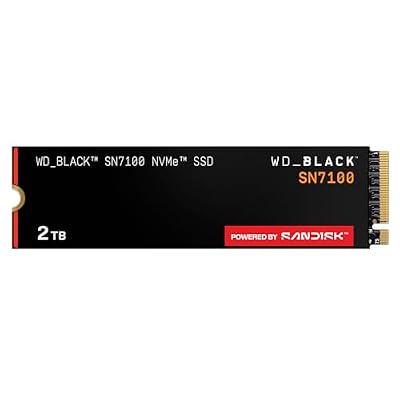
- Best Value: WD_Black SN7100 2TB NVMe SSD – Gen4 PCIe, M.2 2280, Up to 7,250 MB/s Read Speed, Up to 6,900 MB/s Write Speed, Next Gen TLC 3D NAND, for Laptops, Handheld Gaming Devices – WDS200T4X0E
- Premium Choice: Samsung SSD 9100 PRO 2TB, PCIe 5.0×4 M.2 2280, Up to 14,700MB/s
Every gaming build eventually reaches the same fork in the road: a slim M.2 stick that clips straight onto the motherboard, or a 2.5-inch SATA drive tethered by power and data cables. Both are solid state, both will feel dramatically faster than the mechanical hard drive you’re probably replacing, and both will run your games. But they are not close to equivalent, and the gap has widened considerably over the past few years.
In 2026 the calculus has shifted for good reasons. DirectStorage is now baked into a large share of AAA releases, open-world titles routinely stream assets mid-flight rather than hiding loads behind elevator rides, and single-game installs north of 150GB are unremarkable. Meanwhile SATA is still capped at roughly 550 MB/s by an interface specification that stopped evolving well over a decade ago. That doesn’t make SATA worthless — it just changes where it belongs in your system.
As an Amazon Associate we earn from qualifying purchases at no extra cost to you.


⚡ Save on Your Next PC — Amazon Prime
Prime members get fast free shipping on the systems above, plus early access to Prime Day & Black Friday PC deals. New members get a 30-day free trial.
Watch: M.2 vs SATA SSD: Which to Choose in 2026? — Video Review
Quick Verdict
M.2 NVMe is the correct default for any gaming machine built or upgraded today: it’s faster, cable-free, and no longer carries a meaningful price premium at mainstream capacities. Drives like the Samsung 990 PRO 2TB or Acer Predator GM7 2TB should be your boot and primary game drive. SATA SSDs make sense in exactly two situations — you’re reviving an older system with no usable M.2 slot, or you’ve already filled every slot you have and need cheap bulk capacity for a library of games you rarely touch.
Key Differences
- Interface ceiling: SATA III tops out near 550 MB/s. Gen 4 NVMe drives such as the WD_Black SN7100 2TB hit around 7,250 MB/s read, and the PCIe 5.0 Samsung 9100 PRO 2TB reaches roughly 14,700 MB/s — over twenty-five times the SATA limit.
- Real-world load times: The difference in practice is smaller than the raw numbers suggest. Expect a few seconds saved on typical level loads, growing to a genuinely noticeable margin in DirectStorage titles and heavily modded games.
- Installation: M.2 drives mount directly to the board with a single screw or latch — no cables, no drive bay, better airflow. SATA needs a data cable, a power lead from the PSU, and somewhere to physically mount the drive.
- Cost per terabyte: Once a decisive SATA advantage, now marginal. Value-oriented NVMe options like the Crucial P310 2TB and Silicon Power 2TB Gen3 have compressed that gap to the point where it rarely justifies the tradeoff.
- Heat and power draw: SATA drives run cool and sip power. Fast Gen 4 and Gen 5 NVMe drives generate real heat and usually want a heatsink — one reason efficiency-tuned models matter in laptops and handhelds.
- Slot availability: Most motherboards offer two to four M.2 slots but six or more SATA ports, so SATA remains the easier path to a large multi-drive array.
M.2 NVMe SSDs: The Modern Gaming Standard
M.2 NVMe drives communicate over PCIe lanes rather than the legacy SATA controller, which removes both the bandwidth ceiling and the queuing bottleneck that made SATA feel sluggish under heavy random reads. That second point matters more than peak sequential speed for gaming — it’s what makes texture streaming smooth and shader compilation quick. The Samsung 990 PRO 2TB remains the benchmark for well-rounded Gen 4 performance, while the Acer Predator GM7 2TB delivers similar headline speeds at a friendlier position in the market.
Not every NVMe drive targets the same buyer. The WD_Black SN7100 2TB is tuned for efficiency, making it a strong fit for laptops and handheld gaming devices where battery life and thermals constrain sustained performance. The Crucial P310 2TB serves as a sensible value Gen 4 pick for a secondary game library, and the Silicon Power 2TB Gen3 is worth considering if your motherboard only supports PCIe 3.0 — there’s little sense paying for bandwidth the board can’t deliver. At the top end, the Samsung 9100 PRO 2TB is genuinely future-facing, though today’s games rarely saturate it.
SATA SSDs: Cheap Capacity That Still Works
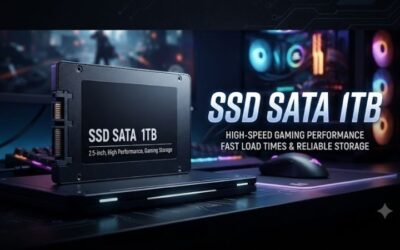
A SATA SSD is not slow in absolute terms. Moving from a hard drive to any SSD is the single largest perceptual upgrade in PC gaming, and the jump from SATA to NVMe is far less dramatic than the jump from spinning rust to SATA. If you’re running a system from 2015 or earlier, or a prebuilt with a single occupied M.2 slot, a 2.5-inch SATA drive is a perfectly rational purchase that will keep the machine usable.
The limitations are structural rather than fixable. SATA cannot benefit from DirectStorage decompression paths, it saturates quickly during large file transfers, and it adds cable clutter to small-form-factor builds. For a game library of titles you launch occasionally, none of that matters. For your primary drive in 2026, it’s a compromise you don’t need to make.
Which Should You Buy?
- For a new gaming PC: Pick a Gen 4 M.2 drive — the Samsung 990 PRO 2TB or Acer Predator GM7 2TB as your boot and primary game drive.
- For a laptop or handheld: Pick the WD_Black SN7100 2TB, where lower power draw translates directly into cooler running and longer sessions.
- For a PS5 expansion: Pick a Gen 4 M.2 2280 drive with a heatsink fitted; the GM7 and 990 PRO are both proven choices, but confirm the specific SKU includes one.
- For an older PCIe 3.0 system: Pick the Silicon Power 2TB Gen3 — you’ll capture nearly all the practical benefit without paying for unusable bandwidth.
- For maximum headroom: Pick the Samsung 9100 PRO 2TB if your board has a spare PCIe 5.0 slot and you plan to keep the drive across two builds.
Frequently Asked Questions
Is every M.2 drive faster than SATA?
No. M.2 is a physical form factor, not a speed rating. A handful of M.2 drives use the SATA protocol and are capped at the same 550 MB/s. Look for “NVMe” and a PCIe generation in the specification before assuming performance.
Will NVMe actually make my games load faster?
Yes, but modestly in older titles — often two to five seconds on a typical load. In DirectStorage-enabled games and heavily modded open worlds, the improvement is substantially larger and includes fewer texture pop-in stalls during play.
Can I run M.2 and SATA together?
Absolutely, and it’s a common setup: a fast NVMe boot drive for the O