🛒 Best Price Today on Amazon
Prime members get fast, free shipping on everything above, plus member-only deals. New members get a 30-day free trial — cancel anytime.

Logitech H390 Wired Headset PC/Laptop Stereo Headphones, USB-A, Black | For PC/Laptop, stereo headphones, microphone, in-line controls, works with Chromebook
Included for 'Logitech H390 USB Computer Headset Review: Is It Worth It?' because the listing specifies USB-A and Black, details this guide uses to compare options.
View on Amazon
Logitech H390 Wired Headset PC/Laptop Stereo Headphones, USB-A, Rose | For PC/Laptop, Stereo, USB-A, In-Line Controls, Works with Chromebook
Included for 'Logitech H390 USB Computer Headset Review: Is It Worth It?' because the listing specifies USB-A and Rose, details this guide uses to compare options.
View on Amazon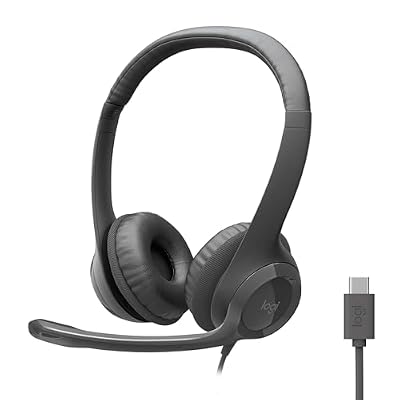
Logitech H391 Wired Headset PC/Laptop Stereo Headphones, USB-C, Graphite | Stereo headphones for PC or laptop, in-line controls, works with Chromebook
Included for 'Logitech H390 USB Computer Headset Review: Is It Worth It?' because the listing specifies USB-C and Graphite, details this guide uses to compare options.
View on Amazon
Logitech H 390,Color Black,Connectivity Technology Wired,Built-in Media Headset.
Included for 'Logitech H390 USB Computer Headset Review: Is It Worth It?' because the listing specifies Color Black and Connectivity Technology Wired, details this guide uses to compare options.
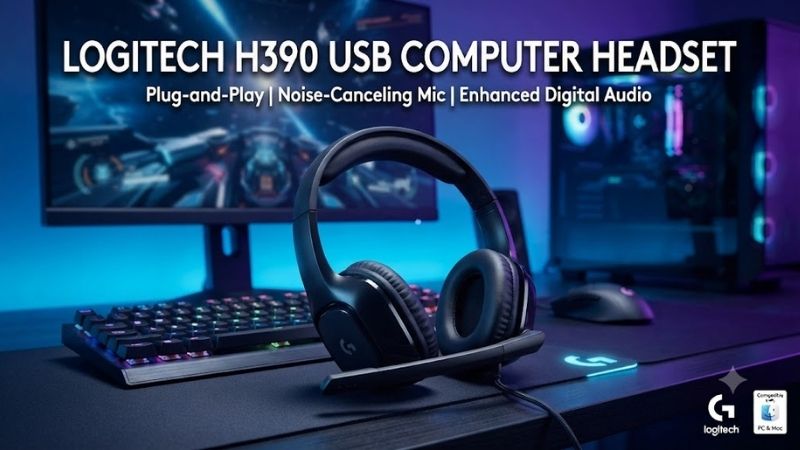
View on AmazonThe Logitech H390 USB Computer Headset is a straightforward wired headset built for video meetings, online classes, customer calls, and everyday computer audio. It combines 30 mm drivers, a noise-reducing boom microphone, inline volume and mute controls, and plug-and-play USB connectivity in an affordable design aimed primarily at work rather than serious music or gaming.
Product Overview
The Logitech H390 sits between basic analog office headsets and more expensive professional communication models. Its biggest advantage is simplicity. Connect the USB cable to a compatible computer, select the headset if necessary, and both audio playback and microphone input can operate through the same connection.
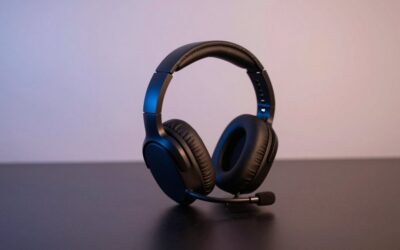
Logitech equips the headset with leatherette ear cushions, an adjustable padded headband, swivel-mounted earcups, and a rotating microphone boom on the left side. The design is intentionally lightweight and conventional, making it familiar to anyone who has used a call-center or office headset before.
Key Specifications
| Specification | Logitech H390 |
|---|---|
| Driver Size | 30 mm |
| Connection | USB |
| Microphone | Noise-reducing boom mic |
| Microphone Position | Left side |
| Controls | Volume up, volume down, mute |
| Cable Length | Approximately 1.9 m |
| Ear Cushions | Leatherette |
| Headband | Adjustable |
| Microphone Boom | Rotating |
| Primary Use | Calls, meetings, study, office audio |
Sound Quality
The H390 uses 30 mm drivers tuned primarily for speech clarity and general computer audio. Voices in meetings, online lectures, podcasts, and video content sound clear enough for the headset’s intended purpose, with a presentation that emphasizes intelligibility rather than heavy bass or cinematic impact.
Music playback is acceptable for background listening during work, but this is not a headset designed for critical listening. Bass lacks the depth and physical impact of larger over-ear headphones, while the soundstage is relatively compact. Users who mainly listen to music may prefer dedicated headphones with larger drivers and a more refined frequency response.
For office work, these limitations matter much less. Spoken voices remain easy to follow, notification sounds are clear, and the headset provides enough detail for normal video calls. This is exactly where the H390 performs best because it prioritizes communication instead of trying to compete with gaming or audiophile headsets.
Microphone Performance
The left-side boom microphone is one of the H390’s most important features. Logitech describes it as noise canceling, meaning it is designed to reduce some unwanted background sound so the user’s voice remains easier to understand during calls.
The microphone works particularly well in quiet to moderately noisy home offices. Keyboard sounds, distant room noise, and low-level background activity can be less distracting than when using a laptop’s built-in microphone, largely because the boom places the microphone much closer to the user’s mouth.
It is important to understand that this is not active noise cancellation for the listener. The H390 does not create a silent environment around your ears. Instead, the microphone is designed to reduce background noise in the signal being sent to other participants.
The boom can also rotate upward when the microphone is not required. This is useful when listening to music or videos because the microphone does not need to remain directly beside the mouth during every session.
Noise Cancellation
The H390’s noise-reducing microphone should not be confused with premium AI-based voice isolation found on expensive business headsets. Loud conversations nearby, barking dogs, or strong mechanical noise can still reach the call.
Its strength is improving voice capture compared with a distant laptop microphone. Because the boom sits close to the mouth, the headset can prioritize speech more effectively while reducing some environmental noise.
This makes it particularly useful for remote workers sharing a home with other people. It may not completely remove nearby activity, but it can produce clearer communication than relying on an open microphone several feet away.
Comfort
Logitech uses swivel-mounted leatherette ear cushions and an adjustable headband to help the H390 fit different users. The headset sits on the ears rather than fully surrounding them, which keeps overall size and weight relatively low.
The lightweight design is beneficial for video meetings and online classes lasting an hour or two. There is less bulk than a large gaming headset, and the headband does not feel as visually intrusive during webcam calls.
On-ear pressure can become noticeable during very long sessions, especially for users sensitive to clamp force. Leatherette pads may also trap more warmth than breathable fabric or mesh, so users wearing the headset throughout an entire workday may want periodic breaks.
Glasses can influence comfort as well. The ear pads may press the glasses arms against the sides of the head, although the relatively light construction makes the issue less severe than with many heavy gaming headsets.
Inline Controls
A control module built into the cable provides volume up, volume down, and microphone mute functions. This is one of the most practical features because users can change volume without opening software controls or interrupting a presentation.
The mute button is particularly useful during meetings. If a doorbell rings or someone enters the room, the microphone can be disabled immediately without searching for the mute icon in Zoom, Teams, Meet, or another application.
A mute indicator provides additional reassurance that the microphone has actually been disabled. This reduces the risk of continuing a private conversation while assuming the call is muted.
The controls remain simple rather than programmable. There are no dedicated buttons for answering calls, controlling music playback, changing EQ profiles, or switching between connected devices.
USB Connectivity
USB connectivity is another major advantage. Instead of using separate 3.5 mm headphone and microphone plugs, the H390 carries both audio directions through one cable. This can reduce configuration problems on desktop PCs and laptops with unusual audio jack combinations.
Plug-and-play operation also makes the headset suitable for shared workstations. Users do not need to install complicated drivers or configure external sound cards before beginning a meeting.
Current versions may be sold with USB-A or USB-C connectivity depending on market and variant, so buyers should verify the exact connector before ordering. A USB-A version will require an adapter if the laptop only provides USB-C ports.
The approximately 1.9-meter cable gives users enough room to move slightly away from a desktop tower or laptop. The wired connection also eliminates battery concerns, Bluetooth pairing, and wireless interference.
Call And Meeting Performance
Calls are the H390’s strongest use case. The combination of clear speech reproduction, a boom microphone, hardware mute control, and USB connectivity makes it well suited to Zoom, Microsoft Teams, Google Meet, customer support platforms, and browser-based communication tools.
Compared with laptop speakers, wearing a headset also prevents meeting audio from feeding directly back into the microphone. This can improve call clarity and provide greater privacy when working in a shared space.
The H390 is also useful for remote interviews and online training because voice communication is its primary focus. Users do not need to worry about wireless battery life during long sessions or whether Bluetooth unexpectedly switches to another paired device.
Online Classes And Study
Students can benefit from the same qualities. Spoken instruction is clear, the microphone makes it easier to participate in class discussions, and inline mute control helps when students need to silence their microphone quickly.
The wired design is particularly appropriate for younger users because there is no charging routine to manage. The headset can remain plugged into a study computer and be ready whenever an online class begins.
Its lightweight construction also makes it less cumbersome than a gaming headset during lessons, although students wearing it for several consecutive hours should still take breaks if the ear cushions become warm.
Gaming Performance
The Logitech H390 can technically be used for gaming because it provides both headphones and a microphone, but gaming is not its main purpose. There is no surround processing, large soundstage, powerful bass, or specialized directional-audio tuning.
Casual games, browser games, strategy titles, and voice chat are perfectly reasonable. The microphone is more than adequate for Discord conversations with friends, and the light weight may actually be preferable to a large gaming headset for short sessions.
Competitive FPS players should choose something more specialized. Dedicated gaming headsets can offer stronger positional audio, larger drivers, improved microphone controls, better long-session padding, and software features specifically designed for gaming.
Build Quality
The H390 is primarily constructed from plastic, which helps keep weight and price low. The design feels appropriate for an office accessory rather than a premium headset, so users should not expect metal hinges or luxury materials.
The adjustable headband and rotating microphone contain moving parts that should be treated carefully. Throwing the headset into a crowded bag repeatedly may shorten its lifespan compared with using a protective case.
For a headset normally kept beside a home-office computer, however, the construction is adequate. The design is simple and there are relatively few components that require maintenance.
Pros
- Clear voice-oriented audio
- Noise-reducing boom microphone
- Convenient inline mute button
- Hardware volume controls
- Plug-and-play USB connection
- No battery required
- Lightweight design
- Adjustable headband
- Rotating microphone boom
- Good value for office and study use
Cons
- Music performance is basic
- No active noise cancellation
- On-ear pads can become uncomfortable during long sessions
- Leatherette can trap heat
- Limited gaming features
- Wired connection restricts movement
- No advanced software controls
- USB connector type should be checked before purchase
Who Should Buy The Logitech H390?
The H390 makes the most sense for remote workers, students, call-center users, teachers, reception staff, and anyone who spends significant time in video meetings. It delivers the essential communication features without forcing users to pay for wireless technology or premium audio features they may never use.
It is also useful as a backup office headset. Because it does not require charging, users can keep one available for emergency meetings when a wireless headset has no battery or refuses to connect.
Businesses may appreciate its straightforward operation because employees require little training. Connect it to a supported USB port, select the headset in the communication application, and begin using it.
Who Should Skip It?
Music enthusiasts should consider dedicated headphones with better bass extension, larger drivers, and stronger overall detail. The H390 is designed around speech and communication rather than immersive music reproduction.
Competitive gamers should also choose a proper gaming headset. Positional sound and long-session comfort become more important during gaming than they are during routine office meetings.
Users who walk around during calls may prefer a wireless headset. The 1.9-meter cable provides reasonable movement around a desk but cannot offer the freedom of Bluetooth or dedicated wireless models.
Is The Logitech H390 Worth Buying?
Yes, if your priority is reliable USB communication rather than entertainment. The H390 provides a clear microphone, easy hardware controls, simple connectivity, and acceptable comfort in a design that has remained popular precisely because it does not make basic office audio complicated.
The strongest argument for buying it is predictability. There is no battery to charge, no wireless connection to pair, and no complicated software profile to configure before a meeting. For many office environments, that simplicity is more valuable than adding another list of premium features.
Its limitations are equally predictable. Music is merely adequate, gaming features are minimal, and long-session comfort cannot match premium professional headsets with larger cushions and more sophisticated ergonomic designs.
FAQ
Is the Logitech H390 good for Zoom meetings?
Yes. The H390 is particularly well suited to Zoom and other video-conferencing applications because it combines clear digital audio, a close-positioned noise-reducing microphone, inline volume controls, and a physical mute button.
Does the Logitech H390 have noise cancellation?
The microphone is designed to reduce unwanted background noise during conversations. The earcups themselves do not provide premium active noise cancellation, so users will still hear surrounding sounds.
Does Logitech H390 need drivers?
The headset is designed for simple USB plug-and-play operation on supported computers. Most users can connect it and select the headset in their operating system or meeting software without manually installing a separate audio driver.
Is the Logitech H390 good for gaming?
It is adequate for casual games and voice chat, but it is not a dedicated gaming headset. Competitive players will benefit from a gaming model with stronger directional audio, larger earcups, and additional software features.
Can I mute the microphone from the headset?
Yes. The inline control module includes a microphone mute button as well as volume controls, allowing you to mute without using the conferencing application’s interface.
Is Logitech H390 comfortable for all-day use?
Comfort depends on the user. Its lightweight design and padded leatherette earcups work well for moderate sessions, but the on-ear design can create pressure or warmth after several hours. Users wearing headsets throughout a full workday may prefer a larger professional model.
Conclusion
The Logitech H390 USB Computer Headset remains a strong choice for meetings, online classes, customer calls, and everyday office communication. Its 30 mm drivers, noise-reducing boom microphone, inline controls, plug-and-play USB connection, and lightweight design cover the essentials well. It is not a premium music or gaming headset, but for dependable computer calls, it offers excellent practical value.