- Top Pick: KAIGERR Gaming Laptop, 1TB NVMe SSD 16GB RAM Laptop Computer with AMD Ryzen 7 5825U(8C/16T, Up to 4.5GHz), 15.6inch Windows 11 Laptop, Radeon RX Vega 8 Graphics,WiFi 6 for Creative & Business
- Best Value: ASUS ROG Strix G16 (2025) Gaming Laptop, 16” FHD+ 16:10 165Hz/3ms, NVIDIA® GeForce RTX™ 5060, Intel® Core™ i7 Processor 14650HX, 16GB DDR5, 1TB Gen 4 SSD, Wi-Fi 7, Windows 11 Home, G615JMR-AS74
- Premium Choice: NIMO 15.6" IPS FHD-Light Gaming-Laptop,AMD Ryzen 5 6600H 16GB DDR5 RAM 256GB SSD (Beat i5-1335U, 6 Cores Up to 4.5GHz) AMD Radeon 660M GPU-Computer with 100W Type-C Backlit Keyboard Fingerprint
A gaming laptop is a serious investment, and nothing protects that investment like a rugged, well-built chassis. The most durable gaming laptops in 2026 survive daily commutes, crowded backpacks, LAN-party hauls, and years of intense use without cracking, flexing, or failing. This guide rounds up the toughest machines that pair long-term reliability with the performance gamers demand.
- What Makes Durable Gaming Laptops Last
- How to Choose Durable Gaming Laptops
- Durability by Use Case: A Spec Comparison That Goes Deeper
- Repairability and Upgrade Checklist
- Setup and Care for a Longer Service Life
- Who Should Skip a Heavy-Duty Gaming Laptop
- Common Mistakes When Buying for Durability
- More Picks Worth Considering
- Frequently Asked Questions
- Related Articles
As an Amazon Associate I earn from qualifying purchases.
Durable gaming laptops combine metal or reinforced chassis, robust hinges, and proven cooling that prevents heat-related wear. Below is a comparison of the standout rugged performers built to last.
| Product | Key Spec | Best For | Rating |
|---|---|---|---|
| ASUS TUF Gaming A16 | MIL-STD-810H, RTX 4070 | Rugged value | |
| Lenovo Legion Pro 7i | Aluminum lid, RTX 4080 | Heavy-duty performance | |
| Dell G16 | Reinforced chassis, RTX 4060 | Everyday toughness | |
| Razer Blade 16 | CNC aluminum, RTX 4090 | Premium build | |
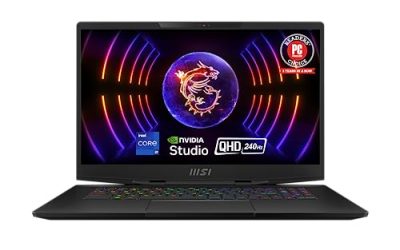
| MSI Titan 18 HX | Metal chassis, RTX 4090 | Desktop replacement | |
| ASUS ROG Strix G16 | Durable hinge, RTX 4070 | Balanced durability | |
| Acer Nitro 17 | Sturdy shell, RTX 4060 | Budget durability |
🛒 Best Price Today on Amazon
Prime members get fast, free shipping on everything above, plus member-only deals. New members get a 30-day free trial — cancel anytime.
What Makes Durable Gaming Laptops Last
Durability in a gaming laptop comes down to materials, construction, and thermal management. Metal chassis resist the flex and cracking that plague cheap plastic shells, while reinforced hinges survive thousands of open-close cycles. Effective cooling also protects longevity by keeping internal components from cooking themselves over years of heavy gaming.
Military-Grade Construction Standards
Some of the most durable gaming laptops carry MIL-STD-810H certification, meaning they have passed tests for shock, vibration, humidity, and temperature extremes. The ASUS TUF series is famous for this rugged pedigree, offering peace of mind for students and travelers who subject their machines to daily abuse.
Metal Versus Plastic Chassis
Chassis material is the single biggest factor in durability. Aluminum and magnesium alloy resist deformation far better than ABS plastic, which is why premium durable gaming laptops like the Razer Blade 16 and Lenovo Legion Pro 7i use CNC-machined metal. Metal also dissipates heat more effectively, adding a thermal bonus.
Hinge Reliability Over Time
The hinge is a common failure point on lesser laptops. The most durable gaming laptops use robust, dual-hinge or reinforced single-hinge designs rated for tens of thousands of cycles. A solid hinge keeps the display steady and prevents the wobble and cracking that eventually plague flimsy machines.
Cooling as a Longevity Feature
Heat is the silent killer of electronics. Durable gaming laptops invest in vapor chambers, multiple heat pipes, and liquid metal compound to keep temperatures low. Sustained cool operation protects the CPU, GPU, and battery from accelerated wear, so effective thermals directly extend the useful life of your machine.
How to Choose Durable Gaming Laptops
Start with the chassis material. If you want maximum toughness, prioritize metal or MIL-STD-810H-certified models. The ASUS TUF Gaming A16 offers rugged certification at a friendly price, while the Razer Blade 16 delivers premium aluminum construction for those willing to spend more.
Next, consider how you will use the machine. Frequent travelers benefit from reinforced corners and sturdy hinges, while desk-bound players may prioritize cooling capacity for sustained performance. Match the durability features to your real-world usage.
Finally, weigh warranty and repairability. Durable gaming laptops with accessible RAM and storage bays let you upgrade and maintain the machine over years, extending its lifespan. A strong manufacturer warranty adds an extra layer of protection for your investment.
Balancing Durability and Weight
Rugged construction can add weight, so decide how much heft you will tolerate. The Dell G16 and ASUS ROG Strix G16 strike a good balance between toughness and portability, while heavy-duty desktop replacements like the MSI Titan 18 HX prioritize durability and power over portability.
Protecting Your Investment Further
Even the most durable gaming laptops benefit from a padded sleeve and careful handling. Combining a well-built machine with a protective bag ensures your laptop survives drops, spills, and the rigors of daily transport for many years.
Durability by Use Case: A Spec Comparison That Goes Deeper
Durability means different things depending on where a laptop actually lives. A student carrying a machine across campus every day stresses hinges and corners. A desk-based player stresses cooling and power delivery instead. Use the comparison below to match the build to the routine, rather than buying the toughest sounding name.
| Use case | Build trait that matters most | Spec to check first | Common trade-off |
|---|---|---|---|
| Daily commute and classes | Reinforced corners and a stiff lid | Chassis material and total weight | Stronger shells often add carrying weight |
| LAN events and frequent travel | Hinge strength and port protection | Hinge design and port layout | Travel-ready builds may offer fewer ports |
| Mostly desk-based play | Cooling capacity and service access | Fan design, vents and bottom panel screws | Larger cooling systems make the chassis thicker |
| Shared family or dorm use | Keyboard spill resistance and easy cleaning | Keyboard design and warranty terms | Sealed designs can be harder to repair |
Reading a spec sheet with this table in mind prevents a common error: paying for rugged features that protect against risks a buyer never faces, while ignoring the one feature that matches daily life.
Repairability and Upgrade Checklist
A durable laptop should also be maintainable. Before choosing any model, work through this short checklist using the manufacturer documentation and the product listing.
- Confirm whether memory and storage can be upgraded without removing the entire bottom panel in a difficult way.
- Check whether the battery is replaceable, and whether replacement batteries are sold through normal channels.
- Look for standard screws rather than glued panels, since glued construction raises repair cost and downtime.
- Note the warranty length and whether accidental damage cover is offered as a separate option.
- Save the model number and serial information in a safe place on the day the machine arrives.
A machine that can accept more memory, a larger drive and a fresh battery after a few years usually outlasts a sealed machine with a stronger shell. Longevity is partly construction and partly serviceability, and the second half is easy to overlook.
Setup and Care for a Longer Service Life
Small habits extend the life of a gaming laptop more than most buyers expect. Keep rear and side vents clear during play, and raise the back of the machine slightly if the desk setup allows better airflow. Clean fan intakes gently with compressed air on a regular schedule, holding the can upright and using short bursts. Avoid closing the lid immediately after a long session on a hot day; a brief cool-down period reduces heat soak into the display assembly. When carrying the laptop, place it in a padded compartment with the hinge side protected, and never stack heavy books directly on the lid. Finally, keep liquids on a separate surface from the keyboard, since a single spill causes more lasting damage than years of normal hinge use.
Who Should Skip a Heavy-Duty Gaming Laptop
Skip the heaviest rugged models if the laptop will rarely leave one desk, if carrying weight causes shoulder or back strain, or if most gaming happens through a cloud service on modest hardware. In those cases a lighter general laptop paired with a good sleeve often serves better and leaves room in the budget for a monitor, keyboard or extra storage. Also skip any model, however tough the shell sounds, if its graphics hardware already sits well below the games planned for the next two years. A strong chassis cannot rescue a machine that becomes too slow for its main job.
Common Mistakes When Buying for Durability
The most frequent mistake is treating a military standard mention as a guarantee against every drop. Testing covers specific conditions, not a fall down concrete stairs. Another mistake is ignoring screen flex; press gently near the center of the lid on display units where possible, and favor designs that feel planted. Buyers also forget the charger, which is bulky on many gaming models and becomes part of the daily carrying load. Last, avoid choosing solely by graphics tier and assuming build quality follows; two laptops with similar internals can differ greatly in hinge design, panel fit and cooling layout.
More Picks Worth Considering
Lenovo LOQ 15

This model fits students and commuters who want a gaming laptop that blends into a classroom or office and tolerates daily bag transport without drawing attention. The LOQ line is Lenovo’s value gaming range, with a conventional hinge layout, a sturdy shell and a widely available service network that make ownership straightforward, and typical configurations suit mainstream games at moderate settings over several school years. It does not fit buyers chasing the stiffest all-metal shell or the highest refresh competitive play, since the line prioritizes value and balanced hardware over premium construction. Shoppers who carry a laptop all day and need a sensible, replaceable daily machine will find it a practical addition to a durability shortlist.
Lenovo Legion 5
This pick fits players who split time between a desk setup and regular travel, and who value strong cooling headroom alongside a solid chassis feel. The Legion 5 family is known for generous port selection, a firm keyboard deck and configurations that leave room for memory and storage growth, which supports a longer service life. It does not fit buyers who need the lightest possible carry, since cooling hardware and a sturdy frame add noticeable weight in a backpack. It also may not suit anyone wanting a minimalist design for formal workplaces. For mixed home and away use, it balances toughness and performance well.
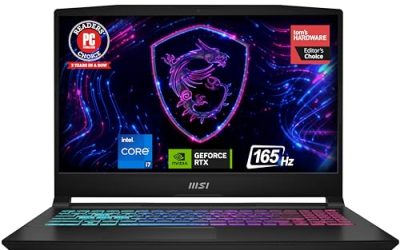
MSI Katana 15

This model fits buyers who want a straightforward gaming laptop with a serviceable layout and cooling designed for sustained sessions, without moving into flagship desktop replacement territory. It suits a bedroom or dorm desk that occasionally travels to a friend’s home or a local event, and its hardware tier handles popular titles comfortably with sensible settings. It does not fit frequent flyers who pack a laptop into tight carry-on bags every week, nor buyers who rank silent operation above all else during late night play. Anyone prioritizing repairable, mid-range gaming hardware over ultra-premium shell materials should give it a close look.
Frequently Asked Questions
What makes a gaming laptop durable?
Durability comes from metal or reinforced chassis materials, robust hinges rated for many cycles, and effective cooling that prevents heat-related wear. The most durable gaming laptops often carry MIL-STD-810H certification, proving they withstand shock, vibration, and temperature extremes. Together, these features let a machine survive years of intense daily use without cracking or failing.
Are metal gaming laptops more durable than plastic ones?
Generally, yes. Aluminum and magnesium-alloy chassis resist flex, cracking, and deformation far better than plastic shells, making metal durable gaming laptops longer-lasting. Metal also dissipates heat more efficiently, which protects internal components over time. High-quality reinforced plastic can still be tough, but premium metal construction remains the gold standard for longevity.
Do durable gaming laptops sacrifice performance?
Not at all. Durability and performance coexist in modern designs. The most durable gaming laptops, from the Razer Blade 16 to the Lenovo Legion Pro 7i, pack top-tier GPUs and CPUs into rugged chassis. Robust cooling in these machines actually helps sustain high performance longer by keeping components from throttling under heat.
Is MIL-STD-810H certification worth it?
For travelers, students, and anyone who handles their laptop roughly, yes. MIL-STD-810H testing verifies resistance to shock, vibration, humidity, and temperature swings, giving durable gaming laptops like the ASUS TUF series real-world toughness. While no certification guarantees indestructibility, it signals that the machine is engineered to survive far more abuse than typical laptops.
How long should a durable gaming laptop last?
With proper care, the most durable gaming laptops can serve five years or more. Metal construction, strong hinges, and effective cooling all extend lifespan, while upgradeable RAM and storage let you keep the machine current. Using a padded sleeve, keeping vents clean, and managing heat further prolong its useful life significantly.
Explore the rest of your setup with our guides on lightweight gaming laptops, the lightest gaming laptop, white gaming desktops, lightweight gaming mice, the lightest gaming headset, and small gaming mice.
As an Amazon Associate we earn from qualifying purchases at no extra cost to you.