
🛒 Best Price Today on Amazon
Prime members get fast, free shipping on everything above, plus member-only deals. New members get a 30-day free trial — cancel anytime.
The best AMD Ryzen 7 laptops in 2026 are the Lenovo Legion Slim 5 14, Lenovo LOQ 15, ASUS ROG Zephyrus G14, HP OMEN 16, and Framework Laptop 16, but the right choice depends more on graphics power, cooling, and screen quality than on the Ryzen 7 label alone.
Best AMD Ryzen 7 laptops at a glance
| Laptop | Best for | Typical Ryzen 7 class | Graphics class | Screen advantage | Typical price range |
|---|---|---|---|---|---|
| Lenovo Legion Slim 5 14 | Portable gaming and creative work | Ryzen 7 7840HS or similar | GeForce RTX 4060 Laptop GPU | 14.5-inch high-resolution OLED | Usually $900–$1,400 |
| Lenovo LOQ 15 | Best value gaming | Ryzen 7 7840HS or 8845HS | GeForce RTX 4050 or RTX 4060 Laptop GPU | 15.6-inch high-refresh IPS | Usually $750–$1,200 |
| ASUS ROG Zephyrus G14 | Premium portability | Ryzen 7 8845HS in selected configurations | GeForce RTX 4060 Laptop GPU | Compact high-resolution OLED | Usually $1,300–$1,800 |
| HP OMEN 16 | Desktop replacement gaming | Ryzen 7 8845HS in selected configurations | GeForce RTX 4060 or RTX 4070 Laptop GPU | Large 16.1-inch high-refresh display | Usually $1,000–$1,700 |
| Framework Laptop 16 | Upgradeability and long ownership | Ryzen 7 7840HS platform | Integrated Radeon or modular graphics | 16-inch 16:10 display | Usually $1,000–$2,000 depending on configuration |
What “Ryzen 7” means in 2026
Ryzen 7 is a performance tier, not a single processor. A Ryzen 7 7840HS and a Ryzen 7 8845HS are both eight-core, 16-thread laptop chips with strong performance, but the laptop’s power limit and cooling system determine how closely it reaches its rated capability. Two laptops with the same processor can differ substantially in sustained workloads if one has a larger heat sink, higher fan limits, or a more generous CPU power budget.

2026 AMD Gaming Laptop with AMD Ryzen 7 5700U Processor(8C/16T, Up to 4.3GHz), 16GB RAM 512GB NVMe SSD Laptop, Radeon™ Graphics, 15.6" Display Laptop Computer, Backlit KB, WiFi 6, HDMI, Type-C
Included for 'Best AMD Ryzen 7 Laptops in 2026' because the listing specifies Up to 4.3GHz) and 16GB RAM 512GB NVMe SSD Laptop, details this guide uses to compare options.
View on Amazon
HP 15.6 inch FHD IPS Touch Laptop, AMD Ryzen 7 7730U, 16GB DDR4 RAM, 512GB SSD, Webcam, Windows 11 Home, Copilot AI, Natural Silver, 15-fc0057wm
Included for 'Best AMD Ryzen 7 Laptops in 2026' because the listing specifies AMD Ryzen 7 7730U and 16GB DDR4 RAM, details this guide uses to compare options.
View on Amazon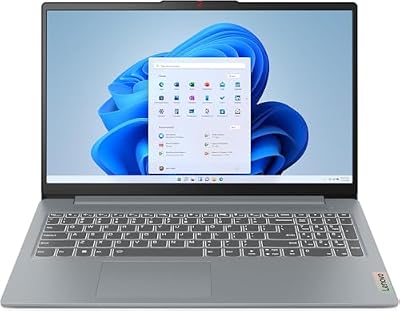
Lenovo IdeaPad Slim 3 Laptop 2025 15.6” FHD 1920 x 1080 Touchscreen, AMD Ryzen 7 5825U, 8-core, AMD Radeon Graphics, 16GB DDR4, 512GB SSD, Wi-Fi 6, Bluetooth 5.2, 720p HD Camera, Windows 11 Home
Included for 'Best AMD Ryzen 7 Laptops in 2026' because the listing specifies AMD Ryzen 7 5825U and 8-core, details this guide uses to compare options.
View on AmazonFor gaming, the dedicated GPU usually matters more than the difference between recent Ryzen 7 generations. An RTX 4060 Laptop GPU paired with a Ryzen 7 will normally deliver a much larger frame-rate gain than moving from a well-cooled Ryzen 7 7840HS to a newer but similarly configured Ryzen 7. For office work, coding, photo editing, and moderate video production, either processor class is fast enough; memory capacity, display quality, and battery behavior become more important.
Head-to-head: the leading choices
Lenovo Legion Slim 5 14: best balance of speed and portability
The Legion Slim 5 14 is the strongest all-rounder for someone who wants a gaming laptop that remains practical for travel. Its compact design can include an RTX 4060 Laptop GPU and a sharp OLED display, giving it considerably better image quality than the typical 1080p gaming panel. The high resolution is useful for text, timelines, and photographs, while the OLED panel provides deep blacks and fast pixel response.
The compromises are predictable: a compact chassis has less thermal headroom than a 16-inch machine, and OLED can consume more power when showing bright content. Its memory and storage configuration should be checked carefully before purchase, because compact performance laptops may provide fewer upgrade options than thicker models. Choose it when screen quality and portability are worth paying for.
Lenovo LOQ 15: best value for gaming
The LOQ 15 is usually the easiest recommendation for buyers who want maximum gaming performance per dollar. A Ryzen 7 processor combined with an RTX 4050 or RTX 4060 Laptop GPU is well suited to 1080p gaming, and the larger chassis generally provides better sustained cooling than thin 14-inch systems.
Look for the 16GB dual-channel memory configuration and an IPS panel with at least a 144Hz refresh rate. The base display may have weaker brightness or color coverage than premium alternatives, so do not assume that a fast refresh rate also means a good creator display. The LOQ is a particularly good fit for esports, mainstream AAA games, and college work where value matters more than minimum weight.
ASUS ROG Zephyrus G14: best premium portable option
The Zephyrus G14 combines a compact chassis with a powerful Ryzen 7 platform and dedicated graphics. It is more polished and travel-friendly than most 15-inch gaming laptops, while its OLED display is well suited to both games and productivity. The keyboard, speakers, and finish are also typically stronger than those found on budget gaming models.
Its limitation is upgrade and thermal flexibility. Compact designs can run warmer or louder during sustained gaming, and some configurations use partially soldered memory. Confirm the exact RAM arrangement and GPU wattage rather than comparing only the processor name. It is the best choice here for a user who carries the laptop daily and accepts a premium for portability.
HP OMEN 16: best for sustained workloads and a large screen
The OMEN 16 is the better fit for users who want a larger gaming workspace, more comfortable long sessions, and stronger cooling potential. With a Ryzen 7 processor and RTX 4060 or RTX 4070 Laptop GPU, it can handle demanding games, 3D work, software development, and video editing without the space constraints of a compact chassis.
A 16.1-inch panel gives more room for a timeline, spreadsheet, or split-screen workflow. However, display specifications vary widely. Prioritize a panel with good brightness and near-complete sRGB coverage if the laptop will be used for design work. The OMEN 16 is less convenient on a train or in a classroom, but it is a better desktop replacement.
Framework Laptop 16: best for upgradeability
The Framework Laptop 16 is the standout option when long-term repairability and modular upgrades matter. Its memory and storage are replaceable, ports can be configured through expansion modules, and the platform supports a modular graphics approach. That makes it more adaptable than a conventional thin gaming notebook.
It is not automatically the best value for maximum frames per second. A conventional gaming laptop may offer a faster dedicated GPU at the same initial price, while modularity can add cost. Choose Framework when you expect to replace storage, expand memory, change connectivity, or keep the machine for many years.
How to choose by gaming resolution
At 1080p, an RTX 4050 Laptop GPU is adequate for modern games with sensible settings, while an RTX 4060 offers a more comfortable margin and stronger ray-tracing performance. At 1440p, the RTX 4060 is a more appropriate minimum for demanding games, especially if the laptop has 8GB of graphics memory and supports upscaling. An RTX 4070 Laptop GPU is preferable when the screen is 1600p or when high settings and long-term use are priorities.
Do not buy a high-resolution laptop screen solely because its specification looks impressive. A 2560×1600 display has 4.1 million pixels, compared with 2.1 million at 1920×1080—almost twice the rendering workload. If a game runs at 100 frames per second at 1080p, the same GPU might produce roughly 55–75 frames per second at 1600p before using an upscaler, depending on the title. A high-resolution panel is excellent for work, but gaming may require DLSS, FSR, or reduced settings.
Battery life, power, and cooling
Battery capacity alone does not predict endurance. A useful estimate is:
Runtime ≈ battery watt-hours × 0.85 ÷ average system watts.
The 0.85 factor allows for conversion and charging losses. For example, a 70Wh battery running a laptop at an average 12W during light web work gives approximately 70 × 0.85 ÷ 12 = 4.9 hours. A 90Wh battery at the same load would produce about 6.4 hours. Gaming on battery is a different case: a system drawing 60W would reduce the first example to roughly one hour, and performance will usually be limited as well.
For sustained performance, select a laptop with two fans, substantial rear or side exhausts, and a CPU/GPU power mode that can be adjusted in the manufacturer’s control software. During gaming, raising the rear of the laptop by 1–2cm can improve intake airflow without adding much weight. A cooling pad may help, but it cannot compensate for blocked vents or an undersized heat sink.
Memory and storage decisions
Choose 16GB of RAM as the practical minimum for a gaming and productivity laptop in 2026. Select 32GB if you edit video, run virtual machines, use large creative projects, or want to keep many applications open while gaming. Two memory modules operating in dual channel can improve integrated-graphics performance significantly, so an 8GB single-stick configuration is a poor starting point.
A 1TB NVMe SSD is the sensible target for a gaming laptop. Several large games can consume more than 500GB, and leaving at least 15% of the drive empty helps maintain consistent write performance. The LOQ 15, OMEN 16, and Framework Laptop 16 are generally more attractive for storage expansion than the thinnest compact models, but verify the number of M.2 slots in the exact configuration.
Decision matrix
| Your priority | Choose | Why |
|---|---|---|
| Lowest sensible gaming cost | Lenovo LOQ 15 with RTX 4060 | Strong 1080p performance and better cooling per dollar |
| Travel and premium display | Legion Slim 5 14 or Zephyrus G14 | Smaller footprint and higher-quality OLED options |
| Long gaming sessions | HP OMEN 16 | Larger chassis and screen provide more thermal and workspace headroom |
| Repairability and future upgrades | Framework Laptop 16 | Modular components and replaceable memory and storage |
| Photo or video work | OLED-equipped Legion or Zephyrus | Better contrast and color than basic gaming IPS panels |
Final verdict
The Lenovo LOQ 15 is the best AMD Ryzen 7 laptop for most value-focused gamers. The Legion Slim 5 14 is the more balanced premium recommendation, especially when portability and display quality matter. Choose the ASUS ROG Zephyrus G14 for a smaller, more refined travel machine, the HP OMEN 16 for sustained performance and a large screen, and the Framework Laptop 16 when upgradeability is more important than the lowest launch price.
Whichever model you select, compare the complete configuration: GPU wattage, display brightness and resolution, RAM arrangement, battery capacity, and available SSD slots. Those details determine the everyday experience far more reliably than the Ryzen 7 badge alone.









