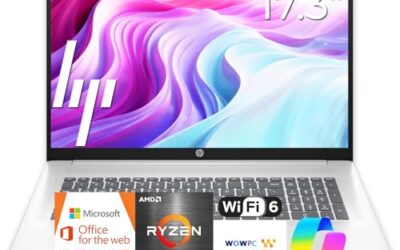
🛒 Best Price Today on Amazon
Prime members get fast, free shipping on everything above, plus member-only deals. New members get a 30-day free trial — cancel anytime.
- Best Entry-Level Gaming Laptops at a Glance
- What Counts as an Entry-Level Gaming Laptop
- RTX 5050 vs RTX 4050 vs RTX 5060 Laptop GPUs
- Budget Picks
- Mid-Range Entry Picks
- What About Dell G15 and G16?
- What to Look For in an Entry-Level Gaming Laptop
- Where Budget Gaming Laptops Cut Corners
- How to Get More From a Budget Gaming Laptop
- Pick X If… Decision Table
- Alternatives to Consider
- Frequently Asked Questions
Updated November 2026 – The best entry-level gaming laptops right now are the Acer Nitro V (cheapest way into an RTX 5050), the Lenovo LOQ (the usual step up to an RTX 5060), the HP Victus (balanced and widely stocked) and the ASUS TUF Gaming A16 or F16 (sturdier build, better cooling).
The best entry-level gaming laptops in 2026 are built around a laptop RTX 5050, an RTX 4050 left over from the previous generation, or an RTX 5060 at the top of the budget tier. If you want a first gaming laptop that plays modern titles at 1080p without a premium price, this guide explains which models fit, what the names mean, and which specifications matter more than the sticker on the lid. Outlets such as PCBuildHelper, Techsifted and Newegg’s editorial team name the same handful of laptops again and again, and this article reflects that overlap while attributing claims rather than repeating them as fact.
Configurations vary; check the exact GPU, RAM and display before buying. Two laptops with the same model name can ship with very different memory and screens.
Best Entry-Level Gaming Laptops at a Glance
| Laptop | Best for | Key stated specs | Limits |
|---|---|---|---|
| Acer Nitro V 15 / 16 | Lowest cost route into RTX 5050 | RTX 5050 or RTX 4050 laptop GPU options, 144 Hz-class displays on many configurations, one review cites a 75 W GPU limit | Some configurations ship with 8 GB RAM; plastic body |
| Lenovo LOQ 15 | Step up to RTX 5060 at a mid-range tier | RTX 4050 to RTX 5060 laptop GPU options, Intel or AMD processors by model | Display quality varies by configuration |
| HP Victus 15 / 16 | Balanced all-round starter laptop | RTX 5050 option with Ryzen AI 7 350 on some models per one review | Heavier than slim laptops; fan noise |
| ASUS TUF Gaming A16 / F16 | Durable build and higher GPU power | RTX 5050 to RTX 5060 options; PCBuildHelper cites up to 115 W for the TUF F16 | Larger and heavier; older A15 listings still carry RTX 3050 chips |
| MSI Cyborg A15 | AMD-based budget alternative | Newegg lists Ryzen 7 260, RTX 5050, 144 Hz | Limited availability by region |
| MSI Thin and Katana series | Budget MSI options | RTX 40 and RTX 50-series laptop GPU options by model | Model names change often; read the exact listing |
What Counts as an Entry-Level Gaming Laptop
In practice, “entry-level” means a laptop with a dedicated Nvidia GeForce RTX laptop GPU in the 50-class or 60-class, a 15 or 16-inch 1080p display with a refresh rate of at least 120 Hz, and a plastic or mixed-material body. It does not mean a laptop with only integrated graphics; those are covered in a separate guide. It also does not mean the oldest chip on the shelf. Several roundups still list models with an RTX 3050, which is two generations behind, and these are worth avoiding unless the discount is large.
The current graphics ladder at the budget end looks like this: RTX 4050 is the previous generation and is still sold in discounted stock; RTX 5050 is the current entry GPU; RTX 5060 is the top of the budget tier and the starting point for the mid-range. Each step brings more video memory or higher power limits depending on the model, but the maker’s power setting inside the laptop matters nearly as much as the GPU name.
RTX 5050 vs RTX 4050 vs RTX 5060 Laptop GPUs
An RTX 5050 laptop GPU is the newer, cheaper-tier chip, and an RTX 4050 laptop GPU is the previous generation. In many cases a laptop with an RTX 4050 on sale will be a better value than a full-price RTX 5050 model, because the two sit close in capability at this level. An RTX 5060 is the better pick if you plan to keep the laptop for four or more years or want more headroom at higher settings.
The 50-series laptop chips bring newer features such as updated upscaling and frame generation technology, which Nvidia promotes for the 50-series. These help in supported games, but they do not turn a low-power GPU into a high-power one. Read the review for the exact laptop to see how it handles heat and power.
Budget Picks
Acer Nitro V 15 – Best for the Lowest Cost RTX 5050
15.6-inch display · 1080p high refresh options · RTX 5050 or RTX 4050 laptop GPU · one review lists a 75 W GPU limit · RAM varies by configuration
PCBuildHelper calls the Nitro V its best budget pick and the cheapest way into an RTX 5050. A guide on gaming laptop buying says it suits esports titles and 1080p play. The caution is memory: reviewers report that some Nitro V configurations ship with only 8 GB of RAM, and one site ranked an 8 GB Nitro V 16 last for that reason. If you buy one with 8 GB, plan to add memory, and follow the maker’s manual for the upgrade steps and warranty terms.

Acer Nitro V 15 Gaming Laptop 15.6" FHD IPS 165Hz Intel 8-core i5-13420H 16GB DDR4 512GB SSD GeForce RTX 5050 GDDR7 DLSS4 (Up to 440 AI Tops) Backlit Thunderbolt WiFi6 Win11Pro ICP Acc
Included for 'Best Entry-Level Gaming Laptops in 2026 (Budget RTX 5050 and RTX 4050 Picks)' as a representative home product in this roundup; selection reflects the product set returned for this topic.
View on AmazonAcer Nitro V 16 – Best for a Larger Screen on a Budget
16-inch display · 1080p or 1200p options depending on configuration · RTX 5050 laptop GPU options · plastic chassis
The 16-inch Nitro V uses the same platform with a larger screen and often a taller aspect ratio. It is a good choice if you use the laptop for study or work as well as games and want more vertical space. Again, check RAM and the exact display before buying.

Acer Nitro V 16 Laptop ANV16-I31-76N7-US | 16in 1920x1200 165Hz Display, Intel Core 7 240H, NVIDIA RTX 5050, 16GB RAM, 512GB SSD, Windows 11
Included for 'Best Entry-Level Gaming Laptops in 2026 (Budget RTX 5050 and RTX 4050 Picks)' as a representative home product in this roundup; selection reflects the product set returned for this topic.
View on AmazonHP Victus 15 – Best for Balanced Everyday Use
15.6-inch display · 1080p options · RTX 5050 laptop GPU with Ryzen AI 7 350 on one reviewed model · conventional keyboard layout
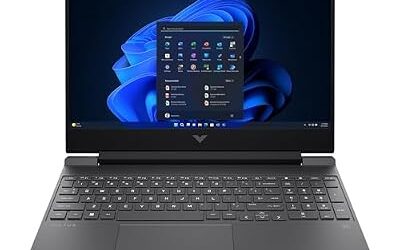
Several roundups list the Victus alongside the LOQ at the top for value, and one calls it the most popular among laptop gamers. Asumetech rated one RTX 5050 Victus model as the best RTX 5050 choice for mixed study and gaming. WFHWorld calls the Victus 15 one of the last credible options at its tier. It tends to be a sensible, unfussy laptop with a sober design that works in a classroom.

HP Victus 15.6 inch FHD 144Hz Gaming Laptop Intel Core i5-13420H NVIDIA GeForce RTX 4050 6GB - 16GB DDR4 512GB SSD Mica Silver (2024)
Included for 'Best Entry-Level Gaming Laptops in 2026 (Budget RTX 5050 and RTX 4050 Picks)' because the listing lists an explicit depth/thickness, which is the attribute this article compares.
View on AmazonHP Victus 16 – Best for a Larger Display Without Stepping Up a Tier
16-inch display · 1080p or higher options · RTX 5050 to RTX 5060 laptop GPU options
The 16-inch Victus gives you more screen at a similar tier. It is a fair option for students who want one laptop for everything, but it is heavier than a 14-inch model, so it suits desk use more than carrying around campus.
Mid-Range Entry Picks
Lenovo LOQ 15 – Best for a Step Up to RTX 5060
15.6-inch display · 1080p high refresh options · RTX 4050 to RTX 5060 laptop GPU options · Intel or AMD processor depending on model
Techsifted ranks the LOQ 15 with an RTX 5060 as its top overall pick in one budget roundup, and another guide describes it as the least expensive gaming laptop with real power. Gaminglaptopguru picked the RTX 4050 version as its best budget laptop. That spread shows how wide the LOQ range is: the exact configuration determines whether it is a first laptop or a step-up. Lenovo also sells the Legion 5 for buyers who want a better screen and cooling and can move up a tier.

Lenovo LOQ 15.6" IPS FHD 144Hz AMD Ryzen 7 250 NVIDIA GeForce RTX 5060 AI Gaming Laptop 16GB RAM 512GB Luna Grey
Included for 'Best Entry-Level Gaming Laptops in 2026 (Budget RTX 5050 and RTX 4050 Picks)' as a representative home product in this roundup; selection reflects the product set returned for this topic.
View on AmazonASUS TUF Gaming A16 – Best for Sturdier Build and Cooling
16-inch display · AMD Ryzen processor options · RTX 5050 to RTX 5060 laptop GPU options · durability-focused TUF branding
The TUF line is sold on durability and the maker describes durability testing for it. PCBuildHelper rates the TUF F16 best overall among RTX 5050 laptops with a 115 W maximum GPU power, which indicates better cooling than most laptops at this tier. The TUF A15 still appears in many roundups, but several of those listings carry older RTX 3050 chips, so buyers should look at the A16 or F16 for current graphics.
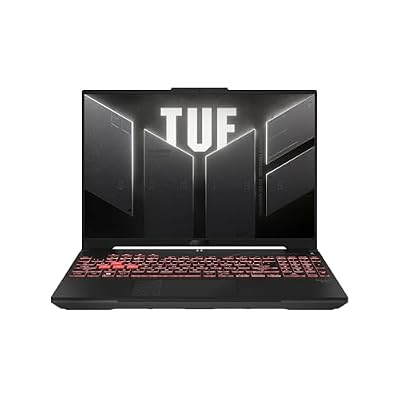
ASUS TUF Gaming A16 Laptop: AMD Ryzen 7 7445HS, 16" Full HD+ 145Hz Display, NVIDIA GeForce RTX 4050, 16GB DDR5 RAM, 512GB SSD, Backlit Keyboard, Windows 11
Included for 'Best Entry-Level Gaming Laptops in 2026 (Budget RTX 5050 and RTX 4050 Picks)' as a representative home product in this roundup; selection reflects the product set returned for this topic.
View on AmazonASUS TUF Gaming F16 – Best for Intel-Based Configurations
16-inch display · Intel processor options · RTX 5050 to RTX 5060 laptop GPU options · higher GPU power limit per one review
The F16 is the Intel counterpart of the A16. It is a bit heavier than slim laptops, and that weight buys cooling headroom and a more solid feel.

ASUS TUF Gaming F16 AI Laptop 16" WUXGA IPS 165Hz Intel 16-core i7-14650HX 16GB DDR5 1TB SSD GeForce RTX 5060 (Up to 572 AI Tops) RGB Backlit WiFi 6E Thunderbolt 4 Win11 ICP Accessory
Included for 'Best Entry-Level Gaming Laptops in 2026 (Budget RTX 5050 and RTX 4050 Picks)' as a representative home product in this roundup; selection reflects the product set returned for this topic.
View on AmazonMSI Cyborg A15 – Best for an AMD Budget Alternative
15.6-inch display · 144 Hz as listed by Newegg · Ryzen 7 260 · RTX 5050 laptop GPU · translucent plastic design
Newegg’s editors list the Cyborg A15 as a budget AMD pick. MSI also sells its Thin and Katana lines at the entry tier, with names and GPU options that change often between years. Always read the listing for the exact model rather than assuming a name carries over.

msi Cyborg A15 AI 15.6” FHD 144Hz Thin & Light Gaming Laptop – Ryzen 7 260, GeForce RTX 5050, 16GB DDR5, 1TB SSD, Portable Design, Wi-Fi 6E, Windows 11 B2HWEKG-074US
Included for 'Best Entry-Level Gaming Laptops in 2026 (Budget RTX 5050 and RTX 4050 Picks)' as a representative home product in this roundup; selection reflects the product set returned for this topic.
View on AmazonWhat About Dell G15 and G16?
Older guides list the Dell G15 and G16 as entry-level choices. Dell’s gaming line has been reorganised in recent years, and this guide could not confirm a current G-series model on sale in 2026, so it is left out of the picks. If you find a Dell G-series laptop in stock, treat it as previous generation unless the maker listing shows an RTX 50-series GPU.
What to Look For in an Entry-Level Gaming Laptop
- RAM: 16 GB is the sensible minimum for gaming and multitasking. Some budget configurations ship with 8 GB; treat that as a warning sign, and check whether the memory is a replaceable module.
- Storage: a 512 GB SSD fills quickly with modern games. Look for a second M.2 slot if you want to add storage later, and check the maker’s specification.
- Display: 1080p at 120 Hz or higher is typical. Panel quality varies widely; reviewers often point out dim or washed-out screens on the cheapest configurations.
- GPU power: the same GPU name can run at different power levels. Where the maker or a reviewer states a power figure, compare it between laptops.
- Cooling and noise: budget laptops are often loud under load. Read reviews that discuss fan noise and surface temperature for the exact model.
- Ports: look for HDMI, USB-A and USB-C. Some laptops lack Thunderbolt at this tier.
- Weight and battery: expect roughly 2 to 2.5 kg and short battery life when gaming; use the charger for games.
- Warranty: read the stated term and which regions it covers.
Where Budget Gaming Laptops Cut Corners
Every entry-level gaming laptop saves money somewhere, and knowing where helps you choose. The most common cuts are the display, the memory and the body. Panels at this tier are usually 1080p IPS screens that reviewers describe as adequate rather than excellent, with colour coverage and brightness that trail slim premium laptops. Memory is the second cut: a single 8 GB module is cheaper than two 8 GB modules, so some configurations ship that way. The third is the shell, which is mostly plastic and can flex more than aluminium.
Cooling is the cut that matters most for gaming. A laptop with a higher GPU power limit and larger fans will usually hold its performance for longer, but it will also be heavier and louder. Reviewers who publish thermal measurements are the best guide here; where the maker lists a GPU power range, look at the upper figure and ask whether the laptop can sustain it.
How to Get More From a Budget Gaming Laptop
- Add a second RAM module if the laptop has one slot filled. Dual-channel memory helps integrated and discrete graphics alike. Power the laptop off, unplug it, and follow the maker’s manual for access; opening the case can affect warranty terms.
- Use the maker’s performance mode while gaming and plug in the charger. Battery power limits the GPU.
- Keep the vents clear. A hard surface or a simple stand is better than a bed or sofa.
- Update graphics drivers and the maker’s firmware from the official support page, not from third-party sites.
- Play at the display’s native resolution and lower shadows and ray tracing before dropping resolution; reviewers report this usually gives the best balance.
Pick X If… Decision Table
| Pick this | If you… |
|---|---|
| Acer Nitro V 15 or 16 | want the lowest cost route to an RTX 5050 and will add RAM if needed |
| Lenovo LOQ 15 | want RTX 5060 performance at a mid-range tier or an RTX 4050 bargain |
| HP Victus 15 or 16 | want an unfussy laptop for games and study |
| ASUS TUF Gaming A16 or F16 | want a more durable build and better cooling |
| MSI Cyborg A15 | prefer an AMD processor at a budget tier |
| Lenovo Legion 5 | can spend more for a better display and cooling |
Alternatives to Consider
- A previous-generation RTX 4050 laptop on clearance: often the best value when stock is available, as long as RAM and display are acceptable.
- A prebuilt or custom desktop: if you do not need portability, a desktop gives more performance at the same tier.
- A laptop with strong integrated graphics: for light and older games, a modern iGPU laptop can do the job at lower weight.
Frequently Asked Questions
Is an RTX 5050 laptop good enough for gaming?
Yes, for 1080p gaming at medium to high settings in most current games, and for esports titles at high refresh rates. Reviewers describe it as the entry point of the RTX 50 laptop range. Expect to lower settings in the most demanding new releases.
Is an RTX 4050 laptop still worth buying in 2026?
It can be if the price is clearly lower than a comparable RTX 5050 model. It is the previous generation, but its capability is close to the new entry chip at this level. Check that RAM and the display are also acceptable.
How much RAM does an entry-level gaming laptop need?
16 GB is the sensible minimum. Some budget models ship with 8 GB, which reviewers flag as a weakness. If you buy one, look for a replaceable memory module and follow the maker’s instructions for upgrading.
Acer Nitro V or Lenovo LOQ: which is better?
The Nitro V is usually the cheaper route into an RTX 5050, while the LOQ is the usual route to an RTX 5060. If budget is tight, choose the Nitro V and add memory if needed; if you want more headroom, choose the LOQ.
Can an entry-level gaming laptop also be used for school or work?
Yes. These laptops handle office software, browsing and light creative work well. The trade-offs are weight, fan noise and short battery life compared with an ultrabook.
Should I buy a gaming laptop with an older RTX 3050?
Generally no. The RTX 3050 is two generations behind, and several roundups list it only on older stock. Unless the price is very low, an RTX 4050 or RTX 5050 laptop is a better long-term choice.