🛒 Best Price Today on Amazon
Prime members get fast, free shipping on everything above, plus member-only deals. New members get a 30-day free trial — cancel anytime.
- Best USB C Headset Jack Adapters at a Glance
- Apple USB-C to 3.5mm Headphone Jack Adapter
- Google USB-C to 3.5mm Adapter
- Samsung USB-C Headset Jack Adapter
- Anker USB-C to 3.5mm Audio Adapter
- UGREEN USB-C to 3.5mm Adapter
- JSAUX USB-C to 3.5mm Adapter
- How to Choose a USB C Headset Jack Adapter
- Active DAC Adapter vs Passive USB-C Adapter
- USB-C Adapter vs Bluetooth Headphones
- USB-C Adapter for Gaming
- USB-C Adapter for Calls and Meetings
- USB-C Adapter With Charging
- FAQ
- Conclusion
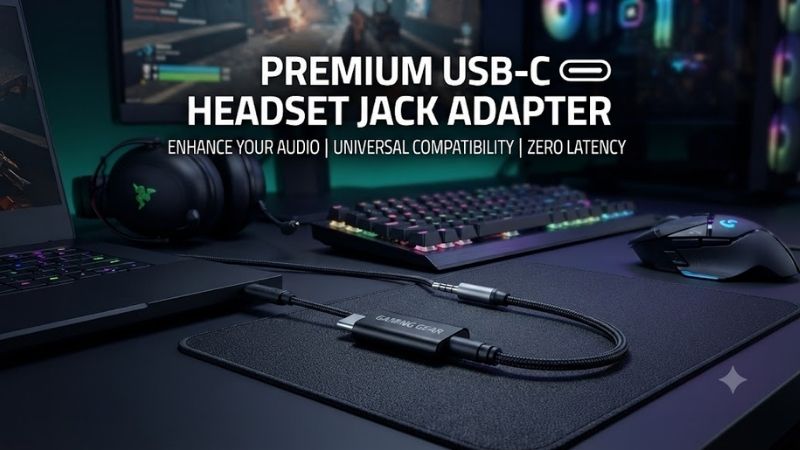
A USB C headset jack adapter lets you connect traditional 3.5mm wired headphones or headsets to phones, tablets, laptops, and other devices that no longer include a dedicated headphone port. The best adapters use a built-in DAC when required, support microphone input and inline controls, maintain low noise, and fit securely without placing unnecessary strain on the USB-C connector.
Best USB C Headset Jack Adapters at a Glance
| Adapter | Best For | Built-In DAC | Microphone Support |
|---|---|---|---|
| Apple USB-C to 3.5mm Headphone Jack Adapter | Overall simplicity | Yes | Yes |
| Google USB-C to 3.5mm Adapter | Android devices | Yes | Yes |
| Samsung USB-C Headset Jack Adapter | Samsung phones | Yes | Yes |
| Anker USB-C to 3.5mm Audio Adapter | Durability | Yes | Yes |
| UGREEN USB-C to 3.5mm Adapter | Everyday value | Yes on compatible versions | Yes |
| JSAUX USB-C to 3.5mm Adapter | Braided-cable users | Yes on DAC models | Yes |
Apple USB-C to 3.5mm Headphone Jack Adapter
Best For: Overall simplicity
The Apple USB-C to 3.5mm Headphone Jack Adapter is one of the simplest options for users who want to connect standard wired headphones to a USB-C device. It includes active digital-to-analog conversion, which means it can work with devices that output digital audio through USB-C rather than relying on analog audio support inside the port.
Its compact design is particularly useful for phones and tablets. The adapter adds very little bulk and can remain inside a pocket or small accessory pouch without taking up the space of a larger dongle-style DAC.
Microphone support is important for users connecting a four-pole headset rather than headphones alone. Compatible headsets can use their inline microphone for calls, meetings, voice chat, and recordings, making the adapter useful for both listening and communication.
The main trade-off is cable durability. Compact adapters use very thin cable sections, so repeated bending near the connector can eventually create wear. Users who frequently travel may prefer a reinforced adapter if long-term physical durability matters more than minimal size.
Key Features
- USB-C input
- 3.5mm headphone output
- Built-in digital-to-analog conversion
- Headset microphone support
- Compact design
- Lightweight construction
- Works with many USB-C audio devices
- Suitable for wired earphones and headphones
What Makes It Different
The Apple adapter focuses on simplicity and predictable digital audio conversion rather than additional features. It is an easy recommendation when the goal is simply restoring a missing headphone jack.
Pros
- Very compact
- Built-in DAC
- Supports headset microphones
- Simple plug-and-play operation
- Lightweight
- Good general compatibility
Cons
- Thin cable
- Easy to lose
- No charging pass-through
- Minimal strain protection
Use Case: Phones, tablets, laptops, wired earbuds, calls, and everyday music listening.
Who It’s For: Users who want a small and uncomplicated USB-C headphone adapter.
Google USB-C to 3.5mm Adapter
Best For: Android devices
Google’s USB-C to 3.5mm adapter is designed around digital audio over USB-C and is a practical option for Android users who still prefer wired headphones. It converts the digital signal from the phone or tablet into an analog output suitable for conventional 3.5mm headphones.
This is important because not every USB-C port carries analog audio directly. A passive adapter may fail on devices that expect an external DAC, while an active adapter handles the conversion internally.
The adapter can also support compatible headsets with inline microphones and controls. This makes it suitable for phone calls, video meetings, and voice communication in addition to music.
Its small size is convenient, but the same portability can make it easy to misplace. Users who regularly switch between several pairs of headphones may prefer to leave the adapter permanently attached to one cable.
Key Features
- USB-C connector
- Standard 3.5mm audio jack
- Active audio conversion
- Compatible with wired headsets
- Microphone support
- Compact cable
- Lightweight design
- Suitable for Android devices
What Makes It Different
This type of adapter is particularly appropriate for Android users who need active digital audio conversion and do not want a large external DAC.
Pros
- Compact
- Supports digital USB-C audio
- Works with headset microphones
- Simple operation
- Good for Android phones
- Easy to carry
Cons
- Small and easy to lose
- Cable can wear with repeated bending
- No simultaneous charging
Use Case: Android phones, tablets, calls, music, podcasts, and wired earphones.
Who It’s For: Android users who want a straightforward digital USB-C headphone adapter.
Samsung USB-C Headset Jack Adapter
Best For: Samsung Galaxy phones
Samsung’s USB-C headset adapter is designed for Galaxy devices that no longer include a traditional 3.5mm headphone jack. It uses digital audio conversion rather than assuming the phone outputs analog audio directly through USB-C.
This makes it a safer choice for Samsung users than inexpensive passive adapters with unclear compatibility. The accessory is intended to work with standard wired headphones and compatible four-pole headsets.
For calls and communication, microphone support is particularly useful. A wired headset can provide more consistent microphone positioning than a phone held at varying distances, making the adapter useful for meetings and voice chat.
The adapter is also useful for users who already own high-quality wired earphones and do not want to replace them simply because the phone lacks a headphone jack.
Key Features
- USB-C connection
- 3.5mm audio output
- Integrated audio conversion
- Headset microphone support
- Compact cable
- Galaxy-oriented compatibility
- Plug-and-play design
- Lightweight construction
What Makes It Different
Samsung users gain the advantage of choosing an adapter intended for the same device ecosystem rather than experimenting with unknown third-party compatibility.
Pros
- Good choice for Galaxy devices
- Built-in audio conversion
- Supports wired headsets
- Compact
- Simple setup
- Preserves existing wired headphones
Cons
- Basic feature set
- Thin cable
- No charging pass-through
- Compatibility outside Samsung devices can vary
Use Case: Galaxy phones, voice calls, wired music listening, meetings, and gaming headsets.
Who It’s For: Samsung users who want a simple way to continue using 3.5mm headphones.
Anker USB-C to 3.5mm Audio Adapter
Best For: Durability
Anker’s USB-C audio adapters are attractive to users who want something physically stronger than an ultra-light first-party dongle. Depending on the specific version, reinforced cable construction and more substantial connector housings can make the adapter better suited to bags, commuting, and repeated daily use.
The adapter converts USB-C digital audio to a standard 3.5mm connection and is intended to support common wired headphones and headsets. A built-in DAC is important when using devices that do not provide analog audio over USB-C.
Inline microphone and control support can also be useful, although compatibility depends on the specific headset and operating system. Basic play, pause, call, and microphone functions are typically the most important for daily use.
A slightly heavier adapter can create more leverage on the USB-C port if the cable is pulled sharply, so durability should not be confused with indestructibility. The adapter still benefits from careful handling.
Key Features
- USB-C to 3.5mm conversion
- Integrated DAC on compatible versions
- Reinforced cable
- Stronger connector housings
- Headset microphone support
- Inline-control compatibility
- Portable design
- Suitable for phones and laptops
What Makes It Different
The main advantage is stronger physical construction. It is better suited to users who repeatedly remove and store the adapter rather than leaving it connected at a desk.
Pros
- More durable than thin dongles
- Built-in digital audio conversion
- Supports many wired headsets
- Good for travel
- Compact enough for pockets
- Useful for laptops and phones
Cons
- Larger than minimalist adapters
- Exact compatibility depends on version
- No charging function on basic models
Use Case: Commuting, travel, work, music, wired calls, and daily headset use.
Who It’s For: Users who prioritize cable durability and frequent portable use.
UGREEN USB-C to 3.5mm Adapter
Best For: Everyday value
UGREEN offers several USB-C audio adapters, including active DAC versions intended for devices that require digital-to-analog conversion. These adapters are popular because they typically combine a reinforced cable with a relatively compact connector body.
For everyday use, this style provides a useful balance. It is more substantial than a very thin first-party adapter but still small enough to keep attached to a headset cable or carry inside a laptop bag.
Many models support three-pole headphones as well as four-pole headsets with microphones. Users should check the exact product because UGREEN sells several visually similar audio accessories, and not every version necessarily offers identical features.
The adapter is also a practical choice for USB-C laptops that lack a dedicated audio jack. This can be useful for ultraportables, tablets, and compact systems where manufacturers remove older ports to reduce chassis thickness.
Key Features
- USB-C input
- 3.5mm output
- DAC-equipped versions available
- Headset microphone support
- Reinforced cable
- Compact connector housing
- Smartphone and laptop compatibility
- Portable design
What Makes It Different
UGREEN combines a durable-looking construction with relatively affordable pricing, making it attractive for users who want something more robust than the smallest dongles.
Pros
- Good value
- Reinforced cable
- Compact
- Works with many headsets
- Suitable for laptops
- DAC options available
Cons
- Several versions can cause confusion
- Exact DAC capability should be confirmed
- Inline controls may vary by device
Use Case: Everyday listening, work laptops, Android phones, tablets, and wired headsets.
Who It’s For: Users who want a practical USB-C audio adapter without paying for a larger audiophile DAC.
JSAUX USB-C to 3.5mm Adapter
Best For: Braided-cable durability
JSAUX USB-C audio adapters are often designed with braided cables and reinforced ends, making them appealing to users who frequently carry accessories in backpacks or pockets. The braided exterior can help reduce surface wear compared with very thin unprotected cables.
DAC-equipped versions handle digital USB-C audio and output a conventional analog signal through the 3.5mm connector. This makes them suitable for many modern phones, tablets, and laptops.
Microphone support is especially important for gaming headsets. A four-pole 3.5mm headset uses one connection for both headphones and microphone, and the adapter must correctly pass both functions to the USB-C device.
Users should verify that they are buying an audio adapter with DAC and headset support rather than a visually similar extension cable or passive accessory. Product naming can be confusing across online listings.
Key Features
- USB-C connection
- 3.5mm headset jack
- Braided cable
- Reinforced connector ends
- DAC versions available
- Microphone support
- Suitable for portable devices
- Compact construction
What Makes It Different
The braided design emphasizes physical durability. It is a good option for users who are rougher on cables or routinely carry the adapter with gaming accessories.
Pros
- Braided cable
- Good travel durability
- Supports wired headsets on compatible versions
- Compact
- Useful for gaming
- Easy to carry
Cons
- Slightly stiffer than thin silicone cables
- Must confirm the exact DAC version
- No simultaneous charging on standard models
Use Case: Gaming headsets, phones, laptops, travel, and everyday audio.
Who It’s For: Users who want a reinforced cable rather than the thinnest possible adapter.
How to Choose a USB C Headset Jack Adapter
Determine Whether You Need a DAC
This is the most important factor.
USB-C can carry digital audio, but some devices can also support analog audio accessory modes. A passive adapter relies on the phone or laptop to provide analog sound directly through the USB-C connector.
Many modern devices do not support that behavior.
An adapter with a built-in DAC receives digital audio and converts it into the analog signal required by standard headphones.
When compatibility is uncertain, an active DAC adapter is usually the safer choice.
Check Microphone Support
Not every 3.5mm adapter supports headset microphones.
A standard stereo headphone plug uses three contacts, while a headset with microphone typically uses a four-contact TRRS connector.
If you plan to use the adapter for calls, Discord, gaming voice chat, Zoom, or Teams, verify that microphone input is supported.
An adapter designed only for headphone output may play sound perfectly while ignoring the microphone.
Check Inline Controls
Many wired earphones include:
- Volume buttons
- Play/pause
- Call answer button
- Integrated microphone
Compatibility with these controls can vary between phones and adapters.
Microphone and basic center-button functions are more widely supported than every volume-control implementation.
If inline controls are important, check compatibility for your specific device platform.
Consider Output Power
Basic USB-C dongles are designed primarily for ordinary earbuds and efficient portable headphones.
Large high-impedance studio headphones may require more power than a small adapter can provide. They may still produce sound, but maximum volume and dynamic performance can be limited.
Users with demanding audiophile headphones should consider a dedicated portable DAC/headphone amplifier rather than a basic headset adapter.
Look at Cable Construction
A short flexible cable reduces strain on the USB-C port because the headphone plug does not sit directly against the phone.
However, very thin cables can wear near the connector after repeated bending.
Reinforced or braided adapters are better for users who frequently travel, while ultra-thin dongles are better when minimum size is the priority.
Consider Connector Size
Large 3.5mm housings can interfere with thick phone cases.
A compact connector is useful when the USB-C port sits deeply inside a protective case. If the plug cannot enter fully, audio may disconnect whenever the device moves.
The same issue can occur around tightly spaced laptop ports.
Check Device Compatibility
A USB-C connector does not guarantee universal audio compatibility.
Check whether the adapter supports:
- Android phones
- USB-C iPhones
- iPads
- Windows laptops
- MacBooks
- Android tablets
- Gaming handhelds
Active USB audio adapters generally offer broader compatibility than passive designs, but operating-system support still matters.
Active DAC Adapter vs Passive USB-C Adapter
An active adapter contains electronic circuitry that converts digital audio into analog sound.
This is the type most users should choose.
A passive adapter does not contain a DAC. It only reroutes analog audio pins already supplied through the USB-C port.
Passive adapters can be cheaper and smaller, but they fail completely on devices without analog USB-C audio support.
Because modern phone manufacturers often expect digital USB audio accessories, an active adapter is the more predictable option.
USB-C Adapter vs Bluetooth Headphones
Bluetooth headphones offer convenience and eliminate the cable between the phone and listener.
A wired adapter still has several advantages.
Wired headsets do not require charging and typically provide more predictable latency. They can also reuse existing headphones rather than forcing users to buy another audio device.
For gaming, calls, and long workdays, a wired headset through USB-C can remain very practical.
Bluetooth is better when freedom of movement matters more than cable simplicity.
USB-C Adapter for Gaming
A wired headset can be a good option for gaming on laptops, tablets, and compatible mobile devices because it avoids Bluetooth audio latency.
The main requirement is microphone support.
Gaming headsets with a single four-pole 3.5mm plug need a USB-C adapter that accepts TRRS headset input rather than stereo output only.
For headsets with separate headphone and microphone plugs, an additional splitter may be required.
USB-C Adapter for Calls and Meetings
For work calls, the adapter should prioritize stability and microphone compatibility over maximum audio specifications.
A small active DAC adapter is usually sufficient for Teams, Zoom, Meet, and ordinary phone calls.
Wired headsets can also be useful in busy offices because users do not need to monitor battery level before a meeting.
USB-C Adapter With Charging
Some adapters include both a 3.5mm headphone jack and a second USB-C port for power.
This can be useful during long gaming, navigation, streaming, or conference sessions.
However, charging and audio adapters are more complicated than simple audio dongles. Charging speed, USB Power Delivery support, microphone compatibility, and electrical noise can vary.
If simultaneous charging is essential, choose a model specifically designed for both functions rather than adding random splitters.
FAQ
Do All USB-C to 3.5mm Adapters Work With Every Phone?
No. Some are passive and require analog audio support from the phone, while active models include a DAC. An active digital adapter is usually more compatible with modern USB-C devices.
What Is a DAC in a USB-C Adapter?
A DAC is a digital-to-analog converter. It converts digital audio from the USB-C connection into the analog signal required by traditional 3.5mm headphones.
Will a USB-C Adapter Support My Headset Microphone?
Only if the adapter supports TRRS headset input and microphone communication. Check this specifically if you need voice calls, meetings, or gaming chat.
Can I Use a USB-C Headphone Adapter With a Laptop?
Yes, if the laptop supports USB audio. This is useful on thin laptops with no dedicated 3.5mm headphone jack.
Does a USB-C Adapter Reduce Sound Quality?
A good active adapter can provide clean audio for normal earbuds and portable headphones. Sound quality depends on the internal DAC, amplifier, headphones, and recording source.
Can I Charge My Phone While Using Wired Headphones?
Not with a basic single-port audio adapter. You need a USB-C adapter that includes both a headphone jack and a separate charging input.
Conclusion
The best USB C headset jack adapter should include reliable digital audio conversion, headset microphone support, and a cable durable enough for daily use. Apple’s adapter offers excellent simplicity, Google and Samsung suit their respective device ecosystems, Anker emphasizes durability, while UGREEN and JSAUX provide strong value for users who want reinforced portable designs.