
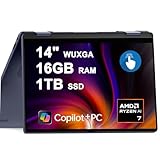
- Top Pick: Dell Inspiron 14 Plus 2-in-1 Laptop 14" WUXGA Touch AMD 8-core Ryzen AI 7 350 Up to 50 Tops (>i7-12700H) 16GB RAM 1TB SSD Backlit for Creator Business Professional Win11 Copilot+ AI
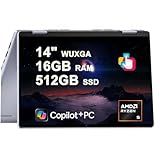
- Best Value: Dell Inspiron 14 2-in-1 FHD+ Touchscreen Laptop for 2025-2026 Student Business, Al Computer, AMD Ryzen 5, 32GB DDR5 RAM, 1.5TB Storage (1TB SSD +500GB Ext), FP, Backlit KB, Win 11 Pro, Lifetime Office
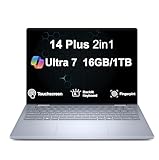
- Premium Choice: Dell 14 Plus, 14" 2-in-1 Laptop, AMD Ryzen AI 7 350, 16GB DDR5, 1TB SSD
The Dell Inspiron 14 Plus 2-in-1 aims squarely at the mainstream shopper who wants flexibility without paying premium ultrabook prices. Its 360-degree hinge turns a capable 14-inch productivity laptop into a tablet, a presentation stand, or a media player, and the latest models add Copilot+ AI smarts through modern AMD Ryzen AI and Intel Core Ultra chips.
This review looks at what the Inspiron 14 Plus 2-in-1 actually delivers for everyday work, light creativity, and casual use, along with how its various configurations differ. If you want a versatile convertible that handles daily tasks smoothly and adapts to how you work, here is an honest breakdown of its strengths and compromises.
As an Amazon Associate we earn from qualifying purchases at no extra cost to you.




🎮 Get More From Your Setup — Free
Prime Gaming gives you free PC games every month, in-game loot, and a free Twitch channel sub — plus fast free shipping on all the gear above. New members get a 30-day free trial.
Watch: Dell Inspiron 14 Plus 2-in-1 Laptop Reviews: Review & Buyer’s Guide — Video Review
Design & Build
The Inspiron 14 Plus 2-in-1 feels a step above budget convertibles, with a solid chassis, a smooth 360-degree hinge, and a 14-inch WUXGA touchscreen that suits both typing and tablet use. At 14 inches it strikes a good balance between screen space and portability, slipping easily into a bag. A backlit keyboard, fingerprint reader, and modern port selection including Thunderbolt on higher trims round out the practical design. Optional cases, like the mCover shells, let you personalize and protect the machine, a nice touch for students and mobile professionals.
Performance
Configuration drives the experience here. Models with the AMD Ryzen AI 7 350 deliver strong everyday performance and up to 50 TOPS of AI capability for Copilot+ features, easily handling browsing, office work, and light multitasking, especially with 16GB or 32GB of RAM. Intel Core Ultra 7 and Ultra 9 variants with Arc graphics push productivity and light creative work further, and generous SSD and hybrid storage options give you room to grow. Integrated graphics mean this is not a gaming machine, but for daily tasks and casual media, the Inspiron 14 Plus 2-in-1 stays responsive and comfortable.
Pros & Cons
- Pros: Flexible 360-degree convertible design
- Modern Ryzen AI and Core Ultra Copilot+ performance
- Bright 14-inch WUXGA touchscreen
- Good storage and RAM options for the price
- Cons: Integrated graphics limit gaming and heavy creative work
- Confusing array of similar configurations
- Battery life varies by chip and workload
Alternatives to Consider
If you want a more premium build and display, a Dell XPS or a Lenovo Yoga convertible steps up materials and screen quality for more money. Shoppers who never use tablet mode can save with a traditional Inspiron clamshell, while anyone needing discrete graphics for gaming or serious editing should look at a dedicated performance laptop instead of this everyday 2-in-1.
Frequently Asked Questions
Which Inspiron 14 Plus 2-in-1 configuration is best?
The Ryzen AI 7 350 or Core Ultra 7 models with 16GB or more of RAM offer the best balance of performance, AI features, and value for everyday use.
Is it good for light photo editing?
Yes. The higher-RAM configurations handle Lightroom and casual photo work comfortably, though it is not built for heavy 4K video rendering.
Can I use it as a tablet?
Absolutely. The 360-degree hinge and WUXGA touchscreen let you fold it into a tablet or stand for reading, drawing, and media.
Does it support Copilot+ AI features?
The Ryzen AI and Core Ultra models include NPUs that power Copilot+ features and on-device AI acceleration in Windows 11.
Verdict
The Dell Inspiron 14 Plus 2-in-1 is a versatile, well-rounded convertible that nails everyday productivity and adapts to how you work. The Ryzen AI 7 350 and Core Ultra 7 configurations with ample RAM are the ones to target for the best mix of performance and value. If you want flexible daily computing without a premium price, it is an easy convertible to recommend.









