
Table of Contents
- 0.1 🛒 Best Price Today on Amazon
- 1 Best Gaming Laptops for Minecraft Shaders Compared
- 2 Lenovo Legion Pro 7i Gen 9
- 3 ASUS ROG Strix G16 2024
- 4 Acer Predator Helios Neo 16 PHN16-72
- 5 HP OMEN Transcend 14
- 6 Razer Blade 16 2024
- 7 How to Choose a Gaming Laptop for Minecraft Shaders
- 7.1 Prioritize the GPU
- 7.2 Consider VRAM
- 7.3 Do Not Ignore CPU Performance
- 7.4 Choose Enough System Memory
- 7.5 Match Display Resolution to GPU Power
- 7.6 Look at Cooling and GPU Power Limits
- 8 Java Shaders vs Bedrock RTX
- 9 How to Optimize Minecraft Shaders on a Laptop
- 10 FAQ
- 10.1 Is an RTX 4060 laptop enough for Minecraft shaders?
- 10.2 Is 16GB RAM enough for Minecraft with shaders?
- 10.3 Does Minecraft with shaders need a powerful CPU?
- 10.4 Does screen resolution affect Minecraft shader performance?
- 10.5 Does laptop GPU wattage matter for Minecraft shaders?
- 11 Conclusion
🛒 Best Price Today on Amazon
Prime members get fast, free shipping on everything above, plus member-only deals. New members get a 30-day free trial — cancel anytime.
- Best Gaming Laptops for Minecraft Shaders Compared
- Lenovo Legion Pro 7i Gen 9
- ASUS ROG Strix G16 2024
- Acer Predator Helios Neo 16 PHN16-72
- HP OMEN Transcend 14
- Razer Blade 16 2024
- How to Choose a Gaming Laptop for Minecraft Shaders
- Java Shaders vs Bedrock RTX
- How to Optimize Minecraft Shaders on a Laptop
- FAQ
- Conclusion
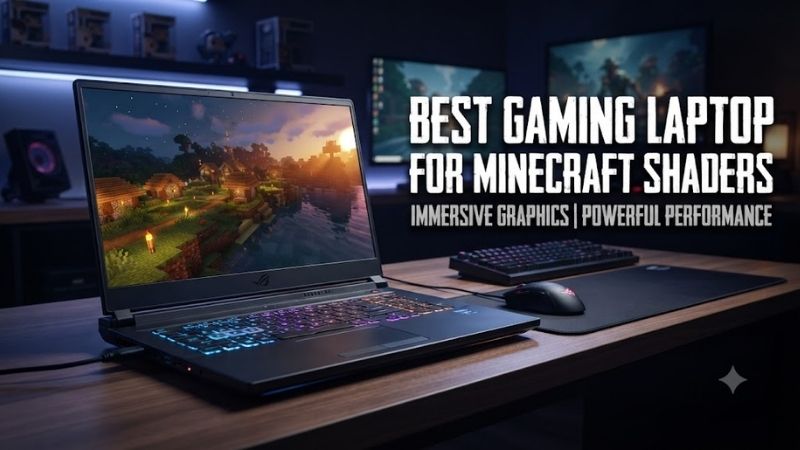
The best gaming laptop for Minecraft shaders needs more than a fast CPU. Shader packs such as Complementary, BSL, and Sildur’s push the GPU hard with dynamic lighting, shadows, reflections, and higher render distances. The right laptop balances RTX graphics, cooling, memory, and a sharp display without wasting money on unrelated features.
Best Gaming Laptops for Minecraft Shaders Compared
| Laptop | Best For | GPU Class | Display Focus |
|---|---|---|---|
| Lenovo Legion Pro 7i Gen 9 | Heavy shaders and high render distance | RTX 4080 | 16-inch WQXGA 240Hz |
| ASUS ROG Strix G16 2024 | Balanced shader gaming | RTX 4070 | 16-inch 2560 x 1600 |
| Acer Predator Helios Neo 16 | Sustained RTX 4070 gaming | RTX 4070 | 16-inch 2560 x 1600 240Hz |
| HP OMEN Transcend 14 | Portable shader gaming | RTX 4070 | 14-inch 3K OLED |
| Razer Blade 16 2024 | Premium screen plus high-end shaders | RTX 4080 | OLED or dual-mode mini-LED |
Lenovo Legion Pro 7i Gen 9
Best For: Demanding shader packs, high render distance, and desktop-replacement gaming.

ASUS ROG Strix SCAR 18 (2025) Gaming Laptop, 18” ROG Nebula HDR 16:10 2.5K 240Hz/3ms, NVIDIA GeForce RTX 5090, Intel Core Ultra 9 275HX, 32GB DDR5, 2TB PCIe Gen 4 SSD, Wi-Fi 7, Win 11 Pro, G835LX-XS97
Included for 'Best Gaming Laptop for Minecraft Shaders: 5 Strong Picks' as a representative consumer electronics in this roundup; selection reflects the product set returned for this topic.
View on Amazon →ASUS ROG Strix SCAR 18 (2025) Gaming Laptop, 18” ROG Nebula HDR 16:10 2.5K 240Hz/3ms, NVIDIA® GeForce RTX™ 5080, Intel® Core™ Ultra 9 275HX, 32GB DDR5-5600, 2TB PCIe Gen 4 SSD, Wi-Fi 7, Windows 11 Pro
Included for 'Best Gaming Laptop for Minecraft Shaders: 5 Strong Picks' as a representative consumer electronics in this roundup; selection reflects the product set returned for this topic.
View on Amazon →The Lenovo Legion Pro 7i Gen 9 is built for players who want demanding Java Edition shader packs at high settings without immediately compromising render distance. Its RTX 4080 configuration gives far more graphics headroom than mainstream RTX 4060 or 4070 laptops, while the Core i9-14900HX keeps chunk loading and mod-heavy worlds responsive.
Key Features:
- Intel Core i9-14900HX
- NVIDIA GeForce RTX 4080 Laptop GPU
- 32GB DDR5 memory
- 2TB PCIe SSD configuration
- 16-inch 2560 x 1600, 240Hz display
- RTX 4080 configurations provide 12GB GDDR6 and up to 175W graphics power.
What separates the Legion from thinner gaming notebooks is its performance-first chassis and high-power GPU design. That matters when shaders keep the graphics processor under sustained load for long sessions. The trade-off is weight and portability, making it a better desktop replacement than a backpack-first machine.
What Makes It Different: High-power RTX 4080 graphics combined with a performance-oriented 16-inch chassis.
Pros:
- RTX 4080 offers substantial shader headroom
- 12GB VRAM benefits heavier visual workloads
- High-resolution 16:10 display
- Strong CPU for chunk generation and modpacks
- Desktop-replacement design suits sustained gaming
Cons:
- Heavier than compact gaming laptops
- More performance than moderate shader users may need
- High-end configuration increases total system cost
Use Case: Complementary, BSL, SEUS-style visual presets, higher render distances, large modpacks, and high-resolution resource packs.
Who It’s For: Players who prioritize shader quality and sustained performance over portability.
ASUS ROG Strix G16 2024
Best For: Balanced RTX 4070 Minecraft shader gaming.
The ASUS ROG Strix G16 is the balanced pick for Minecraft players who want strong shader performance without jumping to an RTX 4080-class laptop. The RTX 4070 model runs at up to 140W and pairs with Intel’s Core i9-14900HX, giving it enough GPU and CPU capacity for visually rich shader packs, texture packs, mods, and multiplayer worlds.
Key Features:
- Intel Core i9-14900HX
- NVIDIA GeForce RTX 4070 Laptop GPU
- 8GB GDDR6 graphics memory
- Up to 140W GPU power
- 1TB PCIe 4.0 NVMe SSD
- Up to 32GB memory
- 16-inch 2560 x 1600 display
Its 16-inch 2560 x 1600 display is a useful match for shaders because the extra resolution makes lighting, water effects, foliage, and distant terrain look cleaner than on a basic 1080p panel. The limitation is that native QHD+ rendering is harder on the GPU, so very heavy shader presets may benefit from lowering render scale or select effects.
What Makes It Different: A high-power RTX 4070 configuration paired with a strong HX-series processor.
Pros:
- 140W RTX 4070 configuration
- Strong CPU for Minecraft Java
- QHD+ 16:10 display
- Upgrade-friendly dual SO-DIMM and M.2 layout
- Good middle ground between RTX 4060 and RTX 4080 systems
Cons:
- 8GB VRAM provides less headroom than RTX 4080 laptops
- Native 1600p increases shader workload
- Larger chassis is less convenient for frequent travel
Use Case: Popular Java shaders at 1080p or 1600p, modded Minecraft, multiplayer, and higher-quality texture packs.
Who It’s For: Buyers who want strong shader capability without moving into RTX 4080-class hardware.
Acer Predator Helios Neo 16 PHN16-72
Best For: Long shader sessions on an RTX 4070-class machine.
The Acer Predator Helios Neo 16 targets buyers who want an RTX 4070 laptop with a fast 16-inch panel and fewer premium-design costs. For Minecraft shaders, that combination makes sense: the dedicated 8GB GPU handles modern visual effects, while the 2560 x 1600 screen provides enough detail to make upgraded shadows and lighting visibly worthwhile.
Key Features:
- NVIDIA GeForce RTX 4070 Laptop GPU
- 8GB GDDR6 graphics memory
- Up to 140W maximum graphics power
- 16-inch 2560 x 1600 IPS display
- 240Hz refresh rate
- NVIDIA G-SYNC support
Acer’s configuration can drive the RTX 4070 at up to 140W, which is important because laptop GPUs with the same model name can perform differently at different power limits. This machine favors cooling and sustained gaming over compactness. It is therefore better for a desk, dorm, or fixed setup than for users who carry a laptop all day.
What Makes It Different: An RTX 4070 running at a relatively high graphics power limit in a gaming-focused 16-inch chassis.
Pros:
- RTX 4070 with up to 140W graphics power
- 2560 x 1600 resolution suits detailed shaders
- 240Hz panel supports other high-frame-rate games
- 8GB dedicated graphics memory
- Chassis prioritizes gaming rather than extreme thinness
Cons:
- Not designed around maximum portability
- 1600p can require shader tuning
- RTX 4070 has less VRAM than RTX 4080 alternatives
Use Case: Desk-based shader gaming, modpacks, 1600p Minecraft, and long sessions while plugged in.
Who It’s For: Players who want an RTX 4070 gaming laptop with an emphasis on sustained performance.
HP OMEN Transcend 14
Best For: Portable Minecraft shader gaming.
The HP OMEN Transcend 14 is the portability-focused option for players who still want RTX-class shader support. Its Core Ultra 9 185H, RTX 4070 Laptop GPU, 32GB of memory, and 14-inch 3K OLED display fit a compact chassis that is easier to carry than most 16-inch performance models. It suits mixed school, work, travel, and Minecraft use.
Key Features:
- Intel Core Ultra 9 185H
- NVIDIA GeForce RTX 4070 Laptop GPU
- 8GB GDDR6 graphics memory
- 32GB LPDDR5x memory
- 2TB PCIe Gen4 NVMe SSD
- 14-inch 2880 x 1800 OLED display
- 48-120Hz variable refresh range
The OLED panel gives shader-heavy scenes a different visual character, with deep blacks and strong contrast that can make caves, night scenes, emissive blocks, and colored lighting more striking. The trade-off is thermals: a thin 14-inch laptop cannot sustain the same graphics envelope as larger performance-focused machines.
What Makes It Different: RTX 4070 graphics and an OLED display inside a compact 14-inch format.
Pros:
- Smaller chassis than typical gaming laptops
- 3K OLED panel showcases shader lighting
- 32GB memory suits modpacks and multitasking
- RTX 4070 provides useful shader capability
- Strong fit for mixed gaming and travel
Cons:
- Thin design limits sustained power compared with larger laptops
- 3K native resolution creates significant GPU load
- Onboard memory reduces upgrade flexibility
Use Case: Minecraft shaders while traveling, studying, working, or moving frequently between locations.
Who It’s For: Players who value portability and display quality more than maximum sustained GPU power.
Razer Blade 16 2024
Best For: Premium display quality combined with RTX 4080 shader performance.
The Razer Blade 16 is aimed at players who want high-end shader capability in a premium aluminum design. The 2024 RTX 4080 configuration combines a Core i9-14900HX with 32GB of DDR5 memory, while display options include a 240Hz OLED panel or a dual-mode mini-LED configuration. It is a strong fit for visually ambitious Minecraft setups.
Key Features:
- Intel Core i9-14900HX
- NVIDIA GeForce RTX 4080 Laptop GPU
- 32GB DDR5 memory on referenced RTX 4080 configuration
- 2TB SSD on selected configuration
- 16-inch display
- 240Hz OLED and dual-mode display options
Its advantage is the combination of powerful graphics and a display that can showcase detailed shader work. Reflections, volumetric effects, colored lighting, and high-resolution resource packs benefit from both GPU capacity and image quality. The main limitation is cost, so it fits buyers who value build, screen quality, and performance together.
What Makes It Different: RTX 4080-class performance combined with premium display options and an aluminum chassis.
Pros:
- RTX 4080 provides substantial shader headroom
- Strong Core i9 processor
- High-quality display choices
- Suitable for shaders plus creative workloads
- More portable design than many desktop-replacement systems
Cons:
- Premium positioning increases cost
- High-resolution displays increase GPU workload
- Buyers focused only on Minecraft may not need its premium design
Use Case: High-end shader packs, high-resolution resource packs, Minecraft content creation, and mixed gaming workloads.
Who It’s For: Buyers who want powerful shader hardware without giving up premium materials and display quality.
How to Choose a Gaming Laptop for Minecraft Shaders
Prioritize the GPU
For Minecraft shaders, the GPU should be your first filter. An RTX 4060 can handle many popular packs at sensible settings, while an RTX 4070 gives more room for higher resolutions and heavier effects. RTX 4080 laptops add more graphics headroom for demanding presets, long render distances, and high-resolution texture packs.
Consider VRAM
VRAM matters when shaders, resource packs, higher resolutions, and mods are combined. Eight gigabytes is common on RTX 4060 and RTX 4070 laptops and is practical for many shader setups, but heavier visual stacks can use more. An RTX 4080 laptop with 12GB provides extra breathing room, though it raises price, size, and power requirements.
Do Not Ignore CPU Performance
Minecraft Java Edition still relies heavily on CPU performance for simulation, chunk generation, entities, and mod logic, even when shaders shift more work to the GPU. High-end HX chips help with large worlds and modpacks, but you do not need the most expensive CPU if your goal is moderate shaders at normal render distances.
Choose Enough System Memory
For a modern Minecraft gaming laptop, 16GB of system memory is a sensible starting point, while 32GB is more comfortable for large modpacks, recording software, and heavy multitasking. More RAM does not directly raise shader frame rate, but too little can cause stutter when Java, mods, browsers, launchers, and tools compete for memory.
Match Display Resolution to GPU Power
A 1600p or 3K panel makes shader lighting and fine textures look impressive, but higher resolution also increases GPU load. Refresh rates above 144Hz matter less for Minecraft than a good balance of resolution, contrast, and GPU power. If performance drops, lower render resolution or shader quality before abandoning the pack.
Look at Cooling and GPU Power Limits
Cooling matters because shaders can create sustained GPU load rather than short bursts. Larger 16-inch chassis usually have more room for fans and higher graphics power, while thin 14-inch models prioritize portability. For long sessions, play plugged in, keep vents clear, and use a performance profile that avoids unnecessary power limits.
Java Shaders vs Bedrock RTX
Most Minecraft Java shader packs run through tools such as Iris or OptiFine and can vary widely with preset, render distance, resolution, and resource pack. Do not expect one laptop to deliver the same frame rate with every shader. Compare GPU class first, then tune shadows, reflections, volumetrics, and render distance to your target smoothness.
Minecraft Bedrock Edition uses a different graphics path, and RTX ray tracing content relies on compatible NVIDIA RTX hardware. If your priority is Bedrock RTX rather than Java shader packs, an RTX 40-series laptop is a sensible direction. Keep the distinction clear because Java shaders and Bedrock ray tracing use different software and settings.
How to Optimize Minecraft Shaders on a Laptop
After choosing a laptop, update the graphics driver, run Minecraft on the discrete GPU, and test one shader setting at a time. Start with your preferred render distance, then adjust shadow quality, volumetric lighting, reflections, and resolution. This shows which effect causes the biggest hit and avoids lowering every setting at once.
FAQ
Is an RTX 4060 laptop enough for Minecraft shaders?
An RTX 4060 laptop is enough for many Minecraft shader packs, especially at 1080p or moderate 1600p settings. Performance depends on the preset, render distance, resource pack, and laptop power limit. If you want heavier shaders, high-resolution textures, or more headroom at 1600p, an RTX 4070 or RTX 4080 laptop is the safer choice.
Is 16GB RAM enough for Minecraft with shaders?
For Minecraft with shaders, 16GB is enough for the game plus normal background apps, but 32GB is preferable for large modpacks, high-resolution resource packs, recording, streaming, or heavy browser use. Extra RAM mainly reduces memory pressure and stutter; it does not replace a stronger GPU when the shader is the main bottleneck.
Does Minecraft with shaders need a powerful CPU?
A high-end CPU helps Minecraft with chunk generation, simulation, entities, and complex modpacks, but shaders usually increase GPU load much more than vanilla gameplay. A balanced system is better than overspending on the CPU while using weak graphics. For shader-focused buyers, prioritize the GPU first, then choose a strong modern processor.
Does screen resolution affect Minecraft shader performance?
Yes, higher resolution can reduce shader performance because the GPU must shade more pixels every frame. A 2560 x 1600 or 2880 x 1800 display looks sharper than 1080p, but heavy presets may need lower render scale, reduced shadow resolution, or lighter volumetric effects. Aim for image quality that still gives stable frame pacing.
Does laptop GPU wattage matter for Minecraft shaders?
Laptop GPUs with the same RTX name can run at different power limits, so model number alone does not tell the full story. Cooling, total graphics power, chassis size, and tuning affect sustained speed. That is why a well-cooled 16-inch RTX 4070 can suit long shader sessions better than a thinner machine built mainly for portability.
Conclusion
The best gaming laptop for Minecraft shaders depends on how hard you push lighting, resolution, render distance, and texture packs. Choose RTX 4070 for a strong balance, RTX 4080 for heavier visual setups, and a compact RTX model when portability matters more. Prioritize GPU power, cooling, enough RAM, and a display that fits your target settings.









