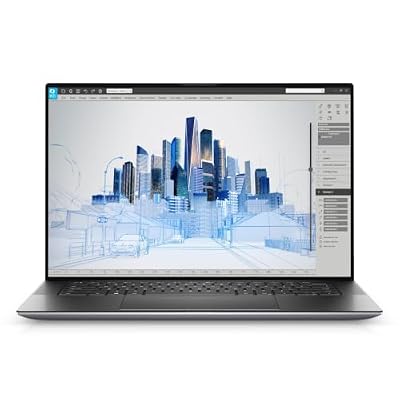
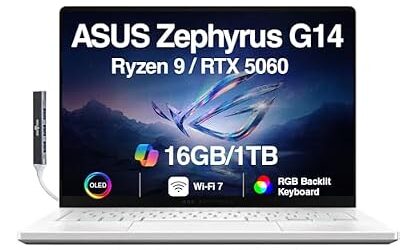
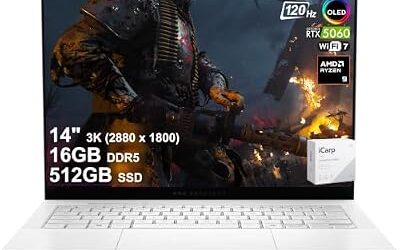
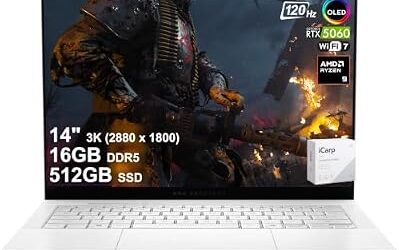
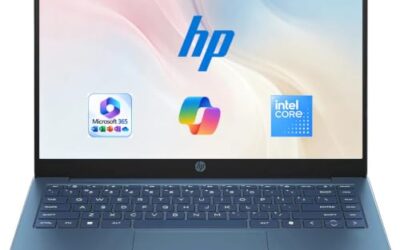
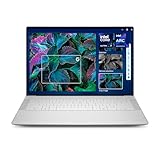
- Top Pick: Dell XPS 14 Premium Laptop DA14250-14.5-inch Touch 3.2K OLED 48-120Hz Display, Intel Core Ultra 7 255H, Intel Arc Graphics, 32GB Memory, 1TB SSD, Backlit English Keyboard with Fingerprint Reader
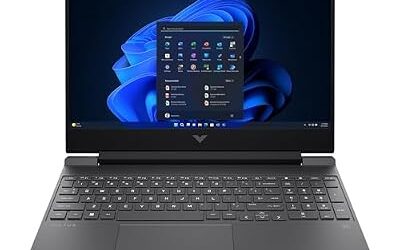
- Best Value: Dell Inspiron 15.6" Touchscreen Business Laptop Computer, AMD Ryzen 7 7730U, FHD (1920 x 1080) Display, 16GB RAM, 512GB SSD, WI-FI 6, Long Battery Life, Windows 11 with Office 365 for The Web
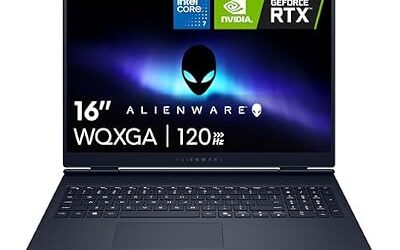
- Premium Choice: Dell Premium 16 (Previously XPS 16) High Performance Laptop, 16.3" 2K Intel Ultra 7 255H 32GB LPDDR5X 1TB M.2 SSD NVIDIA GeForce RTX 5050 Fingerprint W11H
Dell splits its consumer laptops into two very different philosophies. The Inspiron line is the practical, value-first choice built for students, families, and everyday business, while the XPS (now branded Dell Premium) sits at the top with OLED screens, machined aluminum, and the fastest silicon Dell offers. Choosing between them comes down to how much you care about materials, display quality, and raw performance versus price.
- Watch: Dell Inspiron Vs Dell Xps Laptop: Full Comparison — Video Review
- Quick Verdict
- Dell XPS (Dell Premium)
- Dell Inspiron
- Head-to-Head: Which Should You Buy?
- How to Compare Any Two Dell Laptops
- Which One Should You Buy?
- Common Mistakes When Choosing Between Dell Lines
- Troubleshooting Common Dell Laptop Complaints
- Step-by-Step: Matching a Laptop to Your Daily Use
- Related Guides
- Frequently Asked Questions
- Final Verdict
- Related Articles
- Related Guides
This comparison pits real configurations from each family head to head, so you can see exactly where the extra money goes and whether the Inspiron’s lower price makes it the smarter buy for your needs.

As an Amazon Associate we earn from qualifying purchases at no extra cost to you.


🎮 Get More From Your Setup — Free
Prime Gaming gives you free PC games every month, in-game loot, and a free Twitch channel sub — plus fast free shipping on all the gear above. New members get a 30-day free trial.
Watch: Dell Inspiron Vs Dell Xps Laptop: Full Comparison — Video Review
Quick Verdict
If you want the best screen, build, and performance and are willing to pay for it, the XPS/Dell Premium line wins outright. If you want a dependable laptop that handles work, classes, and light creative tasks for far less money, the Inspiron is the sensible pick that most buyers will be perfectly happy with.
Dell XPS (Dell Premium)
The XPS family is where Dell shows off. The XPS 14 pairs a stunning 3.2K OLED 48-120Hz touch display with an Intel Core Ultra 7 255H, 32GB of memory, and a 1TB SSD, wrapped in a CNC aluminum chassis with a fingerprint reader. Step up to the Dell Premium 16 (formerly XPS 16) and you add a discrete NVIDIA GeForce RTX 5050, making it capable of real GPU work and light gaming, something no Inspiron here can match.
These machines feel premium in a way that photos undersell: rigid decks, edge-to-edge glass, and color-accurate panels aimed at creators. The lighter XPS 13 9350 with its 120Hz FHD+ display shows the range still includes a genuinely portable option for people who prioritize travel weight.
Dell Inspiron
The Inspiron line is about getting the job done affordably. The Inspiron 15 with AMD Ryzen 7 7730U, 16GB RAM, and a 512GB SSD is a capable everyday workhorse with a bright FHD touchscreen and long battery life, ideal for office tasks and streaming. The Inspiron 15 3530 leans on a 10-core Intel i5-1334U with 20GB of RAM for smooth multitasking, while the Inspiron 16 Plus 7640 steps up to a sharper 2.5K 16:10 display and a Core i7-13620H, closing some of the gap to the premium line.
What you give up is the OLED brilliance, the metal-everywhere build, and discrete graphics. Inspiron chassis mix plastic and metal, screens top out at solid IPS rather than OLED, and there is no gaming-grade GPU. For the money, though, the value is hard to argue with.
Head-to-Head: Which Should You Buy?
- For creators and media pros: The XPS 14’s 3.2K OLED and the Dell Premium 16’s RTX 5050 deliver color accuracy and GPU muscle the Inspiron can’t.
- For students and budgets: The Inspiron 15 (Ryzen 7 7730U) or Inspiron 15 3530 give you all-day productivity for far less.
- For travelers: The XPS 13 9350 is the lightest premium option; the Inspiron 16 Plus is the value road-warrior.
- For multitaskers: The Inspiron 15 3530’s 20GB RAM and the Inspiron 16 Plus’s 2.5K screen handle heavy tab-juggling well.
- For future-proofing: The Dell Premium 16 with RTX graphics has the longest useful life for demanding work.
How to Compare Any Two Dell Laptops
Product line names say less than the specification sheet. An Inspiron or Premium-branded machine can be configured many ways, so use the following checks on whichever exact model is on the listing.
Read the Display Line Closely
Resolution, panel type and color coverage separate a budget screen from a creator screen. A 15.6-inch panel at 3840 by 2400, as listed for the Dell Precision 5560, works out to roughly 290 pixels per inch, which is very sharp but drains more battery than a lower-resolution panel. A 16:10 aspect ratio, used on the Alienware 16 models listed here, gives extra vertical room for documents and timelines. Look for a stated color gamut such as 100% DCI-P3 if you edit photos or video, and for a refresh rate such as 240 Hz if you play fast games.
Check What Can Be Upgraded
Many thin laptops solder the memory to the board, which means the amount you buy is the amount you keep. Others use removable modules and a standard M.2 storage slot. Confirm both details on the listing before buying, and prefer a configuration with enough memory for your workload because it may not be changeable later.
Judge Power, Heat and Weight Together
Gaming and workstation laptops carry high-power graphics and large power bricks. A battery above 100 Wh cannot be carried on a flight under the common airline limit, so travelers should check the capacity. Heavier chassis usually have better cooling, which helps sustained performance, while thin machines may slow down under long loads.
Which One Should You Buy?
| If you… | Choose… |
|---|---|
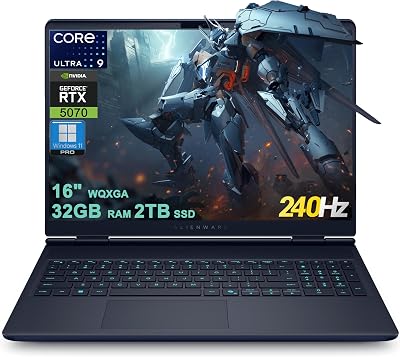
| want a gaming laptop with a QHD-class 16-inch screen at a more moderate level | Dell Alienware 16 Aurora Gaming Laptop |
| want a faster-refresh, wide-gamut display and more processor cores for gaming and creative work | Dell Alienware 16X Aurora Gaming AI Laptop |
| need a professional workstation with a 4K touch display for design or engineering | Dell Precision 5560 Workstation Laptop |
Common Mistakes When Choosing Between Dell Lines
- Choosing by the brand tier alone. A well-configured mid-range machine can outperform a poorly configured premium one.
- Ignoring the generation of the processor. The Precision 5560 uses an 11th-generation Core chip, which is older than current designs even though the screen is excellent.
- Paying for graphics you will not use. A gaming-class graphics card adds weight, heat and fan noise for office work.
- Overlooking ports. Slim laptops may offer only USB-C connections, so factor in adapters for HDMI, Ethernet or SD cards.
- Skipping the memory and storage fine print. Confirm whether they are upgradable and how much comes installed.
Troubleshooting Common Dell Laptop Complaints
- Short battery life: lower the screen brightness and refresh rate, and close background apps before assuming a defect.
- Loud fans: update the BIOS and drivers, clean the vents with compressed air, and use the balanced power plan.
- Slow performance: check storage free space and programs that launch at sign-in, and confirm the laptop is plugged in with the original power adapter.
Step-by-Step: Matching a Laptop to Your Daily Use
- List your three heaviest tasks, such as gaming, video editing or spreadsheets.
- Pick the screen size and resolution you can live with for carrying and reading.
- Choose memory and storage with room to grow, and verify whether either can be replaced later.
- Compare weight and power brick size against how often you travel.
- Read the warranty and support terms for the exact model before finalizing the choice.
Related Guides
- Lenovo Legion 5i Gen 10 Gaming Laptop (2026)
- Best Gaming Laptop Cooling Pad (2026)
- 3 Screen Laptop Extender (2026)
- Durable Gaming Laptops (2026 Guide)
Frequently Asked Questions
Is the XPS worth double the price of an Inspiron?
If you value an OLED display, aluminum build, and top-tier performance for creative work, yes. For general productivity, the Inspiron delivers most of the daily experience for much less.
Can either line handle gaming?
Only the Dell Premium 16 (XPS 16) with its RTX 5050 is built for real gaming. Inspiron models rely on integrated graphics suited to light titles at best.
Which has better battery life?
The AMD Ryzen Inspiron 15 is a battery-life standout for everyday use, while the OLED XPS models trade some runtime for their brighter, higher-resolution panels.
Do both run Windows 11 and Copilot features?
Yes. Both families ship with Windows 11 and support Copilot, with the newer Core Ultra XPS chips adding dedicated AI acceleration.
Final Verdict
The XPS/Dell Premium line is the clear winner if you want the finest screen, build, and speed Dell makes, especially the RTX-equipped Premium 16 for creators. But the Inspiron line remains the value champion: for students, office users, and families, the Ryzen 7 Inspiron 15 or Inspiron 16 Plus deliver the experience most people actually need at a price that leaves money in your pocket.