🛒 Best Price Today on Amazon
Prime members get fast, free shipping on everything above, plus member-only deals. New members get a 30-day free trial — cancel anytime.
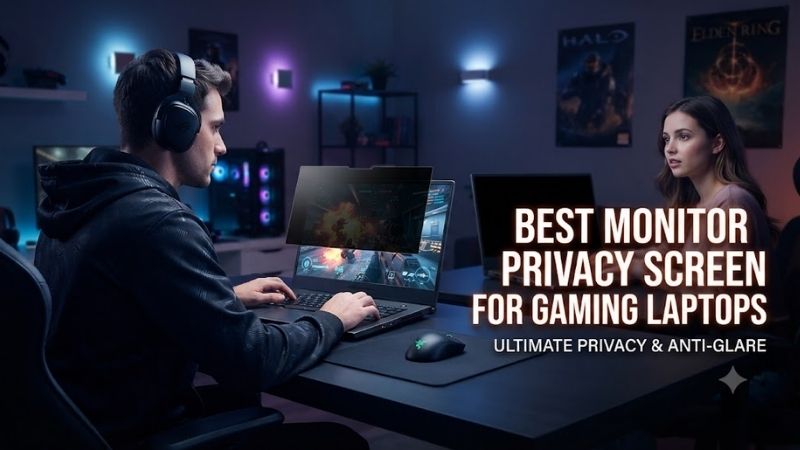
Gaming laptops are increasingly used for work, travel, studying, and public gaming sessions. A privacy filter can limit side-angle visibility, helping protect sensitive information in shared spaces. The best monitor privacy screen for gaming laptop use should balance privacy with display brightness, color quality, correct sizing, and convenient removal.
Quick Verdict: Which Gaming Laptop Privacy Screen Is Best?
A privacy filter is most useful when confidential information might be viewed from the side. However, it can also reduce brightness, affect perceived contrast, and alter the appearance of a gaming display. For users who care about competitive visibility and color accuracy, a removable filter is generally more practical than a permanently attached solution.
The 3M Bright Screen Privacy Filter is a compelling option for brightness-conscious users. The standard 3M Privacy Filter offers a conventional privacy-focused alternative, while Kensington MagPro is attractive when frequent removal matters.
Quick Comparison Table
| Privacy screen | Suitable configuration | Main advantage | Main limitation |
|---|---|---|---|
| 3M Bright Screen BP156W9B | 15.6-inch 16:9 | Higher light transmission | Premium-oriented |
| 3M Privacy Filter PF156W9B | 15.6-inch 16:9 | Side-view privacy | Reduces perceived brightness |
| Kensington MagPro 15.6-inch | 15.6-inch 16:9 | Magnetic removal | Attachment clearance |
| 3M Bright Screen BP156W1E | 15.6-inch 16:10 | Modern taller displays | Exact screen measurements required |
| 3M Privacy Filter PF160W1B | 16-inch 16:10 | Larger gaming laptops | Dimmer image than unfiltered display |
| 3M Bright Screen BP173W9B | 17.3-inch 16:9 | Large gaming laptop coverage | Less portable |
How We Selected These Privacy Screens
We prioritized documented privacy viewing angles, correct screen aspect ratios, display brightness, removable installation methods, and compatibility with common gaming laptop dimensions. We also considered the limitations of privacy filters when used with high-refresh-rate displays.
A privacy filter does not inherently reduce the panel’s refresh rate because it is an optical accessory rather than an electronic component. Nevertheless, its effect on brightness, viewing angles, color perception, and image clarity can influence the gaming experience.
The 6 Best Monitor Privacy Screens for Gaming Laptops
Privacy filters use optical structures that restrict light transmission from certain viewing directions. This can make the display difficult to read from the side while preserving visibility for someone positioned directly in front of it. The strength and quality of this effect vary between products and display configurations.
3M Bright Screen BP156W9B – Best Overall for Gaming Laptop Privacy
The 3M Bright Screen BP156W9B is a strong choice for users who want side-angle privacy without sacrificing as much apparent brightness as conventional privacy filters. It is designed for 15.6-inch laptops with a 16:9 aspect ratio and uses 3M’s Nanolouver technology to manage visibility.
Best for: 15.6-inch gaming laptops used for both gaming and confidential work.
Key specifications
-
Screen size: 15.6 inches
-
Aspect ratio: 16:9
-
Product code: BP156W9B
-
Manufacturer-stated average light transmission: 85%
-
Privacy blackout outside the designated 60-degree viewing range
-
Reversible matte and glossy viewing options
-
Blue-light reduction
-
Removable attachment system
Brightness performance
Traditional privacy filters reduce light transmission because their optical structures block rays traveling at certain angles.
This can make a gaming laptop appear dimmer even when the user is seated directly in front of the screen.
The Bright Screen model is designed to preserve a greater proportion of the display’s original brightness.
3M advertises an average light transmission of 85% and brightness up to 25% higher than certain conventional black privacy filters.
These are manufacturer claims rather than independent measurements on every gaming laptop.
Gaming image quality
Brightness matters during gaming because dark scenes can already be difficult to interpret.
A filter that significantly dims the image may make shadow details less visible.
The Bright Screen’s higher transmission is therefore relevant to players who use the laptop in shared environments.
However, the filter may still affect perceived contrast, sharpness, and color characteristics.
It should not be assumed invisible during high-quality gaming or color-sensitive creative work.
Installation and removal
The product supports removable attachment options.
This is valuable because the ideal configuration may change depending on the task.
For example, a user may install the filter while reviewing private documents in an airport lounge and remove it for competitive gaming at home.
A removable filter provides this flexibility without requiring a second display.
Pros
-
Higher advertised light transmission
-
Side-angle privacy
-
Reversible matte and glossy finishes
-
Removable attachment
-
Relevant to 15.6-inch gaming laptops
Cons
-
Still changes the original display appearance
-
Exact 16:9 fit required
-
Premium product category
-
Not a substitute for comprehensive information security
Buy If: You want privacy while retaining as much useful brightness as possible.
Skip If: Your laptop has a 16:10 panel or another incompatible screen shape.
3M Privacy Filter PF156W9B – Best Conventional Privacy Option
The 3M Privacy Filter PF156W9B is designed for conventional 15.6-inch 16:9 laptop displays. It provides side-view blackout beyond the stated viewing range and offers a reversible surface with matte and glossy options for different lighting environments.
Best for: Users who prioritize privacy over maximum display brightness.
Key features
-
15.6-inch 16:9 compatibility
-
Product code: PF156W9B
-
Side-view blackout outside the 60-degree viewing range
-
Reversible matte and glossy finish
-
Anti-glare characteristics
-
Removable attachment options
-
Designed for repeated cleaning
Privacy characteristics
The main objective is to make the display difficult to read from positions to the left or right of the user.
This can be helpful in classrooms, offices, libraries, and shared travel spaces.
However, privacy filters do not block every possible viewing direction.
Someone positioned directly behind the user may still see the screen.
The filter also does not prevent photography, malware, screen recording, or other forms of data exposure.
Gaming trade-offs
The standard 3M filter can reduce perceived brightness.
This may be acceptable for office applications, but it can become more noticeable during games with dark visual environments.
Increasing the laptop’s brightness may partially compensate for the reduction.
However, doing so can increase power consumption.
For battery-powered gaming laptops, this is another consideration when choosing between conventional and brighter filter designs.
Matte versus glossy surface
The matte side can help reduce reflections from overhead lighting.
The glossy side may preserve a different perceived appearance in controlled lighting.
Neither finish is automatically superior.
A gamer sitting near a bright window may prefer reduced reflections, while another user in a dark room may prefer the sharper-looking glossy surface.
Pros
-
Established privacy-filter design
-
Clear size designation
-
Reversible finish
-
Useful for shared environments
-
Removable installation
Cons
-
Can noticeably dim the display
-
May alter visual clarity
-
Does not provide complete privacy
-
Exact aspect ratio required
Buy If: Privacy is more important to you than preserving maximum screen brightness.
Skip If: You frequently play dark competitive games and dislike any reduction in visibility.
Kensington MagPro 15.6-Inch – Best Magnetic Privacy Screen
The Kensington MagPro 15.6-inch Privacy Screen uses a magnetic attachment approach intended to make installation and removal convenient. This is particularly useful for gaming laptop owners who want privacy during work but prefer an unobstructed display during entertainment.
Best for: Users switching regularly between private work and gaming.
Key characteristics
-
15.6-inch 16:9 version available
-
Product identifier K58353WW for the 15.6-inch configuration
-
Magnetic attachment design
-
Approximately ±30-degree privacy viewing range
-
Reversible matte and glossy surfaces
-
Blue-light reduction
-
Protective storage accessories on supported packages
Magnetic mounting
A magnetic privacy screen can be easier to remove than a permanently attached film.
This is valuable when the laptop serves several purposes.
The user may need privacy for business documents, but unrestricted viewing angles when gaming with friends.
A removable design also makes cleaning easier.
However, magnetic attachment requires careful evaluation of the laptop’s bezel and lid geometry.
Fit and laptop closure
Gaming laptops often use thin display bezels.
Some models also have raised camera modules, unusual screen frames, or tight lid clearances.
A magnetic strip that fits one laptop may create interference on another.
Before purchasing, confirm that the product supports the screen’s dimensions and that the laptop can close safely.
Never force the lid closed against an accessory that creates pressure on the display.
Practical privacy
Kensington advertises privacy protection outside a relatively narrow central viewing region.
This can be useful when working on sensitive documents in shared spaces.
During gaming, users should remember that the privacy effect can also restrict off-center viewing.
If two people watch the display together, the second viewer may experience a darker image.
Pros
-
Convenient removal
-
Magnetic design
-
Reversible finishes
-
Useful for mixed work and gaming
-
Relevant to thin-bezel laptops
Cons
-
Attachment compatibility varies
-
Requires careful lid-clearance checks
-
Can reduce brightness
-
Not ideal for shared viewing
Buy If: You frequently alternate between confidential work and gaming.
Skip If: Your laptop’s bezel or lid design cannot accommodate the magnetic attachment safely.
3M Bright Screen BP156W1E – Best for 15.6-Inch 16:10 Displays
The 3M Bright Screen BP156W1E addresses an important compatibility problem: not every 15.6-inch laptop uses the traditional 16:9 widescreen format. Its taller 16:10 configuration is relevant to laptops with a different display shape and minimal bezels.
Best for: Compatible 15.6-inch 16:10 gaming and creator laptops.
Aspect-ratio considerations
A 16:10 screen has a taller shape than a 16:9 screen of comparable diagonal size.
This means an ordinary 15.6-inch 16:9 privacy filter may not cover the display correctly.
It may leave an uncovered section or extend beyond the intended visible area.
Such mismatches are particularly problematic when the filter overlaps the bezel, webcam, or hinge.
The BP156W1E is designed for the corresponding taller format.
Brightness and visibility
As part of 3M’s Bright Screen family, the filter emphasizes privacy with relatively high light transmission.
This is useful on modern laptops that combine gaming and creative workloads.
Nevertheless, buyers should not assume every Bright Screen model has identical light transmission characteristics without checking its individual specifications.
The display’s own brightness and coating also affect the final appearance.
Practical use
For a user switching between gaming, productivity, and travel, correct aspect-ratio matching is the primary advantage.
A well-fitted privacy filter is more convenient to install and less likely to interfere with surrounding screen components.
Pros
-
Designed for a 16:10 display format
-
Bright Screen product family
-
Privacy-oriented construction
-
Relevant to modern laptop dimensions
Cons
-
Exact dimensional compatibility required
-
Not suitable for 16:9 displays
-
May still change perceived image quality
Buy If: Your gaming laptop has a compatible 15.6-inch 16:10 display.
Skip If: Your laptop uses a different screen size or aspect ratio.
3M Privacy Filter PF160W1B – Best for 16-Inch Gaming Laptops
The 3M Privacy Filter PF160W1B is designed for 16-inch laptop displays using a 16:10 aspect ratio. It is relevant to modern gaming laptops that favor taller screens for productivity while retaining high-refresh-rate panels for gaming.
Best for: 16-inch 16:10 gaming laptops used in shared environments.
Key characteristics
-
16-inch screen compatibility
-
16:10 aspect ratio
-
Product identifier PF160W1B
-
Side-angle privacy technology
-
Conventional black privacy-filter design
-
Intended for compatible laptop displays
Why 16-inch sizing matters
Modern 16-inch gaming laptops often use different screen proportions from older 15.6-inch models.
A privacy screen selected by diagonal measurement alone may fit poorly.
Even when two laptops both have 16-inch displays, bezel shape and available attachment space may differ.
Users should measure the visible screen area and compare it with the manufacturer’s compatibility requirements.
Gaming considerations
A 16-inch panel can be useful for immersive gaming and productivity.
The privacy filter narrows visibility for side viewers, but it may also change the appearance of dark environments.
For competitive games where detecting small movements matters, the effect on perceived image clarity deserves attention.
The filter should be evaluated as a removable privacy tool rather than a permanent gaming-performance upgrade.
Pros
-
Designed for 16-inch 16:10 displays
-
Suitable for modern laptop formats
-
Side-angle privacy
-
Useful for shared spaces
Cons
-
Can reduce perceived brightness
-
Requires exact fit
-
Not ideal for unrestricted shared viewing
-
Does not change electronic security
Buy If: You own a compatible 16-inch gaming laptop and need side-angle privacy.
Skip If: You primarily use your laptop for gaming in a private room.
3M Bright Screen BP173W9B – Best for Large 17.3-Inch Gaming Laptops
The 3M Bright Screen BP173W9B is intended for 17.3-inch 16:9 laptops, a size commonly associated with larger gaming systems. It is particularly relevant to users who transport a powerful gaming laptop between home, work, and shared locations.
Best for: Large 17.3-inch gaming laptops with 16:9 displays.
Large-display considerations
A 17.3-inch screen offers a broad visible area.
This can make it easier for nearby people to view content from the side.
A properly fitted privacy filter can reduce that exposure.
However, the larger surface also requires more care during installation.
Dust or misalignment may be more noticeable, and a poorly fitted accessory can interfere with the laptop’s bezel.
Brightness and visual experience
The Bright Screen product family aims to preserve more light transmission than conventional black privacy filters.
For a large gaming display, this is useful because brightness loss can be noticeable across the broad panel area.
Nevertheless, the privacy effect depends on the viewing angle.
A gamer sitting significantly off-center may experience reduced visibility even while operating the laptop.
Portability
Large privacy filters need suitable protection when removed.
Bending or folding a rigid filter can damage its optical structure.
Users who frequently travel should keep the filter in an appropriate sleeve or protective package.
Pros
-
Designed for large 17.3-inch screens
-
Bright Screen family
-
Side-angle privacy
-
Useful for large gaming workstations
Cons
-
Larger accessory to transport
-
Requires careful storage
-
Exact 16:9 fit required
-
May still affect image perception
Buy If: You use a compatible 17.3-inch gaming laptop in public or shared spaces.
Skip If: Your laptop has a smaller or differently shaped display.
Buying Guide: How to Choose a Privacy Screen for a Gaming Laptop
A gaming laptop privacy screen should be selected according to the display’s physical dimensions, optical characteristics, and intended use. Unlike an ordinary screen protector, a privacy filter intentionally changes the directions from which the image can be seen.
Measure Screen Size and Aspect Ratio Correctly
The diagonal display size is only one measurement.
Aspect ratio determines the relationship between screen width and height.
A 16:9 panel is proportionally wider, while a 16:10 panel is taller.
Two displays with the same diagonal size can therefore require different privacy filters.
Check the laptop’s official display specifications.
When measuring manually, focus on the visible display area rather than the surrounding bezel.
Compare those measurements with the product’s fit requirements.
Understand the 60-Degree Privacy Viewing Range
Many privacy filters advertise a 60-degree viewing range.
This typically refers to a central region of visibility, often approximately 30 degrees to either side of the direct viewing position.
Outside that range, the display becomes progressively darker.
However, privacy performance is not a perfectly sharp boundary.
Brightness, ambient lighting, screen content, and the viewer’s position influence what remains visible.
A privacy filter should not be treated as a guarantee that surrounding people cannot see anything.
Consider Brightness Loss During Gaming
Privacy filters restrict certain light directions.
Some also reduce the amount of light reaching the user directly.
This can make dark game scenes harder to interpret.
For gaming laptops with limited maximum brightness, the effect may be especially noticeable.
A brighter privacy filter may help, but it cannot perfectly reproduce an unfiltered display.
Users who prioritize competitive visibility may prefer removing the filter during gaming sessions.
Check Color Accuracy and HDR Compatibility
A privacy filter can alter the perceived contrast and color of a display.
This matters for HDR gaming and creative tasks such as photo editing.
The accessory does not necessarily prevent HDR signals from reaching the panel, but its optical characteristics can change what the viewer sees.
For color-critical work, removing the filter is generally preferable unless its effects have been measured and accounted for.
Choose Removable or Semi-Permanent Attachment
Removable magnetic or tab-based systems are convenient when privacy is only occasionally required.
Adhesive installations may provide a more fixed arrangement but can be less convenient to reposition.
Thin-bezel gaming laptops require particular care because attachment materials may interfere with the screen or lid.
Always follow the manufacturer’s installation instructions.
Frequently Asked Questions
Do privacy screens work on gaming laptops?
Yes, when the accessory matches the laptop’s screen dimensions and attachment requirements.
Do privacy filters reduce FPS?
No. A passive optical filter does not directly affect frame rendering or the panel’s electronic refresh rate.
Can a privacy screen affect game visibility?
Yes. Reduced brightness and altered viewing angles can make some game details harder to see.
Are privacy screens compatible with 240Hz displays?
They do not electronically change the refresh rate, but their optical effects can influence perceived image quality.
Can I use a 15.6-inch 16:9 filter on a 16:10 screen?
Not reliably. The aspect ratios differ, so the filter may not cover the display correctly.
Do privacy screens protect against hackers?
They reduce some opportunities for visual observation. They do not prevent malware, account compromise, or remote access.
Should I remove the filter for competitive gaming?
If brightness or image clarity is important, removing it may provide a better viewing experience.
Final Verdict
The 3M Bright Screen BP156W9B is a strong choice for 15.6-inch 16:9 gaming laptops when brightness matters. The standard 3M filter prioritizes conventional privacy, while Kensington MagPro offers convenient removal. For 16-inch and 17.3-inch laptops, choose a filter matched to the exact display dimensions rather than relying on diagonal size alone.