🛒 Best Price Today on Amazon
Prime members get fast, free shipping on everything above, plus member-only deals. New members get a 30-day free trial — cancel anytime.
- Best Lenovo Gaming Laptops at a Glance: Picks by Tier
- Watch: Best Lenovo Gaming Laptop — Video Review
- How to Choose a Lenovo Gaming Laptop
- Lenovo Gaming Laptop Buying Guide: Thresholds That Matter
- Lenovo Legion vs LOQ: Which Line Fits Your Budget?
- The Best Lenovo Gaming Laptops Reviewed
- Related Guides
- Best Budget Lenovo Gaming Laptops: Lenovo LOQ
- Best Mid-Range Lenovo Gaming Laptops: Legion 5, Legion 5i and Legion Pro 5i
- Lenovo Legion Pro 5i Gen 10: RTX 5060 vs RTX 5070 vs RTX 5070 Ti
- Best Premium Lenovo Gaming Laptops: Legion 7i, Legion Pro 7i and Legion 9i
- Best Lenovo Gaming Laptops by Use Case
- Lenovo Legion 5i OLED Specs: 15.1-Inch WQXGA 165 Hz with RTX 5070
- How to Get the Most Out of a Lenovo Legion Pro 5i With RTX 5070 or RTX 5070 Ti
- Legion 5i vs Legion Pro 5i: What Differs
- Also Consider: Gaming Laptops From Other Brands
- Fit, Size and Compatibility Notes
- Pick This Lenovo Gaming Laptop If…
- How We Chose These Lenovo Gaming Laptops
- Display, Cooling, Battery and Ports: Where Lenovo Gaming Laptops Differ
- Common Mistakes When Buying a Lenovo Gaming Laptop
- Warranty, Configurations and Seller Differences
- Frequently Asked Questions
- Final Thoughts
- Related Articles
- Related Guides
Lenovo’s Legion and LOQ lines have become some of the most respected names in gaming laptops, known for cool-running designs, comfortable keyboards, and genuine value across price points. Whether you want a premium OLED flagship or an affordable everyday gamer, Lenovo almost certainly makes a model that fits.
We combed through the current Legion and LOQ range to find the standouts. Each pick highlights what Lenovo does best, from class-leading cooling to sensible spec choices that stretch your budget further than the competition often manages.

Best Seller
Updated November 2026 — The best lenovo gaming laptops for most buyers are the Lenovo Legion Pro 5i Gen 10 (RTX 5070 with a 16-inch OLED) for balanced mid-range play, the Lenovo LOQ 15 (RTX 5060) for budget buyers, and the Lenovo Legion Pro 7i Gen 10 (RTX 5080) for premium performance. Whatever lenovo gaming laptop you shortlist, compare the exact GPU, power limit and display on the listing, because configurations vary by seller and region.
The three named models above are the short answer: Lenovo Legion Pro 5i Gen 10 for the best all-round balance, Lenovo LOQ 15 for the lowest entry point into a current RTX 50-series GPU, and Lenovo Legion Pro 7i Gen 10 when you want the most headroom. The sections below sort the lineup by budget tier and use case, give one spec line per model based on maker listings and reviewer reports, and end with a decision table and answers to the questions Bing users ask most.
Best Lenovo Gaming Laptops at a Glance: Picks by Tier
| Model | Tier | Best for | Key stated or reported specs | Limits |
|---|---|---|---|---|
| Lenovo LOQ 15 (RTX 4050 or RTX 5050) | Budget | First gaming laptop, 1080p play | 15.6-inch 1080p 144 Hz IPS, 16 GB DDR5, RTX 4050 or RTX 5050 as listed | Plainer build and fewer ports than Legion |
| Lenovo LOQ 15 (RTX 5060) | Budget to lower mid-range | 1080p high settings and some 1440p | RTX 5060, 15.6-inch 1080p 144 Hz or 15.3-inch 165 Hz as listed | Mid-grade panel, 8 GB VRAM class |
| Lenovo Legion 5i / Legion 5 Gen 10 | Mid-range | Portable OLED gaming | 15.1 or 15.3-inch WQXGA OLED options, RTX 5050 to RTX 5070, Core Ultra or Ryzen CPU | Short battery life and fan noise reported |
| Lenovo Legion Pro 5i Gen 10 (16 inch) | Mid-range to upper mid | All-round gaming and creative work | RTX 5060 to RTX 5070 Ti, 16-inch 16:10 display, 80 Wh battery reported | Heavier than 15-inch rivals; RTX 5070 Ti reported to run hotter |
| Lenovo Legion 7i Gen 10 | Premium | Refined premium build | Core Ultra 9 275HX with RTX 5070 and a WQXGA OLED in the listed configuration | Higher cost tier; configurations vary |
| Lenovo Legion Pro 7i Gen 10 | Premium | Highest-performance 16-inch Legion | Core Ultra 9 275HX, RTX 5080 or RTX 5090 options, 16-inch OLED 240 Hz as listed | Large, heavy, premium tier |
| Lenovo Legion 9i Gen 10 (18 inch) | Flagship | Desktop-replacement power | 18-inch 4K 240 Hz, Core Ultra 9 275HX, RTX 5090 24 GB as listed | Very large and heavy; top cost tier |
If a model name has both an Intel and an AMD version, Lenovo typically drops the letter: Legion Pro 5i uses Intel, while Legion Pro 5 uses AMD. Most reviews cited here cover the Intel “i” versions.
Lenovo Legion Pro 7i Gen 10 16" Gaming Laptop (2025 Model) Intel Core Ultra 9 275HX 24C, NVIDIA GeForce RTX 5090 24GB, 64GB RAM, 2TB (1TB+1TB) NVMe SSD, 16" WQXGA OLED 500 nits 240Hz, Windows 11 Home
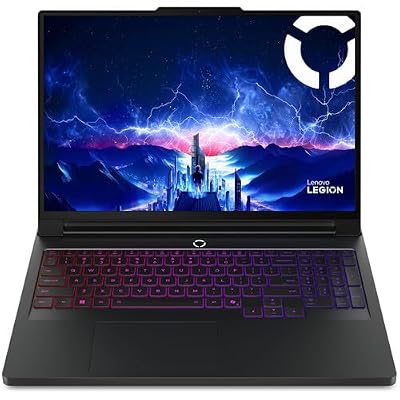


Lenovo Legion 5i – Gaming Laptop - Intel® Core™ i7-14700HX - 15" 2.5K WQXGA PureSight OLED Display–165Hz Refresh Rate–NVIDIA® GeForce RTX™ 5070 – 16 GB Memory – 1 TB Storage – 3 Months of PC GamePass
Included for '22 Best Lenovo Gaming Laptops' as a representative home product in this roundup; selection reflects the product set returned for this topic.
View on Amazon
Lenovo LOQ AI-Powered Gaming Laptop - Intel Core i7-13650HX, 15.6" FHD IPS 144Hz Display, GeForce RTX 5050, 16GB Memory, 1TB Storage, G-Sync, Luna Grey
Included for '22 Best Lenovo Gaming Laptops' as a representative home product in this roundup; selection reflects the product set returned for this topic.
View on Amazon
Lenovo 15 Gaming Laptop, AMD Ryzen 5 7535HS, 8GB DDR5, 256GB PCIe SSD | 15" gaming laptop, FHD+ display, Wi-Fi 6, BT 5.3, webcam, Luna Grey, Win 11 Home, entry-level gaming
Included for '22 Best Lenovo Gaming Laptops' as a representative home product in this roundup; selection reflects the product set returned for this topic.
View on Amazon
Lenovo LOQ Gaming Laptop, GeForce RTX 4050, AMD Ryzen 5 7235HS Processor | 15.6" 144Hz FHD Display, 32GB DDR5, 1TB SSD, Wi-Fi 6, Ethernet, USB-C, HDMI, Backlit Keyboard, Windows 11 Home
Included for '22 Best Lenovo Gaming Laptops' as a representative home product in this roundup; selection reflects the product set returned for this topic.
View on Amazon
Lenovo Legion 5 16" WQXGA 240Hz Gaming Laptop, Intel Core Ultra 9 275HX; NVIDIA GeForce RTX 5060 8GB GDDR7; 32GB DDR5 RAM; 1TB NVMe M.2 SSD; Gigabit LAN, 2x2 WiFi 7
Included for '22 Best Lenovo Gaming Laptops' as a representative home product in this roundup; selection reflects the product set returned for this topic.
View on Amazon
Lenovo Legion 5 15IRX10 15.1" WQXGA OLED, Gaming Laptop, Intel Core i9 14th Gen 14900HX 1.6GHz; NVIDIA GeForce RTX 5070 8GB GDDR7; 32GB DDR5 RAM; 1TB NVMe M.2 SSD; Gigabit LAN, 2x2 WiFi 7
Included for '22 Best Lenovo Gaming Laptops' as a representative home product in this roundup; selection reflects the product set returned for this topic.
View on AmazonWatch: Best Lenovo Gaming Laptop — Video Review
How to Choose a Lenovo Gaming Laptop
- Legion vs LOQ: Legion targets premium performance and displays, while LOQ delivers strong value, so pick the line that matches your priorities.
- GPU tier: Choose based on your target resolution, from RTX 2050 and 4050 for 1080p up to RTX 5070 for high-refresh QHD.
- Display quality: Lenovo offers everything from fast FHD panels to stunning OLED screens, so weigh refresh rate against resolution and color.
- Memory and storage: Aim for 16GB or more of DDR5 and a roomy SSD, both areas where Lenovo often provides generous configurations.
- Cooling reputation: Legion’s cooling is a standout, so favor it if you want sustained performance during long sessions.
Lenovo Gaming Laptop Buying Guide: Thresholds That Matter
Use these concrete thresholds to narrow the field before you compare individual models. They apply to any lenovo gaming laptop, whether LOQ or Legion.
| Spec | Minimum for 1080p esports | Comfortable for AAA at 1440p | Why it matters |
|---|---|---|---|
| GPU | RTX 4050 or RTX 5050 | RTX 5060 to RTX 5070 and up | Sets frame rate more than any other part |
| GPU power limit (TGP) | Check the listing; higher is better | 115 W or more reported on Legion Pro 5i | Same GPU name can perform differently at different power limits |
| VRAM | 6 to 8 GB | 8 GB at minimum; 12 GB or more for heavy textures | Limits texture quality in new games |
| RAM | 16 GB DDR5 | 32 GB DDR5 | Helps with streaming, mods and multitasking |
| Storage | 512 GB SSD | 1 TB SSD or two slots | Modern games are often 100 GB or more |
| Display | 1080p, 144 Hz | 2560 x 1600 at 165 to 240 Hz, OLED optional | Refresh rate should match what the GPU can deliver |
| Battery | Not a priority | Expect short gaming battery life; 80 Wh class reported on Pro 5i | Plan to game plugged in |
As a rule of thumb, buy the tier that matches your target resolution, then pick the line: LOQ when budget leads, Legion 5 or 5i for portable OLED, Legion Pro for sustained performance and cooling, and Legion 7i, Pro 7i or 9i when you want the largest headroom.
Lenovo Legion vs LOQ: Which Line Fits Your Budget?
Legion is Lenovo’s premium gaming line with stronger cooling, better display options and sturdier builds. LOQ is the value line that gives you a dedicated RTX GPU in a simpler chassis. Reviewers typically describe LOQ as the way to get a current GPU at the lowest entry point, with trade-offs in finish, port selection and panel quality. If you plan to keep the laptop for four or five years, Legion’s cooling and display headroom usually justify the step up; if you mainly play esports and indie titles at 1080p, LOQ is often enough.
The Best Lenovo Gaming Laptops Reviewed
Lenovo Legion 5i (RTX 5070, OLED)
The Legion 5i pairs an RTX 5070 with a 2.5K OLED display and an Intel HX-class processor, depending on the configuration. It is a strong pick for gamers who want an OLED screen and RTX 5070 performance in a 15-inch body.
Lenovo Legion 5i (RTX 5060, Core Ultra 9)
This Legion 5i combines a Core Ultra 9 with an RTX 5060 and a 240Hz WQXGA panel, with Wi-Fi 7 listed. It is aimed at high-refresh gaming in a 15-inch class body.
Lenovo Legion LOQ (RTX 5050)
The Legion LOQ offers RTX 5050 gaming with a Core i7-13650HX, 1TB of storage, and G-Sync smoothness. It is the value-focused pick in this group.
Lenovo LOQ-E (RTX 4050, Ryzen 7)
The LOQ-E is listed with a Ryzen 7 7735HS, an RTX 4050 and a 144Hz FHD panel. The RTX 4050 is a previous-generation GPU aimed at 1080p play, so check the current listing and compare newer RTX 50-series options.
Lenovo LOQ (RTX 2050, 32GB)
This older LOQ configuration is listed with an RTX 2050, a 144Hz display and 32GB of RAM. The RTX 2050 is an older entry-level GPU suited to esports and lighter games, so check current listings and compare newer RTX 40 and 50-series budget models.
Related Guides
- White Gaming Laptop (2026 Guide)
- Lenovo Legion 5i Gen 10 Gaming Laptop (2026)
- Lightweight Gaming Laptops (2026 Guide)
- Laptop Extender (2026)
- Laptop Deals Presidents Day (2026)
Best Budget Lenovo Gaming Laptops: Lenovo LOQ
What to expect at this tier:
- A dedicated RTX GPU in a simpler chassis, typically RTX 4050, 5050 or 5060 class.
- A 15-inch class 1080p panel at 144 Hz or 165 Hz, usually IPS.
- 16 GB of DDR5 and a 512 GB to 1 TB SSD in the common configurations.
- Plastic-heavy build, fewer premium touches and shorter battery life under load.
- Check current listings, since configurations and sellers vary.

Lenovo LOQ 15.6" IPS FHD 144Hz AMD Ryzen 7 250 NVIDIA GeForce RTX 5060 AI Gaming Laptop 16GB RAM 512GB Luna Grey
Included for '22 Best Lenovo Gaming Laptops' as a representative home product in this roundup; selection reflects the product set returned for this topic.
View on AmazonLenovo LOQ 15 (RTX 5060, Ryzen 7) — Best for Budget 1080p High-Settings Play
Spec line: AMD Ryzen 7 250 · NVIDIA GeForce RTX 5060 · 15.6-inch FHD IPS 144 Hz · 16 GB RAM · 512 GB SSD, per the listing.
- RTX 5060 gives this LOQ current-generation features such as DLSS 4 support at an entry-level tier.
- The 144 Hz 1080p panel suits the frame rates this GPU class targets.
- Configuration with 16 GB RAM and a 512 GB SSD is enough to start, and storage is easy to expand.
- Check the exact listing for port layout, Wi-Fi version and keyboard type.
Pros: lowest entry point into RTX 5060 performance, matched 1080p panel, current GPU generation. Cons: mid-grade display and plainer build, 8 GB VRAM class limits very high texture settings. Skip it if you want an OLED screen or plan to game at 1440p with ray tracing.
Lenovo LOQ Gaming Laptop, GeForce RTX 4050, AMD Ryzen 5 7235HS Processor | 15.6" 144Hz FHD Display, 16GB DDR5, 512GB SSD, Wi-Fi 6, Ethernet, USB-C, HDMI, Backlit Keyboard, Windows 11 Home
Included for '22 Best Lenovo Gaming Laptops' as a representative home product in this roundup; selection reflects the product set returned for this topic.
View on AmazonLenovo LOQ (RTX 4050, Ryzen 5 7235HS) — Best for the Tightest Budget
Spec line: AMD Ryzen 5 7235HS · NVIDIA GeForce RTX 4050 · 15.6-inch FHD 144 Hz · 16 GB DDR5 · 512 GB SSD, per the listing.
- Previous-generation RTX 4050 still handles 1080p esports and many AAA titles on medium to high settings.
- 144 Hz display matches esports needs.
- DDR5 memory and an NVMe SSD keep load times short.
- A good pick when stock of newer LOQ models is thin or priced higher.
Pros: low cost tier, 144 Hz panel, enough RAM to start. Cons: older GPU generation without the newest features, modest display. Skip it if you want to keep the laptop beyond three or four years of new releases.
Best Mid-Range Lenovo Gaming Laptops: Legion 5, Legion 5i and Legion Pro 5i
What to expect at this tier:
- RTX 5060 to RTX 5070 class graphics, with RTX 5070 Ti available on the Pro line.
- WQXGA (2560 x 1600) panels, many of them OLED, at 165 Hz to 240 Hz.
- Better cooling than LOQ, with performance modes in Lenovo Vantage.
- Wi-Fi 7 and Core Ultra HX or Ryzen CPUs in the 2025 and 2026 models.
- Short battery life and audible fans under load are common reviewer notes.
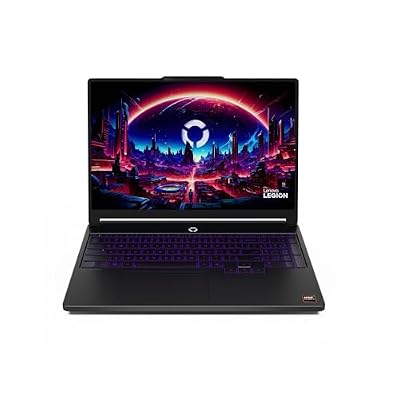
Lenovo Legion 5a - 2026 - Gaming Laptop - NVIDIA GeForce RTX 5060-15.3" OLED WQXGA Display - 165Hz Refresh Rate - Ryzen 7 250-32GB Memory - 1TB Storage - Eclipse Black
Included for '22 Best Lenovo Gaming Laptops' as a representative home product in this roundup; selection reflects the product set returned for this topic.
View on AmazonLenovo Legion 5 Gen 10 (Ryzen, RTX 5060, OLED) — Best for a Budget OLED Gaming Laptop
Spec line: AMD Ryzen CPU · NVIDIA GeForce RTX 5060 · 15.3-inch WQXGA OLED 165 Hz · DDR5 memory, per the listing.
- The AMD Legion 5 drops the “i” in the name; the Intel version is the Legion 5i.
- OLED gives deep contrast and strong color, which suits single-player games and creative work.
- RTX 5060 targets high-refresh 1080p and lighter 1440p play.
- Verify memory and storage on the specific listing, since sellers configure these differently.
Pros: OLED display at a mid-range tier, strong cooling for the class, compact 15-inch body. Cons: battery life is short under load, and 8 GB VRAM can limit very high textures. Skip it if you need the GPU power of the RTX 5070 or a larger screen.

Lenovo Legion Pro 5 5060 Gaming Laptop 16" 240Hz 2.5K, Ryzen 9, 64GB/1TB | Copilot+ PC, 500nits (2560x1600) Display, AMD Ryzen 9 8945HX, GeForce RTX 5060 8GB, 24-Zone RGB KB, 5MP Webcam, Win11Pro
Included for '22 Best Lenovo Gaming Laptops' as a representative home product in this roundup; selection reflects the product set returned for this topic.
View on AmazonLenovo Legion Pro 5 Gen 10 (Ryzen 9, RTX 5060) — Best AMD-Powered 16-Inch Mid-Range Option
Spec line: AMD Ryzen 9 · NVIDIA GeForce RTX 5060 · 16-inch 2.5K 240 Hz, 500 nits · Copilot+ PC branding, per the listing.
- Pro line brings the larger 16-inch chassis and better sustained cooling than the standard Legion 5.
- 240 Hz refresh rate pairs well with esports titles on an RTX 5060.
- Memory and SSD sizes vary by seller, so compare listings carefully.
- Ryzen 9 HX-class chips are strong for both gaming and content creation.
Pros: large screen with high refresh, strong CPU, good cooling headroom. Cons: RTX 5060 can be the bottleneck for a Ryzen 9 build, and the chassis is heavier than 15-inch rivals. Skip it if you want the most GPU per dollar; the RTX 5070 version of the Pro 5i is usually the better balance.

Lenovo Legion Pro 5i Gen 10 with Core Ultra 9 275HX, NVIDIA GeForce RTX 5070, OLED 16" Non-Touch, 32GB RAM, 2TB SSD, 24zone RGB, 3YR Courier/Carry-in
Included for '22 Best Lenovo Gaming Laptops' as a representative home product in this roundup; selection reflects the product set returned for this topic.
View on AmazonLenovo Legion Pro 5i Gen 10 (Core Ultra 9 275HX, RTX 5070, OLED) — Best for Balanced Mid-Range Performance
Spec line: Intel Core Ultra 9 275HX · NVIDIA GeForce RTX 5070 (115 W as reported) · 16-inch OLED, non-touch · 32 GB RAM · 2 TB SSD, per the listing.
- This is the configuration most buyers mean when they search for the Lenovo Legion Pro 5i Gen 10 Intel 16-inch with RTX 5070.
- Ultrabookreview describes the Pro 5i as the mainstream, affordable Legion Pro, with RTX 5060 and 5070 variants that cool well.
- 16:10 OLED panel reported at 500 nits SDR with full DCI-P3 coverage on higher-end configurations.
- 80 Wh battery and a weight near 2.4 kg are reported, so it is portable for its size.
Pros: strong balance of GPU, cooling and display, generous 32 GB and 2 TB configuration, upgradeable memory and storage on the platform per reviewers. Cons: heavier and thicker than thin gaming laptops, and RTX 5070 laptop VRAM is reported at 8 GB. Skip it if you want a thin everyday carry laptop or the cheapest way into RTX 5060 gaming.
Lenovo Legion Pro 5i Gen 10: RTX 5060 vs RTX 5070 vs RTX 5070 Ti
| GPU | Reported VRAM | Reported GPU power | Best for | Trade-off |
|---|---|---|---|---|
| RTX 5060 | 8 GB | 115 W | 1080p to 1440p play at lower cost | Least headroom for new demanding titles |
| RTX 5070 | 8 GB | 115 W | Best-value 1440p and OLED gaming | 8 GB VRAM can limit very high texture settings |
| RTX 5070 Ti | 12 GB | 140 W | Higher frame rates, 12 GB VRAM, some creative work | Reported to run hotter; higher tier |
Ultrabookreview reports that the RTX 5070 should be roughly 10 to 20 percent slower than the RTX 5070 Ti. The Ti’s extra VRAM and power help heavier workloads, but the same source describes that variant as running hot in this chassis. For most gamers, reviewers lean toward the RTX 5060 or RTX 5070 trims as the sweet spot. Some resellers list a Lenovo Legion Pro 5i Gen 10 with an Ultra 7 251HX and RTX 5070 on an IPS panel; the OLED version costs more but is the one reviewers praise for display quality.
Best Premium Lenovo Gaming Laptops: Legion 7i, Legion Pro 7i and Legion 9i
What to expect at this tier:
- RTX 5070 to RTX 5090 laptop GPUs, with higher power limits than the mid-range.
- 16-inch OLED panels at 240 Hz, or an 18-inch 4K panel on the Legion 9i.
- Larger vapor-chamber style cooling, with Lenovo’s Coldfront branding reported by reviewers.
- Core Ultra 9 275HX processors across most configurations, with 32 GB to 64 GB RAM.
- Heavy chassis and large power bricks, so plan for travel weight.

Lenovo Legion 7i Gen 10 16” Gaming Laptop with Intel Core Ultra 9 275HX Processor, NVIDIA GeForce RTX 5070, WQXGA OLED 500nits Non-Touch Display, 32GB RAM, 1TB SSD, Per-Key RGB KYB, and Win 11 Home
Included for '22 Best Lenovo Gaming Laptops' as a representative home product in this roundup; selection reflects the product set returned for this topic.
View on AmazonLenovo Legion 7i Gen 10 (RTX 5070, OLED) — Best Premium Everyday Gaming Laptop
Spec line: Intel Core Ultra 9 275HX · NVIDIA GeForce RTX 5070 · 16-inch WQXGA OLED · premium chassis, per the listing.
- Sits between the Pro 5i and the Pro 7i in positioning.
- Aimed at buyers who want a more refined design and display without the largest cooling system.
- GPU power limits matter, so compare the stated TGP across configurations.
- Check the listing for refresh rate, RAM and storage, which vary by seller.
Pros: polished build, OLED display, strong CPU. Cons: costs more than a Pro 5i with a similar GPU, and the RTX 5070 limits the performance headroom the premium chassis offers. Skip it if you want maximum GPU performance for the money.
Lenovo Legion Pro 7i Gen 10 (RTX 5080) — Best for Maximum 16-Inch Performance
Spec line: Intel Core Ultra 9 275HX · NVIDIA GeForce RTX 5080 16 GB · 16-inch OLED 240 Hz, 500 nits · 32 GB or 64 GB RAM · 1 TB to 2 TB SSD, per the listings. The cards above show the main RTX 5080 and RTX 5090 listings.
- Reviewers describe the RTX 5080 version as the best all-around high-performance Legion because of strong CPU performance and stable Coldfront cooling.
- Thunderbolt 4, Wi-Fi 7 and a 16-inch 2.5K OLED are listed on several configurations.
- Higher power limits than the Pro 5i let the GPU sustain more performance.
- RTX 5090 configurations exist for buyers who want the top GPU.
Pros: top-tier performance, strong cooling, bright OLED. Cons: large, heavy and expensive. Skip it if you play mostly esports at 1080p, since a cheaper GPU will already hit your refresh rate.

Lenovo Legion 9i Gen 10 18" Gaming Laptop (2026 Model) Intel Core Ultra 9 275HX 24C, NVIDIA GeForce RTX 5090 24GB, 64GB RAM, 1TB Gen5 NVMe SSD, 18.0" 4K 520 nits 240Hz, Windows 11 Pro
Included for '22 Best Lenovo Gaming Laptops' as a representative home product in this roundup; selection reflects the product set returned for this topic.
View on AmazonLenovo Legion 9i Gen 10 (18-Inch, RTX 5090) — Best Desktop-Replacement Laptop
Spec line: Intel Core Ultra 9 275HX · NVIDIA GeForce RTX 5090 24 GB · 18-inch 4K 240 Hz · 64 GB RAM, per the listing.
- Flagship of the Legion range with an 18-inch display.
- Reported weight near 3.5 kg, so it behaves like a portable desktop.
- Listings also show RTX 5080 versions at a lower tier.
- A 4K panel at 240 Hz is more than most games can saturate, so upscaling helps.
Pros: largest screen, highest GPU tier, space for strong cooling. Cons: very large and heavy, top cost tier, 4K demands upscaling in new games. Skip it if you travel often or prefer a 16-inch laptop.
Best Lenovo Gaming Laptops by Use Case
- Best for esports at 1080p: Lenovo LOQ 15 (RTX 5060) · 144 Hz panel · low cost tier.
- Best for portable OLED gaming: Lenovo Legion 5 or Legion 5i Gen 10 · 15-inch OLED · RTX 5060 to RTX 5070.
- Best for students and creators: Lenovo Legion Pro 5i Gen 10 (RTX 5070) · 16-inch OLED · 32 GB RAM.
- Best for 1440p high refresh: Lenovo Legion Pro 5i Gen 10 or Legion 7i Gen 10 with RTX 5070.
- Best for AI and rendering work: Lenovo Legion Pro 7i Gen 10 (RTX 5080) for more VRAM and CPU headroom.
- Best desktop replacement: Lenovo Legion 9i Gen 10 · 18-inch 4K · RTX 5090.
Lenovo Legion 5i OLED Specs: 15.1-Inch WQXGA 165 Hz with RTX 5070
The Legion 5i Gen 10 is the model behind the lenovo legion 5i 15.1 WQXGA 165 Hz OLED gaming laptop (Intel Core i9) with GeForce RTX 5070 specs. Reviewers report a 15.1-inch 2560 x 1600 OLED panel at 165 Hz in the RTX 5070 configuration, with the GPU at 115 W. The listing on our existing pick shows a Core i9-14900HX, while LaptopMedia reviewed a 15IRHX10 unit with a Core i7-14700HX, so check which CPU your configuration has. Common compromises are short battery life and noticeable fan noise under load. Confirm RAM, storage and port layout on the exact listing, since sellers configure these differently.
How to Get the Most Out of a Lenovo Legion Pro 5i With RTX 5070 or RTX 5070 Ti
To get the most out of a Legion Pro 5i, keep the vents clear, use the performance mode while plugged in, update BIOS, drivers and Lenovo Vantage, and set the refresh rate and resolution to match your games. These are general steps based on Lenovo’s own software, and menu names vary by model, so use the manual for exact paths.
- Plug in for performance: gaming laptops typically limit GPU power on battery.
- Choose the right power mode: Lenovo Vantage offers quiet, balanced and performance modes. Performance raises fan speed and noise.
- Keep drivers and firmware current: install graphics driver and system updates from Lenovo and the GPU maker.
- Use a hard, flat surface: blocked intake vents raise temperatures; a cooling stand can help airflow.
- Cap frame rate near the panel refresh rate: this reduces heat and fan noise.
- Clean dust carefully: only if the manual allows it. Power off and unplug first, and contact Lenovo support for internal cleaning, since opening the case may affect warranty terms.
If you own the RTX 5070 Ti version, which reviewers describe as running hot, favor the performance mode only when needed, and use a stand with good airflow.
Legion 5i vs Legion Pro 5i: What Differs
- Screen size: the 5i is a 15-inch class laptop; the Pro 5i is 16 inches.
- Cooling headroom: the Pro 5i’s larger chassis generally sustains power better.
- GPU range: the 5i tops out at RTX 5070 in the reported configurations, while the Pro 5i reaches RTX 5070 Ti.
- Portability: the 5i is smaller, though reviewers report short battery life on both.
Also Consider: Gaming Laptops From Other Brands
If no Lenovo configuration fits, these four lines target similar buyers. Compare GPU power limits, display type, cooling and warranty across makers, not only the GPU name.

ASUS ROG Strix G16 Gaming Laptop, RTX 5070 Ti 12GB GDDR7 140W TGP, AMD Ryzen 9 8940HX, 16’’ WUXGA 165HZ LED Display, 32GB DDR5 RAM 1TB SSD, MUX Switch, RGB Backlit, WiFi 6E, RJ-45 with Accessory
Included for '22 Best Lenovo Gaming Laptops' as a representative home product in this roundup; selection reflects the product set returned for this topic.
View on AmazonASUS ROG Strix G16 — Best Alternative With RTX 5070 Ti
Spec line: AMD Ryzen 9 8940HX · RTX 5070 Ti 12 GB GDDR7 at 140 W TGP · 16-inch WUXGA 165 Hz, per the listing.

msi Katana 15 HX Gaming Laptop - 15.6" QHD 165Hz Display, Intel Core i7-14650HX, NVIDIA GeForce RTX 5060, 16GB DDR5, 1TB NVMe SSD, Wi-Fi 6E, RGB Keyboard, Windows 11 (B14WFK-810US)
Included for '22 Best Lenovo Gaming Laptops' as a representative home product in this roundup; selection reflects the product set returned for this topic.
View on AmazonMSI Katana 15 HX — Best Alternative for Value 1440p
Spec line: Intel Core i7-14650HX · RTX 5060 · 15.6-inch QHD 165 Hz · 16 GB DDR5, per the listing.

acer Predator Helios Neo 16 AI Gaming Laptop | Intel Core Ultra 9 Processor 275HX | NVIDIA GeForce RTX 5070 Ti | 16" WQXGA 240Hz G-SYNC | 16GB DDR5 | 1TB Gen 4 SSD | Killer Wi-Fi 6E | PHN16-73-92B8
Included for '22 Best Lenovo Gaming Laptops' as a representative home product in this roundup; selection reflects the product set returned for this topic.
View on AmazonAcer Predator Helios Neo 16 AI — Best Alternative to the Legion Pro 5i
Spec line: Intel Core Ultra 9 275HX · RTX 5070 Ti · 16-inch WQXGA display, per the listing.

HP OMEN 16 MAX Gaming Laptop, Intel Ultra 9-275HX, 32 GB DDR5 RAM, 1 TB PCIe SSD, 16" WQXGA (2560 x 1600) Display, Nvidia G-Force RTX 5080, Numeric RGB Backlit Keyboard, W11 Home, Shadow Black
Included for '22 Best Lenovo Gaming Laptops' as a representative home product in this roundup; selection reflects the product set returned for this topic.
View on AmazonHP Omen Max 16 — Best Alternative for a Performance-Focused 16-Inch
Spec line: Intel Core Ultra 9 275HX · 32 GB DDR5 · 1 TB SSD · 16-inch WQXGA display, per the listing.
Fit, Size and Compatibility Notes
A 16-inch Legion Pro needs more desk and bag space than a 15-inch Legion 5i, and the power adapter is large, so plan for it if you travel. Check the port list for the connections you rely on, such as HDMI, USB-C or Thunderbolt for external monitors, Ethernet and an SD reader. Memory is DDR5 on the current models, and many Legion models have more than one SSD slot, but the exact count and upgrade path differ by model, so confirm in the maker’s hardware maintenance manual.
Pick This Lenovo Gaming Laptop If…
| Pick this | If you… |
|---|---|
| Lenovo LOQ 15 (RTX 4050) | want the lowest entry point into a dedicated RTX GPU and mostly play at 1080p |
| Lenovo LOQ 15 (RTX 5060) | want current-generation graphics on a budget |
| Lenovo Legion 5 or 5i Gen 10 | want a 15-inch OLED in a more portable body and accept short battery life |
| Lenovo Legion Pro 5i Gen 10 (RTX 5060) | want a 16-inch screen and good cooling at a lower tier |
| Lenovo Legion Pro 5i Gen 10 (RTX 5070) | want the best-value 1440p and OLED experience, per reviewers |
| Lenovo Legion Pro 5i Gen 10 (RTX 5070 Ti) | need 12 GB VRAM or more performance and accept more heat |
| Lenovo Legion 7i or Pro 7i Gen 10 | want a premium build and long-term headroom |
| Lenovo Legion 9i Gen 10 | want a desktop replacement with an 18-inch 4K screen |
How We Chose These Lenovo Gaming Laptops
This guide is research-based. We compared Lenovo’s maker listings, current product pages and reviewer write-ups from independent laptop outlets, and we sorted models by GPU tier, display and cooling. Where reviewers disagree or listings conflict, we say so and tell you to read the exact configuration. We did not run our own benchmarks, and we describe GPU power limits and battery life as reported by reviewers, not as personal measurements.
Display, Cooling, Battery and Ports: Where Lenovo Gaming Laptops Differ
Display options
Lenovo sells the same model family with several panels, so the screen is often the biggest difference between two listings with the same name. LOQ models are usually 15.6-inch or 15.3-inch 1080p IPS panels at 144 Hz or 165 Hz. Legion 5 and 5i models offer a 15.1 or 15.3-inch 2560 x 1600 panel, often OLED at 165 Hz. Legion Pro 5i and Pro 7i models use a 16-inch 16:10 panel, with OLED options at up to 240 Hz and about 500 nits as listed. If you edit photos or video, look for a listing that states full DCI-P3 coverage; if you only play fast shooters, a high refresh rate matters more than color range.
Cooling and fan noise
Legion models are praised in reviews for cooling, and the Pro line’s larger chassis sustains GPU power better than the 15-inch Legion 5. Lenovo’s Vantage software offers quiet, balanced and performance modes. Performance mode raises fan speed and noise, so many players use balanced mode for lighter games and switch to performance for demanding ones. LOQ cooling is simpler, which is one reason the GPU power limits are generally lower at that tier.
Battery life
Expect gaming battery life measured in minutes to a couple of hours at most, whatever the model. The Legion Pro 5i is reported with an 80 Wh battery, which helps for browsing and video, but demanding games drain any of these laptops quickly. Gaming laptops also limit GPU power on battery, so frame rates drop when unplugged. Treat the battery as a convenience for lighter tasks and carry the charger for gaming.
Ports and connectivity
Check the port list for HDMI, USB-C or Thunderbolt for external monitors, Ethernet, USB-A ports for a mouse and headset, and an SD card reader if you shoot photos. Current Legion models list Wi-Fi 7, and some Legion Pro 7i configurations list Thunderbolt 4. LOQ models usually offer a simpler set of ports, so confirm the exact layout before you buy.
Common Mistakes When Buying a Lenovo Gaming Laptop
- Comparing by GPU name only: two laptops with an RTX 5070 can perform differently if their power limits and cooling differ. Compare the stated TGP and read reviews of the exact chassis.
- Ignoring VRAM: reviewers report 8 GB on the RTX 5060 and RTX 5070 laptop GPUs and 12 GB on the RTX 5070 Ti. That can matter for high texture settings and some creative work.
- Buying a mismatched CPU and GPU: a Ryzen 9 or Core Ultra 9 paired with an RTX 5060 can leave you GPU-limited. Put more of your budget into the graphics chip.
- Overlooking RAM and storage: 16 GB is the practical minimum and 32 GB is better for streaming and mods. Sellers configure the same model with different memory, so read the listing line by line.
- Skipping the panel details: a 240 Hz OLED and a 144 Hz IPS panel feel very different, even when the GPU matches.
- Forgetting size and weight: the 16-inch Pro line and 18-inch Legion 9i are heavy, and their chargers are large.
Warranty, Configurations and Seller Differences
Lenovo gaming laptops are sold by Lenovo and by third-party sellers, and third-party listings often use different RAM and storage than the base model. That is why the same model name can appear with 16 GB, 32 GB or 64 GB of memory and with SSD sizes from 512 GB to several terabytes. Before you buy, confirm the model number printed on the listing, the warranty terms and who provides support, and check whether the seller upgraded memory or storage. Opening the case to upgrade parts can affect warranty terms, so read the maker’s policy first.
Frequently Asked Questions
What’s the difference between Legion and LOQ?
Legion is Lenovo’s premium line with better displays, cooling, and build, while LOQ offers strong value with slightly trimmed features. Both are well-regarded for gaming.
Is the OLED display worth it?
For visual quality, absolutely. OLED delivers deep blacks and vivid color that elevate single-player games. If you prioritize looks, the Legion 5i’s panel is a highlight.
Is Lenovo good for gaming laptops?
Yes. Lenovo’s Legion and LOQ lines are consistently praised for cooling, keyboards, and value, making them a reliable choice across budgets.
How much RAM should I get?
16GB is the practical minimum, but 32GB is ideal for heavy multitasking and future-proofing. Several Lenovo models offer 32GB configurations at reasonable prices.
What is the best Lenovo gaming laptop for most people?
The Lenovo Legion Pro 5i Gen 10 with an RTX 5070 is the most commonly praised all-round choice in the reviews cited. It combines a 16-inch OLED display, solid cooling and mid-range performance. Budget buyers may prefer the Lenovo LOQ 15.
What are the Lenovo Legion Pro 5i Gen 10 Intel 16-inch RTX 5070 specs?
Reviewers report a Core Ultra 7 255HX or Core Ultra 9 275HX, an RTX 5070 with 8 GB of VRAM at 115 W, a 16-inch 16:10 2560 x 1600 OLED, an 80 Wh battery and a weight near 2.4 kg. Memory and storage vary by configuration, so read the listing.
Is there a Lenovo Legion Pro 5i Gen 10 with RTX 5060?
Yes, reviewers describe RTX 5060, RTX 5070 and RTX 5070 Ti variants of the Legion Pro 5i Gen 10, with the RTX 5060 and 5070 at 115 W. The RTX 5060 version is the lower-cost entry to the 16-inch Pro chassis.
How do I get the most out of a Legion Pro 5i with an RTX 5070 Ti?
Use the charger, pick performance mode when needed, keep drivers and BIOS updated and keep the vents clear. The RTX 5070 Ti version is reported to run hot, so a cooling stand and a frame cap near your refresh rate help.
What are the Lenovo Legion 5i OLED specs?
The Legion 5i Gen 10 is reported with a 15.1-inch 2560 x 1600 OLED at 165 Hz, Core Ultra or Core i9 processors depending on the listing, and RTX 5050, 5060 or 5070 graphics. Reviewers mention short battery life and fan noise as trade-offs.
Are Lenovo LOQ laptops good for gaming?
Yes, for 1080p and esports titles. LOQ models carry dedicated RTX graphics at a lower cost tier, though build quality and displays are simpler than Legion models.
Final Thoughts
The Lenovo Legion Pro 5i Gen 10 is the most commonly praised all-round pick in the reviews cited, the Lenovo LOQ 15 is the budget-friendly way into current RTX graphics, and the Legion Pro 7i suits buyers who want maximum performance. Compare the exact GPU, display and configuration on each listing before you choose.