
🛒 Best Price Today on Amazon
Prime members get fast, free shipping on everything above, plus member-only deals. New members get a 30-day free trial — cancel anytime.
- Best Keyboards for Fortnite Compared
- Wooting 60HE+ — Best Overall for Fortnite
- Razer Huntsman V3 Pro Mini — Best Compact Alternative
- SteelSeries Apex Pro Mini Gen 3 — Best for Fast Movement
- Logitech G Pro X TKL Rapid — Best TKL for Fortnite
- How the Best Fortnite Keyboards Differ
- How to Choose the Best Keyboard for Fortnite
- What Keyboard Size Is Best for Fortnite?
- Should You Use Very Low Actuation in Fortnite?
- FAQ
- Conclusion
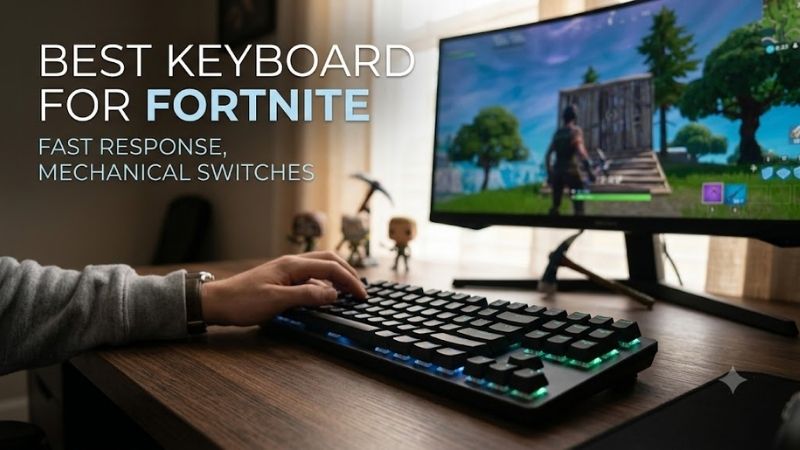
Finding the best keyboard for Fortnite means prioritizing fast inputs, reliable movement, and enough mouse space for quick aim adjustments. This guide compares competitive keyboards with rapid trigger, adjustable actuation, compact layouts, and responsive switches for building, editing, weapon swaps, and close-range fights.
Best Keyboards for Fortnite Compared
| Keyboard | Best For | Layout | Key Technology | Main Advantage |
|---|---|---|---|---|
| Wooting 60HE+ | Deep competitive customization | 60% | Hall effect | Extensive actuation tuning |
| Razer Huntsman V3 Pro Mini | Fast compact setup | 60% | Analog optical | Rapid-trigger focused controls |
| SteelSeries Apex Pro Mini Gen 3 | Competitive movement | 60% | Magnetic adjustable switches | Responsive key customization |
| Logitech G Pro X TKL Rapid | TKL competitive setup | Tenkeyless | Magnetic switches | Familiar layout with rapid input |
Wooting 60HE+ — Best Overall for Fortnite
Best For: Competitive Fortnite players who want maximum input customization
The Wooting 60HE+ is built around analog Hall effect switches and deep input customization, making it especially relevant to Fortnite players who want rapid-trigger behavior and finely tuned actuation. Its 60% layout removes the function row and navigation cluster, creating extra mouse room for wide flicks and low sensitivity.
What makes it different is the control it gives over how individual keys respond. Players can set movement keys differently from edit, build, or weapon binds, then adjust behavior as their muscle memory develops. The trade-off is a learning curve, because a highly configurable keyboard rewards careful setup rather than plug-and-forget use.
In Fortnite, the 60HE+ fits players who use dedicated build and edit binds and want repeated presses to reset quickly during box fights. The compact shape also helps players who angle their keyboard. Users who rely heavily on function keys outside gaming may need secondary layers for everyday shortcuts.
Key Features
- 60% compact layout
- Hall effect switches
- Adjustable actuation
- Rapid-trigger functionality
- Per-key configuration
- Remappable key functions
- Wired connectivity
- Competitive-focused input controls
What Makes It Different
The Wooting 60HE+ stands out through the depth of its switch configuration. Instead of treating every key identically, Fortnite players can tune movement, editing, building, and utility keys around different preferences. This makes the keyboard particularly useful for players who enjoy refining settings rather than using fixed switch behavior.
Pros
- Highly adjustable key response
- Rapid-trigger support
- Compact footprint
- Excellent mouse clearance
- Per-key customization
- Strong fit for competitive Fortnite
Cons
- 60% layout removes dedicated function keys
- Configuration can take time
- Less convenient for users who need navigation keys frequently
Use Case
This keyboard is especially suited to box fights, edit courses, piece-control practice, and competitive matches where movement inputs are repeated rapidly. Players can keep frequently used Fortnite binds around WASD while reserving different activation behavior for less critical commands, creating a setup tailored around personal mechanics.
Who It’s For
Choose the Wooting 60HE+ if Fortnite is one of your main competitive games and you want substantial control over key activation. It suits players comfortable with a 60% layout, especially those who already optimize sensitivity, binds, edit settings, and movement behavior rather than relying entirely on default configurations.
Razer Huntsman V3 Pro Mini — Best Compact Alternative
Best For: Fortnite players who want rapid input in a small Razer keyboard
The Razer Huntsman V3 Pro Mini is another compact option aimed at competitive play, using analog optical switches with adjustable actuation and rapid-trigger functionality. Its small footprint works well for Fortnite setups where mouse space is valuable, while onboard controls let players change key behavior without needing a full-size board.
Its main appeal is fast adjustment for players who want a tournament-oriented layout but prefer Razer’s ecosystem and familiar software. The board can support aggressive movement and edit settings, yet the compact format removes dedicated arrows and function keys. That trade-off matters if the same keyboard is used for work or school.
For Fortnite, the Huntsman V3 Pro Mini suits players who prioritize quick edits, responsive movement, and a minimal desk footprint. It is especially practical for users who already keep most essential actions around WASD. Players who prefer a traditional TKL layout may find the missing dedicated keys inconvenient.
Key Features
- 60% layout
- Analog optical switches
- Adjustable actuation
- Rapid-trigger functionality
- Compact competitive design
- Onboard adjustment controls
- Razer Synapse customization
- Wired connection
What Makes It Different
The Huntsman V3 Pro Mini combines analog switch control with a very small layout and Razer’s competitive gaming ecosystem. It is designed for users who want to change actuation behavior rather than remain locked to one switch point, while keeping enough desk space for large mouse movements during Fortnite fights.
Pros
- Compact 60% footprint
- Adjustable switch behavior
- Rapid-trigger functionality
- Useful for low-sensitivity setups
- Strong customization options
- Familiar Razer ecosystem
Cons
- No dedicated arrow keys
- Limited secondary-key convenience
- Small layout can require adjustment
- Less practical for productivity-heavy setups
Use Case
The Huntsman V3 Pro Mini works best in setups where keyboard space directly competes with mouse space. Fortnite players who make large arm movements can position the board at an angle while keeping edit and build binds close together. The compact layout is less valuable if the player rarely needs extra horizontal mouse clearance.
Who It’s For
This model is aimed at players who want a competitive 60% keyboard but prefer Razer hardware and software. It is particularly relevant for Fortnite users already comfortable with compact boards, custom actuation settings, and layered secondary commands rather than users moving directly from a conventional full-size keyboard.
SteelSeries Apex Pro Mini Gen 3 — Best for Fast Movement
Best For: Players focused on movement, edits, and repeated inputs
The SteelSeries Apex Pro Mini Gen 3 targets the same high-speed use case with adjustable magnetic switches and rapid-trigger style input. Its compact 60% format keeps the mouse area open, which can help Fortnite players using large pads or low sensitivity. The design is focused more on competitive control than broad desktop convenience.
Its distinguishing feature is the ability to tune key response for different actions instead of accepting one fixed actuation point. A player can favor shallow activation for movement or edits while keeping other keys less sensitive. The limitation is that very light settings may increase accidental inputs until the user adapts.
Fortnite players who frequently practice piece control, edit courses, and close-range movement can benefit from that responsiveness. The Apex Pro Mini Gen 3 also suits players who want a compact board without changing to a niche layout. Users needing dedicated media, arrow, or macro keys should consider a larger alternative.
Key Features
- Compact 60% layout
- Adjustable magnetic switches
- Rapid-trigger functionality
- Per-key actuation adjustment
- Remappable controls
- Competitive gaming design
- Software configuration
- Space-saving footprint
What Makes It Different
The Apex Pro Mini Gen 3 emphasizes adjustable response while retaining the recognizable feel of SteelSeries’ Apex Pro family. Fortnite players can configure important movement and edit keys differently from rarely used controls, helping the keyboard match their bindings instead of forcing every command to use identical sensitivity.
Pros
- Adjustable actuation
- Rapid-trigger behavior
- Compact footprint
- Extra room for mouse movement
- Per-key customization
- Useful for movement-heavy gameplay
Cons
- 60% layout removes dedicated controls
- Sensitive settings can cause mistakes
- Requires tuning for best results
- Less convenient for general desktop work
Use Case
This keyboard makes sense for players who spend significant time practicing repeated edits, strafing, peeks, and piece-control sequences. Faster reset behavior becomes most relevant when keys are pressed and released repeatedly within short windows, although the player still needs consistent mechanics to benefit from the responsiveness.
Who It’s For
Choose the Apex Pro Mini Gen 3 if you want a compact competitive keyboard with adjustable magnetic input but do not need a larger TKL layout. It fits Fortnite players who experiment with actuation settings and want extra mouse space, especially those already comfortable using function layers for non-gaming commands.
Logitech G Pro X TKL Rapid — Best TKL for Fortnite
Best For: Competitive players who want dedicated arrows and function keys
The Logitech G Pro X TKL Rapid is the better fit for players who want fast magnetic-switch behavior without giving up the familiar tenkeyless layout. It keeps dedicated function and arrow keys while removing the number pad, so it offers more desktop flexibility than a full-size keyboard without becoming as minimal as a 60% board.
That layout difference matters in Fortnite because not every competitive player wants to relearn secondary layers. A TKL board still leaves reasonable mouse space while preserving keys that are useful for replays, Discord shortcuts, or general PC use. The trade-off is a wider footprint than the three compact options above.
For Fortnite, this model suits players who want rapid input technology but prefer a conventional keyboard shape. It can work well for mixed gaming and productivity setups, especially when the keyboard stays centered instead of sharply angled. Pure esports-focused users may still prefer the smaller footprint of a 60% design.
Key Features
- Tenkeyless layout
- Magnetic switch technology
- Adjustable input behavior
- Rapid-trigger focused controls
- Dedicated arrow keys
- Dedicated function row
- Gaming software customization
- Competitive-oriented design
What Makes It Different
The Pro X TKL Rapid separates itself from the 60% picks by preserving a traditional TKL layout. Players get modern adjustable input behavior without moving arrows, function keys, and several secondary commands onto layers. That makes it easier to use as both a Fortnite keyboard and a regular PC keyboard between matches.
Pros
- Familiar TKL design
- Dedicated arrow keys
- Function row remains accessible
- Adjustable input behavior
- More versatile for daily use
- No unnecessary number pad
Cons
- Uses more desk space than a 60% keyboard
- Less room for extreme keyboard angles
- Compact-layout players may prefer smaller alternatives
Use Case
The Logitech model fits Fortnite players who want competitive switch technology but still use their keyboard for browsing, school, work, streaming, or other games. Its TKL layout balances mouse clearance with convenient access to secondary keys, making it easier to transition between Fortnite sessions and general desktop tasks.
Who It’s For
Choose this keyboard if 60% boards feel too restrictive but a full-size model occupies too much space. It is particularly suitable for Fortnite players who want rapid-trigger style controls while maintaining familiar key positions, minimizing the adjustment required when moving from a traditional gaming keyboard.
How the Best Fortnite Keyboards Differ
| Feature | Wooting 60HE+ | Huntsman V3 Pro Mini | Apex Pro Mini Gen 3 | Pro X TKL Rapid |
|---|---|---|---|---|
| Layout | 60% | 60% | 60% | TKL |
| Adjustable Actuation | Yes | Yes | Yes | Yes |
| Rapid-Trigger Style Input | Yes | Yes | Yes | Yes |
| Dedicated Arrow Keys | No | No | No | Yes |
| Maximum Mouse Space | Excellent | Excellent | Excellent | Good |
| Best Fit | Deep tuning | Razer users | Movement-focused play | Mixed gaming and desktop use |
How to Choose the Best Keyboard for Fortnite
Rapid Trigger
Rapid trigger is useful in Fortnite because movement inputs often need to stop and reactivate with very little delay. Instead of waiting for a key to return to a fixed reset point, supported keyboards can respond as the key changes direction. This can make repeated strafes and movement corrections feel more immediate during close fights.
Adjustable Actuation
Adjustable actuation lets you choose how far a key must travel before it registers. Shallow settings can help edits, builds, and movement activate sooner, while deeper settings can reduce accidental presses on less critical keys. The best setup is personal, because overly sensitive keys can hurt consistency even when they feel fast.
60% vs TKL Layout
Layout affects Fortnite more than many buyers expect. A 60% keyboard creates maximum mouse room and supports aggressive keyboard angles, but it moves arrows and function commands to layers. TKL keeps those dedicated keys while remaining smaller than full size, making it easier to balance competitive play with everyday desktop use.
Switch Feel
Switch feel still matters even when speed is the priority. Magnetic and optical systems can offer adjustable behavior, but the physical key press must remain comfortable during long sessions. Players who bottom out hard may prefer firmer resistance, while lighter typists may favor easier travel for repeated edits and movement inputs.
Keyboard Software
Software matters when a keyboard exposes actuation, rapid trigger, remapping, or profiles. The useful question is not how many effects the app offers, but whether key behavior can be adjusted clearly and saved reliably. Fortnite players should prioritize software that makes competitive settings easy to understand, reproduce, and change.
Wired vs Wireless
Wireless freedom can clean up a setup, but competitive Fortnite players should focus first on consistent input behavior and a connection mode they trust. A wired connection also removes battery management from the equation. If a keyboard supports several connection modes, choose the one that best matches your tournament or home setup.
What Keyboard Size Is Best for Fortnite?
A 60% keyboard gives Fortnite players the most mouse space because it removes the number pad, function row, navigation cluster, and dedicated arrow keys. This is especially useful for players who use low sensitivity or angle their keyboard. The disadvantage is heavier reliance on shortcuts and function layers outside the game.
A TKL keyboard offers a compromise by removing the number pad while preserving arrows and the function row. It takes more space than a 60% model but remains noticeably narrower than a full-size board. Fortnite players who also use their PC for productivity often find TKL easier to live with without sacrificing much mouse room.
Should You Use Very Low Actuation in Fortnite?
Very shallow actuation can make important Fortnite binds activate with less downward travel, but lower is not automatically better. If movement or edit keys trigger from tiny accidental touches, consistency can suffer. Competitive players should adjust only a few important keys first instead of immediately setting the entire board to maximum sensitivity.
A practical approach is to begin with settings that feel predictable, then reduce actuation gradually on movement, edit, or build keys. Test each change during edit courses, free builds, and normal matches rather than judging it from typing alone. The ideal setting should improve responsiveness without increasing unintended inputs.
FAQ
Is a 60% keyboard good for Fortnite?
A 60% keyboard can be excellent for Fortnite because it frees more desk space for mouse movement and lets players angle the board without pushing the mouse area aside. The compromise is access to arrows, function keys, and navigation commands through secondary layers, which can be less convenient outside competitive gaming.
Does rapid trigger help in Fortnite?
Rapid trigger can help Fortnite players who make frequent movement corrections, strafes, and repeated inputs during close-range fights. It does not replace timing or mechanics, and extremely sensitive settings can create mistakes. The benefit is greatest when the feature is tuned to the player’s own key control and habits.
Are mechanical keyboards better for Fortnite?
Mechanical keyboards are not automatically better for Fortnite. Traditional mechanical switches can feel consistent and durable, but magnetic or analog optical designs add adjustable actuation and rapid-trigger functions. Competitive players should compare input behavior, layout, and comfort rather than choosing only by the switch category.
Is TKL or 60% better for Fortnite?
TKL is often the safer choice for players who use one keyboard for Fortnite and everyday PC tasks, because it keeps function and arrow keys while removing only the number pad. A 60% board saves more space and suits aggressive competitive setups, but it asks the user to rely on layers for several secondary commands.
What actuation setting is best for Fortnite?
The fastest setting is not always the best Fortnite setting. Very shallow actuation can reduce travel before an input registers, but it can also cause unintended movement, crouches, or edits. Start with moderate sensitivity, then lower actuation gradually on the specific keys where faster response improves control.
Conclusion
The best keyboard for Fortnite depends on how much you value compact size, adjustable input, and familiar key access. Wooting 60HE+ favors deep tuning, Huntsman V3 Pro Mini and Apex Pro Mini Gen 3 target compact speed, while Logitech G Pro X TKL Rapid keeps more traditional controls for mixed use and daily play.









