
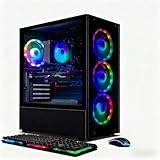
- Top Pick: STGAubron Gaming PC Desktop,Core I7,RX 580 8G,16G RAM,512G SSD
- Best Value: Dell Gaming Tower Desktop PC – Intel Core i5-7500 7th Gen 3.4GHz – 16GB DDR4 RAM – 256GB SSD – GeForce GT 1030 – RGB Keyboard & Mouse – WiFi – Windows 11 Pro – Gaming Computer (Renewed)
- Premium Choice: YAWYORE Gaming PC Desktop Computer AMD R5 5600GT 16GB 1TB NVMe Towers WiFi
Shopping for a gaming PC under $500 in 2026 means navigating a market full of vague spec sheets, recycled office towers wearing RGB, and listings that quietly swap in a weaker GPU than the photos suggest. The hard truth is that this budget rarely buys a brand-new, current-generation machine — it buys smart compromises. The good news is that used and refurbished parts have never offered more gaming performance per dollar, and a well-chosen sub-$500 tower can still handle 1080p gaming at respectable frame rates in most popular titles.
- Watch: Best Gaming PC Under $500 — Video Review
- How to Choose Gaming PC Under $500
- The Best Picks Reviewed
- What to Look For in a Budget Gaming PC
- Which Gaming PC Should You Buy?
- Common Mistakes When Buying a Budget Gaming PC
- First-Week Checklist After Delivery
- Frequently Asked Questions
- Final Thoughts
- Related Articles
This guide cuts through the noise. We’ve focused on prebuilt desktops that actually deliver playable performance rather than just impressive-sounding core counts, explaining what each machine is genuinely capable of and where it falls short. Below you’ll find our top picks, a buying checklist to help you spot the traps, and answers to the questions we see most often from first-time budget builders.
As an Amazon Associate we earn from qualifying purchases at no extra cost to you.




⚡ Save on Your Next PC — Amazon Prime
Prime members get fast free shipping on the systems above, plus early access to Prime Day & Black Friday PC deals. New members get a 30-day free trial.
Watch: Best Gaming PC Under $500 — Video Review
How to Choose Gaming PC Under $500
- Prioritise the GPU above everything: At this price the graphics card determines your frame rate more than any other component. A dedicated card like an RX 580 or RTX 2060 will massively outperform an integrated solution or a low-end GT-series card, which is really a display adapter rather than a gaming GPU.
- Treat the CPU as “good enough” rather than a headline feature: Vague listings advertising “Core i7” can mean a chip from 2012. A modern six-core Ryzen 5 will usually beat an ancient i7 in games, so check the exact model number before you commit.
- Insist on 16GB of RAM and an SSD: 8GB is now a genuine bottleneck in modern titles, and a mechanical hard drive will make even a fast machine feel sluggish. A 512GB NVMe or SATA SSD is the realistic minimum for comfortable game installs.
- Read the condition carefully: Many sub-$500 towers are renewed, refurbished, or built from second-hand parts. That’s not a dealbreaker — it’s how the value is achieved — but you should know the return window and warranty terms before buying.
- Check the power supply and upgrade path: Budget builds often ship with unbranded PSUs and limited case space. If you plan to drop in a better GPU later, confirm there’s enough wattage headroom and physical clearance to do it.
The Best Picks Reviewed
STGAubron Gaming PC — Core i7, RX 580 8GB
This is the classic budget formula done right: an 8GB RX 580 remains a genuinely capable 1080p card, comfortably handling esports titles at high frame rates and most modern games at medium settings. The 16GB/512GB SSD pairing means it feels responsive out of the box, though the “Core i7” branding covers older generations, so treat the CPU as adequate rather than exciting.
STGAubron Gaming PC — Ryzen 5 2600, RTX 2060 6GB
If you can stretch to the top of this budget, the RTX 2060 is the single biggest performance jump available under $500, adding real ray-tracing and DLSS support that meaningfully extends the machine’s useful life. The Ryzen 5 2600 is a sensible six-core partner that won’t hold the GPU back at 1080p, making this our pick for outright performance.
YAWYORE Gaming PC — Ryzen 7 5700X, RTX 5060
This is the most modern configuration on our list by a wide margin, pairing a genuinely fast eight-core Zen 3 CPU with a current-generation GPU that will handle 1080p high settings with room to spare. Expect it to sit at or slightly above the $500 line depending on the day, so watch for a dip — at the right price it’s outstanding value.
YAWYORE Gaming PC — Ryzen 5 5600GT, 16GB, 1TB NVMe
Built around AMD’s 5600GT APU, this tower leans on integrated Radeon graphics rather than a discrete card, which limits it to lighter titles and older games at modest settings. The saving grace is a strong modern CPU, 1TB of NVMe storage, and a clear upgrade path — add a used GPU later and it becomes a properly capable machine.
Dell Gaming Tower — Core i5-7500, GT 1030 (Renewed)
Dell’s renewed tower is the safest, most conventional option here, with tidy build quality, WiFi, Windows 11 Pro and peripherals included. Be realistic about the GT 1030, though: it’s an entry-level card suited to esports and older titles, so buy this one for reliability and everyday use rather than demanding AAA performance.
What to Look For in a Budget Gaming PC
Read the Graphics Card Line First
At this budget tier the graphics card decides what you can play, and the listed models span roughly eight years of hardware. The Radeon RX 580 in one STGAubron configuration is a 2017 design with 8GB of memory and no hardware ray tracing. The GeForce RTX 2060 in the other STGAubron model is a 2019 card with 6GB, and it supports DLSS upscaling. The RTX 5060 in the YAWYORE Ryzen 7 5700X machine is a far newer generation and is listed by its maker with 8GB of memory. A GT 1030, like the one in the renewed Dell tower, is an entry-level card meant for light games and display output, so expect esports titles at low settings rather than modern blockbusters.
CPU Generation and Platform
The Ryzen 7 5700X has eight cores and sixteen threads and sits on the AM4 socket, which has a wide range of used and new compatible parts. The Ryzen 5 2600 is an older six-core chip. The Core i5-7500 is a four-core, four-thread processor from 2017, which can bottleneck newer games. The Ryzen 5 5600GT has built-in graphics, so confirm whether a separate graphics card is included before assuming it can run demanding games.
Power Supply and Cooling
Pre-built PCs at this budget sometimes use basic power supplies. The RTX 2060 and RX 580 each draw roughly 160 to 185 watts on their own, and makers commonly suggest a 500 watt supply for them. If you plan to upgrade the graphics card, look for a listing that states the PSU wattage and whether it has the PCIe power connectors a newer card needs.
Memory and Storage Details
16GB of RAM is a sensible baseline. Two 8GB sticks run in dual-channel mode, which helps integrated graphics in particular, while a single 16GB stick does not. Prefer an NVMe SSD over a SATA drive or a hard disk, and make sure the operating system license is included.
Which Gaming PC Should You Buy?
| If you… | Choose… |
|---|---|
| Want the most modern graphics generation in this group | YAWYORE Gaming PC with Ryzen 7 5700X and RTX 5060 |
| Want DLSS upscaling from an older but capable GPU | STGAubron Gaming PC with Ryzen 5 2600 and RTX 2060 6GB |
| Value more memory on the graphics card for textures | STGAubron Gaming PC with Core i7 and RX 580 8GB |
| Plan to add a graphics card later and want fast storage now | YAWYORE Gaming PC with Ryzen 5 5600GT, 16GB and 1TB NVMe |
| Mostly play older or lightweight games | Dell Gaming Tower with Core i5-7500 and GT 1030 (Renewed) |
Common Mistakes When Buying a Budget Gaming PC
- Trusting the product title instead of the hardware. After the PC arrives, confirm the graphics card in Windows Device Manager and compare it with the listing.
- Ignoring the power supply. A weak supply limits upgrades and can cause crashes under load.
- Buying on core count alone. Older processors with many cores can still trail newer chips in games.
- Overlooking the return window. Keep the box and run a stress test in the first days so any defects are caught while returns are easy.
- Skipping the Wi-Fi and port check. Some towers have no wireless card and few USB ports.
- Expecting high settings at high resolution. Pair older cards with 1080p screens and medium settings for the best experience.
First-Week Checklist After Delivery
- Open Windows Update and install all pending updates and graphics drivers from the chip maker.
- Confirm the graphics card, processor, and memory amount in Task Manager and Device Manager.
- Check that the RAM runs at its rated speed, since some systems default to a slower setting.
- Run a few demanding games or a stress test to confirm temperatures stay stable.
- Back up product keys and warranty details, and keep the packaging until you are satisfied.
A renewed machine deserves extra attention: inspect the case for dust and damage, and listen for fan noise or clicking from a hard drive.
Frequently Asked Questions
Can a $500 gaming PC really play modern games?
Yes, at 1080p with sensible settings. Esports titles like CS2, Valorant, Fortnite and Rocket League will run comfortably above 60fps on any of our GPU-equipped picks, while heavier AAA releases will need medium or low presets and, ideally, upscaling enabled.
Is it better to build my own PC at this budget?
In 2026, usually not. Prebuilt sellers source used and surplus parts at prices individual buyers can’t match, and a self-built machine at $500 typically ends up with a weaker GPU. Building only wins if you already own parts such as a case, PSU or storage.
Should I avoid renewed or refurbished machines?
No, but buy with your eyes open. Renewed units are how this price bracket exists at all, and the main risks are cosmetic wear and shorter warranties. Buy from listings with a clear return policy and test the machine thoroughly within the first few weeks.
What should I upgrade first?
The graphics card, unless your system already has a discrete GPU — in which case check RAM capacity and storage next. Before buying any GPU, confirm your power supply’s wattage and connector availability, as budget PSUs are frequently the limiting factor.
Final Thoughts
For most buyers, the STGAubron with the RTX 2060 offers the best blend of price and performance in this bracket, delivering modern features that will keep it relevant for years. If you find the YAWYORE Ryzen 7 5700X and RTX 5060 build discounted near the $500 mark, it’s the strongest machine here by a clear margin, while the RX 580 STGAubron remains a dependable, no-drama choice for solid 1080p gaming on a strict budget.











