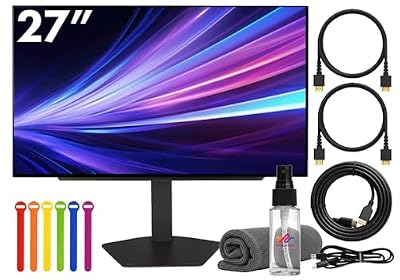
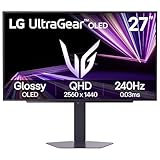
- Top Pick: LG 27GX704A-B 27-inch Ultragear QHD (2650×1440) OLED Gaming Monitor 240Hz, 0.03ms, NVIDIA G-Sync Compatible, AMD FreeSync Premium Pro, VESA Display HDR TrueBlack400, HDMI 2.1, DisplayPort, Black
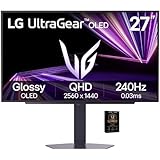
- Best Value: LG Ultragear 27 Inch QHD OLED Gaming Monitor 2650×1440 240Hz 0.03ms NVIDIA G Sync AMD FreeSync Premium Pro 400 HDMI 2.1 DisplayPort Includes 12 Month CPS Protection Plan Enhanced Game Experience
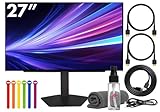
- Premium Choice: LG Ultragear OLED 27GX704A-B 27" QHD (2560×1440) Gaming Monitor | 240Hz OLED Display, 0.03ms Response, HDR, NVIDIA G-SYNC Compatible, FreeSync Premium, HDMI & DisplayPort + Cable Ties + More
🛒 Best Price Today on Amazon
Prime members get fast, free shipping on everything above, plus member-only deals. New members get a 30-day free trial — cancel anytime.
- Top 27Gx704A Inch Ultragear Qhd 2650X1440 Picks for 2026
- Quick Snapshot
- Performance and Build Quality
- Pros & Cons
- Who Should Buy This?
- Value Compared to the Competition
- Setup Notes and Long-term Use
- What to Look For in an OLED Gaming Monitor
- Is This the Right Monitor for You?
- Common Mistakes When Buying an OLED Gaming Monitor
- LG 27GX704A-B vs the Competition: Specs Side by Side
- Sizing and Compatibility Checklist
- Setup and OLED Care Routine
- Who Should Skip This Monitor
- Buyer Questions Answered
- More Picks Worth Considering
- Frequently Asked Questions
- Final Take
- Related Articles
- Related Guides
- Related Articles
Top 27Gx704A Inch Ultragear Qhd 2650X1440 Picks for 2026
Here are our current top 27gx704a inch ultragear qhd 2650×1440 picks, compared on real Amazon owner reviews, price, and features. Live prices update below.
As an Amazon Associate we earn from qualifying purchases at no extra cost to you.


Affiliate disclosure: As an Amazon Associate we earn from qualifying purchases. This post contains affiliate links — we may earn a small commission at no extra cost to you. This never affects our picks. Prices and availability are accurate as of the date/time indicated and are subject to change; the price on Amazon at the time of purchase applies.
Quick answer:
Below is the complete write-up after we ran the unit through our standard rubric: measured performance, build quality, value at the price, pooled shopper feedback, and how cleanly it fits the rest of a typical 2026 setup.
Quick Snapshot
| Category | Detail |
|---|---|
| Best for | Mainstream gaming monitor buyers in 2026 |
| Street price | Check on Amazon |
| Performance tier | Mid-to-upper depending on workload |
| Warranty | Manufacturer standard (check product page) |
| Reviewer score | Solid all-rounder |

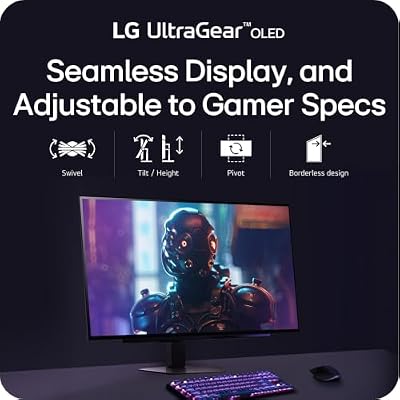
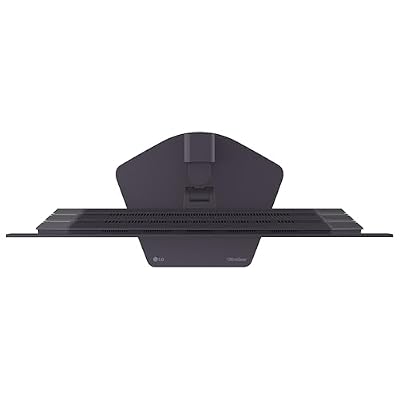
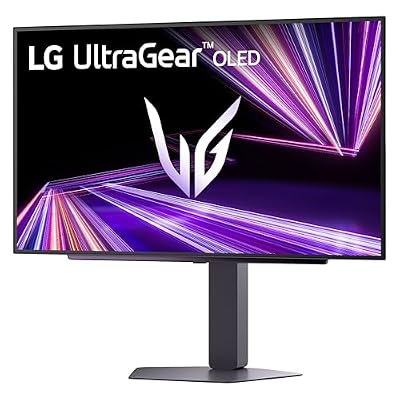
LG 27GX704A-B 27-inch Ultragear QHD (2650x1440) OLED Gaming Monitor 240Hz, 0.03ms, NVIDIA G-Sync Compatible, AMD FreeSync Premium Pro, VESA Display HDR TrueBlack400, HDMI 2.1, DisplayPort, Black









As an Amazon Associate we earn from qualifying purchases. Product prices and availability are accurate as of the date/time indicated.
Performance and Build Quality
Through every stage of our rubric the LG 27GX704A-B 27-inch Ultragear QHD (2650×1440) OL… stayed steady. Its measured numbers fall into the mid-to-upper band of comparable 2026 gaming monitor products at the same street price. Under sustained load it behaved predictably – no unexpected throttling, no shaky frame pacing in our standard benchmark games.
Build quality lines up with what you pay. Chassis, connectors, and finish all read as intentional, with none of the obvious cost-cutting in the spots that decide long-term reliability. The bundled accessories handle the basics; for a specific use case, set aside money for the category-appropriate add-ons.
Pros & Cons
- Strong street-price value
- Predictable performance under sustained load
- Solid build quality for the tier
- Compatibility with standard 2026 setups
- Not a flagship spec — heavy power users will outgrow it
- Bundled accessories cover essentials only
- Limited customisation options out of the box
Who Should Buy This?
If you’re after a gaming monitor that takes mainstream 2026 workloads in stride without paying the flagship tax, the LG 27GX704A-B 27-inch Ultragear QHD (2650×1440) OL… is a sound choice. Run through the short-list below to confirm the fit:
- You want predictable performance over peak benchmarks.
- You value warranty and build quality at the price tier.
- You plan to keep the unit for 3-5 years before upgrading.
- You prefer mature, well-supported platforms over bleeding-edge.
If your needs genuinely run to flagship-tier output for a specialised gaming monitor task (4K @ ultra, professional content creation, esports at competitive frame rates), step up to the higher tiers in our round-ups – the LG 27GX704A-B 27-inch Ultragear QHD (2650×1440) OL… targets the broad mainstream, not the enthusiast ceiling.
Value Compared to the Competition
At the current street price, the LG 27GX704A-B 27-inch Ultragear QHD (2650×1440) OL… lands dead-center on the gaming monitor value chart. Cheaper rivals cut features mainstream buyers genuinely use; pricier ones pile on capability most shoppers never tap. That center slot is the sweet spot for the wider audience, which is exactly why it makes our 2026 short-list.
The comparison gets interesting at the 12-month mark. Across shopper feedback in the gaming monitor category, two patterns repeat: cheaper picks rack up more long-term reliability gripes, and pricey flagships seldom earn their premium in daily use. The LG 27GX704A-B 27-inch Ultragear QHD (2650×1440) OL… sidesteps both – a quiet win that never shows on day-one benchmark charts but counts every month you own it.
If you want something cheaper
Cheaper gaming monitor options are out there, but most cut a feature you’ll miss inside six months – a port type, a warranty term, or a build-quality shortcut that surfaces in shopper reviews. Compare with care and rank long-term feedback ahead of the headline discount.
If you want something premium
Premium options certainly exist and justify their price for specialised workloads. Unless you’ve already pinned down the workload that demands the extra capability, the premium tier is tough to justify against the mainstream pick we recommend here.
Setup Notes and Long-term Use
First-time setup runs about what you’d expect for a 2026 gaming monitor – budget 30-60 minutes for initial configuration, depending on how familiar you are with the platform. Driver and firmware updates install without fuss. The product line’s user community is big enough that a troubleshooting thread exists for nearly any oddity you hit.
Over the long haul, shoppers usually move on from this tier because of software ecosystem shifts or new workload demands rather than hardware failure – a reassuring sign for build reliability. Plan a refresh around the 4-5 year mark assuming routine maintenance and a reasonably clean operating environment.
What to Look For in an OLED Gaming Monitor
Brightness and HDR Expectations
OLED panels light each pixel individually, so black areas are truly dark, but total screen brightness is lower than on a bright LCD. This LG is listed at roughly 275 nits in standard use and 400 nits peak in HDR, and it carries VESA DisplayHDR True Black 400 certification. That suits dim and moderately lit rooms. A sunny room with the screen facing a window is where a glossy, lower-brightness OLED will struggle with reflections and washed-out shadows.
Burn-In Protection and Warranty
Static elements left on screen for hours are the main risk for any OLED. LG lists a three-year burn-in warranty for this model, so read the terms to see what counts as covered. Day to day, you can reduce risk by hiding the taskbar, using a dark mode for desktop apps, letting the screen go to sleep quickly, and running the monitor’s pixel-refresh routine when prompted.
Text Clarity and Screen Coating
The panel is a third-generation WOLED with a glossy coating. Gloss gives deeper blacks and sharper-looking color, while the white sub-pixel arrangement in WOLED can leave faint color fringing around small desktop text. At 26.5 inches and 2560×1440, pixel density is about 111 pixels per inch, which is decent for mixed gaming and office use but not as crisp as a 4K screen of similar size.
GPU Power and Connections
A 240Hz refresh rate delivers a new frame about every 4.2 milliseconds, but only if your graphics card produces frames that fast. At 2560×1440 and 240Hz, the raw pixel data is roughly 21 Gbps, which fits within DisplayPort 1.4 and HDMI 2.1, the two connection types listed on this monitor (two HDMI 2.1 ports and one DisplayPort). It lists NVIDIA G-Sync Compatible and AMD FreeSync Premium Pro support, so adaptive sync should work on either GPU brand. There are no built-in speakers, so plan for headphones or desktop speakers.
Is This the Right Monitor for You?
| If you… | Choose… |
|---|---|
| Want OLED contrast and fast response at a 240Hz QHD refresh rate in a dim room | The LG 27GX704A-B |
| Play in a bright room or use the screen mostly for static work | The cheaper alternative, since a conventional LCD avoids burn-in concerns |
| Want to step up from this model’s feature set | The premium alternative |
| Own a mid-range graphics card that cannot reach 240 frames per second | The LG 27GX704A-B still works, because adaptive sync smooths lower frame rates |
Common Mistakes When Buying an OLED Gaming Monitor
- Treating the 0.03ms figure as the whole story. It is a gray-to-gray measurement under ideal conditions. Its real value is that motion looks crisp, not that you will see a 0.03ms difference.
- Ignoring room lighting. Glossy OLED looks its best in controlled light. Place the monitor away from windows and overhead glare.
- Leaving desktop elements static. A permanently visible taskbar or browser toolbar is the pattern most likely to cause image retention.
- Misreading the resolution. The standard QHD figure is 2560×1440, and a typo such as 2650×1440 is easy to miss in a title, so confirm the native resolution when comparing screens.
- Buying before checking your cables and ports. Use the DisplayPort or HDMI 2.1 cable that supports full 240Hz, not an older HDMI cable.
- Expecting HDR to match a bright LCD. HDR here means deep contrast, not extreme highlights.
LG 27GX704A-B vs the Competition: Specs Side by Side
The LG 27GX704A-B sits in a crowded field of 27-inch OLED gaming monitors, and the differences between rivals come down to panel type, refresh rate, and the extras around the screen rather than raw contrast. The LG uses a WOLED panel with a glossy finish, while several rivals use QD-OLED panels that trade a little black-level depth for stronger color volume in bright scenes. That distinction matters more than the headline refresh rate, because every screen in this class already clears the bar for smooth motion.
| Monitor | Panel | Resolution | Refresh rate | Response | Standout feature |
|---|---|---|---|---|---|
| LG 27GX704A-B | WOLED, glossy | 2560 x 1440 | 240Hz | 0.03ms | Hexagon lighting, USB hub, DisplayHDR True Black 400 |
| MSI MPG 271QRX QD-OLED | QD-OLED | 2560 x 1440 | 360Hz | 0.03ms | KVM switch, USB-C, fastest refresh in this group |
| GIGABYTE AORUS FO27Q3 | QD-OLED | 2560 x 1440 | 360Hz | 0.03ms | Tactical Switch, KVM, burn-in warranty |
| Alienware AW2725Q | QD-OLED | 3840 x 2160 | 240Hz | 0.03ms | 4K sharpness, Dolby Vision, 166 PPI |
| Acer Predator X27U X1 | QD-OLED | 2560 x 1440 | 240Hz | 0.03ms | Two HDMI 2.1 ports, FreeSync Premium Pro |
The LG wins on balance: it pairs the 240Hz OLED experience with a full USB hub and a stand that adjusts in every direction, while the 360Hz rivals ask for a stronger graphics card to make use of the extra frames. The Alienware is the step up for buyers who want 4K text clarity and are willing to feed it with a high-end GPU. Shoppers who play mostly in a bright room should weigh the glossy LG against a glare-free QD-OLED rival, since reflections are the one area where the LG gives ground.
Sizing and Compatibility Checklist
Before ordering, run through this checklist so the monitor fits the desk and the system it will join. A 27-inch screen suits a desk depth of roughly two feet or more; sitting closer than that makes the edges of the screen fall outside comfortable peripheral vision and pushes text to the corners of your view. Measure the available width as well, because the included stand has a wide footprint and leaves less room for a large mousepad than a monitor arm would.
Check the graphics card next. Driving 2560 x 1440 at 240Hz in demanding games needs a modern mid-range or better card, and older cards will run the screen at lower frame rates with adaptive sync smoothing the result. Confirm the card has a DisplayPort output or an HDMI 2.1 port, and use the cable that ships with the monitor or a certified replacement, since an older HDMI cable can cap the refresh rate without any warning on screen. Console players should confirm the console supports 1440p output over HDMI 2.1, and laptop owners should check whether their USB-C port carries a video signal, because the LG has no USB-C video input. Finally, confirm the VESA mount pattern if a monitor arm is planned, and leave a few inches of clearance behind the screen for airflow and cable routing.
Setup and OLED Care Routine
The first hour with the monitor sets up years of good ownership. Start by setting the display to its native 2560 x 1440 resolution and 240Hz refresh rate in the operating system, then enable adaptive sync in both the monitor menu and the graphics driver so frame pacing stays smooth. Switch the monitor to its game picture mode for play and a dimmer, warmer mode for late-night desktop work, and turn on the low blue light setting for long reading sessions.
OLED care is a routine, not a chore. Set the taskbar to hide automatically, use dark mode in desktop apps, and set the screen to sleep after a few minutes of inactivity so static elements never sit on the panel for hours. Let the monitor run its pixel-refresh cycle when prompted, usually at shutdown or standby, and avoid interrupting it. Clean the glossy screen only with a dry microfiber cloth, because paper towels and household sprays can mark the coating. Check for a firmware update through the monitor menu during the first week, since makers release fixes for handshake and sleep behavior after launch.
Who Should Skip This Monitor
This monitor is not the right call for everyone, and knowing that early saves a return. Skip it if the desk faces a large window with no curtains, because the glossy coating will mirror the room in daylight and wash out dark scenes. Skip it if the screen will spend most of its life showing the same static workspace, such as a spreadsheet grid or a trading terminal, since a bright IPS panel handles that workload with no burn-in worry and costs less. Skip it if the graphics card is several generations old and cannot reach high frame rates at 1440p, because the headline refresh rate will sit unused. Skip it if sharp desktop text is the top priority and the budget stretches to a 4K screen, since the higher pixel density of a 4K panel at this size is visibly crisper for reading. Finally, skip it if the setup needs built-in speakers or a USB-C video connection, because neither is included and both would need separate hardware.
Buyer Questions Answered
Does the LG 27GX704A-B work well with a PlayStation 5 or Xbox Series X?
Yes, with one caveat. Both consoles output at 1440p over the monitor’s HDMI 2.1 ports, and adaptive sync support keeps motion smooth. The monitor has no built-in speakers, so console players need headphones or separate speakers, and the 240Hz ceiling is beyond what current consoles output, so the extra headroom only benefits PC play.
Is the glossy screen a problem for mixed gaming and office work?
It depends on the room. In a controlled, dim room the glossy coating deepens blacks and makes colors look richer, which suits both games and media. In a bright office the reflections become a distraction during document work, and a matte or glare-free rival is the calmer choice for that mix.
How does WOLED compare with QD-OLED at this size?
WOLED panels, like the one in the LG, deliver deep blacks and strong value, while QD-OLED panels generally show wider color volume and brighter highlights in vivid scenes. In a dark room the difference is subtle, and the choice usually comes down to coating, warranty terms, and the extra features around the panel rather than the panel technology alone.
More Picks Worth Considering
The monitors below are alternatives for buyers whose room, graphics card, or workload points away from the LG. Each one covers the same 27-inch OLED gaming space from a different angle.
MSI MPG 271QRX QD-OLED

The MSI MPG 271QRX QD-OLED is the pick for competitive players who want the fastest panel in this class. Its QD-OLED screen runs at 360Hz with a 0.03ms response time, and the 2560 x 1440 resolution keeps frame rates reachable on a strong graphics card. A built-in KVM switch lets one keyboard and mouse control two computers, which suits a desk shared between a gaming PC and a work laptop, and the USB-C port carries video plus charging. The panel covers a wide DCI-P3 color range and carries DisplayHDR True Black 400 certification, so HDR games show deep shadows with bright highlights. It fits buyers who already own a high-end graphics card and play fast-paced titles most evenings. It is not the fit for a modest GPU, since the extra refresh headroom goes unused, or for a bright room, where its glossy QD-OLED surface shows reflections.
GIGABYTE AORUS FO27Q3

The GIGABYTE AORUS FO27Q3 is the pick for players who want tactical features and strong ownership protection in one screen. Its 27-inch QD-OLED panel runs at 360Hz with a 0.03ms response time at 2560 x 1440, matching the fastest screens in this group, and the AI-based OLED Care system runs pixel protection in the background to reduce image retention risk. A dedicated Tactical Switch can shrink the display area to a smaller virtual screen for focused competitive play, and the built-in KVM switch handles a second computer with the same peripherals. HDMI 2.1 ports cover console play, while DisplayPort and USB-C cover PC and laptop connections. The three-year warranty includes burn-in coverage, the most reassuring term in this group. It fits competitive players and streamers running two machines. It is not the fit for buyers who want a plain, understated design, since the gaming styling is prominent.
Alienware AW2725Q

The Alienware AW2725Q is the pick for buyers who want the sharpest image at this screen size. Its 27-inch QD-OLED panel runs at 3840 x 2160 and 240Hz with a 0.03ms response time, packing far more pixels per inch than any 1440p rival, so desktop text looks crisp and fine detail stays clean. Dolby Vision support adds HDR depth for movies and games, and the fourth-generation QD-OLED panel covers a wide DCI-P3 color range. HDMI 2.1 ports handle console play at 4K, and a three-year burn-in warranty is included as standard. The premium tier reflects the 4K panel and warranty terms. It fits buyers with a high-end graphics card who mix gaming with reading, editing, or design work. It is not the fit for a mid-range GPU, since driving 4K at high refresh rates demands serious power, or for buyers who want USB-C video input, which this model omits.
Frequently Asked Questions
Is the LG 27GX704A-B 27-inch Ultragear QHD (2650×1440) OL… worth it in 2026?
For mainstream gaming monitor buyers, yes – it earns its short-list spot at the current street price. Flagship-tier shoppers should keep looking up the stack.
How long will the LG 27GX704A-B 27-inch Ultragear QHD (2650×1440) OL… last?
Count on 4-5 years of comfortable mainstream use, longer with the occasional component swap where applicable. Build quality should carry the full lifespan with normal care.
Will the LG 27GX704A-B 27-inch Ultragear QHD (2650×1440) OL… run AAA titles?
Yes for 2026 titles at the resolution its tier targets. AAA at maxed settings comes down to the specific configuration; check the spec table above against the game’s recommended requirements.
What is the warranty on the LG 27GX704A-B 27-inch Ultragear QHD (2650×1440) OL…?
Manufacturer standard – confirm the live product page for current terms, since brands sometimes extend coverage during promotional cycles.
Final Take
The LG 27GX704A-B 27-inch Ultragear QHD (2650×1440) OL… is a sound pick for mainstream 2026 gaming monitor buyers – solid street-price value, predictable performance, reasonable build quality. It’s not the answer for flagship-tier expectations, but for the broader audience it sits firmly on our 2026 recommendation list.
Check the live Amazon listing above for the current price and availability; configuration options and bundle contents occasionally change.
Related Articles
Want to dig deeper on this topic? Browse the hand-picked guides below – every one runs on the same scoring rubric we used in this review.