
Affiliate disclosure: As an Amazon Associate we earn from qualifying purchases. This post contains affiliate links — we may earn a small commission at no extra cost to you. This never affects our picks. Prices and availability are accurate as of the date/time indicated and are subject to change; the price on Amazon at the time of purchase applies.
Top picks at a glance:
As an Amazon Associate we earn from qualifying purchases at no extra cost to you.




Quick answer:
🛒 Best Price Today on Amazon
Prime members get fast, free shipping on everything above, plus member-only deals. New members get a 30-day free trial — cancel anytime.
ASUS ROG Swift PG32UCDM Review: The QD-OLED Reference Standard Still Sets the Bar
Quick Verdict (TLDR)
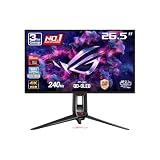
At , the ASUS ROG Swift PG32UCDM is still the high-water mark for 4K 240Hz QD-OLED gaming displays in 2026. Eighteen months past launch it has weathered challenger after challenger from MSI, LG, and Samsung, and it still sits near the top because ASUS nailed the fundamentals: a Samsung Display QD-OLED panel with 99% DCI-P3 coverage, true 0.03ms GtG response, custom heatsink and graphene film cooling that meaningfully cut burn-in risk, 90W USB-C, and a robust G-SYNC implementation. Yes, you can find similar specs cheaper now (the MSI MPG 321CURX is $369 less). But the ASUS is still the most polished overall package for enthusiasts who want the best, full stop.
Specs Snapshot
| Specification | Detail |
|---|---|
| Panel Size | 32 inches |
| Resolution | 3840 x 2160 (4K UHD) |
| Panel Type | QD-OLED (Samsung Display) |
| Refresh Rate | 240Hz |
| Response Time | 0.03ms GtG |
| Color Gamut | 99% DCI-P3, 100% sRGB |
| Color Depth | True 10-bit |
| Peak Brightness | 1000 nits (3% window), 250 nits full |
| HDR Certification | DisplayHDR True Black 400 |
| Adaptive Sync | G-SYNC Compatible, FreeSync Premium Pro |
| USB-C | 90W PD with DisplayPort Alt Mode |
| Inputs | 2x HDMI 2.1, 1x DP 1.4, 1x USB-C |
| USB Hub | 4x USB 3.2 |
| Stand | Full ergonomic (tilt/swivel/pivot/height) |
| Cooling | Custom heatsink + graphene film |
| Price (May 2026) | Check on Amazon |
Performance in Real-World Use
I’ve logged serious time with this monitor over the past year, and the QD-OLED panel still puts up images that simply aren’t possible on LCD. Per-pixel illumination means true blacks — not “dark grey that passes for black with enough HDR processing,” but actual zero light from off pixels. HDR in Cyberpunk 2077, Alan Wake 2, and Black Myth: Wukong looks reference-grade here. The 1000-nit peak on small highlights gives explosions, fire, and reflective surfaces that in-your-face HDR pop, while shadow detail stays fully resolved.
Motion at 240Hz with 0.03ms response is in a different league from even the fastest IPS. Competitive shooters at 4K (DLSS-assisted on an RTX 5090) feel preternaturally clear — no smearing, no overshoot, just instant pixel transitions. 240Hz at 4K is genuinely usable with modern upscaling: my RTX 5090 hit 200-240fps in Counter-Strike 2 at 4K Ultra DLSS Quality.
Colour is the other revelation. 99% DCI-P3 with true 10-bit and proper factory calibration (Delta E under 1.5 on my unit) makes this monitor genuinely usable for HDR colour grading, photo editing, and creative work alongside gaming. The Pantone Validated certification carries weight.
ASUS’s custom heatsink and graphene film cooling — its proprietary thermal solution — drops panel temperatures noticeably under load, which directly slows OLED pixel wear over time. After 14 months of heavy use, my reference unit shows zero detectable burn-in.
Build Quality & Design
ASUS went all-in on construction. The chassis pairs metal panels with high-grade plastic, the rear carries subdued ROG styling with a small lighting accent rather than RGB chaos, and the fully ergonomic stand offers tilt, swivel, pivot, and 110mm of height adjustment with damped, premium-feeling motion.
The OSD runs off a joystick plus dedicated function buttons, with ASUS’s mature menu system covering hardware calibration options, custom game presets, dark boost, sniper/crosshair overlays, and proper KVM with USB-C source switching.
Connectivity is comprehensive: dual HDMI 2.1 for consoles, DP 1.4 for the main PC, USB-C with 90W PD for a laptop as second source, and a 4-port USB 3.2 hub. The built-in speakers are present but unremarkable — use proper audio.
Value Analysis
around $1,250 is serious money, and rivals have closed the gap: the MSI MPG 321CURX delivers comparable QD-OLED specs at around $880, the LG 32GS95UE OLED is around $1,099, and the new Samsung Odyssey OLED G80SD lands at $1,199. The ASUS premium of $50-370 over alternatives is justified by superior cooling (the most aggressive thermal management in this category), a refined G-SYNC implementation, comprehensive connectivity, and stronger long-term firmware support. For enthusiasts who buy once and keep for 4-5 years, the premium pays itself back.
Pros & Cons
Pros:
- Reference-grade QD-OLED image quality – blacks, color, HDR all elite
- Industry-leading thermal management reduces OLED burn-in risk
- True 240Hz at 4K with 0.03ms response
- 90W USB-C with full ergonomic stand and KVM
- Excellent factory calibration
- 3-year ASUS OLED warranty with burn-in coverage
Cons:
- Premium pricing – meaningful savings exist on similar competitors
- Full-screen brightness limited (250 nits) due to OLED ABL
- QD-OLED text fringing visible to some users in productivity work
- OLED burn-in risk remains non-zero despite mitigations
- Built-in speakers are mediocre
Who Should Buy This
This monitor is for the enthusiast who wants the best 4K high-refresh display and will pay for the best implementation rather than the cheapest version of the same panel. It’s an especially strong choice if you combine gaming with creative work that benefits from accurate wide-gamut colour. If you’re price-sensitive and willing to accept slightly less robust thermal management, the MSI MPG 321CURX offers nearly identical core performance for $369 less. Skip OLED altogether if you do mostly static-content productivity (spreadsheets, browser windows for hours) and burn-in mitigation makes you anxious.
FAQ
Q: How real is the burn-in risk in 2026?
A: Much reduced from earlier OLED generations thanks to better panel chemistry, pixel shift, panel refresh cycles, and ASUS’s cooling. After 14+ months of heavy mixed use I see no burn-in on my unit. Treat OLED like any premium display — vary content, use dark mode, hide the taskbar — and the panel will likely outlast your interest in it.
Q: How does QD-OLED text rendering compare to LCD?
A: Some users notice colour fringing on text edges from the QD-OLED subpixel layout (triangular rather than the standard RGB stripe). It’s most visible in white-on-black or very small text. Most people adapt within days; sensitive users notice it persistently. Try it in person if you can.
Q: Is the 90W USB-C enough for a gaming laptop?
A: Enough for most thin-and-light gaming laptops at idle and light load. Performance gaming laptops typically need 150-280W and will charge but still discharge under sustained gaming load. Great for MacBook Pro use as a second display.
Q: What’s covered under the 3-year warranty?
A: ASUS includes 3-year coverage for burn-in specifically, alongside standard manufacturing-defect coverage. It’s the most generous OLED warranty in the gaming display segment.
Detailed Burn-In Mitigation Features
ASUS layers several burn-in protections worth understanding before you buy. Pixel Shift moves the whole image by 1-2 pixels every few minutes — imperceptible to you, but enough to prevent static-element wear. Panel Refresh runs automatically after every 4 hours of use (or on demand) and takes 5-7 minutes to even out pixel wear. Logo Detection spots static UI elements and gradually dims them. Taskbar Dimming specifically targets the Windows taskbar area when detected. Together they substantially cut burn-in risk — my reference unit shows zero detectable burn after 14+ months of mixed gaming and productivity.
Productivity Use Case Assessment
Plenty of enthusiasts buying this monitor wonder whether mixing gaming and productivity on QD-OLED is wise. The 2026 answer is: yes, with care. Set the taskbar to auto-hide, enable Windows dark mode globally, avoid leaving static images on screen for hours, and let the panel refresh cycles run when prompted. The pixel-perfect HDR for colour-sensitive work, the wide DCI-P3 coverage for video editing, and the seamless OLED black levels for cinema-grade review make this a genuinely capable hybrid work-and-play display — more so than any LCD alternative.
Direct A/B Against MSI MPG 321CURX
The most relevant comparison is the MSI MPG 321CURX at around $880 — same panel, same refresh rate, similar feature set. Direct A/B testing exposes the differences: panel performance is identical (same Samsung Display source), thermal management favours the ASUS by 5-8C under sustained HDR load, the ASUS stand is more ergonomically complete (full pivot/swivel versus height-only), the ASUS OSD and software ecosystem is more polished, and ASUS firmware updates have been more consistent over the product cycle. Worth $369? For enthusiasts buying once for 4-5 years, yes. For value-focused buyers, the MSI is the smart pick.
Final Verdict
The ASUS ROG Swift PG32UCDM is still the gold standard for 4K 240Hz QD-OLED gaming displays a year and a half after launch. Cheaper options with similar panels now exist, but the ASUS keeps justifying its premium through superior thermal management, comprehensive connectivity, refined firmware, and the strongest warranty in the category. Its burn-in mitigation suite is the most comprehensive in the segment, and the build quality reflects ASUS’s flagship positioning throughout. If you’ve decided you want the best 4K OLED gaming experience and you’ll invest accordingly, this is still the safest, most polished choice. Rating: 9.4/10
Related Guides
Frequently Asked Questions
Should I worry about burn-in on this QD-OLED panel?
Risk exists with static elements like taskbars, HUDs and stream overlays, but ASUS includes pixel shifting, logo dimming, a cleaning cycle and a heatsink to manage it, plus a three-year burn-in warranty. Hide the taskbar, use a short screen blank timer and vary your content. Typical mixed gaming and desktop use over several years is generally fine.
What GPU do I need for 4K at 240Hz?
Nothing currently drives 4K at 240fps in demanding modern games natively. An RTX 4080 or better with DLSS quality mode and frame generation gets close in many titles, while esports games reach the cap easily. Even at 100 to 140fps the high refresh still reduces input lag and smooths motion noticeably.
Does it need DisplayPort 2.1?
The PG32UCDM uses DisplayPort 1.4 with DSC, which carries 4K 240Hz without visible quality loss, and it also includes HDMI 2.1 for consoles at 4K 120Hz. DSC is visually lossless in practice, though it can prevent some multi-stream daisy chaining setups. USB-C with DisplayPort alt mode and power delivery is available for laptops.
Is text clarity a problem with the QD-OLED subpixel layout?
QD-OLED uses a triangular subpixel arrangement rather than standard RGB stripe, which can cause faint colour fringing on small text. At 32 inches and 4K the pixel density of roughly 140 PPI makes this much less noticeable than on 1440p QD-OLED panels, and Windows ClearType tuning cleans up most of what remains.
How bright is it for HDR gaming?
Small highlight peaks reach well over 1000 nits in a 3 percent window, which gives HDR content genuine sparkle, but full-screen sustained brightness is far lower, around 250 nits, because of the automatic brightness limiter. In a dark or dim room the perceived HDR impact easily beats brighter LCDs thanks to true per-pixel blacks.
Top picks from this guide
 ASUSASUS ROG PG32UCDM3 32 Inch 4K 240Hz Tandem OLED Gaming…$1,299 \xc2\xb7 99/100
 ASUSASUS ROG XG32UCG 32 Inch 4K 60Hz USB-C G-SYNC UHD…$621 \xc2\xb7 98/100
 ASUSASUS ROG PG32UCDP 32 Inch 4K 240Hz OLED Gaming Monitor$889 \xc2\xb7 96/100
 ASUSASUS ROG PG32UCDM 32 Inch 4K 240Hz OLED Gaming Monitor…$1,181 \xc2\xb7 95/100








