🛒 Best Price Today on Amazon
Prime members get fast, free shipping on everything above, plus member-only deals. New members get a 30-day free trial — cancel anytime.
Mouse pad size names are marketing labels, not measurements. One brand’s XL is another brand’s XXL, and the difference between a pad that fits your aim style and one that fights it is usually a few centimetres of width or depth. Choosing the right size starts with two numbers: how much clear space your desk actually offers, and how far your mouse travels in a typical swipe at your usual sensitivity.


This guide walks through the five size classes most players choose between, from a compact medium pad to a full-desk 3XL mat. Each pick below is a specific pad sold on Amazon, chosen because its listing states clear dimensions, and every specification quoted here comes from that product’s Amazon page, so you can compare footprints on equal terms.
Quick Picks
As an Amazon Associate we earn from qualifying purchases
| Product | Best for | Key spec from title |
|---|---|---|
| SteelSeries QcK Medium | Small desks and high-sensitivity play | 320 x 270 x 2 mm |
| Razer Gigantus V2 Large | A mouse-only pad with room for arm aiming | 450 x 400 x 3 mm |
| Logitech G840 XL | Keyboard and mouse on one extended surface | 900 x 400 x 3 mm |
| Razer Gigantus V2 XXL | Extended coverage with extra depth and cushion | 940 x 410 mm |
| SteelSeries QcK 3XL | Covering nearly the whole desktop | 1220 x 590 x 3 mm |
How to Choose
Measure Your Desk Before You Trust a Size Label
Start with a tape measure, not the size chart on a product page. Note the clear width between your monitor stand and the desk edge, then the usable depth once your keyboard is where you actually type. A pad that is wider than the clear span will ride up against the monitor feet or curl at the edge, and a mat deeper than your desk will hang over the front. Write both numbers down and treat them as hard limits while you compare the classes below, because a pad returned for being ten millimetres too wide helps nobody.
Match the Width to Your Sensitivity and Swipe Length
Pad width is aiming room. High-sensitivity players who steer mostly with the wrist can play comfortably on a medium pad around 320 mm wide, because their mouse rarely travels far from centre. Lower your sensitivity and the picture changes: full arm swipes in shooters can cross 300 mm in a single flick, so a large pad near 450 mm wide, or an extended mat, keeps the sensor on cloth instead of on bare desk. If you regularly lift and recenter your mouse mid-fight, that habit is a sign your current pad is too small for your settings.
Decide Whether the Keyboard Sits on the Pad
This single choice splits the size classes in two. Mouse-only pads, medium and large, leave the keyboard on the desk, which keeps the typing height unchanged and makes the pad easy to swap or take to another machine. Extended, XXL and 3XL mats run under both keyboard and mouse, giving one consistent surface height, damping keyboard noise and stopping the pad from creeping during play. The trade-off is commitment: an extended mat defines your whole layout, so changing keyboard position means moving everything on top of it as well.
Weigh Thickness, Edges and Surface Against Your Habits
Thickness changes how a pad feels more than most buyers expect. A 2 mm pad keeps the mouse low and the desk edge sharp against your forearm, while 3 mm and 4 mm pads add cushion that matters during long sessions. Edge finishing matters for lifespan: unstitched cloth edges can fray where your wrist rubs, while stitched edges resist that wear. Surface weave is the final variable, since a textured micro-weave cloth adds stopping control for flick shots, whereas a smoother, moderate-friction surface favours steady tracking. None of these is automatically better; each suits a different player.
The 5 Best Options
SteelSeries QcK Medium: The Compact 320 x 270 mm Class
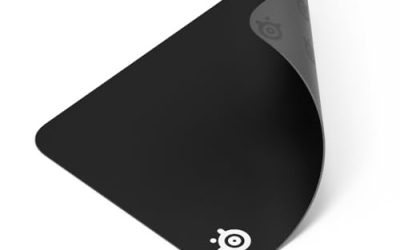
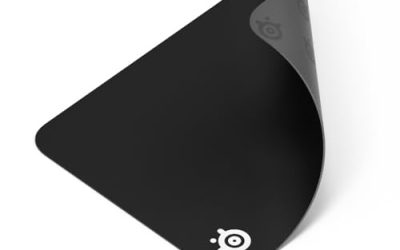
The medium class is the original gaming pad footprint, and the QcK Medium states it plainly at 320 x 270 mm and 2 mm thick. That is enough cloth for wrist aiming and moderate sensitivities on a crowded desk, a laptop station or a shared workspace where the pad has to earn its place. Its micro-woven surface is listed as optimized for both optical and laser sensors, and the thin profile keeps the step from desk to pad small, which suits players who rest the heel of the hand half on the desk.
Specs
- Size: 320 x 270 mm (Medium)
- Thickness: 2 mm
- Surface: Micro-woven cloth
- Base: Non-slip silicone rubber
- Edges: Unstitched
- Sensor support: Optical and laser
- Model: 63004
Best for: High-sensitivity players and small desks where a bigger pad simply does not fit.
Watch out for: The edges are unstitched, so heavy wrist rub in one spot can fray the cloth over time; also confirm 320 mm of width clears your keyboard, since this pad sits beside it, not under it.
ASIN: B000UEZ36W
Razer Gigantus V2 Large: The 450 x 400 mm Mouse-Only Class
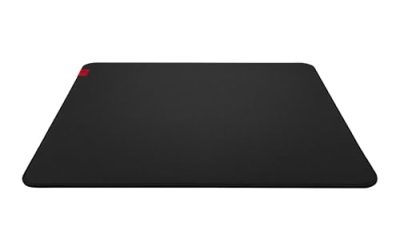
Large pads grow in both directions at once, and the Gigantus V2 Large measures 450 x 400 mm, so it gives arm aimers a deep landing zone without asking for the full width of an extended mat. The listing describes a textured micro-weave cloth surface over high-density rubber foam, 3 mm thick, which adds a little wrist cushion the thinner medium pads lack. Because it stays mouse-only, the keyboard keeps its normal desk height and position, and the pad can move between a gaming desk and a work desk without rearranging anything else in the setup.
Specs
- Size: 450 x 400 mm (Large)
- Thickness: 3 mm
- Surface: Textured micro-weave cloth
- Base: High-density rubber foam, non-slip
- Model: RZ02-03330300-R3M1
Best for: Low-to-mid sensitivity players who want generous mouse room but keep the keyboard off the pad.
Watch out for: Razer sells this pad in several sizes under near-identical listings, so check the size selector reads Large, 450 x 400 mm, before ordering; the 400 mm depth also needs a desk that is not already crowded front to back.
ASIN: B086RGT2T4
Logitech G840 XL: The 900 x 400 mm Extended Class
The XL step is where a pad becomes a desk mat, and the G840 stretches 900 mm across, wide enough for a full-size keyboard and a mouse with real travel beside it. Logitech lists a performance-tuned cloth surface with moderate surface friction, a stable rubber base and a uniform 3 mm height, so the keyboard sits level instead of rocking between desk and pad. This class suits players who want one surface under everything and the freedom to push the keyboard left or right without the mouse losing its tracking area on the other side.
Specs
- Size: 900 x 400 mm (XL)
- Thickness: 3 mm
- Surface: Performance-tuned cloth, moderate surface friction
- Base: Stable rubber
- Model: 943-000776
Best for: Players who want keyboard and mouse on one consistent surface, with room to angle the keyboard.
Watch out for: Measure the full 900 mm span before ordering, since monitor stands, speakers and desk lamps all compete for the same width; the listing also frames the surface tuning around Logitech G sensors, which is worth knowing if you run a different mouse.
ASIN: B0BHMN52LY
Razer Gigantus V2 XXL: Extended With More Depth and Cushion
XXL mats take the extended idea slightly further, and the Gigantus V2 XXL measures 940 x 410 mm, a touch wider and deeper than the standard XL class. The extra depth gives low-sensitivity players a bigger safety margin before the mouse reaches the front edge, and Razer’s listing pairs the textured micro-weave surface with high-density rubber foam at the thicker end of the cloth pad range. In practice this is the class for players who found an XL mat almost right and want the added depth and padding rather than a different kind of pad altogether.
Specs
- Size: 940 x 410 mm (XXL)
- Thickness: 4 mm per the listing description
- Surface: Textured micro-weave cloth
- Base: High-density rubber foam, anti-slip
- Model: RZ02-03330400-R3U1
Best for: Low-sensitivity players who want an extended mat with more depth and a cushioned feel.
Watch out for: The listing’s own fields disagree on thickness, showing 0.16 inches in one place and 0.1 inches in another, so treat the exact figure as unconfirmed and check the delivered pad if thickness is critical to your wrist position.
ASIN: B0885FJ8CB
SteelSeries QcK 3XL: The 1220 x 590 mm Full-Desk Class

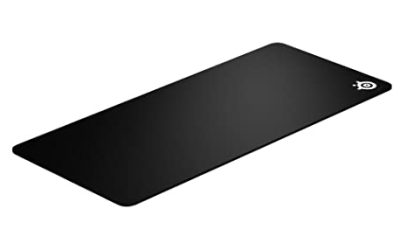
The 3XL class stops being a mouse pad in the usual sense and becomes desktop flooring: the QcK 3XL covers 1220 x 590 mm, enough for a keyboard, mouse, headset stand and more on one micro-woven cloth surface. At 3 mm thick with a non-slip silicone rubber base, it keeps the same surface character as the smaller QcK pads while removing every edge from your mouse’s world. This is the size for players who never want to think about pad boundaries again, and for wide desks where smaller mats look lost and slide around between peripherals.
Specs
- Size: 1220 x 590 mm (3XL)
- Thickness: 3 mm
- Surface: Micro-woven cloth
- Base: Non-slip silicone rubber
- Model: 63843
Best for: Wide desks and players who want keyboard, mouse and accessories on a single uninterrupted surface.
Watch out for: The 590 mm depth is deeper than many desks once a monitor stand is in place, so measure front to back carefully; a mat this large can also wrinkle if the desktop underneath is uneven.
ASIN: B08BJDVWZ6
Which One Fits Your Situation
You Play at a Small or Shared Desk
Choose the SteelSeries QcK Medium. Its 320 x 270 mm footprint fits beside a keyboard in the space most desks actually have free, and the 2 mm profile rolls up easily if the desk has to serve work and study as well. High-sensitivity players lose nothing here, because their mouse travel is short to begin with.
You Aim With Your Arm but Type at a Normal Desk Height
Choose the Razer Gigantus V2 Large. The 450 x 400 mm surface gives full arm swipes a proper landing zone, while the keyboard stays on the desk at its usual height and angle. It is the simplest upgrade path from a worn-out medium pad, since nothing else in your layout has to move.
You Want One Surface Under Keyboard and Mouse
Choose the Logitech G840 XL if 900 mm of width fits your desk, or the Razer Gigantus V2 XXL if you would rather have the extra 10 mm of depth and thicker foam. Both keep the keyboard level on cloth, quieten typing and end the slow creep of a small pad across the desk during a session.
You Run a Wide, Permanent Gaming Setup
Choose the SteelSeries QcK 3XL. At 1220 x 590 mm it swallows a full setup and leaves mouse room in every direction, which suits low-sensitivity play and desks that double as a showcase. Just confirm the depth against your monitor stand first, because this class forgives nothing in a shallow desk.
Common Mistakes
- Shopping by the size label alone: XL from one brand can be smaller than Large from another, so compare the millimetre dimensions on the listing, never the letter.
- Forgetting the keyboard’s width when ordering an extended mat, then finding the mouse squeezed into the last few centimetres on the right.
- Ignoring desk depth on 3XL mats, which can push against the monitor stand or overhang the front edge of a shallow desk.
- Assuming every cloth pad has stitched edges, then watching an unstitched edge fray exactly where the wrist rests.
- Buying a much bigger pad to fix low sensitivity instead of checking whether the real problem is a mouse that is too heavy for wide arm movements.
Frequently Asked Questions
What is the most common gaming mouse pad size?
Medium and large pads are the most common, roughly 320 x 270 mm and 450 x 400 mm. Medium suits wrist aiming and compact desks, while large adds depth and width for arm aiming. Extended mats have grown popular, but the classic mouse-only sizes still cover the majority of setups and sensitivities.
How much pad width do I need for low-DPI gaming?
Work backwards from your swipe length. If a full turn in your main game moves the mouse about 30 cm, a pad only 32 cm wide leaves no margin for error. A large pad around 450 mm wide, or an extended mat, gives that swipe a buffer on both sides so recentering becomes rare.
Is an extended mouse pad better than a regular one?
It solves different problems rather than being better outright. An extended mat levels the keyboard and mouse on one surface, damps typing noise and never creeps out of position. A regular pad is easier to replace, wash and move between machines. Pick based on whether your keyboard shares the surface, not on size alone.
Does pad thickness really change how gaming feels?
Yes, within limits. A 2 mm pad keeps the mouse low and the desk edge noticeable against your forearm, while 3 mm and 4 mm pads cushion the wrist during long sessions and can mask small bumps in the desk surface. Thickness does not change tracking, but it changes comfort over hours of play.