🛒 Best Price Today on Amazon
Prime members get fast, free shipping on everything above, plus member-only deals. New members get a 30-day free trial — cancel anytime.
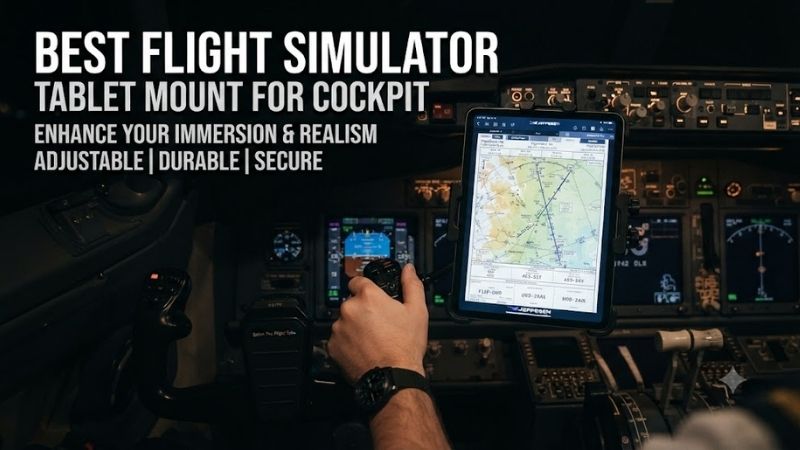
The best flight simulator tablet mount for cockpit setups should hold an iPad or Android tablet securely without interfering with flight controls. Tablets can display navigation charts, electronic flight bags, checklists, and compatible instrument applications. A good mount places this information within easy reach while allowing adjustable viewing angles and stable operation during long flights.
Quick Verdict
The MONSTERTECH MFD/Tablet Mount Center is our best overall choice for supported MTSIM setups because it offers adjustable positioning and compatibility with multiple instrument mounting arrangements.
The MONSTERTECH MFD/Tablet Holder Side is preferable for pilots who want a tablet beside the joystick or throttle.
For aluminum-profile cockpits, the Trak Racer Universal Mount Kit provides a flexible alternative that can also support compatible instrument panels and Stream Deck controllers.
Pilots without a dedicated cockpit should consider a properly secured clamp-style tablet mount rather than purchasing hardware that requires aluminum-profile rails.
Quick Comparison Table
| Product | Mounting Method | Best For | Main Limitation |
|---|---|---|---|
| MONSTERTECH MFD/Tablet Mount Center | MTSIM center mount | Best overall | Requires compatible support |
| MONSTERTECH MFD/Tablet Holder Side | MTSIM side mount | Side-mounted EFB | MTSIM ecosystem |
| Trak Racer Universal Mount Kit for Aluminum Cockpits | Aluminum profile | Modular cockpits | Frame compatibility |
| Trak Racer Universal Mount Kit for Tubular Cockpits | Supported TR frames | Tubular rigs | Case-specific support |
| Trak Racer Stream Deck/Tablet Mount Kit | Aluminum profile | Compact auxiliary screens | Requires appropriate attachments |
| RAM Mounts Tough-Claw with X-Grip Tablet Holder | Clamp and adjustable arm | Flexible cockpit positioning | Clamp size and tablet fit |
The products are different mechanical mounting systems, not interchangeable tablet cases. Some provide a plate or support rather than a spring-loaded tablet cradle, so the included retention hardware must be checked before purchase.
How We Selected These Tablet Mounts
We focused on products that can physically position a tablet or compatible auxiliary display inside a flight simulator setup.
The most important factors were mounting stability, viewing-angle adjustment, supported frame geometry, device retention, and practical access to flight controls.
We also considered whether the mount works with a dedicated cockpit, a desktop HOTAS installation, or a conventional chair-based arrangement.
A tablet mount should be selected according to the cockpit structure and tablet dimensions rather than the advertised maximum screen size alone.
Detailed Product Recommendations
1. MONSTERTECH MFD/Tablet Mount Center — Best Overall
Best For: Pilots using compatible MONSTERTECH MTSIM table mounts or flight stands.
Why We Picked It: The center mount is designed to position tablets and multifunction displays directly in front of flight controls.
Key Specifications
-
Product: MFD/Tablet Mount Center
-
SKU: 0047
-
Material: Aluminum
-
Adjustment: Height and angle
-
Mounting patterns: VESA 75/100 and selected instrument panels
-
Included: Four 3M adhesive pads
Features and Benefits
The most important advantage is placing an auxiliary display near the pilot’s primary control area.
For example, a tablet can display a navigation chart beneath the main monitor while the joystick remains directly in front of the pilot.
The mount provides adjustable height and angle, allowing the screen to be positioned for visibility without requiring an awkward viewing posture.
Its support for VESA patterns and compatible flight instruments also makes it useful beyond ordinary tablets.
Performance and Practical Use
The mount is designed around the MONSTERTECH ecosystem.
Its adhesive pads provide an attachment option for tablets or smartphones, but users must evaluate whether this retention method is appropriate for their specific device and installation conditions.
For heavy tablets or moving cockpits, a mechanical cradle may be preferable.
Pros
-
Aluminum construction.
-
Adjustable height and angle.
-
Multiple accessory mounting patterns.
-
Suitable for cockpit instruments.
Cons
-
Requires compatible supporting hardware.
-
Adhesive retention may not suit every tablet.
Buy If: You use a supported MTSIM configuration and want a central tablet display.
Skip If: You need a universal desk clamp with integrated tablet jaws.
2. MONSTERTECH MFD/Tablet Holder Side — Best Side-Mounted Option
Best For: Pilots who want an electronic flight bag beside the throttle or joystick.
Why We Picked It: The side holder offers an adjustable, foldable mounting design suitable for supported MTSIM systems.
Key Specifications
-
Product: MFD/Tablet Holder Side
-
SKU: 0026
-
Material: Aluminum
-
Orientation: Left or right
-
Adjustment: Height and inclination
-
Folding mechanism: Yes
-
Supported patterns: VESA 75/100 and selected flight panels
Features and Benefits
A side-mounted tablet closely resembles the placement of an electronic flight bag in many aviation environments.
It allows the pilot to check charts, airport diagrams, and checklists without obstructing the central outside view.
The folding mechanism is especially useful when entering or leaving the cockpit.
The holder can be moved out of the way rather than remaining permanently extended.
The adjustable joint also allows users to change the viewing angle for different seating positions.
Performance and Practical Use
The main limitation is that the holder depends on compatible MTSIM mounting hardware.
It is not a complete standalone tablet stand.
Users should also confirm whether the tablet will be secured through the included adhesive pads or an appropriate additional holder.
Pros
-
Left- or right-side installation.
-
Foldable design.
-
Adjustable viewing angle.
-
Suitable for EFB positioning.
Cons
-
Requires compatible mounting equipment.
-
Additional retention hardware may be preferable.
Buy If: You want a tablet beside your flight controls.
Skip If: You need a portable mount that can move between unrelated desks and cockpits.
3. Trak Racer Universal Mount Kit for Aluminum Cockpits — Best for Modular Frames
Best For: Flight simulator cockpits built from compatible aluminum extrusion.
Why We Picked It: The Trak Racer kit supports auxiliary devices such as tablets, LCD displays, button boxes, and Stream Deck hardware.
Key Specifications
-
Product: Universal Mount Kit for Stream Deck, Tablet, LCD Display and Button Box
-
Intended frame: Aluminum extrusion
-
Mounting approach: Adjustable brackets and support hardware
-
Applications: Tablet and compatible auxiliary devices
-
Additional retention requirements: Device-dependent
Features and Benefits
Aluminum-profile cockpits are useful because accessories can be repositioned along compatible mounting channels.
This allows the pilot to experiment with tablet placement without permanently drilling new holes into the frame.
For example, a tablet can be positioned beside the throttle during commercial aviation flights or moved closer to the center for another aircraft configuration.
The mounting system can also support other appropriate accessories as the cockpit evolves.
Performance and Practical Use
The main requirement is mechanical compatibility with the extrusion frame.
Users must confirm that the included hardware matches the profile and that the selected mounting plate can retain the tablet or its cradle.
A universal accessory bracket does not necessarily include a complete tablet holder.
Pros
-
Modular installation.
-
Useful for changing cockpit layouts.
-
Supports multiple accessory categories.
Cons
-
Requires compatible extrusion.
-
Exact tablet retention may require additional hardware.
Buy If: You have an aluminum-profile cockpit and want flexible accessory mounting.
Skip If: You use an ordinary desk without suitable mounting rails.
4. Trak Racer Universal Mount Kit for Tubular Cockpits — Best for Supported TR Frames
Best For: Owners of compatible Trak Racer tubular cockpits.
Why We Picked It: This version is designed for supported frames where conventional extrusion mounts are not appropriate.
Key Specifications
-
Product family: Universal Mount Kit for Stream Deck, Tablet, LCD Display and Button Box
-
Intended frames: Selected TR8 PRO, TRX, TRF, and related supported configurations
-
Application: Auxiliary device mounting
-
Installation: Frame-specific brackets
Features and Benefits
A tubular cockpit does not provide the same continuous mounting channels as an aluminum-profile frame.
As a result, accessories often require brackets designed for specific structural locations.
The Trak Racer tubular mount provides an accessory installation option without assuming that ordinary extrusion hardware will fit.
This is particularly useful for pilots who use a combined flight and racing simulator setup.
Performance and Practical Use
The mount’s usefulness depends heavily on the exact cockpit model.
Owners should confirm the frame generation and mounting location before purchasing.
It should not be treated as a universal clamp for any round or square tube.
Pros
-
Designed for supported tubular cockpits.
-
Supports multiple auxiliary devices.
-
Useful for mixed simulation setups.
Cons
-
Frame-specific compatibility.
-
Tablet attachment hardware may vary.
Buy If: You own a supported Trak Racer tubular cockpit.
Skip If: Your simulator uses unrelated frame hardware.
5. Trak Racer Stream Deck/Tablet Mount Kit — Best Compact Auxiliary Mount
Best For: Aluminum-profile simulator users with smaller auxiliary displays or control panels.
Why We Picked It: The mount kit provides a compact alternative within the Trak Racer accessory ecosystem.
Key Specifications
-
Product: Mount Kit for Stream Deck, Tablet, LCD Display, Button Box and More
-
Supported frame type: Aluminum extrusion
-
Mounting application: Small display and control accessories
-
Configuration: Bracket-based support
-
Compatibility: Dependent on selected device and frame
Features and Benefits
Not every pilot needs a large tablet directly beside the main monitor.
Some use a smaller screen for checklists, engine information, or navigation applications.
This mount provides another way to position those devices on a compatible cockpit frame.
Its advantage is integrating an auxiliary display with the existing structure rather than placing it on a separate desktop stand.
Performance and Practical Use
A tablet holder must prevent the device from slipping or rotating unintentionally.
Buyers should confirm whether the product includes a retaining cradle or requires another attachment component.
For larger tablets, the mechanical leverage placed on the mounting bracket becomes more important.
Pros
-
Compact accessory-mounting approach.
-
Suitable for modular cockpits.
-
Supports several device categories.
Cons
-
Not a standalone tablet stand.
-
Device-retention requirements vary.
Buy If: You want a small auxiliary display integrated into an extrusion cockpit.
Skip If: You require a complete spring-loaded tablet clamp.
6. RAM Mounts Tough-Claw with X-Grip Tablet Holder — Best Clamp-Based Alternative
Best For: Pilots without a dedicated simulator frame or those needing flexible tablet positioning.
Why We Picked It: RAM Mounts combines adjustable support arms with purpose-designed tablet holders and clamp mounting options.
Key Specifications
-
Product family: RAM Tough-Claw and X-Grip Tablet Mount
-
Mounting: Mechanical clamp
-
Adjustment: Ball-and-socket support
-
Tablet retention: X-Grip holder
-
Compatibility: Dependent on tablet size and selected clamp configuration
Features and Benefits
A clamp-based tablet holder can attach to a suitable desk edge or compatible cockpit structure without requiring specialized extrusion mounting channels.
The ball-and-socket arrangement provides angle adjustment, allowing the tablet to be tilted toward the seated pilot.
This is especially useful for a home setup that combines ordinary office furniture with a flight joystick and throttle.
The X-Grip holder provides mechanical device retention, unlike a simple flat mounting plate.
Performance and Practical Use
Tablet size and weight must match the selected X-Grip model.
The clamp must also fit the thickness and shape of the intended mounting surface.
A clamp that is secure on a rigid desk edge may not be suitable for a thin or flexible cockpit panel.
Pros
-
Flexible clamp mounting.
-
Adjustable viewing angle.
-
Mechanical tablet retention.
-
Useful outside dedicated simulator cockpits.
Cons
-
Exact kit configuration must be selected.
-
Clamp compatibility depends on the supporting surface.
Buy If: You want a flexible tablet holder for a desk-based or mixed cockpit setup.
Skip If: You prefer a permanently integrated aluminum-profile mounting system.
Buying Guide: Choosing a Flight Simulator Tablet Mount
Identify the Intended Tablet Function
A tablet displaying airport charts has different placement requirements from a tablet acting as a touch-control panel.
Charts should be easy to read without blocking the outside view.
Touch-sensitive controls must also be within comfortable reach.
Choose the mounting position according to how frequently you need to interact with the screen.
Match the Mount to the Cockpit Frame
Aluminum-profile frames support modular T-slot accessories.
Tubular cockpits often require purpose-designed brackets.
Desk-based simulators may benefit from clamps.
Do not assume that hardware designed for one mounting system will fit another.
Check Tablet Dimensions and Weight
The holder must accommodate the tablet’s width, height, thickness, and weight.
A protective case can change the device dimensions.
A mount that fits a tablet without a case may not fit it with the case installed.
Confirm the complete dimensions before purchase.
Choose Mechanical Retention When Appropriate
Adhesive attachment may be sufficient for some static, lightweight configurations.
However, a mechanical cradle is preferable when a heavy tablet could fall or when the cockpit experiences movement.
A moving simulator introduces additional forces that stationary desk mounts may not be designed to withstand.
Consider Viewing Angle and Glare
An adjustable mount can help reduce reflections from room lighting.
For an electronic flight bag, the tablet should remain readable while the pilot maintains a comfortable posture.
Positioning it too low or too far away can reduce usability.
Plan Power and Data Cables
Some tablet applications operate over Wi-Fi, while others require USB connections.
Leave sufficient clearance for the charging port.
Avoid cable routing that interferes with throttle movement, joystick travel, or seat adjustment.
Frequently Asked Questions
Can I use an iPad as a flight simulator instrument panel?
Yes. Compatible software can display navigation charts, instrument information, and other simulator data.
Is a tablet mount better than a second monitor?
A tablet mount is more compact and may offer touchscreen interaction. A second monitor can provide a larger display area.
Can I attach a tablet to an aluminum-profile cockpit?
Yes, using a compatible bracket and suitable tablet-retention hardware.
Are adhesive mounts safe for flight simulator tablets?
They may be suitable in certain stationary applications, but their strength depends on the surface, adhesive, tablet weight, and operating conditions.
Should I mount my tablet beside the throttle?
That is a practical location for electronic flight bags, but the best position depends on cockpit geometry and personal preference.
Conclusion
The MONSTERTECH MFD/Tablet Mount Center is the best overall choice among the best flight simulator tablet mount for cockpit options for compatible MTSIM systems. Choose the MONSTERTECH Side Holder for electronic flight bag positioning, Trak Racer’s kits for compatible simulator frames, or a RAM Tough-Claw and X-Grip arrangement when a mechanical clamp is more practical. Confirm tablet retention, frame compatibility, and control clearance before installation.