🛒 Best Price Today on Amazon
Prime members get fast, free shipping on everything above, plus member-only deals. New members get a 30-day free trial — cancel anytime.
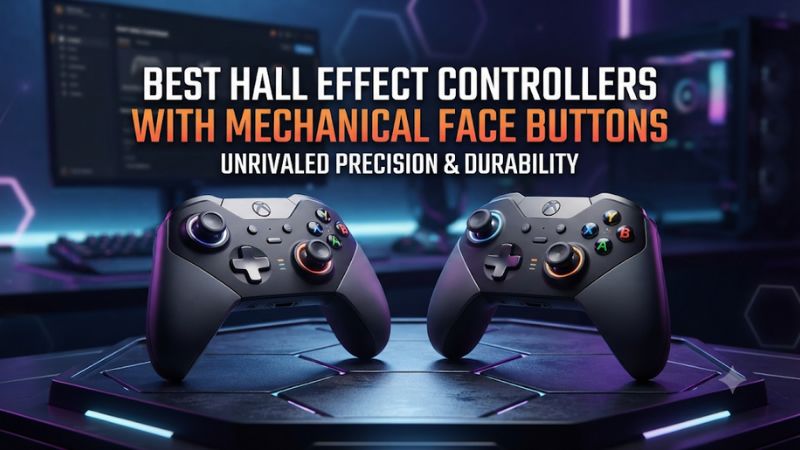
Buy the GameSir G7 HE for wired Xbox or PC play, or the Flydigi Vader 4 Pro for wireless PC play and adjustable stick tension. The best Hall effect controllers with mechanical face buttons combine Hall-sensing thumbsticks with switch-actuated ABXY. Check the exact model, connection, and grip before ordering.
Which Hall effect controllers have mechanical face buttons?
Hall effect thumbsticks and mechanical face buttons solve two separate problems. The stick sensor reads movement without a sliding potentiometer contact. The face button switch determines how A, B, X, or Y actuates when you press it.
A qualifying model must have both features in the same version. Mechanical triggers or shoulder buttons alone do not satisfy the face button requirement.
The list includes dedicated ABXY microswitch designs and one controller with documented hybrid microswitch face buttons. Choose between the two based on the feel you want. A product that promises a click in the shoulder buttons can still have a different face button mechanism, and similar names on the listing can hide a change in platform support or stick technology.
| Model | Face button design | Main connection for this guide | Best reason to choose it |
|---|---|---|---|
| GameSir G7 HE | Microswitch ABXY | Wired Xbox and PC | Straightforward licensed Xbox layout |
| Flydigi Vader 4 Pro | Mechanical ABXY | PC receiver or USB | Adjustable stick tension and extra bindings |
| GameSir Kaleid | Microswitch ABXY | Wired Xbox and PC | Transparent Xbox-compatible model |
| GameSir T4 Kaleid | Microswitch ABXY | Wired PC and Switch | Wired multiplatform play |
| GameSir T4 Cyclone Pro | Microswitch ABXY | PC receiver or USB | Wireless Hall option for a simpler layout |
| Flydigi Apex 4 | Mechanical face switches | PC receiver or USB | Premium controls, adjustable tension, and display |
| Razer Wolverine V3 Tournament Edition | Hybrid Mecha-Tactile ABXY | Wired Xbox and PC | Four rear controls and two extra bumpers |
GameSir G7 HE is the simplest wired Xbox and PC pick
The G7 HE pairs Hall effect thumbsticks with microswitch action buttons and a familiar offset layout. It is a strong first choice if you want a wired connection and a controller that works on supported Xbox consoles and Windows. The two rear buttons let you move a couple of common actions under your fingers without committing to a controller covered in extra inputs.
The GameSir Nexus workflow is useful if you tune stick response or keep different profiles for different games. Try the default response long enough to separate the switch feel from the effect of a new stick curve. If you play both on Xbox and PC, verify which settings stay with your profile by reconnecting to each platform and checking them in a familiar game.
Choose it when low setup effort and straightforward controls matter more than wireless freedom. Check cable reach before buying for a couch. Use the full G7 HE name, since other G7 variants share much of the look and the face mechanism or stick technology can differ from version to version.
Flydigi Vader 4 Pro is the wireless PC pick for stick tuning
Vader 4 Pro uses Hall effect sticks and mechanical ABXY. Physical tension adjustment rings let you change stick resistance.
That gives you a way to alter how each stick feels under your thumb without using a software curve to simulate a physical difference. A heavier aiming stick and a lighter movement stick are possible starting points if you prefer different resistance on each side.
The PC receiver and wired connection give you two ways to play at a desk. Four rear inputs and the C and Z face controls suit players who want several extra actions available.
Its broader layout pays off when you can reach each button under pressure. Verify the feel of the face controls independently from the rear ones before filling every mapping slot.
The trade-off is more setup. Check profiles and connection mode in Flydigi Space Station before relying on a particular mapping. Some other Flydigi or Vader models have different sensors, buttons, or platform support.
Buy by the full version name and check the mode you intend to use. Xbox-style buttons by themselves do not establish compatibility with an Xbox console.
GameSir Kaleid suits a wired Xbox setup with a clear shell
The Xbox-licensed GameSir Kaleid has Hall effect thumbsticks and microswitch ABXY. It is a good choice for someone who prefers a transparent shell and lighting while still wanting a wired Xbox and PC model.
Its useful comparison is the G7 HE. Both satisfy the core switch and sensor requirements, so grip, finish, placement, and the price you find can decide between them.
Use the manufacturer’s model name when checking a listing. GameSir also sells Kaleid Flux, whose face buttons use the membrane design described in its launch material. A general listing titled Kaleid Series can put both versions on the same page, so confirm the selected option rather than relying on the first image or the first description.
If you are weighing the two because of cost, decide whether the click is a requirement. If it is, confirm that the order summary names the microswitch Kaleid.
A clear enclosure also makes the lighting more visible in a dark room. Try a dimmer profile if the lights pull your eyes away from the screen or reflect in a nearby surface.
GameSir T4 Kaleid is the wired PC and Switch option
T4 Kaleid has Hall effect thumbsticks and microswitch ABXY in a transparent wired design. GameSir documents use with PC, Nintendo Switch, and supported Android setups.
It covers the buyer who wants a clicky wired controller for Windows and an additional supported device. Check console support by the full T4 Kaleid name because the Xbox-licensed Kaleid is a different product.
Check the controller mode and which button prompts appear when you move between platforms. A game may use a different confirm and cancel convention from the one you have learned on Windows.
First test the physical order of A and B, then look at how the game interprets them. This saves time if your muscle memory and the prompt disagree.
Buy it when a cable works in both locations and you value the straightforward ABXY feel. It is less convenient for a handheld or living-room setup that puts you far from the port. If you want a wireless connection for one of those devices, compare the supported connection modes on the Cyclone Pro before ordering.
GameSir T4 Cyclone Pro gives you a simpler wireless option
The T4 Cyclone Pro combines Hall effect sticks with microswitch face buttons. It uses a different design from the standard T4 Cyclone, so keep the Pro suffix in the listing. Consider it if the Vader feels like more controller than you need and you still want a wireless PC option with the specific face button feel in this guide.
Use the PC receiver if it is available in the package or use USB for the first setup. Bluetooth is useful on compatible devices, though mode and available features can differ.
The first time you connect, verify the default button output, trigger behavior, and profile. Test the complete setup before assuming an Android or Switch mapping will carry over to PC.
This generation is worth considering at a sensible local price. Confirm the receiver contents if buying used or from a partial bundle.
Replacing it or finding a compatible spare can change the effective cost. The exact return process also matters if you are buying click feel based on specifications and have never held this shape.
Flydigi Apex 4 suits buyers who want a premium tuning layout
Apex 4 pairs Hall effect stick sensing with force adjustment and mechanical face switches. It also offers a display and adaptive trigger features.
Those extras make it a better fit for someone who wants to tune and revisit a profile often. Start with its mechanical buttons and handle comfort as the reasons to try it, then decide whether the additional controls earn their cost.
Use a repeatable game scenario to tune physical stick tension before you touch the response curve. If a small movement feels difficult to initiate, lower resistance a little and retest. If the problem is the game’s reaction after the stick starts moving, compare its deadzone or the controller profile after fixing the mechanical feel.
Apex 4 adds complexity and a premium price. Adaptive trigger behavior can depend on the game and setup, so check the specific title if that feature matters to you.
Buy the Apex 4 because you want the complete package. Vader 4 Pro remains the simpler pick when adjustable resistance and clicky ABXY are the main priorities.
Razer Wolverine V3 Tournament Edition has a hybrid face design
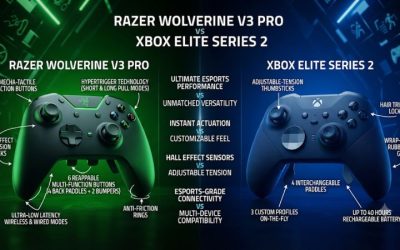
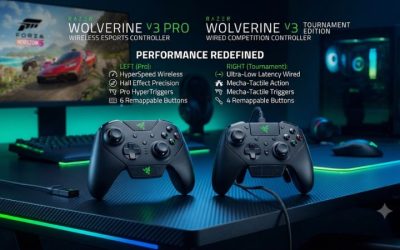
Choose the original Xbox and PC Wolverine V3 Tournament Edition if you want Hall thumbsticks, wired operation, and a layout with four rear controls and two additional top buttons. Its Mecha-Tactile face buttons combine microswitch actuation with a rubber membrane for cushioning. It qualifies on switch construction, and its actuation feel is a separate buying choice.
The additional top buttons are worth trying if you play with your index fingers close to the shoulder controls. They are less valuable when you have to shift out of a stable grip to hit them.
Check whether the controller’s shape gives you easy access to the rear controls that you intend to map. A controller can meet the technical requirements while still feeling cramped in your hands.
Compare the exact original Tournament Edition with any retailer’s PC-only 8K listings before you order. Similar names do not make stick technology, platform compatibility, or configuration software identical.
The original wired Xbox edition is the model described here. If your priority is a sharper, simpler microswitch feel, compare the G7 HE in person or use a retailer with a workable return window.
How do Hall sticks and clicky ABXY affect play?
Evaluate center feel independently from the sensor
Hall effect sticks sense magnetic fields as the stick moves. They remove the wear mechanism associated with a sliding potentiometer track, but the spring, suspension, calibration, and firmware still influence how the stick centers. A Hall controller can need a small deadzone or show different movement near center from another Hall model.
Aim for a stable center in the game you actually play. Start with a conservative deadzone, then reduce it slowly in a static scene until you see uncommanded movement or your inputs feel inconsistent.
Bring it back a little and repeat after reconnecting. A controller test page can help show what the stick reports, but the game’s camera sample is the relevant output if your concern is aim drift.
Tension and deadzone are separate choices on models that let you adjust both. Hardware tension changes what it takes to move the shaft.
A deadzone changes the input range the system treats as center. Adjust one at a time and preserve a known baseline, especially if you use different left and right settings.
Check how the click feels across every face button
Try single taps, short repeated taps, and diagonal thumb rolls between adjacent buttons. A sharp click is convenient if you want an obvious actuation point.
A cushioned rest or return can be more comfortable if you repeatedly use the same face button with the edge of your thumb. Feel may vary enough between the models to matter even when the product descriptions sound similar.
- For fighters, test sequences that use two adjacent buttons quickly. Check whether your thumb clears the caps cleanly or tends to hit one before the other.
- For action games, try a long session with repeat jumping, dodging, and menu navigation. Listen for switch noise at your normal desk distance if a nearby mic is open.
- For shooters, check your grip while you alternate between face buttons and the right stick. If the thumb leaves aim too often, move one critical action to a rear input where available.
- For mixed gaming, test accidental presses while you hold the controller lightly and then more tightly. A switch that feels precise in a menu can feel more demanding during a fight.
Click feel does not establish input latency. The switch, firmware, scan and report behavior, connection mode, and game all influence perceived response.
Treat a stated interval or polling rate as a property of the documented mode. If your concern is dropped or repeated inputs, test in a controller utility and the game before changing connection and deciding the switches are at fault.
What should you verify on the order page and after delivery?
Confirm the version and the platform you will use
- Read the complete name. Verify G7 HE, Xbox Kaleid, T4 Kaleid, T4 Cyclone Pro, Vader 4 Pro, Apex 4, or the original Wolverine V3 Tournament Edition in the cart.
- Confirm both components. Look for Hall effect thumbsticks and the ABXY mechanism. The term Hall effect can describe the triggers only, and a mechanical feature can refer to triggers or shoulders.
- Check the box contents. Confirm receiver availability when applicable and cable length for your play distance. Verify the official PC and console support of your exact version.
- Check the software path. Find the supported configuration utility for that controller and operating system. Decide whether you need it only for setup or while you play.
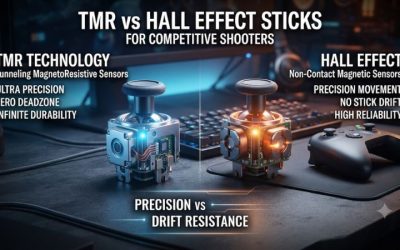
Other magnetic stick designs use a different sensing principle, including TMR. If you specifically want Hall effect, filter for Hall thumbstick sensing and verify it on the exact revision.
If your actual priority is a stable center and a crisp click, compare behavior and fit as well as the name of the sensor. The same family can contain a Hall model, a TMR model, and different switch options.
Products with similar appearances can be aimed at different regions. Check whether the seller supplies the receiver, warranty help, or correct cable for the bundle. When a deal depends on a particular extra, take a readable note of the advertised configuration and compare it to the delivered package before installing firmware or accessories.
Match the switches to the games you play most
For PC action games, compare standard face button reach and how the caps feel when you use the sides of your thumb. You may want a short, easily felt press for occasional menu commands, yet prefer a cushioned press for repeated dodges. If you can try two pads side by side, make the same common inputs in both before deciding from sound alone.
For shooters, test the stick from a relaxed center, then try a slow tracking motion and a quick change of direction. If the first millimeter feels jumpy, check the deadzone and the active curve.
If every movement requires more force than you want, explore hardware tension where it is available. That test helps distinguish the fit of the assembly from a setting you can change.
For games that use analog throttle or braking, check travel with the triggers in their analog mode. Some controllers in this group also offer a reduced-travel or click trigger mode.
The choice can affect acceleration control in a racer and is independent of the mechanical construction under ABXY. Use the trigger type and software behavior you need for that game as another filter after verifying the face buttons.
Compare the whole purchase when two models feel similar
At equal comfort, check how much work it takes to use each model across your devices. A wired Xbox model can be less expensive to share between a console and a desk than a PC-focused wireless unit that still leaves you needing a second controller. For a desk with a long cable run, check whether the receiver version fits your usual seat and is included.
If a similarly priced model advertises more tuning than you will use, spend a minute checking how you would move between two basic profiles. A simpler arrangement can be attractive if you only want one firm aiming setup and a standard layout for everything else.
Run a short input and comfort check
Connect by the method you plan to use most. Reset to a standard profile if a used unit arrives with custom values.
With hands off the controller, check that the sticks are stable around center. Move them slowly toward the edge, return to center from several directions, and repeat in the game after adjusting only what you need.
Next tap each of A, B, X, and Y several times. Each deliberate press should produce one response in a simple input test or menu.
If one key sometimes fails, restore the standard mapping, try the wired path when supported, and test again. If the same isolated problem follows the button across modes, document it while the purchase can still be resolved.
Finish with the grip you actually use for 20 or 30 minutes. Check whether the face buttons are comfortable, whether the extra controls are reachable, and whether you can shift naturally between the sticks and your most common inputs. That is a better final check than repeatedly clicking one button while holding the controller on the desk.
Conclusion
Choose the GameSir G7 HE for wired Xbox or PC use, or the Flydigi Vader 4 Pro for wireless PC and physical tension adjustment. The two Kaleid versions cover different wired platforms, the T4 Cyclone Pro is a simpler wireless option, Apex 4 adds premium tuning, and the original Razer Tournament Edition offers a cushioned hybrid click with six extra controls. Confirm both Hall thumbsticks and the ABXY switch on the exact model, then judge the grip and response in the game you play most.