🛒 Best Price Today on Amazon
Prime members get fast, free shipping on everything above, plus member-only deals. New members get a 30-day free trial — cancel anytime.
- Quick answer: which card for which multi-monitor desk
- Best Graphics Cards for Multiple Monitors: At a Glance
- How Many Monitors Can One Graphics Card Run?
- Best Dual Screen and Two Monitor Graphics Cards
- Best Graphics Cards for 3 Monitors and Triple Screen Setups
- Best 4K Monitor Graphics Cards and 4K Dual Monitor Setups
- Budget Picks
- Mid-Range Picks
- Premium Picks
- Pick X If… Decision Table
- Best Graphics Cards for Multimedia and Productivity
- Port Guide: DisplayPort 1.4, DisplayPort 2.1 and HDMI 2.1
- How Much VRAM Do Multiple Monitors Need?
- Alternatives and Used Options
- Setup Tips for Multi-Monitor Desks
- Frequently Asked Questions
Updated November 2026 – For the best graphics cards for multiple monitors, the Nvidia GeForce RTX 5060 Ti 16GB suits most dual and triple screen desks, the AMD Radeon RX 9070 XT and Nvidia GeForce RTX 5070 Ti suit 4K gaming across two or three panels, and the Nvidia GeForce RTX 5090 is the pick when several 4K screens must run flat out.
Choosing the best graphics cards for multiple monitors is mostly about outputs, not raw speed. Every current Nvidia GeForce RTX 50 series, AMD Radeon RX 9000 series and Intel Arc B-series card has enough ports for two or three screens. What separates them is how many displays the maker lists as supported at once, which port versions (DisplayPort 2.1 or HDMI 2.1) you get, and how much VRAM is left over when games and apps share it across several 4K panels.
Quick answer: which card for which multi-monitor desk
- Two monitors, office plus light gaming: Intel Arc B580 or Nvidia GeForce RTX 5060.
- Three monitors at 1080p or 1440p: AMD Radeon RX 9060 XT 16GB or Nvidia GeForce RTX 5060 Ti 16GB.
- Dual 4K or triple 1440p with gaming on one screen: AMD Radeon RX 9070 XT or Nvidia GeForce RTX 5070 Ti.
- Triple 4K, creative work or sim racing: Nvidia GeForce RTX 5080 or RTX 5090.
Best Graphics Cards for Multiple Monitors: At a Glance
| Card | Best for | Memory (maker lists) | Typical output layout | Limit to note |
|---|---|---|---|---|
| Intel Arc B580 | Budget dual-screen desks | 12GB | DisplayPort 2.1 plus HDMI 2.1 on reference design | Partner cards vary in port count |
| Nvidia GeForce RTX 5060 | Two screens plus 1080p play | 8GB | DisplayPort 2.1b plus HDMI | 8GB gets tight across several 4K panels |
| AMD Radeon RX 9060 XT | Triple 1440p productivity | 8GB or 16GB versions | DisplayPort 2.1 plus HDMI 2.1 | Choose the 16GB version for multi-screen |
| Nvidia GeForce RTX 5060 Ti | Best all-round mid-range | 8GB or 16GB versions | 3 x DisplayPort 2.1b, 1 x HDMI 2.1 | Choose the 16GB version |
| AMD Radeon RX 9070 XT | 4K gaming with a second screen | 16GB | 3 x DisplayPort 2.1, 1 x HDMI 2.1 | Up to four displays as listed |
| Nvidia GeForce RTX 5070 Ti | 4K gaming plus creator apps | 16GB | 3 x DisplayPort 2.1b, 1 x HDMI 2.1 | Up to four displays as listed |
| Nvidia GeForce RTX 5080 | Triple 4K, premium desks | 16GB | DisplayPort 2.1b plus HDMI 2.1 | Large, power-hungry boards |
| Nvidia GeForce RTX 5090 | Several 4K screens, heavy creative loads | 32GB | DisplayPort 2.1b plus HDMI 2.1 | Needs a big case and PSU headroom |
Port counts and revisions differ between partner models, so read the exact card’s specification sheet before buying. Technical sites also disagree slightly on minor revisions such as DisplayPort 2.1a versus 2.1b and HDMI 2.1a versus 2.1b, which is another reason to rely on the specific model’s listing.
How Many Monitors Can One Graphics Card Run?
Most current cards run up to four displays at once, as the makers list. Nvidia and AMD both describe their recent boards as supporting four simultaneous displays, and reviewers report the typical layout is three DisplayPort connectors and one HDMI connector. Intel’s Arc B-series cards also list multi-display support, though the exact maximum depends on the board.
That figure is a ceiling for outputs, not a promise that every combination of resolution and refresh rate will work. A single DisplayPort 2.1 connection can carry very high resolution and refresh rates, but when the card has to compress the signal (Display Stream Compression, or DSC) or share internal display engines, some mixes of 4K 144Hz and higher screens may not all be available at full speed. The maker’s display specification page is the authority on exact limits.
Best Dual Screen and Two Monitor Graphics Cards
The best dual screen graphics card is any current mid-range card with at least one DisplayPort and one HDMI output, because two monitors need very little beyond that. If both screens are 1080p or 1440p and you mainly browse, work and watch video, even an entry-level board does the job, and the money is better spent on VRAM and cooling noise than on raw speed.
For gaming on one screen with a browser or chat on the second, the main cost is VRAM. Games, a video call and a browser with many tabs can compete for memory, which is why 12GB or 16GB cards are more comfortable than 8GB cards when two monitors are always active.
Best Graphics Cards for 3 Monitors and Triple Screen Setups
The best graphics cards for 3 monitors have three or more independent outputs and 16GB of VRAM, because a triple setup often means a gaming screen plus two for work. Cards with three DisplayPort connectors and one HDMI port are ideal, since DisplayPort 1.4 and 2.1 monitors generally run their highest refresh rates over DisplayPort.
If one of the three monitors only offers HDMI or an older DVI input, adapters are common, but active adapters are sometimes needed for high refresh rates. Read the monitor manual for supported input versions before assuming a cable will do.
Best 4K Monitor Graphics Cards and 4K Dual Monitor Setups
The best graphics cards for 4K monitors combine a modern DisplayPort 2.1 or HDMI 2.1 output with 16GB or more of VRAM. A 4K screen holds roughly four times the pixels of a 1080p screen, so a dual 4K desk multiplies framebuffer and texture memory demands, and cards with 8GB can struggle if you game on one screen and run a heavy app on the other.
Reviewers consistently point to 16GB cards such as the Radeon RX 9070 XT and GeForce RTX 5070 Ti as the practical entry point for dual 4K with gaming. For 4K at high refresh rates on more than two screens, the RTX 5080 and RTX 5090 are the cards that give headroom, with the usual caution about size and power.
Budget Picks
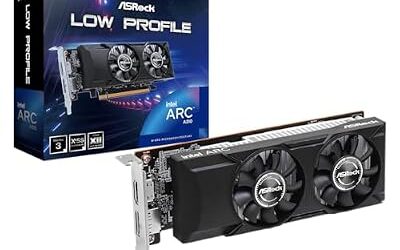
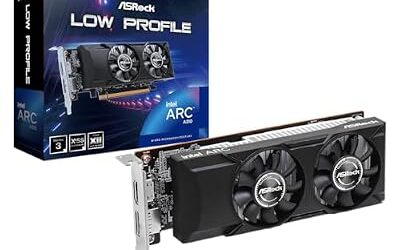
Intel Arc B580 – Best for budget dual-screen desks
12GB · DisplayPort 2.1 and HDMI 2.1 on the reference design · Intel Arc B-series (Battlemage) · multi-display support as Intel lists
The Intel Arc B580 is a budget option that carries more VRAM than most cards at its tier. That helps with two or three browser-heavy and video-heavy screens. Reviewers note that Arc cards benefit from Resizable BAR being enabled in the BIOS, and that driver maturity is the thing to watch compared with Nvidia and AMD. Port layout varies by partner model.
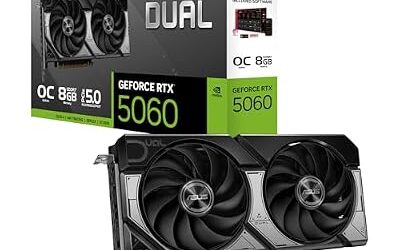
Nvidia GeForce RTX 5060 – Best for two screens and 1080p gaming
8GB · DisplayPort 2.1b plus HDMI · Nvidia Blackwell · supports multiple displays as Nvidia lists
The RTX 5060 is the entry card of the RTX 50 series for dual-monitor desks. It suits 1080p and 1440p gaming with a second screen for chat or reference. The 8GB of memory is the limit: it is fine for two modest screens but is the first thing to run short on triple or dual 4K layouts. Nvidia also supplies its Studio driver branch for creative applications.

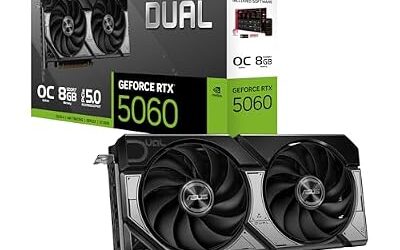
ASUS Dual NVIDIA GeForce RTX 5060 8GB GDDR7 OC Edition (PCIe 5.0, 8GB GDDR7, DLSS 4, HDMI 2.1b, DisplayPort 2.1b, 2.5-Slot Design, Axial-tech Fan Design, 0dB Technology), 3 Year Warranty
Included for 'Best Graphics Cards for Multiple Monitors in 2026 (Dual, Triple and 4K Setups)' as a representative home product in this roundup; selection reflects the product set returned for this topic.
View on AmazonMid-Range Picks
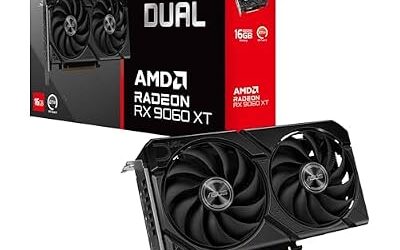
AMD Radeon RX 9060 XT – Best for triple 1440p productivity
8GB or 16GB versions · DisplayPort 2.1 and HDMI 2.1 · AMD RDNA 4 · Smart Access Memory support as AMD states
The RX 9060 XT comes in 8GB and 16GB versions, and for multiple monitors the 16GB version is the sensible one. It suits three 1440p screens with one used for gaming. AMD’s Adrenalin software includes display management options for refresh rate and scaling per output, which is useful when monitors differ in size.

ASUS Dual Radeon RX 9060 XT 16GB GDDR6 Gaming Graphics Card | PCIe 5.0, HDMI 2.1b, DisplayPort 2.1a, 2.5-slot design, Axial-tech Fans, 0dB Technology
Included for 'Best Graphics Cards for Multiple Monitors in 2026 (Dual, Triple and 4K Setups)' as a representative home product in this roundup; selection reflects the product set returned for this topic.
View on AmazonNvidia GeForce RTX 5060 Ti – Best all-round mid-range multi-monitor card
8GB or 16GB versions · 3 x DisplayPort 2.1b and 1 x HDMI 2.1 on the reference layout · up to four displays · Nvidia Blackwell
Puget Systems lists the RTX 5060 Ti 16GB with one HDMI 2.1 and three DisplayPort 2.1b connectors, with up to four displays at a maximum 8K resolution. That makes it the most flexible mid-range card for a triple-monitor desk. Pick the 16GB version for multi-screen work, since the 8GB version has the same ports but less memory to share.

ASUS Dual GeForce RTX 5060 Ti 16GB GDDR7 OC Edition Gaming Graphics Card | PCIe 5.0, HDMI 2.1b, DisplayPort 2.1b, 2.5-slot, Axial-tech Fans, 0dB Technology, Dual BIOS
Included for 'Best Graphics Cards for Multiple Monitors in 2026 (Dual, Triple and 4K Setups)' as a representative home product in this roundup; selection reflects the product set returned for this topic.
View on AmazonPremium Picks
AMD Radeon RX 9070 XT – Best for 4K gaming with a second screen
16GB · 3 x DisplayPort 2.1 and 1 x HDMI 2.1 · up to four displays · AMD RDNA 4
Puget Systems lists the RX 9070 XT with three DisplayPort 2.1b outputs and one HDMI 2.1 port, and up to four monitors. Sources differ on whether the DisplayPort revision is 2.1a or 2.1b, which may vary by board partner. It is a strong value choice for gaming on a 4K screen with one or two more monitors, and it is popular with Ryzen builders who want AMD’s driver features.

ASUS Prime Radeon RX 9070 XT 16GB GDDR6 OC Edition Gaming Graphics Card | PCIe 5.0, HDMI/DP 2.1, 2.5-Slot, Axial-tech Fans, Dual-Ball Fan Bearings, Dual BIOS, GPU Guard
Included for 'Best Graphics Cards for Multiple Monitors in 2026 (Dual, Triple and 4K Setups)' as a representative home product in this roundup; selection reflects the product set returned for this topic.
View on AmazonNvidia GeForce RTX 5070 Ti – Best for 4K gaming plus creator apps
16GB · 3 x DisplayPort 2.1b and 1 x HDMI 2.1 · up to four displays · Nvidia Blackwell
The RTX 5070 Ti has the same port layout as the 5060 Ti but with a faster GPU, which is why it is the common choice for people who edit video or work in 3D on one monitor and game on another. Nvidia’s NVENC encoders are a draw for streaming and recording while multiple screens stay active. The 16GB of VRAM is the practical floor for dual 4K.

MSI GeForce RTX 5070 Ti 16G Shadow 3X OC Gaming Graphics Card | 16GB GDDR7 (28Gbps/256-bit), PCIe 5, Boost: 2482 MHz, HDMI 2.1b, DisplayPort 2.1b DLSS 4.5
Included for 'Best Graphics Cards for Multiple Monitors in 2026 (Dual, Triple and 4K Setups)' as a representative home product in this roundup; selection reflects the product set returned for this topic.
View on AmazonNvidia GeForce RTX 5080 – Best for triple 4K desks
16GB · DisplayPort 2.1b and HDMI 2.1 · Nvidia Blackwell
The RTX 5080 is the step up for three 4K monitors with gaming on at least one. Many boards are physically large and need a case with generous clearance and a power supply that meets the card maker’s requirement, so confirm both before ordering.

ASUS Prime GeForce RTX 5080 16GB GDDR7 Gaming Graphics Card | SFF-Ready, PCIe 5.0, HDMI/DP 2.1, 2.5-slot, Axial-tech Fans, Vapor Chamber, Dual BIOS
Included for 'Best Graphics Cards for Multiple Monitors in 2026 (Dual, Triple and 4K Setups)' as a representative home product in this roundup; selection reflects the product set returned for this topic.
View on AmazonNvidia GeForce RTX 5090 – Best for several 4K screens and heavy creative loads
32GB · DisplayPort 2.1b and HDMI 2.1 · Nvidia Blackwell
The RTX 5090 carries the largest memory pool in the consumer range, which matters when a 3D or video application, several 4K screens and a game all share one card. It is also the card that demands the most from the case and power supply. Follow Nvidia’s guidance for the 12V-2×6 power connector, seat it fully, and stop using the card if there is any sign of heat damage on the connector.

ASUS TUF Gaming GeForce RTX 5090 32GB GDDR7 OC Edition Gaming Graphics Card | PCIe 5.0, HDMI/DP 2.1, 3.6-slot, Military-grade Components, Protective PCB Coating, Axial-tech Fans
Included for 'Best Graphics Cards for Multiple Monitors in 2026 (Dual, Triple and 4K Setups)' as a representative home product in this roundup; selection reflects the product set returned for this topic.
View on AmazonPick X If… Decision Table
| If your desk is… | Pick | Why |
|---|---|---|
| Two 1080p or 1440p screens, light gaming | Intel Arc B580 or RTX 5060 | Enough outputs and memory for modest use |
| Three screens, mostly work | RX 9060 XT 16GB or RTX 5060 Ti 16GB | 16GB memory and several outputs |
| Dual 4K with 4K gaming | RX 9070 XT or RTX 5070 Ti | 16GB and modern DisplayPort 2.1 |
| Three 4K screens | RTX 5080 or RTX 5090 | More GPU power and, on the 5090, 32GB |
| Streaming or video editing alongside | RTX 5070 Ti or higher | Hardware encoders and Studio driver |
| AMD Ryzen build with AMD drivers | RX 9060 XT or RX 9070 XT | Smart Access Memory support as AMD states |
Best Graphics Cards for Multimedia and Productivity
The best graphics cards for multimedia are cards with modern video decode and encode engines and enough VRAM for timelines and large canvases, not necessarily the fastest gaming card. Video editors and designers benefit from 16GB of memory, a driver branch aimed at creative work, and monitors connected over DisplayPort for color-accurate wide-gamut modes.
- Nvidia: Nvidia lists dedicated NVENC encoders and a Studio driver option for creator applications.
- AMD: AMD lists hardware video encode and decode on RDNA 4 and a unified Adrenalin driver with per-display settings.
- Intel: Arc cards list hardware AV1 encode and decode, which is a draw for budget video work.
Port Guide: DisplayPort 1.4, DisplayPort 2.1 and HDMI 2.1
| Port | Where it fits | Note |
|---|---|---|
| DisplayPort 1.4 | Most existing monitors up to 4K high refresh with DSC | Widely supported by monitors, cables must be certified |
| DisplayPort 2.1 | Newest high-resolution, high-refresh monitors | Needs a monitor and cable that support the same mode |
| HDMI 2.1 | TVs, consoles and monitors with HDMI 2.1 inputs | Only one or two on most cards |
| USB-C or DVI | Rare on current cards | Use an adapter if a monitor needs it |
Because most boards have only one HDMI port, put the monitor that needs HDMI (often a TV or an older display) there and use DisplayPort for the rest. Mixing refresh rates across monitors is normally fine on current drivers, but some users report idle power draw increasing when screens with very different refresh rates are connected, which is a driver behavior to be aware of rather than a fault.
How Much VRAM Do Multiple Monitors Need?
For most multi-monitor desks, 12GB to 16GB of VRAM is a comfortable range, and 8GB is the lower limit for anything beyond two modest screens. Desktop windows, browsers and video players take their own share of memory, and gaming on one screen at 4K takes a large part of what remains.
- Office and web across two to three screens: 8GB is generally enough.
- Gaming on one screen plus apps on others: 12GB or 16GB.
- Dual or triple 4K with creative software: 16GB at least, with 32GB for the heaviest loads.
Alternatives and Used Options
- Nvidia GeForce RTX 5070: A step between the 5060 Ti and 5070 Ti for 1440p gaming with several screens.
- Previous-generation RTX 40 and Radeon RX 7000 cards: Still useful on dual-screen desks. Availability varies and new stock is limited. Their ports are mostly DisplayPort 1.4 or 2.1 depending on the model.
- Workstation cards: Nvidia and AMD sell professional cards for multi-display walls with extra outputs, which are worth looking at when you need more than four displays, as the makers list.
If you buy a used card, inspect ports for bent pins, check that every output works with a test monitor, ask about the return period and warranty transfer, and be cautious about cards that were run hard in mining rigs.
Setup Tips for Multi-Monitor Desks
- Use certified DisplayPort cables for high refresh rates and keep lengths short.
- Update to the latest graphics driver from Nvidia, AMD or Intel before configuring screens.
- Set the primary monitor first, then arrange the others in Windows display settings to match your physical layout.
- Match refresh rates where possible, or accept that mixed refresh monitors may raise idle power use on some systems.
- Check that your power supply meets the card maker’s requirement, especially for the RTX 5080 and RTX 5090.
Frequently Asked Questions
What is the best graphics card for dual monitors?
The best graphics card for dual monitors is a 12GB or 16GB mid-range card such as the Nvidia GeForce RTX 5060 Ti 16GB or AMD Radeon RX 9060 XT 16GB. Both have more outputs than two screens need. The extra VRAM matters more than speed if one screen runs a game.
How many monitors can one graphics card support?
Most current Nvidia, AMD and Intel cards support up to four displays at once, as the makers list. Typical boards offer three DisplayPort connectors and one HDMI connector. Exact limits depend on resolution, refresh rate and the specific partner model.
Do I need DisplayPort 2.1 for multiple monitors?
No, DisplayPort 2.1 is only needed if your monitors support it and you want the highest resolution and refresh combinations. Most monitors work well on DisplayPort 1.4 or HDMI 2.1. Cards with DisplayPort 2.1 are simply more future-ready.
Is 8GB of VRAM enough for three monitors?
8GB is enough for three monitors used for office work, web browsing and video, but it is tight for gaming on one screen at 1440p or 4K. A 16GB card leaves comfortable headroom. If you game at all, prefer 12GB or more.
Can I mix 4K and 1080p monitors on one card?
Yes, current cards handle mixed resolutions and refresh rates across their outputs. Windows scaling settings let you adjust text size per screen. Some users report higher idle power use when refresh rates differ a lot, which is a driver behavior rather than a defect.
Is an Nvidia, AMD or Intel Arc card better for multiple monitors?
All three handle multi-monitor desks well, so the choice depends on budget, software and games. Nvidia offers NVENC and a Studio driver for creative work, AMD offers per-display options in Adrenalin and strong value on Ryzen systems, and Intel Arc offers extra VRAM at a lower tier. Read the exact card’s port and display specifications before deciding.