🛒 Best Price Today on Amazon
Prime members get fast, free shipping on everything above, plus member-only deals. New members get a 30-day free trial — cancel anytime.
- Quick Answer: Which Internal Hard Drive Should You Buy?
- CMR vs SMR: What the Datasheet Says Matters
- Best 1TB Hard Drives: The Budget Tier
- Best 2TB, 3TB and 4TB Hard Drives: The Mid-Range Tier
- Best 6TB and 8TB Hard Drives and Larger: The Premium Tier
- Choosing by Capacity: 1TB, 2TB, 4TB, 8TB and Beyond
- Fit, Size and Compatibility Notes
- Pick X If… Decision Table
- Alternatives to Consider
- Which Internal Hard Drives Are Best for Gaming?
- Noise, Heat and Power: Practical Differences Between Drive Types
- How to Install an Internal Hard Drive
- Frequently Asked Questions
Updated November 2026 – For most desktops the best internal hard drives are the Seagate BarraCuda (budget and mid-range capacities), the WD Blue and Toshiba P300 for everyday storage, the Toshiba X300 and WD Black for 7200 RPM performance, and the Seagate IronWolf when the drive needs to run around the clock in a small server or NAS.
If you are searching for the best internal hard drives for a gaming PC or home desktop, the first thing to know is that 3.5-inch drives are no longer the place for your operating system or your most-played games. A SATA or NVMe SSD handles that job. A hard disk earns its slot as bulk storage: a big game library you rarely reinstall, video captures, backups, and media. This guide walks through the current 3.5-inch desktop options by capacity and by use, explains the CMR versus SMR question that trips up many buyers, and tells you which model suits which build.
Quick Answer: Which Internal Hard Drive Should You Buy?
Pick a 7200 RPM CMR drive (Seagate BarraCuda in 12TB and larger sizes, Toshiba X300, or WD Black) for game libraries and large files. Pick a WD Blue or Toshiba P300 for quiet, everyday storage. Pick an IronWolf or another NAS-class drive if the machine runs 24 hours a day. Whatever you choose, read the exact model number against the maker’s datasheet, because recording technology can differ between capacities inside the same product line.
| Drive | Best for | Key stated specs | Limits |
|---|---|---|---|
| Seagate BarraCuda 1TB | Cheap secondary drive | Datasheet summary lists CMR | Small by today’s standards |
| WD Blue (2TB, 4TB, 8TB CMR models) | Quiet everyday storage | Maker lists CMR options in several sizes | Some older models are SMR; match the model number |
| Toshiba P300 | Value desktop storage | 7200 RPM desktop line | Some larger models reported as SMR by third-party lists |
| Toshiba X300 | Performance and large files | High-performance desktop line, listed as CMR | Louder, warmer than 5400 RPM drives |
| Seagate BarraCuda 12TB to 24TB | Big game and media libraries | 7200 RPM, CMR, 512MB cache per maker datasheet | Needs good airflow and a power plan for spin-up |
| WD Black 3.5-inch | Performance desktop HDD | The maker’s performance-tier hard drive | Check the exact capacity and warranty on the datasheet |
| Seagate IronWolf | NAS-capable and always-on PCs | NAS line, reported at 180 TB per year workload | Not designed for large arrays unless you step up to Pro |
CMR vs SMR: What the Datasheet Says Matters
CMR (conventional magnetic recording) writes tracks side by side, while SMR (shingled magnetic recording) overlaps them to fit more data per platter. Reviewers consistently report that SMR drives handle sustained writes and long rebuilds worse, which is why the distinction matters for backups, large file copies, and any RAID or NAS use. For plain game storage that is mostly read, SMR is usually tolerable.
The catch is that the same product name can cover both kinds. Seagate’s current BarraCuda datasheet, as summarised by buyer guides, lists the 12TB, 16TB, 20TB, and 24TB models as 7200 RPM CMR with 512MB cache, while the 8TB model is a 5400 RPM SMR drive, and the 2TB, 3TB, 4TB, and 6TB sizes are listed as SMR. The smaller 500GB and 1TB models are listed as CMR. Third-party sources disagree on some individual models, such as the 4TB, so the safest approach is to find the exact part number on the box or product page and read the maker’s own datasheet.
WD and Toshiba follow the same pattern. WD Blue includes CMR options in several capacities, but some older WD Blue part numbers are SMR. Third-party lists mark the Toshiba X300 as CMR and some larger P300 desktop models as SMR, though sources do not fully agree. When a maker does not state the technology on the product page, treat it as unconfirmed and look for the datasheet.
Best 1TB Hard Drives: The Budget Tier
A 1TB drive is enough for a handful of games or a basic backup, and it is the cheapest way to add spinning storage. At this size, SMR is rare, so the budget tier is straightforward.
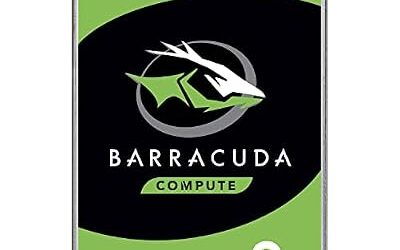
Seagate BarraCuda 1TB – Best for a Cheap Secondary Drive
Seagate BarraCuda 1TB · 3.5-inch SATA · datasheet summary lists CMR · maker’s mainstream desktop line
The 1TB BarraCuda (ST1000DM010) is listed as CMR in the datasheet summary reviewed for this guide, which makes it a safe low-capacity pick. It suits a second drive in an older tower, a drive for downloads and documents, or a cold backup target. The limit is size alone: a few modern installs fill it quickly.
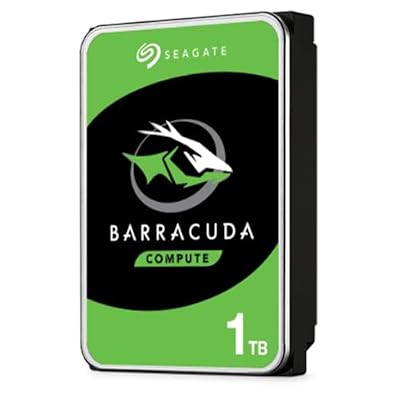
Seagate BarraCuda 1TB Internal Hard Drive HDD – 3.5 Inch SATA 6 Gb/s 7200 RPM 64MB Cache for Computer Desktop PC (ST1000DM010)
Included for 'Best Internal Hard Drives for PC in 2026 (3.5-Inch HDD Picks)' because the listing lists an explicit depth/thickness, which is the attribute this article compares.
View on AmazonWD Blue 1TB – Best for Quiet Office and Family PCs
WD Blue 1TB · 3.5-inch SATA · maker’s everyday desktop line · check the part number for recording type
The WD Blue line is built for ordinary desktop use rather than heavy workloads. A 1TB model fits a family PC that stores photos and documents. Read the part number against the datasheet, since WD Blue has included both CMR and SMR models across generations.

Western Digital 1TB WD Blue PC Internal Hard Drive HDD - 5400 RPM, SATA 6 Gb/s, 64 MB Cache, 3.5" - WD10EZRZ
Included for 'Best Internal Hard Drives for PC in 2026 (3.5-Inch HDD Picks)' as a representative home product in this roundup; selection reflects the product set returned for this topic.
View on AmazonBest 2TB, 3TB and 4TB Hard Drives: The Mid-Range Tier
This is the sweet spot for many buyers and also where SMR shows up most often. Searches for the best 2TB, 3TB, and 4TB hard drives usually come from people replacing an aging drive, so the guidance here is mostly about avoiding the wrong variant.
WD Blue 2TB and 4TB – Best for Balanced Everyday Storage
WD Blue 2TB / 4TB · 3.5-inch SATA · one buyer comparison lists CMR options at 2TB, 4TB, and 8TB · 5400 or 7200 RPM depending on model
A comparison reviewed for this guide lists WD Blue CMR models such as the WD20EARZ (2TB, 5400 RPM) and WD40EZAX (4TB), and also lists a 2TB WD20EZBX as SMR at 7200 RPM. That mix is the reason to match the part number. For general storage and game libraries, the CMR parts are the cleaner choice.

Western Digital WD Blue Internal Hard Drive 2TB CMR 3.5 Inch SATA 5400 RPM Cache 64 MB PC
Included for 'Best Internal Hard Drives for PC in 2026 (3.5-Inch HDD Picks)' because the listing lists an explicit depth/thickness, which is the attribute this article compares.
View on AmazonToshiba P300 – Best for Value 7200 RPM Desktop Storage
Toshiba P300 · 3.5-inch SATA · 7200 RPM desktop line · reported CMR up to 3TB, with 4TB and 6TB desktop models reported as SMR by some lists
The P300 is Toshiba’s mainstream desktop drive. Sources disagree on the 4TB model’s recording type, so it is a good example of why to read the datasheet. If you want 7200 RPM responsiveness for a game library and the P300’s part number lists CMR, it is a sensible value pick.
Seagate BarraCuda 4TB – Best for Light Storage With Caution
Seagate BarraCuda 4TB · 3.5-inch SATA · datasheet lists ST4000DM004 as SMR · another review describes ST4000DMZ04 as CMR
The 4TB BarraCuda is a good illustration of mixed information: one part number is listed as SMR on Seagate’s datasheet while a different part number is described as CMR in a review. Treat 4TB BarraCuda purchases as acceptable for read-heavy storage and look elsewhere for backup targets or write-heavy tasks.

Seagate BarraCuda 4TB Internal Hard Drive HDD – 3.5 Inch Sata 6 Gb/s 5400 RPM 256MB Cache For Computer Desktop PC – Frustration Free Packaging ST4000DMZ04/DM004
Included for 'Best Internal Hard Drives for PC in 2026 (3.5-Inch HDD Picks)' because the listing lists an explicit depth/thickness, which is the attribute this article compares.
View on AmazonBest 6TB and 8TB Hard Drives and Larger: The Premium Tier
Large drives are where hard disks make the most sense next to SSDs, since the cost per terabyte advantage is greatest. Searches for the best 5TB, 6TB, and 8TB hard drives are really about how much library you want on one disk.
Seagate BarraCuda 12TB to 24TB – Best for Big Game and Media Libraries
Seagate BarraCuda 12TB / 16TB / 20TB / 24TB · 7200 RPM · CMR · 512MB cache · per the maker’s datasheet reviewed for this guide
These large BarraCuda models (for example ST12000DM003 and ST24000DM001) are listed as CMR with 512MB cache. They suit a shared library of games, captures, and archives. Plan for case airflow, because large 7200 RPM drives produce heat and audible seek noise.

Seagate Barracuda 24TB Internal Hard Drive, 7200 U/Min, 512MB Cache, SATA 6Gb/s, 3.5" (ST24000DM001)
Included for 'Best Internal Hard Drives for PC in 2026 (3.5-Inch HDD Picks)' as a representative home product in this roundup; selection reflects the product set returned for this topic.
View on AmazonToshiba X300 – Best for Performance and Large Files
Toshiba X300 · 3.5-inch SATA · 7200 RPM performance line · listed as CMR by third-party lists
The X300 is Toshiba’s higher-end desktop line for gamers and creators who move big files. It is a good choice when you want a high-capacity drive and would rather not gamble on SMR. Expect more noise than a 5400 RPM drive.

Toshiba X300 8TB Performance & Gaming 3.5-Inch Internal Hard Drive – CMR SATA 6 GB/s 7200 RPM 256 MB Cache - HDWR180XZSTA
Included for 'Best Internal Hard Drives for PC in 2026 (3.5-Inch HDD Picks)' as a representative home product in this roundup; selection reflects the product set returned for this topic.
View on AmazonWD Black 3.5-inch – Best for Gamers Who Want a Performance HDD
WD Black 3.5-inch · SATA · the maker’s performance hard drive tier · read capacity, cache, and warranty on the datasheet
WD Black is the maker’s performance family for desktops. It is the natural counterpart to the X300 and the BarraCuda 7200 RPM models. Because the family has changed across generations, rely on the datasheet for each capacity.

Western Digital 4TB WD Black Performance Internal Hard Drive HDD - 7200 RPM, SATA 6 Gb/s, 256 MB Cache, 3.5" - WD4005FZBX
Included for 'Best Internal Hard Drives for PC in 2026 (3.5-Inch HDD Picks)' as a representative home product in this roundup; selection reflects the product set returned for this topic.
View on AmazonSeagate IronWolf – Best for NAS-Capable and Always-On PCs
Seagate IronWolf · 3.5-inch SATA · NAS line · reviewers report a 180 TB per year workload rating and a 3-year warranty
IronWolf is Seagate’s NAS-oriented line. It also works inside a desktop that stays on all day, such as a media PC or a small home server. Buyer guides recommend IronWolf or WD Red Plus rather than BarraCuda or WD Blue for NAS use. Larger arrays may call for IronWolf Pro, covered in our separate NAS guide.
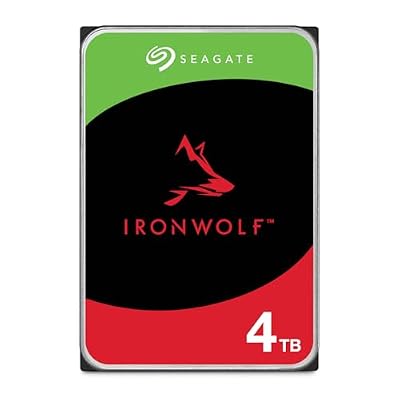
Seagate IronWolf 4TB NAS Internal Hard Drive CMR 3.5 Inch SATA 6Gb/s 5400 RPM 64MB Cache for RAID Network Attached Storage Rescue Services (ST4000VNZ06/006)
Included for 'Best Internal Hard Drives for PC in 2026 (3.5-Inch HDD Picks)' because the listing lists an explicit depth/thickness, which is the attribute this article compares.
View on AmazonChoosing by Capacity: 1TB, 2TB, 4TB, 8TB and Beyond
- 1TB: A secondary drive or backup copy. Few SMR concerns.
- 2TB to 3TB: General family storage. Check the part number, as many 2TB to 3TB models are SMR.
- 4TB to 6TB: Common SMR territory for desktop lines. Prefer CMR when the datasheet confirms it.
- 8TB: The 8TB BarraCuda is listed as 5400 RPM SMR, while WD Blue 8TB CMR options exist. Compare datasheets.
- 12TB and above: Mostly CMR and 7200 RPM, and the best value per terabyte for libraries and archives.
Fit, Size and Compatibility Notes
- Form factor: These are 3.5-inch drives. They need a 3.5-inch bay (or an adapter bracket) and will not fit most laptops or small-form-factor builds without a 3.5-inch bay.
- Interface: Desktop HDDs use SATA. A SATA data cable and a SATA power connector from the power supply are required; a motherboard with a spare SATA port is enough.
- Power and cooling: High-capacity 7200 RPM drives draw more power at spin-up and run warmer. Make sure the case has airflow across the bay.
- Vibration: If several drives share a chassis, a NAS-rated drive is built with multi-drive vibration in mind, while desktop drives are designed for fewer drives per enclosure.
- Back up first: A single hard drive can fail. Follow the 3-2-1 approach: three copies, on two kinds of media, with one off-site or in the cloud.
Pick X If… Decision Table
| Pick this | If you need |
|---|---|
| Seagate BarraCuda 1TB | A small, inexpensive extra drive with CMR on the datasheet |
| WD Blue CMR model | Quiet daily storage for photos, documents, and a few games |
| Toshiba P300 | Value 7200 RPM storage, and the part number is listed CMR |
| Toshiba X300 or WD Black | Performance and large sequential files for gaming and editing |
| Seagate BarraCuda 12TB or larger | One big, CMR drive for libraries and archives |
| Seagate IronWolf | A PC or small server that runs all day |
| An SSD instead | Your operating system and favorite games |
Alternatives to Consider
Internal SATA or NVMe SSD
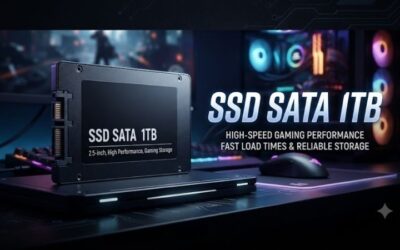
If budget allows, a solid-state drive is the better home for the operating system and the games you play every day. Use a hard disk as the second tier.
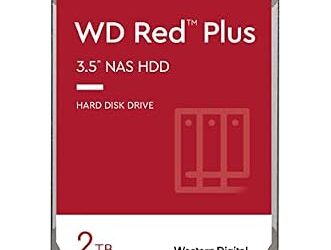
NAS drives such as WD Red Plus
For always-on storage, a NAS line like WD Red Plus offers a workload rating that desktop drives do not publish in the same way. Buyer guides advise against using SMR drives such as non-Plus WD Red in a NAS.
External or portable drives
If you only need extra space occasionally or on a laptop, an external hard drive avoids the need for an internal bay.
Which Internal Hard Drives Are Best for Gaming?
For gaming, a 7200 RPM CMR drive from the BarraCuda, Toshiba X300, or WD Black families is the better hard-disk choice, but an SSD still loads games noticeably faster. A hard disk works well as a library for titles you replay occasionally.
Noise, Heat and Power: Practical Differences Between Drive Types
Spinning speed shapes the daily experience of owning a hard drive. A 5400 RPM drive is generally quieter and cooler, so it suits a living-room PC or a quiet office. A 7200 RPM drive responds faster to seeks and usually transfers data faster, which is why gamers and editors favor the BarraCuda 7200 models, Toshiba X300, and WD Black. The trade-off is more audible seek noise and more heat, so placing the drive near a case fan helps. Makers publish power and acoustic figures on datasheets, and the numbers differ by capacity, so compare them if your build is noise sensitive.
If a drive is going to share a case with several others, look for vibration-handling notes, because a desktop drive is built for one or two bays rather than a full cage.
How to Install an Internal Hard Drive
- Power down the PC, switch off the power supply, and unplug the power cable before opening the case.
- Mount the drive in a 3.5-inch bay with the supplied screws or tool-free caddy.
- Connect a SATA data cable to the motherboard and a SATA power connector from the power supply.
- Boot the PC, then open Disk Management in Windows to initialize the disk (GPT is standard for large drives) and format it.
- Copy files over, and set up a regular backup to a second device.
If you are unsure about opening the case or handling internal parts, ask a technician or follow your PC maker’s manual.
Frequently Asked Questions
What are the best internal hard drives for a desktop PC?
The Seagate BarraCuda, WD Blue, Toshiba P300, Toshiba X300, and WD Black cover most desktop needs. Choose a CMR model of the capacity you need, and use an IronWolf if the PC runs all day.
What is the best 2TB or 4TB hard drive?
A WD Blue CMR model or Toshiba P300 with a CMR part number is a sensible pick at 2TB and 4TB. Many 2TB to 4TB BarraCuda models are listed as SMR, so match the model to its datasheet before buying.
Is a 7200 RPM drive better than 5400 RPM?
A 7200 RPM drive usually responds faster and transfers data more quickly, but it also tends to run louder and warmer. For a quiet storage-only drive, 5400 RPM is acceptable.
Can I use a desktop hard drive in a NAS?
It is not advised. Buyer guides recommend NAS-rated drives such as WD Red Plus, Seagate IronWolf, or Toshiba N300, and warn against SMR desktop drives in arrays because of slow rebuilds.
How long do internal hard drives last?
Makers publish warranty periods rather than lifespans, and individual drives vary. Keep a backup following the 3-2-1 rule and replace a drive that reports SMART warnings or makes unusual noises.
Should I buy a hard drive or an SSD in 2026?
Buy an SSD for the operating system and active games, and a hard drive for large, rarely changing data. Hard disks still offer more capacity for the money, which is why 12TB-plus models remain popular for media and archives.