🛒 Best Price Today on Amazon
Prime members get fast, free shipping on everything above, plus member-only deals. New members get a 30-day free trial — cancel anytime.
- Quick Answer: Which 32-Inch Gaming Monitor Should You Target?
- 32-Inch Gaming Monitor Comparison Table
- Best 32 Inch Gaming Monitor Black Friday Deals 2026: What to Target
- Pixel Density: 1440p vs 4K at 32 Inches
- VA vs IPS vs OLED at 32 Inches
- Desk Depth and Viewing Distance
- Budget Tier: Entry 32-Inch Options
- Mid-Range Tier: 4K IPS and Value OLED
- Premium Tier: 4K 240Hz OLED
- Pick X If… Decision Table
- Compatibility and GPU Load
- When to Buy: Early vs Black Friday vs Cyber Monday
- Deal Red Flags
- OLED Care and Warranty Notes
- Alternatives Worth Knowing
- Frequently Asked Questions
Updated November 2026 – For most buyers shopping the best 32 inch gaming monitor Black Friday deals, a 4K 240Hz OLED such as the ASUS ROG Swift OLED PG32UCDM or the MSI MAG 321UP QD-OLED X24 is the target, while the Dell G3223Q suits anyone who wants a bright 4K IPS panel without OLED care.
A 32-inch screen is the point where 4K starts to make sense for games. At that size a 4K panel works out to roughly 138 pixels per inch, while a 32-inch 1440p panel sits near 92, which is why text and fine detail look noticeably softer on the lower resolution. This guide explains which 32-inch panels to put on a shortlist before the sale starts, how VA, IPS and OLED differ, what your desk and graphics card need to handle, and how to tell a genuine markdown from a routine promotion. Deals change daily, so compare any live listing against the spec lines below rather than trusting a headline discount.
Quick Answer: Which 32-Inch Gaming Monitor Should You Target?
- Best overall for high-end PC play: a 4K 240Hz QD-OLED such as the ASUS ROG Swift OLED PG32UCDM, which RTINGS ranks as its best 32-inch monitor and best gaming monitor overall.
- Best value OLED: the MSI MAG 321UP QD-OLED X24 (and the related MAG 321CUP), which reviewers describe as the cheapest recommended QD-OLED of this size.
- Best for bright rooms among OLEDs: the ASUS ROG Strix OLED XG32UCWMG, a WOLED that TechSpot prefers because QD-OLED blacks can look grayer in brighter rooms.
- Best for console owners: the Alienware AW3225QF, which Tom’s Hardware calls its best 4K gaming monitor for consoles.
- Best non-OLED 4K: the Dell G3223Q, a 4K IPS model that TechRadar names as its G-Sync pick.
32-Inch Gaming Monitor Comparison Table
| Model | Panel | Resolution / refresh | Best for | Limits |
|---|---|---|---|---|
| ASUS ROG Swift OLED PG32UCDM | QD-OLED | 4K / 240Hz | All-round premium play | Premium tier; OLED care needed |
| ASUS ROG Strix OLED XG32UCWMG | WOLED | 4K / 240Hz | Brighter rooms, feature set | Typically costs more than entry QD-OLED |
| MSI MAG 321UP QD-OLED X24 | QD-OLED | 4K / 240Hz | Value OLED | Fewer extras than premium models |
| MSI MPG 322UR QD-OLED X24 | QD-OLED | 4K / 240Hz | Premium MSI pick | Upper price tier |
| Alienware AW3225QF | Curved QD-OLED | 4K / 240Hz | Console and PC mix | Curve is not for everyone |
| Dell G3223Q | IPS | 4K / 144Hz | Bright rooms, no burn-in worry | No OLED contrast; lower refresh |
| Samsung Odyssey G7 32-inch | Curved VA | 1440p / high refresh | Budget 32-inch with deep contrast | Lower pixel density; VA smearing |
Best 32 Inch Gaming Monitor Black Friday Deals 2026: What to Target
Shopping a sale works best when you decide the spec first. For a 32-inch gaming monitor, set three non-negotiables before you open any listing: resolution (1440p or 4K), panel type (IPS, VA or OLED) and refresh rate. Everything else, such as HDR badges, built-in speakers and RGB lighting, is secondary. Reviewers across RTINGS, TechSpot and Tom’s Hardware agree on the general direction: 32-inch 4K OLED at 240Hz is the best experience for people who can afford it, and the argument is mostly about QD-OLED versus WOLED rather than whether OLED is worth it.
If your budget stops at the mid-range tier, a 4K IPS or a 1440p VA panel is the sensible compromise. If you are buying for a console only, 120Hz is the ceiling for current PlayStation and Xbox hardware, so a 240Hz panel only pays off once you have a PC that can feed it frames.
Pixel Density: 1440p vs 4K at 32 Inches
Pixel density is the main reason 32 inches is an awkward size for 1440p. A 27-inch 1440p monitor sits near 109 pixels per inch, which is considered a comfortable standard for desktop use. Stretch the same 2560 by 1440 pixels over 32 inches and the density drops to roughly 92, so text edges and fine texture detail look softer at normal desk distance. A 32-inch 4K panel raises that to about 138 pixels per inch, which gives crisp text and noticeably sharper detail in games that support high-resolution textures.
The cost is performance. A 4K frame holds about 2.25 times as many pixels as a 1440p frame, so a graphics card has to work much harder to hold a high frame rate. Upscaling technologies from the GPU makers (DLSS, FSR) and frame generation can close part of that gap, but their availability and quality depend on the game. If your graphics card is a mid-range model from a previous generation, a 1440p panel may still be the better match, and it is worth remembering that many 4K OLED monitors offer a dual-mode or scaled lower resolution for competitive games.
VA vs IPS vs OLED at 32 Inches
| Panel | Strengths | Weaknesses | Suits |
|---|---|---|---|
| VA | High native contrast, often cheaper, curved options | Dark-scene smearing, narrower viewing angles | Budget buyers, dim rooms, single-player games |
| IPS | Wide viewing angles, good color, no burn-in concern | Lower contrast, backlight glow in the dark | Mixed work and play, bright rooms |
| QD-OLED | Very wide color volume, per-pixel dimming, fast response | Blacks can look grayer in bright rooms, burn-in care | Premium gaming in controlled lighting |
| WOLED | Strong feature set, brighter-room handling per TechSpot | Less color volume than QD-OLED, burn-in care | Mixed lighting, productivity extras |
TechSpot and TFTCentral both note that QD-OLED panels can show lifted blacks when strong ambient light hits the screen, which is the main reason a WOLED such as the XG32UCWMG still has fans. In a dim or controlled room, reviewers generally favor the color volume and uniformity of QD-OLED. IPS remains the low-maintenance choice because it avoids the burn-in considerations that every OLED maker discusses in its documentation.
Desk Depth and Viewing Distance
A 32-inch monitor is about 28 inches wide on a flat panel, and the depth of a typical stand plus the screen means you need a desk that gives roughly 30 inches (75 cm) between your eyes and the glass for comfortable use. On a shallow desk the screen will fill more of your vision than intended, forcing head movement to see the corners of a game’s interface. Measure your desk depth before buying, then check the stand footprint in the maker’s specification sheet.
Curved models such as the Alienware AW3225QF take up a little more depth at the center but reduce edge distortion for a seated user. If the desk is shallow, a VESA monitor arm clears the stand footprint and lets you push the screen back. Confirm the VESA pattern and weight limit in the manual, because some OLED monitors have thin rear panels and special mounting notes.
Budget Tier: Entry 32-Inch Options
The budget tier for 32 inches is mostly 1440p VA and IPS panels. They cost less than any 4K model and run easily on mid-range graphics cards, but they trade pixel density for affordability. Expect reasonable color, 144Hz or higher refresh, and basic stands.
Samsung Odyssey G7 32-inch – Best for budget 32-inch contrast
1440p · high refresh · curved VA · deep native contrast · mid-range tier
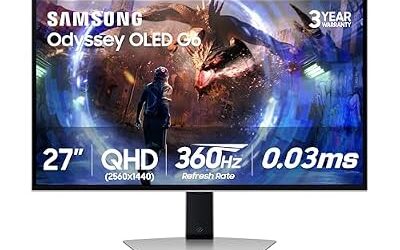
The 32-inch Odyssey G7 is a curved 1440p VA monitor from a previous generation that remains a common sale item. VA panels deliver deeper blacks than IPS, which suits atmospheric single-player games, but reviewers note dark-scene smearing on fast motion. Treat it as a bargain buy if your graphics card cannot drive 4K, and compare the exact variant on the listing, since Samsung sells several Odyssey G7 versions with different specs.

SAMSUNG 32” Odyssey G7 Series WQHD (2560x1440) Curved Gaming Monitor, 240Hz, 1ms, HDMI, G-Sync, FreeSync Premium Pro, LC32G75TQSNXZA
Included for 'Best 32 Inch Gaming Monitor Black Friday Deals 2026' as a representative home product in this roundup; selection reflects the product set returned for this topic.
View on AmazonMid-Range Tier: 4K IPS and Value OLED
The mid-range tier is where the best bargains appear. Last-generation 4K IPS panels and the cheapest QD-OLED models both land here during sales, and either can give a major step up in sharpness.
Dell G3223Q – Best for bright rooms without burn-in worry
32-inch · 4K IPS · 144Hz · HDMI 2.1 · G-Sync compatible
TechRadar lists the Dell G3223Q as its best 4K G-Sync pick. It is an IPS panel, so it avoids OLED burn-in considerations and holds up in bright rooms, though it cannot match OLED contrast. At 144Hz it is a good fit for a PC with a mid-range or higher graphics card and for current consoles at 4K 120Hz, which makes it a safe all-round purchase. Reviewers point out IPS weak points such as backlight glow in dark scenes.
MSI MAG 321UP QD-OLED X24 – Best for value OLED
32-inch · 4K · 240Hz · QD-OLED · mid-range to premium tier
ThePCEnthusiast calls the MSI MAG 321UP QD-OLED X24 its value pick, and Bitdoze names the related MAG 321CUP as its best value QD-OLED. TechSpot says the cheapest QD-OLED models start around the entry of the OLED range, making this MSI the usual starting point. Expect fewer premium extras than the flagship models, but the same core panel technology.

msi MAG 321UP QD-OLED X24 32" Class 4K UHD Gaming OLED Monitor - 16:9 - Metallic Black - 31.5" Viewable - Quantum Dot - 3840 x 2160-1.07 Billion Colors - Adaptive Sync/FreeSync Premium Pro/G-sync Co
Included for 'Best 32 Inch Gaming Monitor Black Friday Deals 2026' as a representative home product in this roundup; selection reflects the product set returned for this topic.
View on AmazonPremium Tier: 4K 240Hz OLED
The premium tier is for buyers who want the best picture and are willing to follow OLED care advice, such as using screen savers, avoiding static desktop elements for long periods and running the maker’s pixel refresh routines.
ASUS ROG Swift OLED PG32UCDM – Best for all-round premium play
32-inch · 4K · 240Hz · QD-OLED · premium tier
RTINGS ranks this ASUS first in its list of best 32-inch monitors and first among gaming monitors overall. ThePCEnthusiast also calls it its best ASUS QD-OLED deal. It suits a PC that can push high frame rates at 4K, and it works well for creative work, which is why reviewers like its versatility. Bitdoze lists the PG32UCDMR as a premium variant, so confirm the exact model suffix when comparing listings.

ASUS ROG PG32UCDM 32 Inch 4K 240Hz OLED Gaming Monitor QD-OLED | UHD, Custom Heatsink, 0.03ms, G-SYNC Compatible, USB-C 90W, True 10-bit, Graphene Film, 99% DCI-P3, for PS5 and Xbox
Included for 'Best 32 Inch Gaming Monitor Black Friday Deals 2026' because the listing lists an explicit depth/thickness, which is the attribute this article compares.
View on AmazonASUS ROG Strix OLED XG32UCWMG – Best for brighter rooms and features
32-inch · 4K · 240Hz · WOLED · premium tier
TechSpot calls the XG32UCWMG the best overall 32-inch 4K OLED, citing its feature set, and says WOLED handles brighter rooms better than QD-OLED. ThePCEnthusiast said it would choose this model over the PG32UCDM if prices were similar. Its typical price sits a little under the top of the premium tier, according to TechSpot.

ASUS ROG Strix OLED XG32UCWMG Gaming Monitor – 32 Inches (31.5 Inch Display) OLED Glossy 4K TrueBlack
Included for 'Best 32 Inch Gaming Monitor Black Friday Deals 2026' because the listing lists an explicit depth/thickness, which is the attribute this article compares.
View on AmazonMSI MPG 322UR QD-OLED X24 – Best for a premium MSI alternative
32-inch · 4K · 240Hz · QD-OLED · premium tier
ThePCEnthusiast labels the MPG 322UR QD-OLED X24 as its premium pick in the 32-inch 4K OLED class. It offers the same headline panel specs as the cheaper MAG, so the extra cost goes to build quality and features. Compare the feature lists carefully, because the headline specs are the same across several models.

MSI MPG 322UR QD-OLED X24 32 Inch 4K UHD Gaming Monitor - 3840 x 2160 Penta Tandem OLED Panel, 240Hz / 0.03ms, 99% DCI-P3, ΔE≤2, DisplayHDR True Black 400, KVM, RGB DP 2.1a, HDMI 2.1, USB Type-C 98W
Included for 'Best 32 Inch Gaming Monitor Black Friday Deals 2026' because the listing lists an explicit depth/thickness, which is the attribute this article compares.
View on AmazonAlienware AW3225QF – Best for console and PC play
32-inch · 4K · 240Hz · curved QD-OLED · Dolby Vision · premium tier
Tom’s Hardware calls the AW3225QF its best 4K gaming monitor for consoles, pointing to its 240Hz refresh and Dolby Vision support. The curve helps when you sit close at a desk, but some users prefer flat panels for productivity work and for lining up straight edges in design software.

Alienware Aw3225Qf Computer Monitor 81.3 Cm (32") 3840 X 2160, W129021912 (81.3 Cm (32) 3840 X 2160 Pixels 4K Ultra Hd Qd-OLED Black, White)
Included for 'Best 32 Inch Gaming Monitor Black Friday Deals 2026' as a representative home product in this roundup; selection reflects the product set returned for this topic.
View on AmazonPick X If… Decision Table
| Pick this | If you… |
|---|---|
| ASUS ROG Swift OLED PG32UCDM | want the top-ranked 32-inch gaming monitor and have a strong GPU |
| MSI MAG 321UP QD-OLED X24 | want OLED but have a tighter budget |
| ASUS ROG Strix OLED XG32UCWMG | play in a bright room and want a WOLED |
| Alienware AW3225QF | split time between a console and a PC |
| Dell G3223Q | want 4K without OLED care or price |
| Samsung Odyssey G7 32-inch | have a mid-range GPU and want deep contrast cheaply |
Compatibility and GPU Load
For 4K at 240Hz you need a recent graphics card with DisplayPort 1.4 or HDMI 2.1 output. Some 240Hz 4K monitors rely on Display Stream Compression to reach their top refresh rate over DisplayPort 1.4, which can limit simultaneous features on older cards, so read the manual for any caveats. For consoles, HDMI 2.1 on the monitor and a certified cable are required for 4K 120Hz. A PlayStation 5 or Xbox Series X outputs a maximum of 120Hz, so the extra refresh headroom is only useful on PC.
If you play competitive shooters, consider that 240Hz at 4K is demanding. Many players lower resolution or use upscaling to keep frame rates high. OLED monitors respond instantly, so the lower frame times show clearly, but the GPU must still render the frames.
When to Buy: Early vs Black Friday vs Cyber Monday
Black Friday 2026 falls on Friday 27 November, with Thanksgiving on 26 November and Cyber Monday on 30 November. Early promotions often start in the first half of November and can be as good as the main event for popular monitors, especially when stock is plentiful. Black Friday itself tends to bring the widest selection of discounted models, including last-generation clearance. Cyber Monday often features more PC accessories and sometimes picks up stock that sold out earlier.
Since discounts change daily, track the model you want for a few weeks beforehand so you know its normal range. Buy early if the listing already matches your target spec and your return window covers the holiday period. Wait for the later days if you are comparing several models and would rather see which ones are cleared out.
Deal Red Flags
- Inflated “was” prices: a markdown from an unrealistic list price is not a real saving. Use price-history habits, such as noting the lowest recent price of the same model.
- Model number confusion: a cheaper listing may be a different variant with a lower refresh rate, a different panel or fewer ports. Match the full model number, not only the series name.
- Bundle traps: a monitor bundled with accessories can hide a worse monitor price. Judge the monitor on its own.
- Last-generation clearance: sometimes a good value, but check that the older model still has the ports you need, such as HDMI 2.1.
- Return windows: holiday purchases may have extended returns, but confirm the dates and whether opened electronics carry restocking conditions. Test for dead pixels and uniformity promptly.
- Refurbished or open-box stock: read the warranty terms, especially for OLED, where burn-in coverage varies by maker.
OLED Care and Warranty Notes
All OLED monitors carry some burn-in risk with static content. Makers publish care guidance and several advertise burn-in warranties, but terms differ, so read the warranty before buying. Typical advice includes enabling pixel shift, letting the monitor run its refresh cycle when on standby, hiding the taskbar if practical and avoiding maximum brightness for long static work. IPS and VA panels do not share this concern.
Alternatives Worth Knowing
- 27-inch 1440p OLED or IPS: higher pixel density than a 32-inch 1440p and lower GPU demand, ideal for competitive play.
- 34-inch ultrawide: better for immersion in racing and open-world games, though game support for ultrawide varies.
- Mini-LED 4K monitors: reviewers note these give high brightness and no burn-in risk, a reasonable middle ground between IPS and OLED.
Frequently Asked Questions
Is a 32-inch monitor too big for gaming?
No, but it needs enough desk depth, roughly 30 inches between your eyes and the screen. At closer distances you will move your head to see HUD elements in the corners. A curved model or a monitor arm can help.
Is 1440p or 4K better for a 32-inch gaming monitor?
4K is sharper, at about 138 pixels per inch compared with about 92 for 1440p. It also needs a stronger graphics card. Choose 1440p if you favor frame rate on a mid-range GPU.
Is OLED worth it for a 32-inch gaming monitor?
Reviewers at RTINGS, TechSpot and Tom’s Hardware consider 4K OLED the best option for picture quality and response time. The trade-offs are burn-in care and, for QD-OLED, grayer blacks in bright rooms. Read the maker’s warranty terms.
QD-OLED or WOLED: which should I choose?
TechSpot favors WOLED for brighter rooms and its feature set, while RTINGS and Bitdoze lean toward QD-OLED for color volume. In a dim room QD-OLED is usually preferred. In a sunlit room consider WOLED or IPS.
Will a 32-inch 4K monitor work with a PS5 or Xbox?
Yes, if it has HDMI 2.1 and you use a certified cable, it can run 4K at 120Hz on current consoles. Anything above 120Hz only helps on PC. Check the monitor manual for which port supports full bandwidth.
Should I wait for Black Friday or buy now?
If a monitor already sits in your target spec range and the return window covers the holidays, buying early is reasonable. If you are undecided between models, wait to see which are cleared out. Track the normal price so you recognize a real markdown.