🛒 Best Price Today on Amazon
Prime members get fast, free shipping on everything above, plus member-only deals. New members get a 30-day free trial — cancel anytime.
A stiff charging cable can make a wireless gaming mouse feel awkward when used in wired mode. Finding the best gaming mouse charging cable with flexible paracord helps reduce cable drag while maintaining reliable charging and data transmission. The ideal cable should match the mouse connector, provide sufficient flexibility, and avoid interfering with movement.
Quick Verdict: Which Flexible Paracord Cable Is Best?
A gaming mouse charging cable should be evaluated as both a USB connection and a moving accessory. Flexible construction can reduce the resistance caused by cable movement, but the connector must fit securely and maintain reliable electrical contact. Mouse-specific connector housings can make an otherwise compatible USB-C cable unsuitable.
Best overall: Pulsar USB-C Superflex Paracord Cable
Best for stable high-polling operation: Pulsar USB-C Paracord Cable
Best universal-style alternative: PMM FlexCord
Best for Endgame Gear mice: Endgame Gear XM2 Flex Cord 6.0
Best budget alternative: BOXT LineX USB-C Paracord Mouse Cable
Best for a fixed desktop setup: ATTACK SHARK C06 Ultra Coiled Mouse Cable
Quick Comparison Table
| Cable | Connector | Main advantage | Important limitation |
|---|---|---|---|
| Pulsar Superflex | USB-A to angled USB-C | Highly flexible construction | Model compatibility |
| Pulsar Paracord | USB-A to angled USB-C | Shielded signal-oriented design | Slightly firmer feel |
| PMM FlexCord | Angled USB-C with extension | Thin flexible cable | Not universally compatible |
| Endgame Gear XM2 Flex Cord 6.0 | USB-A to USB-C | Designed for XM2 mice | XM2-focused compatibility |
| BOXT LineX | USB-C mouse cable | Budget flexible-cable option | Verify exact specifications |
| ATTACK SHARK C06 Ultra | Coiled USB-C cable | Desk organization | Coil adds resistance |
How We Selected These Gaming Mouse Cables
Selection focused on flexible construction, data functionality, connector geometry, strain relief, cable length, and documented gaming-mouse compatibility. We distinguished true flexible paracord-style cables from decorative braided cables because their movement characteristics can be substantially different.
We also considered USB reliability. A cable advertised for high polling rates does not increase the mouse’s polling capability. It must simply maintain a stable connection while the mouse and computer handle the required communication.
The 6 Best Flexible Paracord Gaming Mouse Charging Cables
Flexible paracord cables are particularly useful for wireless gaming mice that can operate in wired mode while charging. However, their convenience depends on several mechanical details, including how the cable exits the mouse, whether it contacts the mousepad, and how much resistance it introduces during large movements.
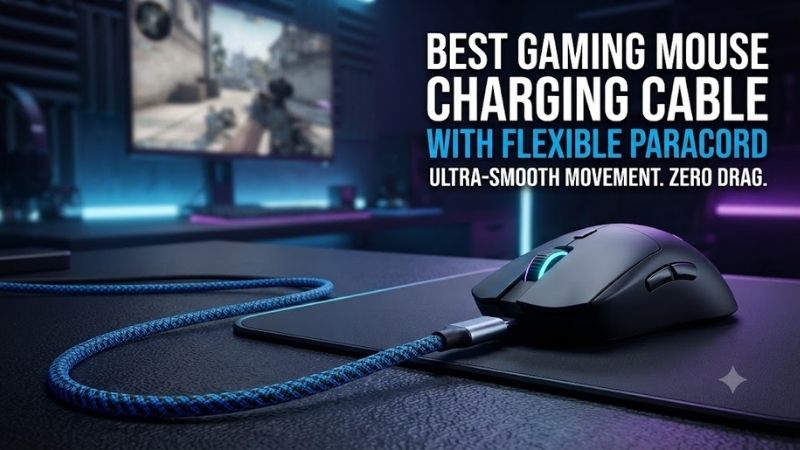
Pulsar USB-C Superflex Paracord Cable – Best Overall
The Pulsar USB-C Superflex Paracord Cable is designed for gaming enthusiasts who want a lightweight, flexible connection that minimizes the feel of cable drag. Its angled USB-C connector helps direct the cable away from the playing surface, while its soft construction supports movement during wired gaming.
Best for: Compatible Pulsar gaming mice used while charging or in wired mode.
Key specifications
-
USB Type-A to USB Type-C
-
Approximately 1.8-meter cable length
-
Angled USB-C connector
-
Flexible paracord-style construction
-
Manufacturer-stated support for 8K polling operation
-
Compatibility with selected Pulsar X2, X2H, X2A, and Xlite models
Cable flexibility and movement
A conventional charging cable may have a relatively stiff jacket.
When attached to a lightweight gaming mouse, that stiffness can introduce noticeable resistance.
The Superflex cable is intended to reduce this effect.
Its soft construction bends with mouse movement instead of maintaining a rigid shape.
For low-sensitivity FPS players who move the mouse across a wide area, this can improve the subjective experience of wired operation.
However, it will not make a wired mouse identical to a wireless mouse.
There is still a physical cable attached to the device.
Angled connector design
The angled USB-C connector is one of the most relevant design features.
A cable that exits directly from the front of a mouse may contact the desk or mousepad.
This can create drag near the front of the mouse.
An angled connector helps redirect the cable, potentially reducing that interference.
The benefit depends on the mouse’s charging-port geometry and the direction of the cable.
USB data and charging
Pulsar describes the cable as supporting high-polling gaming operation.
This means it is intended to maintain the USB data connection required by compatible mice.
Nevertheless, a cable cannot enable an 8K polling rate on a mouse that does not support it.
Likewise, it does not eliminate the need for the appropriate firmware, software, or receiver configuration.
Compatibility considerations
The USB-C connector must fit the mouse’s charging-port recess.
Some mice use narrow openings that prevent larger USB-C housings from seating fully.
Check the exact Pulsar model and cable revision before purchasing.
Pros
-
Highly flexible construction
-
Angled USB-C connector
-
Approximately 1.8-meter length
-
Designed for gaming mice
-
Suitable for compatible high-polling devices
Cons
-
Not universally compatible
-
Flexible construction may feel delicate
-
Does not eliminate cable drag completely
-
Requires checking the mouse’s connector opening
Buy If: You own a compatible Pulsar mouse and prioritize minimal cable resistance during charging.
Skip If: Your mouse uses a proprietary connector or an incompatible USB-C recess.
Pulsar USB-C Paracord Cable – Best for Signal-Focused Wired Gaming
The standard Pulsar USB-C Paracord Cable provides an alternative to the Superflex version for users who prioritize robust data transmission and a slightly firmer cable. Pulsar describes its shielded construction as supporting reliable high-polling operation during extended sessions.
Best for: Compatible gaming mice where signal stability and everyday durability are priorities.
Key specifications
-
USB-A to USB-C connection
-
Approximately 1.8-meter length
-
Angled connector design
-
Shielded cable construction
-
Manufacturer-stated 8K polling compatibility
-
Slightly firmer construction than Superflex
Why shielding matters
USB communication depends on maintaining signal integrity.
Electrical interference, damaged conductors, and poor connectors can cause communication problems.
Shielding is intended to help protect the transmitted signal from external interference.
However, shielding quality cannot be judged solely by the appearance of a braided cable.
The internal construction matters more than decorative outer fabric.
Flexibility trade-offs
The standard Paracord model is described as slightly firmer than the Superflex version.
This can be beneficial for players who prefer a cable that holds its routing more predictably.
A very soft cable may lie against the mousepad unless it is managed through a bungee.
A somewhat firmer cable can sometimes maintain more clearance.
However, that same stiffness can create greater movement resistance.
The ideal balance depends on desk layout and aiming technique.
Gaming performance
High polling rates increase the frequency of mouse reports to the host.
A correctly functioning USB cable must carry those reports reliably.
However, the cable does not determine the sensor’s tracking accuracy or the mouse’s wireless latency.
It should be evaluated for stable connectivity and mechanical behavior.
Pros
-
Shielded construction
-
Angled USB-C connector
-
Designed for compatible gaming mice
-
High-polling compatibility claims
-
Predictable cable routing
Cons
-
Firmer than Superflex
-
Not universally compatible
-
Does not increase mouse polling capability
Buy If: You want a compatible gaming cable that emphasizes signal stability and durability.
Skip If: Your highest priority is minimum cable stiffness.
PMM FlexCord – Best Lightweight Universal-Style Alternative
The PMM FlexCord is a specialized gaming cable designed to provide extremely flexible wired movement. Its thin construction, angled USB-C connector, and included extension system make it appealing to enthusiasts building lightweight mouse setups.
Best for: Lightweight gaming mouse enthusiasts and compatible custom mouse projects.
Key specifications
-
Approximately 1.8 mm cable diameter
-
0.9-meter primary cable
-
1.25-meter extension
-
Angled USB-C plug
-
Silicone mouse-bungee adapter
-
Manufacturer-stated 8K polling compatibility
-
Broad stated compatibility with selected gaming mouse brands
Why cable diameter matters
A thinner cable generally contains less outer material than a thicker conventional USB cable.
This can help reduce the mechanical resistance created during mouse movement.
However, diameter alone does not establish flexibility.
The internal conductors, insulation, and jacket design also influence bending behavior.
PMM emphasizes a combination of thin construction and a flexible outer design.
Modular cable length
The primary cable and extension provide flexibility in desk setup.
A shorter connection may be sufficient when the computer or USB hub sits close to the mousepad.
The extension allows a longer route when necessary.
Each additional connection is another potential point of mechanical failure, so components should be connected securely.
Compatibility limitations
PMM advertises compatibility with many gaming mouse brands.
However, it explicitly notes an incompatibility with Zowie models.
Other mice may also require an adapter or have connector-clearance limitations.
The exact device should be checked rather than relying on brand-level compatibility alone.
Pros
-
Thin cable construction
-
Highly flexible design
-
Angled connector
-
Extension system
-
Bungee accessory
Cons
-
Specialized compatibility
-
Some models require additional adapters
-
Not compatible with every gaming mouse
-
More connection points than a single cable
Buy If: You want an exceptionally flexible cable for a compatible lightweight mouse.
Skip If: You need a simple guaranteed replacement for an unsupported device.
Endgame Gear XM2 Flex Cord 6.0 – Best for XM2-Series Mice
The Endgame Gear XM2 Flex Cord 6.0 is a model-focused replacement cable intended for compatible XM2-series gaming mice. Its flexible construction and reinforced connectors make it relevant to players who want to reduce cable resistance without relying on a generic USB-C accessory.
Best for: Compatible Endgame Gear XM2-series wired mice.
Key specifications
-
USB-A to USB-C
-
Approximately 1.8-meter length
-
Flexible braided exterior
-
Lightweight cable design
-
Reinforced connector housings
-
Compatibility with supported XM2-series mice
Why model-specific cables matter
Gaming mouse manufacturers sometimes design charging ports around a particular connector housing.
A generic USB-C cable may fit electrically but fail to seat correctly.
A model-specific cable reduces uncertainty.
For XM2 owners, this is particularly useful when replacing a damaged original cable.
Movement characteristics
Endgame Gear markets the Flex Cord 6.0 as reducing cable drag.
The flexible design can help prevent the cable from pulling against the mouse during wide movements.
A mouse bungee may further improve cable management.
However, adding a bungee does not compensate for a connector that fits poorly.
Durability considerations
Reinforced connector housings can help protect the points where repeated bending occurs.
These locations are common sources of cable wear.
Users should still avoid pulling the cable sharply or wrapping it tightly around the mouse.
Pros
-
Designed for XM2 compatibility
-
Flexible construction
-
Reinforced connectors
-
Practical cable length
-
Suitable replacement accessory
Cons
-
Limited to supported devices
-
Not a universal charging cable
-
Requires correct model identification
Buy If: You own a supported XM2-series mouse and want a flexible replacement cable.
Skip If: You use an unrelated gaming mouse.
BOXT LineX USB-C Paracord Cable – Best Budget Alternative
The BOXT LineX USB-C Paracord Cable is a lower-cost option marketed toward gaming mouse users seeking a flexible charging or wired connection. Its relevance comes from the paracord-style construction rather than advanced software or electronic features.
Best for: Budget-conscious users with compatible USB-C gaming mice.
Practical evaluation
A budget cable can perform well if it uses correct USB wiring and reliable connectors.
However, product listings vary in the detail they provide.
Before purchasing, confirm that the exact model supports USB data rather than charging alone.
Check the connector shape and cable length.
Avoid assuming that an advertised 8K label proves tested high-polling reliability.
Advantages and limitations
The main advantage is the possibility of obtaining a flexible cable without a premium price.
The limitation is uncertainty about manufacturing consistency.
For a valuable gaming mouse, a poorly fitted connector can create more problems than the savings justify.
Pros
-
Budget-focused category
-
Flexible construction
-
USB-C configurations
-
Suitable for basic replacement needs
Cons
-
Specifications require verification
-
Quality may vary between sellers
-
Connector fit is not guaranteed
-
High-polling claims need scrutiny
Buy If: You can confirm compatibility and want a lower-cost flexible cable.
Skip If: You need manufacturer-documented reliability for a specific high-end mouse.
ATTACK SHARK C06 Ultra Coiled Mouse Cable – Best for Desk Organization
The ATTACK SHARK C06 Ultra is a coiled cable option for users who want an organized desktop appearance. Although coiled cables can be attractive, their mechanical behavior differs from ultra-flexible straight paracord cables.
Best for: Gaming setups where cable organization matters more than maximum freedom of movement.
Coiled construction
A coiled cable can help reduce loose cable across the desk.
This is useful when the mouse is primarily used wirelessly and the cable serves as an occasional charging connection.
However, the coil introduces additional tension when stretched.
This can be undesirable during competitive wired gaming.
Charging and gaming use
For a wireless mouse that only needs occasional charging, a coiled cable may be practical.
For continuous wired play, a straight flexible cable is usually more appropriate.
The exact connector dimensions and data support should be verified before purchasing.
Pros
-
Organized desktop appearance
-
Convenient for occasional charging
-
Reduced loose cable
-
Gaming-oriented design
Cons
-
Coil creates resistance
-
Less suitable for low-sensitivity wired aiming
-
Compatibility varies
-
Not equivalent to ultra-flexible straight paracord
Buy If: You mainly use your mouse wirelessly and want a tidy charging cable.
Skip If: You need minimal cable drag during active FPS gaming.
Buying Guide: Choosing a Flexible Gaming Mouse Charging Cable
A suitable gaming mouse cable must satisfy both electrical and mechanical requirements. USB connector compatibility is only the first step. The cable should also remain comfortable during movement and provide reliable data transmission.
Check USB-C Connector Clearance
Some gaming mice use recessed USB-C ports.
A cable with a thick connector housing may not seat fully.
Measure the available opening or verify compatibility with the manufacturer’s specifications.
Do not force an oversized connector into a narrow port.
Understand Paracord Versus Ordinary Braided Cables
Paracord-style gaming cables prioritize flexibility.
Ordinary braided USB cables may be durable but relatively stiff.
A decorative fabric exterior does not automatically make a cable suitable for mouse movement.
The internal construction determines the actual bending behavior.
Consider Cable Length and Mouse Bungees
A shorter cable reduces excess material but may limit placement.
A longer cable gives more freedom but can lie across the mousepad.
A mouse bungee can suspend part of the cable and reduce drag.
The ideal setup depends on desk dimensions and mouse movement range.
Verify Charging and Data Support
A wireless mouse may require both charging and USB data functions.
A charge-only cable may not support wired operation.
Check that the cable supports the mouse’s intended USB communication.
Higher polling rates also require compatible hardware and software.
Frequently Asked Questions
Can a paracord cable charge a wireless gaming mouse?
Yes, when its USB connections and power specifications are compatible.
Does paracord improve mouse latency?
Not inherently. Its primary advantage is reduced mechanical drag.
Can a USB-C cable enable 8K polling?
No. The mouse and host must support the required polling configuration.
Are all USB-C gaming mouse cables interchangeable?
No. Connector housing dimensions and proprietary designs can prevent compatibility.
Is a coiled cable good for FPS gaming?
It may introduce more resistance than a flexible straight cable.
Should I use a mouse bungee?
A bungee may help manage cable position during wired gaming.
Final Verdict
Pulsar USB-C Superflex is the strongest starting point for compatible mice when minimal drag is the priority. The standard Pulsar Paracord cable emphasizes a firmer, shielded design, while PMM FlexCord offers a specialized lightweight alternative. Match the connector and data requirements before selecting any charging cable.