🛒 Best Price Today on Amazon
Prime members get fast, free shipping on everything above, plus member-only deals. New members get a 30-day free trial — cancel anytime.
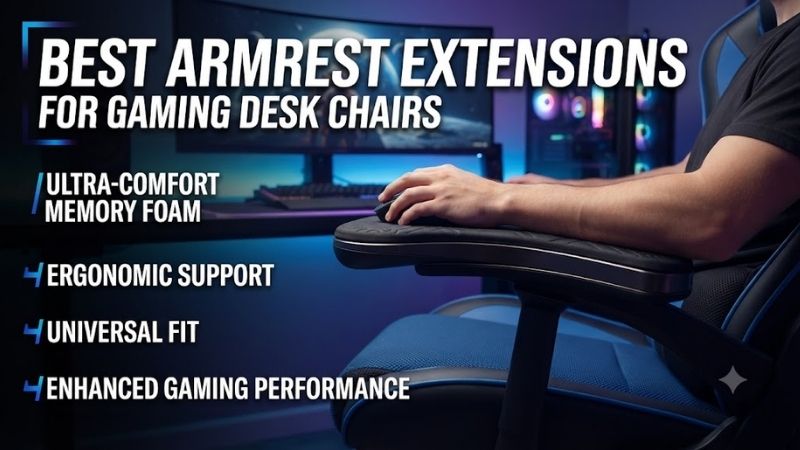
The best armrest extensions for gaming desk chairs help position the forearms closer to the keyboard, mouse, or controller without forcing the shoulders into an uncomfortable posture. Unlike simple foam covers, adjustable replacement armrests can change reach, height, width, and rotation. This guide compares six upgrade systems and explains how to identify the correct mounting arrangement for your chair.
Quick Verdict
Best Overall: Arozzi Infinity Armrests. Their extensive movement options make them particularly useful for users who alternate between keyboard-and-mouse gaming, controller use, and ordinary desk work.
Best Rotating Extension: LF Gaming 360 Swivel Arm. Designed to provide movable arm support in compatible LF Gaming seating systems.
Best Adjustable Replacement: Boulies 4D Armrests. Aluminum-alloy construction and defined movement ranges make them attractive for compatible gaming chairs.
Best Budget-Oriented Replacement: UVI 4D Armrests. Available in different mounting-hole configurations for suitable chair frames.
Best for Specialized Chair Conversion: N SPORT Gaming Chair Armrests. A mounting solution with multiple height positions and adjustable placement for compatible seats.
Quick Comparison Table
| Product | Adjustment | Best For | Main Limitation |
|---|---|---|---|
| Arozzi Infinity Armrests | Height, reach, width, rotation, tilt | Best overall | Four-screw mounting required |
| LF Gaming 360 Swivel Arm | Rotating and lateral movement | Extended forearm support | Chair-specific |
| Boulies 4D Armrests | Height, reach, width, rotation | Adjustable replacements | Mounting-hole compatibility |
| UVI 4D Armrests | Height, width, reach, lateral position | Value upgrade | Three- or four-hole versions |
| N SPORT Gaming Chair Armrests | Seven height positions, reach | Specialized seat setups | Structural compatibility |
| Mavix FS 360 Armrests | Vertical, lateral, rotational movement | Supported Mavix chairs | Model-specific |
How We Selected These Armrest Extensions
We focused on products that change the position or physical support of a chair’s armrests rather than merely adding cushioning.
This distinction matters because a memory foam pad cannot correct a substantial reach or height problem if the existing chair arms do not move into the required position.
We evaluated adjustment mechanisms, mounting compatibility, construction, installation requirements, and practical suitability for gaming.
A useful extension should support relaxed forearm positioning without interfering with desk access, chair movement, or mouse control.
We did not assume universal compatibility simply because a product is advertised for gaming chairs.
Detailed Product Recommendations
1. Arozzi Infinity Armrests — Best Overall
Best For: Gamers who want extensive armrest movement for different input devices and seating positions.
Why We Picked It: The Infinity system provides height, width, forward/backward, rotation, and tilt adjustments.
Key Specifications
-
Product: Arozzi Infinity Armrests
-
Model: AZ-INFINITY-BK
-
Configuration: Left and right armrests
-
Height adjustment: Approximately 10cm
-
Forward/backward adjustment: Approximately 4.5cm
-
Upper rotation: 360 degrees
-
Tilt adjustment: Approximately 18 degrees
-
Chair mounting: Compatible four-screw underside arrangement
Features and Benefits
The Infinity armrests are particularly useful because they provide movement in several directions.
A keyboard-and-mouse gamer may prefer relatively low arm support that does not interfere with desk access.
A controller gamer may want the armrests higher and positioned farther inward to support the elbows.
The Infinity system is designed to accommodate both arrangements.
Its rotating support surfaces also make it possible to change the forearm position without moving the entire chair.
Performance and Practical Use
The most important limitation is mounting compatibility.
The product is designed for chairs using a suitable four-screw armrest attachment arrangement beneath the seat.
A chair with a different mounting pattern or fixed integrated arms may not support the upgrade.
Buyers should compare the manufacturer’s dimensional drawing with their existing chair before ordering.
Pros
-
Extensive adjustment.
-
Adjustable armrest reach.
-
Rotation and tilt.
-
Sold as a pair.
Cons
-
Requires compatible mounting geometry.
-
More expensive and mechanically complex than simple armrest pads.
Buy If: You frequently switch between gaming input methods and want maximum positioning flexibility.
Skip If: Your chair uses incompatible armrest attachments.
2. LF Gaming 360 Swivel Arm — Best Rotating Extension
Best For: LF Gaming chair owners who want more forearm-positioning freedom.
Why We Picked It: The 360 Swivel Arm adds rotational and lateral movement to supported LF Gaming seating arrangements.
Key Specifications
-
Product: LF Gaming 360 Swivel Arm
-
Design: Movable armrest extension
-
Movement: 360-degree rotational positioning
-
Intended purpose: Forearm and elbow support
-
Installation: Compatible LF Gaming chair retrofit
Features and Benefits
The LF Gaming arm extension is particularly relevant to users who play with a controller.
Controller gaming often places the hands closer together than keyboard-and-mouse gaming.
Conventional chair armrests may remain too far apart, leaving the forearms unsupported.
A movable extension allows the support surface to follow a more comfortable position.
Performance and Practical Use
The mechanism provides more flexibility than a fixed pad, but it must be installed on a supported chair.
It should also not be treated as a structural handle for lifting the user’s body weight.
The manufacturer specifically warns against using the chair arms to lift oneself out of the seat.
Pros
-
Rotational adjustment.
-
Improved positioning flexibility.
-
Suitable for controller-focused use.
-
Purpose-designed retrofit.
Cons
-
Limited compatibility.
-
Not intended as a body-weight support handle.
Buy If: You own a compatible LF Gaming chair and want movable forearm supports.
Skip If: You need a universal attachment for an unrelated chair.
3. Boulies 4D Armrests — Best Adjustable Replacement
Best For: Gamers replacing ordinary chair arms with a more adjustable system.
Why We Picked It: Boulies provides replacement armrests with a durable support structure and documented adjustment dimensions.
Key Specifications
-
Product: Boulies 4D Armrests
-
Material: Aluminum alloy
-
Arm pad length: Approximately 272mm
-
Arm pad width: Approximately 102mm
-
Height range: Approximately 317–389mm
-
Forward/backward adjustment: 36mm
-
Left/right adjustment: 24mm
-
Compatibility: Boulies chairs and other chairs with matching mounting holes
Features and Benefits
The Boulies 4D system allows the user to adjust the resting position of the forearms in several directions.
This is useful when the desk height and chair armrest height do not align.
An armrest that is too high can force the shoulders upward, while an armrest that is too low may provide inadequate support.
The height adjustment helps address these problems when the chair and desk dimensions are otherwise suitable.
Performance and Practical Use
The main benefit is predictable positional adjustment.
However, the product should not be treated as universal.
Even chairs with similar-looking underside mounting arrangements may use different bolt spacing.
The armrest can only be safely installed when the mounting structure matches the required dimensions.
Pros
-
Multi-directional adjustment.
-
Aluminum-alloy construction.
-
Documented movement ranges.
-
Sold as a pair.
Cons
-
Requires compatible bolt spacing.
-
Does not automatically increase the underlying chair’s structural capacity.
Buy If: You want a defined 4D adjustment upgrade for a compatible gaming chair.
Skip If: Your chair does not have suitable mounting holes.
4. UVI 4D Armrests — Best Budget-Oriented Replacement
Best For: Users seeking additional armrest adjustment without replacing the entire chair.
Why We Picked It: UVI provides adjustable replacement armrests in separate three-hole and four-hole attachment configurations.
Key Specifications
-
Product: UVI 4D Armrests
-
Adjustment: Height, width, forward/backward, lateral position
-
Mounting variants: Three-hole and four-hole
-
Model codes: UVIAC4D3H and UVIAC4D4H
-
Intended application: Compatible gaming chairs
Features and Benefits
The most useful feature is the availability of different mounting-hole arrangements.
Many gaming chairs look similar but use different fastening systems.
Offering separate mounting configurations helps buyers choose a version that matches their seat.
The 4D adjustment also permits changes to arm width and reach.
This can improve forearm positioning when using a keyboard, mouse, or controller.
Performance and Practical Use
The product is particularly attractive for users who like their existing chair but dislike its limited armrest adjustment.
However, the three-hole and four-hole versions are not interchangeable.
Buyers must identify their exact mounting pattern before purchase.
Pros
-
Several adjustment directions.
-
Different mounting variants.
-
Useful replacement for compatible chairs.
Cons
-
Compatibility depends on bolt arrangement.
-
Not appropriate for every fixed-arm chair.
Buy If: Your chair matches one of the supported UVI mounting configurations.
Skip If: You cannot verify the required mounting-hole layout.
5. N SPORT Gaming Chair Armrests — Best for Specialized Chair Setups
Best For: Gaming chairs or converted seating systems requiring adjustable replacement arm supports.
Why We Picked It: N SPORT provides a purpose-designed armrest kit with multiple height settings and adjustable front-to-back positioning.
Key Specifications
-
Product: N SPORT Gaming Chair/Office Chair Stand Armrest
-
Height adjustment: Seven positions
-
Fore/aft placement: Adjustable
-
Arm pad material: Polyurethane
-
Included armrests: Two
-
Included hardware: M6 screws and washers
-
Installation: Compatible seat mounting points
Features and Benefits
The N SPORT armrests are especially relevant to specialized seating arrangements.
For example, some users adapt automotive-style seats for gaming desks or simulator setups.
Those seats may lack suitable conventional office-chair armrests.
The N SPORT system provides adjustable supports with defined mounting hardware.
The elongated mounting holes permit some position adjustment relative to the seat width.
Performance and Practical Use
Although the kit provides useful flexibility, it is not a universal armrest extension.
Its mounting method depends on the supporting seat or chair structure.
Users should inspect the intended fastening points and compare them with the included hardware.
Do not drill into a seat’s structural components without appropriate manufacturer guidance.
Pros
-
Seven height settings.
-
Adjustable reach.
-
Included mounting hardware.
-
Useful for specialized seating arrangements.
Cons
-
Compatibility requires careful measurement.
-
More involved installation than slip-on accessories.
Buy If: You have a compatible seat requiring adjustable armrest support.
Skip If: You only want softer padding on existing chair arms.
6. Mavix FS 360 Armrests — Best for Supported Mavix Chairs
Best For: Owners of compatible Mavix gaming chairs seeking greater armrest movement.
Why We Picked It: The FS 360 system provides vertical, lateral, and rotational adjustment for supported Mavix seating models.
Key Specifications
-
Product: Mavix FS 360 Armrests
-
Compatible chair configurations: Selected M5, M7, and M9 versions
-
Adjustment: Vertical and lateral positioning
-
Arm pad rotation: 360 degrees
-
Intended function: Ergonomic forearm support
-
Installation: Chair-specific replacement system
Features and Benefits
The FS 360 system focuses on allowing the arm support to follow the user’s preferred position.
This is useful for gamers who change posture during longer sessions.
For example, typing may require a different arm position from controller gaming.
The rotating arm pad allows the support surface to be repositioned without requiring the user to replace the chair.
Performance and Practical Use
The main limitation is model specificity.
The M5, M7, and M9 configurations must be selected correctly.
The product should not be assumed compatible with unrelated gaming chairs simply because they share similar armrest shapes.
Pros
-
Rotational adjustment.
-
Vertical and lateral movement.
-
Purpose-designed for supported chairs.
Cons
-
Chair-specific.
-
Less useful for buyers without a compatible Mavix model.
Buy If: You have a supported Mavix chair and want improved armrest adjustability.
Skip If: You use a different chair manufacturer.
Buying Guide: Choosing Gaming Chair Armrest Extensions
Understand Extensions Versus Cushions
An armrest extension changes the position or reach of the support.
A cushion only adds padding over the existing surface.
If your elbows are too far from the armrest, a thicker cushion may not solve the problem.
Choose an adjustable replacement when reach, width, or angle is the primary issue.
Measure the Mounting-Hole Pattern
Replacement armrests often attach beneath the seat.
Different manufacturers use different screw spacing and hole configurations.
Before purchasing, remove or inspect the existing armrest mounting hardware.
Compare the bolt pattern, available clearance, and attachment method with the replacement product’s documentation.
Evaluate Height Adjustment
Armrests should allow the shoulders to remain relaxed.
Excessive armrest height can push the shoulders upward.
Insufficient height may leave the forearms unsupported.
The correct setting depends on chair height, desk height, and individual proportions.
Consider Forward and Backward Movement
Armrest reach matters when sitting close to the desk.
A fixed armrest may prevent the chair from moving forward enough.
An adjustable armrest can sometimes move backward to clear the desk or forward to support the forearm.
Check the available travel distance before purchasing.
Choose Rotation for Controller Gaming
Controller gaming often involves holding the hands closer together.
Rotating or inward-moving armrests can help support the elbows in this position.
However, not every rotating system provides sufficient lateral movement.
Look at the complete adjustment geometry rather than rotation alone.
Check Desk Clearance
A wide armrest may collide with the desk edge.
This can prevent the chair from reaching the correct position.
Measure the armrest height and width relative to the desk before replacing the hardware.
Consider Mechanical Durability
An adjustable armrest includes more moving components than a fixed armrest.
Inspect the mechanism’s construction, fastening method, and intended load.
Do not use the armrest as a lifting handle unless the manufacturer explicitly permits it.
Determine Whether Replacement Is Worthwhile
Replacing armrests makes sense when the chair provides good seating support but limited arm positioning.
However, an armrest upgrade cannot correct a seat that is too narrow, too high, or otherwise fundamentally unsuitable.
If the chair itself does not fit the user, replacing it may be more effective than adding accessories.
Frequently Asked Questions
Are gaming chair armrest extensions universal?
No. Many adjustable replacements require specific mounting-hole patterns or chair structures.
Can armrest extensions improve mouse control?
They may help support the forearms and reduce awkward positioning, but optimal mouse technique and comfort depend on the whole desk arrangement.
Are 4D armrests better than fixed armrests?
They provide more positioning options, which can be useful when the original fixed support does not align with the user.
Can I add armrests to a chair that has none?
Possibly, if the chair provides suitable structural mounting points and the accessory is designed for that application.
Do foam armrest pads count as extensions?
They add cushioning and height, but they do not usually provide meaningful reach or rotational adjustment.
Should armrests touch the desk?
Not necessarily. The main goal is comfortable arm support without restricting chair movement or forcing an awkward shoulder position.
Conclusion
The Arozzi Infinity Armrests are our preferred choice among the best armrest extensions for gaming desk chairs because they provide extensive adjustment in height, reach, rotation, width, and tilt. LF Gaming offers a specialized rotating support, while Boulies and UVI provide practical replacement systems for compatible gaming chairs. N SPORT and Mavix accessories suit more specific seating arrangements. Before purchasing, measure the chair’s mounting points and determine which arm-position problem the upgrade needs to solve.