🛒 Best Price Today on Amazon
Prime members get fast, free shipping on everything above, plus member-only deals. New members get a 30-day free trial — cancel anytime.
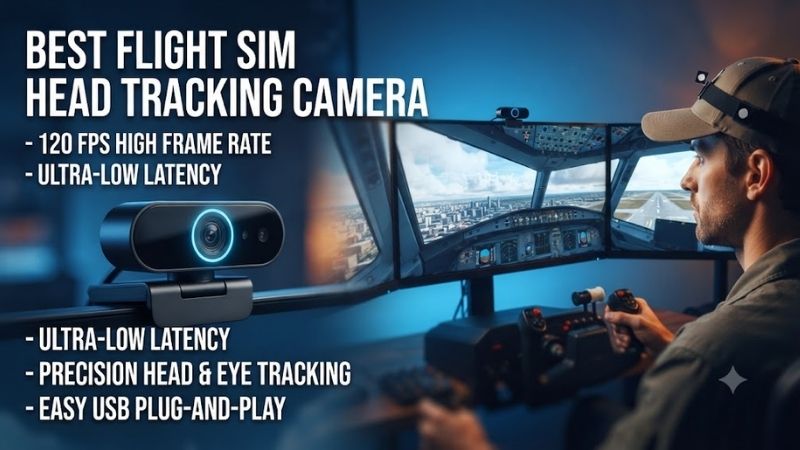
The best flight sim head tracking camera makes virtual cockpit movement more natural without requiring a VR headset. Instead of repeatedly using a mouse or joystick hat switch, pilots can turn their heads to scan instruments, check traffic, or look toward the runway during landing. This guide compares six real tracking systems for Microsoft Flight Simulator, DCS World, X-Plane, and other compatible PC simulators.
Quick Verdict
NaturalPoint TrackIR 5 is our best overall recommendation for users who want established infrared tracking and broad simulator support.
TrackHat Sensor V2 is a compelling clip-free alternative using infrared facial tracking, while Tobii Eye Tracker 5 offers combined eye and head tracking without requiring wearable markers.
For buyers who prefer a headset-mounted infrared emitter, DELANCLiP Fusion Pro provides a wireless tracking package.
Quick Comparison Table
| Product | Tracking Technology | Wearable Marker | Best For |
|---|---|---|---|
| NaturalPoint TrackIR 5 | Infrared optical | Yes | Best overall |
| Tobii Eye Tracker 5 | Eye and head tracking | No | Hands-free experience |
| TrackHat Sensor V2 | Infrared facial tracking | No | Clip-free IR tracking |
| DELANCLiP Fusion Pro | Infrared camera and wireless emitter | Yes | Wireless headset setup |
| DELANCLiP Gamer Edition | Infrared camera and wired emitter | Yes | Traditional IR setup |
| Grass Monkey Simulations Odyssey | Infrared camera and tracking marker | Yes | OpenTrack-based alternative |
These systems use different technologies. Tobii should not be described simply as an infrared clip-tracking camera, and all software compatibility claims should be checked against the intended simulator version.
How We Selected These Head Trackers
We considered six-degree-of-freedom tracking, simulator integration, camera placement, lighting tolerance, additional equipment requirements, and comfort during extended flights.
Six degrees of freedom, or 6DoF, means the system can track head rotation and positional movement.
Rotational movement includes looking left, right, up, and down. Positional movement allows the virtual viewpoint to shift when the pilot leans closer to instruments or moves sideways.
We also considered the differences between marker-based optical systems and facial tracking.
A headset-mounted infrared marker can provide predictable tracking geometry, but it introduces something the user must wear. Markerless solutions reduce that inconvenience but have their own placement and software constraints.
Detailed Product Recommendations
1. NaturalPoint TrackIR 5 — Best Overall
Best For: Serious PC flight-simulation enthusiasts who want established head tracking with minimal experimentation.
Why We Picked It: TrackIR 5 offers six-degree-of-freedom optical tracking, a 120fps tracking rate, and broad recognition across PC flight-simulation software.
Key Specifications
-
Sensor: Infrared tracking camera
-
Tracking: 6DoF
-
Tracking rate: 120fps
-
Connection: USB
-
Included tracking option: Reflective TrackClip
-
Optional accessory: TrackClip Pro
Features and Performance
TrackIR uses a camera positioned near the monitor to observe markers attached to the player’s headwear.
These marker movements are converted into virtual cockpit camera movements.
The system can exaggerate physical head rotation so users can look behind the aircraft without turning completely away from the monitor.
This feature is especially useful during combat maneuvers in DCS World or when checking wing positions during approach and landing.
Its main strength is the established tracking ecosystem.
However, the reflective clip can be affected by unwanted infrared reflections from the environment.
Using the optional active TrackClip Pro can help in some lighting situations, but it introduces an additional accessory and cable.
Pros
-
Established flight-simulator support.
-
Responsive optical tracking.
-
Adjustable movement curves.
-
Six-degree-of-freedom tracking.
Cons
-
Requires a reflective or active marker.
-
Lighting conditions may affect tracking.
-
Primarily designed for Windows.
Buy If: You prioritize reliable tracking and broad PC simulator compatibility.
Skip If: You do not want to wear any tracking accessory.
2. Tobii Eye Tracker 5 — Best for Head and Eye Tracking
Best For: Pilots who want hands-free head tracking and additional eye-tracking functionality.
Why We Picked It: Tobii combines head movement and eye-position sensing without requiring a reflective cap or headset-mounted LEDs.
Key Specifications
-
Technology: Infrared eye and head tracking
-
Head tracking: 6DoF in supported applications
-
Mounting: Below the display
-
Connection: USB
-
Operating environment: Supported Windows PC configurations
Features and Performance
Tobii Eye Tracker 5 provides a different experience from marker-based optical trackers.
The sensor observes the user’s head and eyes, allowing compatible applications to interpret looking behavior.
For flight simulation, this means pilots can look around the cockpit without wearing an additional tracking clip.
It can be particularly attractive for long flights where headset comfort matters.
However, eye tracking and head tracking are not identical features.
Screen-size recommendations primarily affect eye-tracking performance and should not be misinterpreted as an absolute limit on all head tracking.
Compatibility also varies by simulator and application.
Pros
-
No wearable marker.
-
Eye and head tracking.
-
Clean physical setup.
Cons
-
Higher positioning complexity.
-
Feature support depends on simulator integration.
-
Not every large or unusual display arrangement offers identical behavior.
Buy If: You want combined eye and head tracking without additional headgear.
Skip If: You only need conventional infrared marker tracking.
3. TrackHat Sensor V2 — Best Markerless Infrared Camera
Best For: Flight sim users who want infrared facial tracking without headset accessories.
Why We Picked It: The Sensor V2 uses infrared illumination and machine-learning-based facial tracking.
Key Specifications
-
Product: TrackHat Sensor V2
-
Tracking frequency: 60Hz
-
Technology: Infrared facial tracking
-
Tracking: 6DoF
-
Software: TrackHat OpenTrack
-
Recommended placement: Centered near the display
Features and Performance
The Sensor V2 combines infrared illumination with facial tracking rather than relying entirely on visible-light webcam images.
This allows it to operate across a range of room-lighting conditions.
It is designed to work with headsets, glasses, and different screen arrangements.
An important advantage is the absence of an emitter attached to the user.
However, camera placement still matters.
The sensor should have an unobstructed view of the pilot’s face. Flight controls, hands, or dashboard components positioned in front of the sensor can interfere with tracking.
The manufacturer recommends adjusting tracking curves and positioning for the user’s seating distance.
Pros
-
Markerless tracking.
-
Infrared illumination.
-
Compatible with varied monitor arrangements.
-
Configurable OpenTrack software.
Cons
-
Requires careful camera positioning.
-
Initial software tuning may be necessary.
Buy If: You want clip-free infrared tracking for a fixed PC flight simulator.
Skip If: You prefer the established marker-based TrackIR approach.
4. DELANCLiP Fusion Pro — Best Wireless Infrared Kit
Best For: Pilots who wear a headset and want wireless tracking markers.
Why We Picked It: The Fusion Pro combines a dedicated infrared tracking camera with a cordless emitter.
Key Specifications
-
Tracking: 6DoF
-
Emitter: Wireless, rechargeable
-
Camera: DelanCam1
-
Camera cable: Approximately 1.4 meters
-
Charging connection: USB-C
-
Included mount: Camera monitor/TV clip
Features and Performance
The Fusion Pro uses an active emitter attached to the pilot’s headset.
The infrared camera observes the emitted points and translates movement into the virtual cockpit.
Its wireless design eliminates the extra cable that some active tracking systems require.
This can be particularly useful for pilots who repeatedly enter and leave the cockpit or move around their desk.
The main trade-off is charging.
Unlike a passive reflective marker, the wireless emitter requires power and appropriate mounting to the headset.
Camera placement and tracking profiles also need configuration.
Pros
-
Cordless emitter.
-
Dedicated infrared camera.
-
Suitable for headset users.
-
Six-degree-of-freedom tracking.
Cons
-
Requires charging.
-
Headset-mounted accessory.
-
Initial calibration may take time.
Buy If: You want infrared point tracking without a cable running from your headset.
Skip If: You prefer a completely markerless system.
5. DELANCLiP Gamer Edition — Best Traditional Infrared Setup
Best For: Buyers seeking a conventional camera-and-emitter tracking solution.
Why We Picked It: The DELANCLiP Gamer Edition uses the established infrared point-tracking approach with an attached emitter.
Key Specifications
-
Technology: Infrared point tracking
-
Tracking mode: 6DoF with compatible software
-
Camera: Dedicated IR tracking camera
-
Emitter: Headset-mounted tracking clip
-
Software integration: OpenTrack-based configuration
Features and Performance
This system is appropriate for users who do not mind wearing a small emitter on their headset.
Its camera interprets relative movement between illuminated tracking points.
This can produce predictable tracking when the camera maintains clear visibility of the emitter.
The main disadvantage is additional wiring or mounting complexity compared with markerless alternatives.
For a permanent desk cockpit, however, that inconvenience may be acceptable.
Pros: Conventional IR tracking, configurable movement curves, suitable for compatible simulators.
Cons: Requires a headset attachment, potentially more cable management.
Buy If: You want a traditional optical tracking system.
Skip If: You frequently switch between headphones and speakers.
6. Grass Monkey Simulations Odyssey — Best OpenTrack Alternative
Best For: Enthusiasts willing to configure an infrared tracking system using OpenTrack.
Why We Picked It: Grass Monkey Simulations offers purpose-built head-tracking hardware aimed at simulator users who want an alternative to proprietary tracking ecosystems.
Key Specifications
-
Product family: Odyssey
-
Technology: Infrared marker tracking
-
Tracking: 6DoF through compatible software
-
Intended application: PC simulators
-
Required configuration: Camera, marker, and software setup
Features and Performance
The Odyssey approach appeals to users who want a configurable tracking setup.
OpenTrack provides adjustments for head-motion response curves, smoothing, and center position.
These settings matter because a physical head movement should produce comfortable virtual movement without requiring the user to turn away from the screen.
A system that is too sensitive can cause unwanted cockpit movement, while insufficient sensitivity makes it difficult to look over a shoulder.
The best results therefore depend on correct placement and calibration.
Pros
-
Configurable tracking.
-
Designed for simulator use.
-
Alternative to proprietary head-tracking software.
Cons
-
Requires setup and calibration.
-
Specific package components should be confirmed before purchase.
Buy If: You are comfortable configuring OpenTrack and optical markers.
Skip If: You want an integrated markerless solution.
Buying Guide: Choosing a Flight Simulator Head Tracker
Camera-Based Tracking Versus Eye Tracking
Traditional head-tracking cameras observe physical head movement.
Eye trackers can add gaze direction, although the available features depend on software integration.
If your goal is simply looking around a virtual cockpit, a head-only system may be sufficient.
If you want gaze-related functions in supported software, a combined eye-and-head tracker offers additional possibilities.
Understand 6DoF Tracking
Six-degree-of-freedom tracking includes three rotational and three positional movements.
This allows pilots to look around cockpit structures and move closer to instruments.
Not every game supports all movement axes in the same way.
Verify simulator compatibility before purchasing.
Evaluate Tracking Latency
Tracking latency affects how naturally the virtual cockpit responds to head movement.
A high camera frame rate can help, but frame rate alone does not establish total latency.
Software processing, smoothing settings, USB behavior, and simulator performance also contribute.
Consider Lighting Conditions
Infrared tracking systems can be affected by strong external infrared sources or blocked marker visibility.
Facial tracking systems require an unobstructed camera view.
Choose a mounting location that provides a consistent view throughout the intended range of head movement.
Adjust Movement Curves
Tracking software generally allows users to define how physical movement maps to virtual movement.
A common approach is to use relatively gentle movement near the center and increased sensitivity when turning farther away.
This makes instrument viewing comfortable while still allowing pilots to look behind the aircraft.
Match the Tracker to Your Display Setup
Triple monitors, projectors, ultrawides, and ordinary desktop monitors create different physical arrangements.
Camera positioning becomes especially important with large cockpit displays.
Check the manufacturer’s supported range and recommended placement.
Frequently Asked Questions
Is head tracking worth buying for Microsoft Flight Simulator?
It can significantly improve cockpit awareness and convenience, particularly when using physical flight controls.
Is TrackIR better than Tobii?
TrackIR is a strong choice for traditional marker-based head tracking. Tobii is attractive when combined eye tracking and markerless operation are priorities.
Can I use a normal webcam for head tracking?
Yes, compatible software can provide webcam-based tracking, but performance depends on lighting, camera quality, and software processing.
Does head tracking work with triple monitors?
Many systems do, but placement and the tracking technology matter.
Is head tracking better than VR?
Head tracking preserves visibility of real flight controls and instruments. VR provides stereoscopic immersion but introduces different comfort and performance considerations.
Conclusion
NaturalPoint TrackIR 5 is the strongest overall recommendation among the best flight sim head tracking camera options for pilots who want established infrared tracking. Choose TrackHat Sensor V2 for markerless IR operation, Tobii Eye Tracker 5 for combined eye and head tracking, or DELANCLiP Fusion Pro for a wireless headset-mounted alternative. The ideal system depends on simulator support, seating distance, lighting, and whether you want to wear a tracking accessory.