🛒 Best Price Today on Amazon
Prime members get fast, free shipping on everything above, plus member-only deals. New members get a 30-day free trial — cancel anytime.
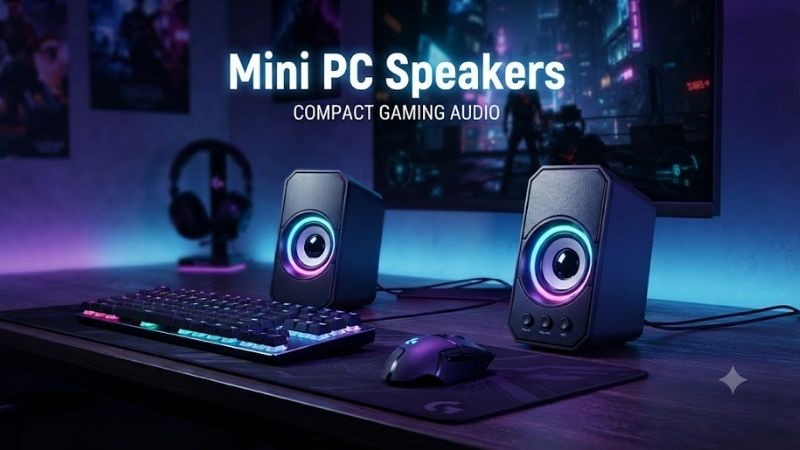
Mini PC speakers are ideal when you want better desktop audio without sacrificing valuable space around a monitor, keyboard, or compact computer. The best models balance clear dialogue, useful bass, simple USB or Bluetooth connectivity, and a footprint small enough for gaming desks, offices, dorm rooms, and minimalist setups.
Quick Comparison Table
| Product | Best For | Key Advantage | Limitation |
|---|---|---|---|
| Creative Pebble V3 | Best overall | Compact USB-C audio and Bluetooth | Limited deep bass |
| Creative Pebble Plus | Budget 2.1 sound | Separate subwoofer | Requires more floor or desk space |
| Edifier G2000 | Compact gaming | Multiple inputs and gaming-oriented sound | More expensive than basic speakers |
| Logitech Z207 | Easy multi-device use | Bluetooth plus wired input | Bass is modest |
| Bose Companion 2 Series III | Clear desktop audio | Strong vocal clarity | No Bluetooth |
| Razer Nommo V2 X | Gaming setups | Wide stereo presentation and USB audio | Larger than ultra-compact speakers |
| Cyber Acoustics CA-2014 | Basic office use | Very simple and affordable | Limited output and bass |
Best Mini PC Speakers
Creative Pebble V3
Best For: Most users who want compact speakers with modern connectivity.
Creative Pebble V3 is one of the most practical mini PC speakers for small desks because each satellite uses a rounded, compact enclosure that fits easily beside a monitor. The system supports USB-C audio, Bluetooth wireless playback, and an angled driver design intended to direct sound toward the listener.
Key Features:
- Compact two-speaker design
- USB-C audio connection
- Bluetooth connectivity
- 3.5 mm auxiliary support
- Elevated 45-degree drivers
- USB-powered operation
- Front volume control
The upward-angled drivers help direct midrange and treble toward ear level when the speakers sit below a monitor. This matters on shallow desks because conventional forward-facing mini speakers often project more sound toward the user’s chest than toward the listening position.
What Makes It Different: Pebble V3 combines a very small footprint with several connection methods. It can operate as a clean USB desktop speaker set while Bluetooth allows a phone or tablet to use the same speakers without reconnecting audio cables.
Performance & Use Case: It works especially well for YouTube, games, video calls, music at moderate volume, and everyday computer audio. The small cabinets cannot produce the deep low-frequency impact of a separate subwoofer, so action games and bass-heavy music sound lighter.
Pros:
- Extremely desk friendly
- USB-C and Bluetooth connectivity
- Clear near-field sound
Cons:
- Limited low bass
- Not intended for filling large rooms
Who Should Buy It: Choose Pebble V3 if you want one of the easiest compact speaker upgrades for a mini PC, laptop dock, office desk, or gaming setup.
Creative Pebble Plus
Best For: Buyers who want compact satellite speakers with stronger bass.
Creative Pebble Plus expands the familiar Pebble design into a 2.1 system by adding a separate subwoofer. The two small satellites remain easy to position beside a monitor, while the dedicated bass unit handles lower frequencies that tiny desktop enclosures struggle to reproduce effectively.
Key Features:
- 2.1 speaker configuration
- Two compact satellite speakers
- Dedicated subwoofer
- Angled driver orientation
- USB-powered speaker system
- 3.5 mm audio input
- Front volume control
A separate subwoofer provides more physical bass than relying on two tiny desktop cabinets alone. That improves explosions in games, kick drums in music, and movie effects without forcing the main speakers to become much larger.
What Makes It Different: Pebble Plus preserves the small footprint of the standard Pebble satellites while adding the low-frequency support users often miss from miniature PC speakers. It is a useful middle ground between ultra-compact stereo speakers and a much larger desktop audio system.
Performance & Use Case: It suits gaming, entertainment, and music better than basic two-speaker systems when bass matters. The subwoofer does introduce another box and cable, so extremely minimalist desks may prefer the simpler Pebble V3.
Pros:
- Better bass than tiny stereo speakers
- Small satellite footprint
- Affordable 2.1 format
Cons:
- Extra subwoofer takes space
- Wired-only audio is less flexible
Who Should Buy It: Choose Pebble Plus when you want stronger gaming and music impact but still need compact speakers beside the monitor.
Edifier G2000
Best For: Gamers who want compact speakers with more power and connection options.
Edifier G2000 is a compact gaming speaker pair designed for users who want more output and personality than basic office speakers. The cabinets remain small enough for most desks while offering multiple input methods, onboard sound modes, and lighting that fits naturally into RGB-oriented gaming setups.
Key Features:
- Compact stereo design
- Bluetooth connectivity
- USB audio
- 3.5 mm auxiliary input
- Multiple sound modes
- Integrated lighting
- Front-facing full-range drivers
Multiple input options make the G2000 useful when one desk serves several devices. A mini PC can connect through USB, a phone can use Bluetooth, and another device can remain available through analog input without requiring a separate audio switcher.
What Makes It Different: The G2000 is one of the few genuinely small desktop speakers designed specifically around gaming rather than general office audio. Its sound modes and lighting add flexibility without requiring a full soundbar or large bookshelf speakers.
Performance & Use Case: It provides stronger output than ultra-budget mini speakers and works well for games, movies, music, and streaming. Bass is still constrained by the small cabinet volume, although the overall presentation is fuller than many tiny USB-powered alternatives.
Pros:
- Multiple connection options
- Strong compact gaming design
- Good output for its size
Cons:
- More expensive than basic mini speakers
- RGB may not suit professional desks
Who Should Buy It: Choose G2000 if you want compact gaming speakers that can handle several devices and provide more output than entry-level USB models.
Logitech Z207
Best For: Simple multi-device desktop audio.
Logitech Z207 is designed around convenience rather than maximum power. The two-speaker system combines Bluetooth wireless playback with a traditional 3.5 mm audio input, allowing a PC and mobile device to share the same speakers without changing the physical desk setup each time.
Key Features:
- Stereo desktop speakers
- Bluetooth connectivity
- 3.5 mm wired input
- Front volume control
- Headphone jack
- Compact vertical cabinets
- Multi-device switching
Bluetooth is particularly useful in home offices where the speakers may alternate between a mini PC, laptop, tablet, and phone. The wired input can stay attached to the computer while wireless devices connect as needed.
What Makes It Different: The Z207 focuses on frictionless everyday use. Instead of gaming modes or complicated controls, it provides straightforward wireless and analog connectivity in a compact format that fits beside standard monitors.
Performance & Use Case: It works well for conference calls, casual music, streaming video, and system sounds. Output is sufficient for near-field listening, but users who want stronger bass or cinematic gaming effects should consider a larger 2.1 setup.
Pros:
- Easy Bluetooth connectivity
- Useful headphone output
- Simple controls
Cons:
- Limited bass
- Not designed for high-volume gaming
Who Should Buy It: Choose the Z207 if your priority is convenient everyday audio from several devices rather than maximum output or gaming-focused features.
Bose Companion 2 Series III
Best For: Users who prioritize clear dialogue and balanced desktop sound.
Bose Companion 2 Series III is a compact powered speaker pair aimed at desktop listening. The design avoids a separate subwoofer and keeps controls simple, making it suitable for offices, entertainment desks, and users who want clear audio without adding multiple boxes or complicated connectivity.
Key Features:
- Two-speaker stereo system
- Analog audio input
- Front volume control
- Headphone output
- Compact desktop cabinets
- Powered speaker design
- Near-field listening focus
The main strength is clarity. Voices, dialogue, podcasts, and game communication remain easy to follow at moderate listening levels, which is useful for users who switch frequently between work calls and entertainment.
What Makes It Different: Companion 2 focuses on sound quality from a straightforward wired connection rather than adding wireless features, lighting, or software. This simplicity is attractive to buyers who want their speakers to behave like reliable desktop hardware rather than another connected device.
Performance & Use Case: It fits office work, media playback, casual gaming, and music where clarity matters more than heavy low-frequency output. The lack of Bluetooth can be restrictive if multiple wireless devices need regular access.
Pros:
- Clear dialogue reproduction
- Simple operation
- Compact two-speaker layout
Cons:
- No Bluetooth
- Limited deep bass without a subwoofer
Who Should Buy It: Choose Companion 2 if you prefer simple wired desktop audio and care more about clarity than wireless convenience or RGB styling.
Razer Nommo V2 X
Best For: Gaming-focused desks that need a stronger stereo presentation.
Razer Nommo V2 X uses two full-range desktop speakers designed around PC gaming. The cabinets are larger than tiny USB speakers, but they remain compact enough for a normal gaming desk and provide a wider stereo presentation than many ultra-small alternatives.
Key Features:
- Two-speaker gaming system
- Full-range drivers
- USB audio connection
- Bluetooth support
- Rear bass ports
- PC gaming focus
- Software-enabled audio features
Rear-facing bass ports help the speakers produce more low-frequency energy than fully sealed mini enclosures. Placement still matters because pushing ported speakers directly against a wall can alter bass balance, so leaving some breathing room behind them is useful.
What Makes It Different: Nommo V2 X prioritizes gaming immersion rather than minimum dimensions. The wider stereo image can make positional effects, ambient sound, and game environments feel more spacious than extremely small office speakers.
Performance & Use Case: It works well for gaming, movies, and music at a desk where headphones are not always desirable. Users with very narrow desks should measure available space because the cabinets are larger than Pebble-class models.
Pros:
- Strong gaming-oriented stereo sound
- USB and Bluetooth connectivity
- More bass presence than tiny satellites
Cons:
- Larger than minimalist mini speakers
- Costs more than basic stereo sets
Who Should Buy It: Choose Nommo V2 X if gaming is the priority and you have enough desk space for slightly larger speakers that provide a fuller presentation.
Cyber Acoustics CA-2014
Best For: Basic office PCs, kiosks, and budget desktop setups.
Cyber Acoustics CA-2014 is a straightforward two-speaker system designed for users who need simple PC audio at minimal cost. Its compact cabinets fit easily beside small monitors, making it suitable for offices, schools, secondary computers, or workstations where audio is needed only occasionally.
Key Features:
- Compact stereo design
- Analog 3.5 mm connection
- Simple volume control
- Headphone output
- Small desktop footprint
- Powered speaker operation
- Basic plug-and-play setup
The system avoids advanced features, which can be an advantage in managed environments. There is no Bluetooth pairing process, gaming software, or lighting to configure. Connect the speakers to the PC audio output, supply power, and they are ready for normal use.
What Makes It Different: Price and simplicity are the primary advantages. It is designed for functional sound rather than high-output entertainment, making it better suited to notifications, videos, calls, and basic media than immersive gaming.
Performance & Use Case: It provides a clear step above relying on a monitor with weak built-in speakers, but low-frequency output and maximum volume are limited. Users building a primary gaming station should spend more for stronger drivers.
Pros:
- Very affordable
- Small footprint
- Simple setup
Cons:
- Limited bass and maximum output
- Few modern connectivity features
Who Should Buy It: Choose CA-2014 for an office, secondary PC, basic home computer, or other setup where low cost and simplicity matter most.
Mini PC Speakers Buying Guide
Choose the Right Speaker Size
Smaller speakers save desk space but have less cabinet volume for producing bass. Ultra-compact models work well for dialogue and near-field listening, while slightly larger speakers create fuller sound. Measure the space beside your monitor before buying, especially when using a dual-monitor or compact mini PC setup.
Decide Between USB and Analog Audio
USB audio keeps the digital connection inside one cable path and can reduce dependence on the computer’s analog audio output. Traditional 3.5 mm connections are more universally compatible with PCs, monitors, docks, and older devices. Some modern speakers include both, providing more flexibility when equipment changes.
Consider Bluetooth
Bluetooth is valuable when the speakers need to serve a phone, tablet, laptop, and desktop computer. It reduces cable switching but can introduce a small amount of latency depending on the implementation. For gaming, a direct USB or wired connection is generally preferable when timing and synchronization matter.
Decide Whether You Need a Subwoofer
A dedicated subwoofer provides substantially more low-frequency output than tiny desktop speakers can generate. It improves explosions, movie effects, and bass-heavy music, but also adds cables and takes up floor or desk space. Users in apartments or shared offices may actually prefer the lighter bass of a compact stereo pair.
Check Volume Control Placement
Front-mounted controls are easier to reach than knobs hidden behind a speaker. A headphone jack is also useful because it lets users switch to private listening without reaching behind the PC. For desks used throughout the day, these small ergonomic details can matter more than decorative features.
Think About Speaker Placement
Stereo speakers should sit to the left and right of the monitor rather than both being placed on one side. A wider, reasonably symmetrical placement improves stereo imaging and makes games, music, and movies sound more natural. Avoid blocking driver openings with monitors, books, or other desk accessories.
Choosing Speakers for Different Mini PC Setups
Mini Speakers for Gaming
Gaming systems benefit from clear stereo separation and enough bass to give weapons, vehicles, and environmental effects weight. Edifier G2000 and Razer Nommo V2 X suit this role better than ultra-budget office speakers because they provide stronger output and more gaming-oriented connectivity.
Mini Speakers for Office Work
Office users should prioritize speech clarity, small size, easy controls, and unobtrusive styling. Creative Pebble V3, Logitech Z207, and Bose Companion 2 are better fits because they handle calls, videos, music, and notifications without dominating the desk.
Mini Speakers for Travel or Dorm Rooms
Portable users benefit from lightweight speakers that run through USB and require minimal setup. Small systems also make more sense in dorms because large subwoofers can disturb neighboring rooms. Compact stereo speakers provide enough volume for near-field listening without requiring significant floor space.
FAQ
Are Mini PC Speakers Good Enough for Gaming?
Yes, especially for casual and desktop gaming at moderate volume. Models with larger drivers or rear bass ports provide more impact than basic office speakers. Competitive players may still prefer headphones for precise directional cues, while speakers are better for relaxed gaming sessions and shared listening.
Do USB Speakers Sound Better Than 3.5 mm Speakers?
Not automatically. USB determines how audio reaches the speaker, while sound quality depends on the driver, amplifier, enclosure, and tuning. USB can simplify setup and bypass a poor analog output, but a well-designed 3.5 mm speaker system can still sound better than an inexpensive USB-powered model.
Do Mini PC Speakers Need a Subwoofer?
No. A compact stereo pair is enough for calls, videos, background music, and casual gaming. A subwoofer becomes worthwhile when stronger low-frequency impact matters for action games, movies, and music. The trade-off is extra space, more cables, and potentially more noise in shared environments.
Can I Use Bluetooth Speakers With a Mini PC?
Yes, if the mini PC includes Bluetooth or uses a compatible adapter. Bluetooth is convenient for everyday listening, but wired USB or analog connections are generally preferable for gaming because they avoid potential wireless latency and prevent connection changes from interrupting audio during play.
Where Should I Place Mini PC Speakers?
Place the speakers on opposite sides of the monitor with the drivers aimed toward your normal sitting position. Keep them at roughly similar distances from your ears and avoid covering the front or rear ports. Small stands or angled speaker designs can improve sound direction when the speakers sit below ear level.
Are Monitor Speakers Better Than Separate Mini Speakers?
Separate speakers usually provide better stereo separation, stronger output, and clearer sound because they have larger dedicated enclosures. Monitor speakers save desk space and require no extra cables, but they are often designed mainly for basic system audio rather than music, movies, or immersive gaming.
Conclusion
The best mini PC speakers depend on desk space and how you use your computer. Creative Pebble V3 offers the strongest overall balance, Pebble Plus adds affordable bass, Edifier G2000 and Razer Nommo V2 X suit gaming, Logitech and Bose fit everyday work, while Cyber Acoustics provides a simple low-cost option for basic PC audio.