🛒 Best Price Today on Amazon
Prime members get fast, free shipping on everything above, plus member-only deals. New members get a 30-day free trial — cancel anytime.
- Best Onn 24 Inch Monitors Compared
- Onn 24″ FHD 180Hz Gaming Monitor – Best Overall
- Onn 24″ FHD 144Hz Gaming Monitor – Best Gaming Value Alternative
- Onn 24″ FHD 144Hz Office Monitor – Best Hybrid Option
- Onn 24″ FHD 100Hz Office Monitor – Best for Everyday Work
- Onn 24″ FHD 60Hz Monitor – Best Basic Budget Pick
- How to Choose an Onn 24 Inch Monitor
- Is the Onn 24 Inch Monitor Good for Gaming?
- Is the Onn 24 Inch Monitor Good for Work?
- FAQ
- Conclusion
The Onn 24 inch monitor lineup is aimed at buyers who want an affordable 1080p display for office work, school, gaming, or a second-screen setup. Current choices include 100Hz and 144Hz office-oriented models plus a 180Hz gaming version with FreeSync, a 1ms rating, DisplayPort, and a much more adjustable stand.
Best Onn 24 Inch Monitors Compared
| Model | Best For | Resolution | Refresh Rate | Adaptive Sync |
|---|---|---|---|---|
| Onn 24″ FHD 180Hz Gaming Monitor | Best Overall | 1920 × 1080 | 180Hz | FreeSync |
| Onn 24″ FHD 144Hz Gaming Monitor | Best Gaming Value | 1920 × 1080 | 144Hz | FreeSync |
| Onn 24″ FHD 144Hz Office Monitor | Best Hybrid Option | 1920 × 1080 | 144Hz | Varies by listing |
| Onn 24″ FHD 100Hz Office Monitor | Best for Everyday Work | 1920 × 1080 | 100Hz | Adaptive Sync |
| Onn 24″ FHD 60Hz Monitor | Best Basic Budget Pick | 1920 × 1080 | 60Hz | No emphasis |
Current Walmart listings show substantial overlap in pricing. The 24-inch 100Hz office model was listed around $84, while the 180Hz gaming model was listed at $99 when checked. That relatively small price difference makes the faster gaming model unusually attractive when availability is good.
The basic specifications also demonstrate why refresh rate matters more than many buyers expect. All of these displays use Full HD resolution, but moving from 60Hz to 100Hz, 144Hz, or 180Hz can make mouse movement, scrolling, window animations, and gaming feel noticeably smoother even when image sharpness remains unchanged.
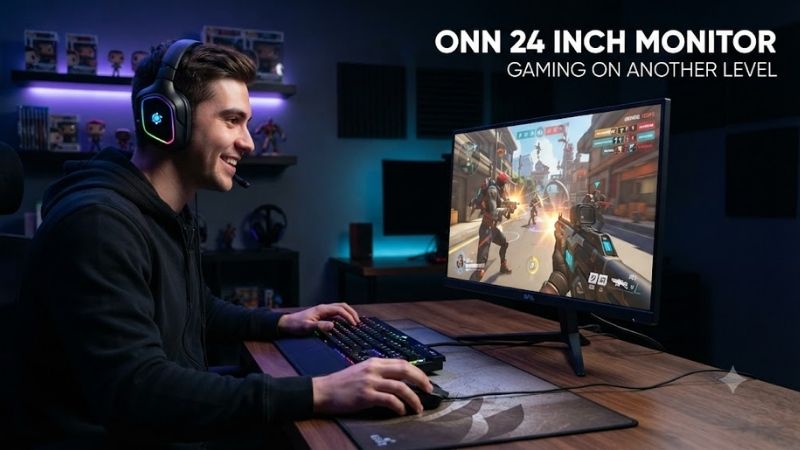
Onn 24″ FHD 180Hz Gaming Monitor – Best Overall
Best For: Budget PC gaming, competitive games, mixed gaming and office use
The current 24-inch Onn gaming monitor is the strongest overall choice in the lineup. Walmart lists a 23.8-inch actual diagonal Full HD panel with 1920 × 1080 resolution, a 180Hz refresh rate, 1ms response-time specification, AMD FreeSync, and HDR color enhancement.
It also offers a substantially more flexible stand than the inexpensive office versions. Walmart lists 80mm of height adjustment, tilt from +25 to -5 degrees, approximately 30 degrees of swivel in either direction, and 90-degree rotation for portrait use. VESA 75 × 75mm mounting is also supported.
Key Features
- 23.8-inch viewable screen
- 1920 × 1080 Full HD
- Up to 180Hz refresh rate
- 1ms response-time rating
- AMD FreeSync
- HDR color enhancement
- HDMI connectivity
- DisplayPort connectivity
- Height-adjustable stand
- Tilt and swivel
- Portrait rotation
- VESA 75 × 75mm mounting
- Low-blue-light adjustment
- Gaming picture modes
What Makes It Different
The 180Hz refresh rate is the headline advantage. At 180Hz, the display can update up to three times as frequently as a traditional 60Hz monitor when the computer delivers enough frames. This is especially useful in games such as Valorant, Counter-Strike 2, Fortnite, Overwatch, Apex Legends, and similar fast competitive titles.
FreeSync helps coordinate monitor refresh with compatible graphics output. Instead of the GPU and screen updating independently, adaptive synchronization can reduce visible tearing when frame rates fluctuate within the supported operating range.
The adjustable stand is equally important for long-term value. Many inexpensive gaming monitors include only tilt adjustment, requiring a monitor arm or stand if the screen height is uncomfortable. The Onn’s height, swivel, tilt, and pivot controls allow a more complete workstation setup without immediately purchasing another mount.
Performance
At 24 inches, 1920 × 1080 remains a sensible resolution. Pixel density is noticeably better than using the same resolution across a 27-inch panel, and mainstream GPUs can reach high frame rates more easily at 1080p than at 1440p.
The 180Hz specification does not mean every game automatically runs at 180 FPS. The graphics card, CPU, graphics settings, and game engine determine frame rate. However, users playing lightweight esports titles can benefit substantially if their hardware regularly produces more than 100 FPS.
Walmart currently lists the model around $99, although availability has fluctuated and the listing was shown as out of stock during one recent check. Pricing and stock should therefore be verified before buying.
Pros
- Excellent 180Hz refresh rate for the price
- FreeSync support
- Full ergonomic stand
- HDMI and DisplayPort
- Good 24-inch 1080p pairing
- Useful gaming modes
- VESA compatible
- Strong value when near $100
Cons
- Full HD only
- No premium wide-gamut positioning
- Built-in speakers are not a major feature
- Store-brand quality control may vary
- Availability changes frequently
Use Case
This is the best Onn option for a gaming PC with an entry-level or midrange GPU. It also works well as a home-office monitor because 180Hz makes normal desktop movement feel smoother and the stand offers better positioning than most cheap office monitors.
Who It’s For
Choose this model if the price remains close to the 100Hz and 144Hz options. Unless you specifically prefer the simpler office design, the gaming version provides more refresh-rate headroom and better ergonomics for a relatively small additional cost.
Onn 24″ FHD 144Hz Gaming Monitor – Best Gaming Value Alternative
Best For: Affordable gaming when the 180Hz model is unavailable
Walmart currently lists a 24-inch Full HD 144Hz gaming model with a 1ms response-time specification and AMD FreeSync. Recent listings showed it at approximately $74, making it one of the least expensive high-refresh 24-inch gaming monitors in the current Onn catalog.
A 144Hz display remains more than adequate for most gaming. The jump from 60Hz to 144Hz is far more noticeable than the jump from 144Hz to 180Hz for many users, especially outside competitive esports environments.
Key Features
- 24-inch-class display
- 1920 × 1080 resolution
- 144Hz refresh rate
- 1ms response-time rating
- AMD FreeSync
- Gaming-oriented configuration
- Full HD panel
- Affordable pricing
What Makes It Different
Price is the main attraction. At around the mid-$70 range in current Walmart listings, the 144Hz Onn gaming monitor can cost about as much as some conventional 60Hz or 75Hz office monitors from mainstream brands.
That creates a strong argument for choosing a higher refresh rate even if gaming is only occasional. The Windows desktop benefits from smoother scrolling and cursor motion, while games can run at 100–144 FPS without immediately reaching the monitor’s limit.
Pros
- Very competitive price
- 144Hz refresh rate
- FreeSync support
- 1ms advertised response
- Excellent for entry-level gaming PCs
- Suitable for office use too
Cons
- 180Hz version may offer better value when similarly priced
- Fewer premium features than expensive gaming monitors
- Stand specifications vary by generation
- No resolution advantage over cheaper office models
Use Case
The 144Hz model works particularly well in affordable gaming builds using cards such as mainstream Radeon or GeForce models targeting 1080p. It can also be used as a second display beside a faster primary monitor.
Who It’s For
Choose the 144Hz gaming version if it is clearly cheaper than the 180Hz monitor. If the price difference is only $10–$20, the 180Hz model’s improved stand and additional refresh-rate headroom make it easier to justify.
Onn 24″ FHD 144Hz Office Monitor – Best Hybrid Option
Best For: Productivity users who want gaming-level smoothness without gaming styling
Onn also sells a 24-inch Full HD 144Hz model marketed as an office monitor. Walmart recently listed this version around $84 with a 6.07-foot HDMI cable included. Customer ratings were approximately 4.5 out of five across more than 170 reviews at the time checked.
The concept is unusual because 144Hz was traditionally associated with gaming monitors. For productivity, however, high refresh rates make scrolling through websites and documents feel smoother and make dragging windows around the desktop more fluid.
Key Features
- 24-inch-class screen
- 1920 × 1080 Full HD
- 144Hz refresh rate
- HDMI cable included
- Simple office-oriented design
- Suitable for Windows PCs
- Suitable for mixed work and casual gaming
What Makes It Different
The office positioning can appeal to users who do not want aggressive gaming styling but still appreciate smoother motion. It is particularly useful in work-from-home environments where the monitor handles spreadsheets and browsers during the day and games after work.
At around $84 in the recent Walmart listing, it sits extremely close to the 100Hz model’s price. That makes the 144Hz version preferable when both are available at the same price and all other required features are present.
Pros
- High 144Hz refresh rate
- Office-friendly appearance
- Full HD resolution
- HDMI cable included
- Useful for casual gaming
- Strong value near $84
Cons
- Gaming model may provide more features
- Exact adaptive-sync specification should be checked
- Full HD resolution only
- Stand may be less adjustable than gaming version
Use Case
This model works well in a bedroom, school setup, or home office where one screen handles both productivity and entertainment. It can also serve as an inexpensive second display beside a gaming monitor.
Who It’s For
Choose the 144Hz office model when you want high-refresh desktop smoothness without needing the fully adjustable gaming stand or gaming-focused picture modes.
Onn 24″ FHD 100Hz Office Monitor – Best for Everyday Work
Best For: Office applications, school, browsing, streaming, and general home computing
The current 100Hz office model uses a 23.8-inch IPS LCD panel with 1920 × 1080 resolution and wide 178-degree viewing angles. Walmart lists 90% NTSC color coverage, adaptive-sync technology, and a 100Hz refresh rate.
The specification also includes 300-nit brightness, a 1000:1 contrast ratio, HDMI and VGA inputs, VESA 100 × 100mm compatibility, and tilt adjustment from approximately -5 to +20 degrees. Walmart lists Windows, macOS, and ChromeOS compatibility.
Key Features
- 23.8-inch IPS display
- 1920 × 1080 resolution
- 100Hz refresh rate
- 300-nit brightness
- 1000:1 contrast ratio
- 90% NTSC coverage
- Adaptive Sync
- HDMI
- VGA
- VESA 100 × 100mm
- Tilt adjustment
- Anti-glare coating
- Flicker-free backlight
What Makes It Different
IPS panel technology is the strongest reason to consider this version for general productivity. Wide viewing angles help maintain color and brightness when viewing the screen from the side, making it useful for shared workspaces or desks where the display is not always viewed perfectly straight on.
The 100Hz refresh rate also offers a meaningful improvement over traditional 60Hz monitors. It will not match a 180Hz gaming panel in competitive titles, but the desktop already feels considerably smoother.
Pros
- IPS panel
- 100Hz refresh rate
- 300-nit brightness
- HDMI and legacy VGA
- Adaptive Sync
- VESA 100 × 100mm
- Wide viewing angles
- Suitable for several operating systems
Cons
- Recent price overlaps with faster models
- Basic tilt-only stand
- No DisplayPort listed
- Limited gaming advantage versus 144Hz and 180Hz models
Use Case
The 100Hz model is ideal for basic office PCs, Chromebooks, older desktops with VGA, school computers, and home systems where gaming is not the main priority.
Who It’s For
Choose this version when IPS image consistency and VGA compatibility matter more than maximum refresh rate. Otherwise, the 144Hz office model may offer better value when prices are equal.
Onn 24″ FHD 60Hz Monitor – Best Basic Budget Pick
Best For: Secondary displays and basic computing
Older 24-inch Onn Full HD monitors remain available through some Walmart listings with a conventional 60Hz refresh rate, HDMI, and VGA. Walmart recently showed this type around $84 with ratings around 4.2 stars from more than 1,600 reviews.
The problem is value. When a 100Hz or 144Hz model costs approximately the same amount, there is little reason to choose 60Hz unless the older unit is heavily discounted or available used.
Key Features
- 24-inch-class panel
- 1920 × 1080
- 60Hz refresh rate
- HDMI
- VGA
- Slim design
- Basic office functionality
What Makes It Different
This version represents the older generation of inexpensive Onn monitors. Its main strengths are simplicity and compatibility with older PCs that still rely on VGA.
The current Onn lineup has largely made it less compelling because higher refresh-rate displays now occupy similar price points.
Pros
- Simple setup
- HDMI and VGA
- Fine for static office tasks
- Often available used or open-box
- Full HD resolution
Cons
- Only 60Hz
- Poor value at $84
- Less smooth desktop experience
- No strong gaming features
- Older design
Who It’s For
Choose this model only when the price is substantially lower than newer Onn monitors. For a new purchase near $80–$100, a 100Hz, 144Hz, or 180Hz model provides much better value.
How to Choose an Onn 24 Inch Monitor
Start With Refresh Rate
For ordinary documents and browsing, 100Hz is already very comfortable. For gaming, 144Hz should be the minimum target when the price difference is small.
Competitive players benefit most from 180Hz. The faster monitor cannot create frames that the PC does not produce, so make sure your graphics hardware can deliver high frame rates in the games you play.
1080p Is Well Suited to 24 Inches
Full HD resolution produces approximately 92 pixels per inch on a 23.8-inch panel. Text, game interfaces, and desktop elements remain reasonably sharp at normal desk distance.
At 27 inches, the same 1080p resolution looks less dense. This is one reason 24-inch Full HD monitors remain popular for inexpensive gaming systems.
IPS vs Gaming Performance
The 100Hz office model explicitly uses IPS technology, making it attractive for wide viewing angles and general image consistency. The 180Hz gaming model emphasizes refresh, response time, FreeSync, and gaming modes instead.
Choose according to workload rather than assuming one specification is universally better.
Look at the Stand
A basic tilt stand may be adequate when your desk and chair already place the monitor correctly. Otherwise, height adjustment can make a significant difference.
The 180Hz Onn gaming monitor offers height, tilt, swivel, and portrait rotation, making it clearly superior for ergonomic adjustment.
Check the Ports
The 100Hz office model includes HDMI and VGA, which is useful for older computers. The 180Hz gaming monitor adds DisplayPort, which is generally preferable for high-refresh PC gaming.
Make sure your GPU or laptop has the appropriate output before buying.
Is the Onn 24 Inch Monitor Good for Gaming?
Yes, particularly the 144Hz and 180Hz models. Full HD resolution is relatively easy for mainstream graphics cards to drive at high frame rates, while FreeSync helps smooth variable performance.
The 180Hz version provides the best gaming package because it combines a 1ms specification, FreeSync, DisplayPort, gaming picture modes, and a fully adjustable stand. At its recent $99 price, it is difficult to justify buying the older 60Hz version at $84.
Is the Onn 24 Inch Monitor Good for Work?
Yes. The 100Hz IPS model is especially appropriate for normal work, offering 300-nit brightness, wide viewing angles, HDMI, VGA, VESA mounting, and compatibility with Windows, macOS, and ChromeOS.
The faster 144Hz and 180Hz monitors are also perfectly usable for office work. High refresh rate is not restricted to games and can make normal computer interaction feel more responsive.
FAQ
Is the Onn 24 Inch Monitor 1080p?
Yes. Current 24-inch Onn office and gaming monitors use a 1920 × 1080 Full HD resolution.
Is Onn 24 Inch Monitor Good for Gaming?
The 144Hz and 180Hz versions are strong budget gaming options. The 180Hz model includes FreeSync, a 1ms response-time specification, HDMI, DisplayPort, and a fully adjustable stand.
Does the Onn 24 Inch Monitor Have DisplayPort?
The 180Hz gaming model includes DisplayPort. The 100Hz office monitor instead lists HDMI and VGA, so port selection depends on the exact model.
Does the Onn 24 Inch Monitor Support VESA?
Yes, but the mounting pattern varies. The 100Hz office monitor uses 100 × 100mm VESA mounting, while the 180Hz gaming version lists 75 × 75mm.
Is 24 Inches Good for 1080p?
Yes. A 24-inch Full HD screen offers a good balance of sharpness, desk space, GPU performance, and affordability. It is particularly popular for high-refresh 1080p gaming.
Which Onn 24 Inch Monitor Should I Buy?
The 180Hz gaming model is the strongest overall choice when available near $99. The 144Hz models provide excellent value below that price, while the 100Hz IPS office version is attractive for productivity and older PCs that still need VGA.
Conclusion
The best Onn 24 inch monitor is the 180Hz FreeSync gaming model because it combines high-refresh performance, Full HD resolution, DisplayPort, and a highly adjustable stand for around $100 when available. The 144Hz versions offer excellent budget value, while the 100Hz IPS model is the smarter choice for office-focused users.