🛒 Best Price Today on Amazon
Prime members get fast, free shipping on everything above, plus member-only deals. New members get a 30-day free trial — cancel anytime.
- Best Power Cords for PC Monitors Compared
- StarTech PXT101
- Tripp Lite P006-006
- Monoprice 18AWG C13 Power Cord
- Tripp Lite P006-006-13RA
- Tripp Lite P007-006
- Which Monitor Power Cord Fits Different Setups?
- How to Choose a Power Cord for a PC Monitor
- Common Mistakes When Replacing a Monitor Power Cord
- FAQ
- Conclusion
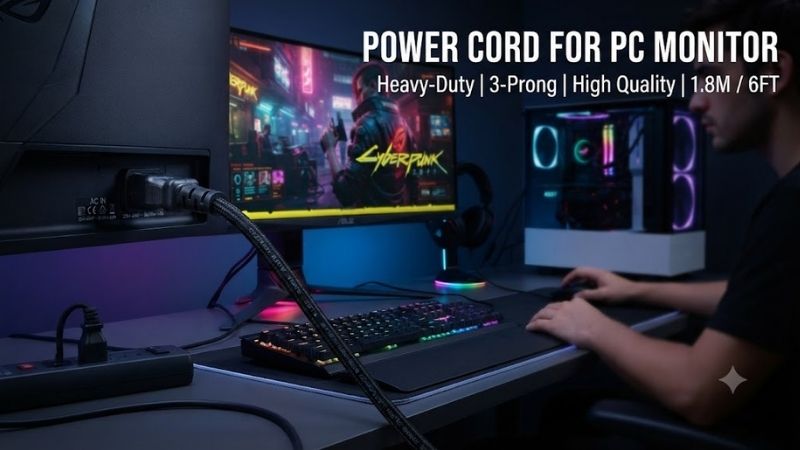
A power cord for PC monitor use should match the display’s power inlet, wall outlet, voltage rating, and current requirements. Most desktop monitors with an internal power supply use an IEC C13 cable, but some models rely on C5, C7, USB-C, or an external power brick. Checking the connector before buying prevents compatibility problems.
Quick answer: For most people in 2026, the best power cord for pc monitor is the Power Cord — our #1 rated choice. See the full ranked comparison, alternatives and buying advice below.
Best Power Cords for PC Monitors Compared
A replacement monitor power cable does not improve resolution, refresh rate, brightness, or gaming performance. Its job is to deliver power safely and reliably. Cable gauge, connector type, length, current rating, plug orientation, and certification matter more than cosmetic features such as braided jackets or gaming branding.
| Power Cord | Best For | Length | Wire Gauge | Connector | Rated Current |
|---|---|---|---|---|---|
| StarTech PXT101 | Best overall | 6 ft | 18AWG | NEMA 5-15P to C13 | 10A |
| Tripp Lite P006-006 | Office setups | 6 ft | 18AWG | NEMA 5-15P to C13 | 10A |
| Monoprice 18AWG C13 Cable | Flexible lengths | Multiple | 18AWG | NEMA 5-15P to C13 | 10A |
| Tripp Lite P006-006-13RA | Tight spaces | 6 ft | 18AWG | Right-angle C13 | 10A |
| Tripp Lite P007-006 | Heavy-duty use | 6 ft | 14AWG | NEMA 5-15P to C13 | 15A |
StarTech PXT101
Best For: Overall PC monitor replacement
The StarTech PXT101 is a straightforward six-foot AC power cable designed for monitors, desktop computers, printers, and other equipment using a standard IEC C14 inlet. One end uses a common North American NEMA 5-15P plug, while the device end uses the familiar IEC C13 connector found on many PC monitors.
Its 18AWG construction and 10A, 125V rating provide substantially more current capacity than a normal computer monitor requires. Most modern LCD and OLED displays consume a small fraction of this limit, so the cable has ample electrical headroom when used with compatible equipment.
A six-foot cable length works well for conventional desks because the monitor can reach a wall outlet, surge protector, or UPS without requiring an additional extension cord. It also provides enough slack for most under-desk cable trays without creating excessive loops of unused cable behind the workstation.
Molded strain relief around each connector helps reduce stress where the wire enters the plug body. This area is especially vulnerable when cables are repeatedly bent behind monitors or pulled during desk rearrangement. A robust connector is more valuable than decorative braiding for a cable that remains installed for several years.
The standard straight C13 connector is easy to use but requires some clearance behind the monitor. Displays mounted close to a wall may benefit from a right-angle alternative instead. Users should also confirm that nearby HDMI, DisplayPort, and USB ports are not obstructed by the cable route.
What makes the PXT101 attractive is simplicity. It uses a widely supported connector, practical cable length, and clear electrical rating without unnecessary extras. It is an excellent replacement when the original monitor cord has been lost, damaged, or is simply too short for a new desk arrangement.
Key Features:
- NEMA 5-15P wall plug
- IEC C13 device connector
- Six-foot cable
- 18AWG conductors
- 10A / 125V rating
- Three-prong grounded design
- Molded strain relief
- Suitable for monitors and PCs
Pros:
- Excellent general compatibility
- Practical cable length
- Appropriate electrical capacity
- Strong connector construction
- Useful for many desktop devices
Cons:
- Straight connector needs rear clearance
- Not compatible with external DC power bricks
Use Case: Standard monitors, desktop PCs, office workstations, gaming desks, and displays connected to a surge protector or UPS.
Who It’s For: Users whose monitor has a standard IEC C14 power inlet and needs a reliable conventional replacement cable.
Tripp Lite P006-006
Best For: Office and workstation setups
The Tripp Lite P006-006 is another six-foot monitor and computer power cord using the standard NEMA 5-15P to IEC C13 configuration. Its familiar connector layout makes it suitable for many monitors, computers, printers, UPS units, and other desktop electronics built around a grounded C14 AC inlet.
The cable uses 18AWG conductors and carries a 10A, 125V rating. That makes it more than sufficient for typical computer monitors, including large productivity displays and many high-refresh gaming screens. A monitor’s wattage requirement is generally far below the maximum capacity of a properly rated C13 cord.
Its SJT-style construction provides a durable outer jacket intended for general-purpose equipment use. Unlike thin unmarked cords included with low-cost electronics, this type of cable is designed around standard office and computer equipment requirements rather than only minimizing manufacturing cost.
Six feet is a useful compromise between flexibility and clutter. It can reach an under-desk UPS or surge protector while still being manageable inside a cable tray. Users with standing desks should check maximum desk height before installation because the cable needs enough slack to travel through the entire vertical range safely.
The cable is particularly practical in workplaces where several monitors and computers use the same connector standard. Standardizing spare cords makes troubleshooting easier because one compatible cable can often be tested across monitors, desktop PCs, printers, and other equipment.
What makes the P006-006 different is its office-oriented reliability and conventional design. There is no special charging function or decorative finish, but that simplicity is ideal for equipment that only needs a dependable grounded AC connection.
Key Features:
- Six-foot length
- 18AWG construction
- NEMA 5-15P plug
- IEC C13 connector
- 10A / 125V rating
- Grounded three-conductor design
- Durable cable jacket
- Molded connector bodies
Pros:
- Reliable office-style construction
- Works with many monitors
- Good six-foot length
- Suitable for UPS connections
- Easy to keep as a spare cable
Cons:
- No right-angle connector
- Standard black design only
Use Case: Office monitors, workstations, computer labs, printers, and desks where equipment connects through a central surge protector or UPS.
Who It’s For: Home and business users who want a basic, dependable replacement cable for standard computer equipment.
Monoprice 18AWG C13 Power Cord
Best For: Choosing the exact cable length
Monoprice’s 18AWG C13 power-cord range is particularly useful for cable-management-focused setups because the same basic connector type is available in several lengths. This lets users choose a short cord for an under-desk power strip or a longer version when the monitor sits far from the nearest outlet.
The common configuration uses a NEMA 5-15P wall plug and IEC C13 connector with 18AWG conductors and a 10A, 125V rating. This makes it suitable for ordinary monitors, desktop PCs, printers, and other compatible electronics used in North American electrical environments.
Short cables can significantly improve a clean gaming or office setup. If a surge protector is mounted directly beneath the monitor, a one- or two-foot cord prevents several feet of unused cable from hanging behind the desk. Less excess cable also makes it easier to separate power wiring from USB, Ethernet, and display cables.
Longer versions are useful when the monitor is positioned on a wide desk or the power source cannot be moved closer. A correctly sized long power cable is generally cleaner than combining a short monitor cable with a separate extension cord, provided the cable remains properly rated for the intended use.
Some versions are available in different colors, which can be surprisingly useful in complex setups. A different color can identify the monitor cable quickly among several similar C13 cords connected to PCs, printers, speakers, and networking equipment.
What makes Monoprice stand out is flexibility rather than electrical performance. An ordinary monitor does not need unusual power capacity, but choosing the exact length can make a major difference to cable organization and overall workstation appearance.
Key Features:
- IEC C13 monitor connector
- NEMA 5-15P wall plug
- 18AWG construction
- 10A / 125V rating
- Multiple cable lengths
- Different color options
- Multi-pack availability
Pros:
- Excellent length selection
- Good value
- Easy cable-management planning
- Standard monitor compatibility
- Useful for multi-monitor setups
Cons:
- Easy to buy more length than necessary
- Standard models use straight plugs
Use Case: Custom gaming desks, wall-mounted power strips, offices, standing desks, multi-monitor systems, and equipment racks.
Who It’s For: Users who want to choose cable length precisely instead of accepting the standard six-foot format.
Tripp Lite P006-006-13RA
Best For: Tight monitor installations
The Tripp Lite P006-006-13RA is designed for setups where a normal straight C13 connector takes up too much room behind the monitor. Its device-side plug exits at a right angle, allowing the power cable to run more closely along the rear of the display instead of extending directly backward.
The cable still uses a standard NEMA 5-15P connection at the wall side and 18AWG conductors rated for normal monitor and computer power requirements. Its electrical role is essentially the same as a regular C13 cable; the main difference is how the connector changes physical cable routing.
This can be particularly useful on shallow desks where the monitor sits close to the wall. A straight connector may require the screen to move several centimeters forward to avoid sharply bending the cable. A right-angle connector lets the monitor remain closer to the rear edge of the desk.
Monitor-arm installations can also benefit. Arms often allow the display to sit much farther back than the original stand, and a large straight power connector may contact the wall or interfere with the arm’s cable-management channels. An angled plug can create a cleaner and less stressed route.
Orientation matters, however. Depending on where the monitor’s C14 inlet sits, a right-angle connector may point toward HDMI, DisplayPort, USB, or audio ports. Buyers should inspect the rear panel before purchasing to make sure the plug angle moves the cable in a useful direction.
What makes this cable different is its ability to solve a physical clearance problem without changing power standards. If a normal cable already fits comfortably, there is little reason to choose it, but cramped desks can benefit substantially.
Key Features:
- Right-angle IEC C13 connector
- NEMA 5-15P wall plug
- Six-foot length
- 18AWG conductors
- 10A / 125V rating
- Grounded connection
- Designed for reduced rear clearance
Pros:
- Excellent for shallow desks
- Cleaner cable routing
- Useful with monitor arms
- Reduces sharp cable bends
- Standard electrical compatibility
Cons:
- Plug direction may block nearby ports
- No advantage on spacious desks
Use Case: Wall-adjacent monitors, shallow desks, VESA-arm setups, compact workstations, and displays mounted close to other furniture.
Who It’s For: Users whose monitor accepts C13 but has limited space directly behind its power connector.
Tripp Lite P007-006
Best For: Heavy-duty construction
The Tripp Lite P007-006 uses thicker 14AWG conductors and a higher 15A, 125V current rating than a standard 18AWG monitor cable. It still uses the familiar NEMA 5-15P to IEC C13 connector arrangement, so it can connect to compatible monitors as well as other equipment using a C14 inlet.
For a normal PC monitor, the higher current capacity is unnecessary because the display draws far less than 15 amps. The main benefit is heavier physical construction and the ability to reuse the cable with other compatible equipment that has greater power requirements.
The thicker wire also makes the cable less flexible. This may be inconvenient when routing it through a narrow monitor arm, tightly packed cable tray, or small desk grommet. For a standard monitor, an 18AWG cable can therefore be easier to manage while remaining completely adequate electrically.
A heavy-duty cord makes more sense in workstations or equipment rooms where cables are frequently moved or where several types of C13-connected hardware share spare power cords. A single higher-capacity cable type can serve monitors, larger PCs, printers, servers, and networking equipment within its rated limits.
Buyers should not expect any image-quality benefit. Cable gauge on the AC side does not affect monitor refresh rate, HDR capability, color accuracy, response time, or resolution when both cables are properly rated. A thicker cable simply offers greater electrical capacity and physical robustness.
What makes the P007-006 different is its 14AWG construction and 15A rating. It is intentionally more substantial than a typical monitor cable, which makes it suitable for users who value durability or want broader equipment compatibility.
Key Features:
- NEMA 5-15P to IEC C13
- Six-foot length
- 14AWG conductors
- 15A / 125V rating
- Heavy-duty jacket
- Grounded three-prong connection
- Suitable for multiple equipment types
Pros:
- Higher current rating
- Thick durable construction
- Useful for heavier equipment
- Standard C13 compatibility
- Good multipurpose spare cable
Cons:
- Overkill for most monitors
- Less flexible than 18AWG cords
- Harder to conceal in tight cable channels
Use Case: Heavy-duty workstations, equipment rooms, larger compatible electronics, and users who want a robust multipurpose C13 cable.
Who It’s For: Buyers who prefer thicker wiring and higher current capacity even though a typical monitor does not require it.
Which Monitor Power Cord Fits Different Setups?
For most users, the StarTech PXT101 is the easiest recommendation because a six-foot 18AWG C13 cable covers the needs of ordinary office and gaming monitors. It provides enough length for conventional desks while remaining easier to route than a heavier 14AWG cable.
Tripp Lite P006-006 is similarly practical for business environments and works well when several pieces of equipment share the same C13 connector standard. Its simple design makes it useful as both a permanent installation cable and a spare for troubleshooting.
Monoprice is the better choice when cable length matters more than brand. Short cords work well with under-desk power strips, while longer options help reach outlets across wide desks without adding separate extension cables.
The right-angle Tripp Lite model solves tight-clearance problems, while P007-006 is best reserved for users who specifically need heavy-duty 14AWG construction or want to standardize power cords across monitors and higher-current equipment.
How to Choose a Power Cord for a PC Monitor
Identify the Monitor Connector
The first step is examining the monitor’s power inlet. A rectangular three-pin IEC C14 socket accepts a C13 cable. Smaller displays may instead use a two-pin C7 connector, cloverleaf-style C5 connector, barrel plug, or USB-C power input.
Check Whether the Monitor Uses a Power Brick
Some monitors do not accept mains AC directly. Instead, a wall cable connects to an external power adapter, and a low-voltage DC cable runs from the adapter to the monitor. Replacing only the AC cable will not solve a failed power adapter.
Match the Wall Plug
The models in this roundup use North American NEMA 5-15P plugs. Other countries use different outlet types and voltage standards. A C13 monitor connector may be universal, but the wall-end connector must match the electrical system where the display is used.
Check Voltage and Current Ratings
The power cable should meet or exceed the monitor’s required voltage and current. A typical 10A, 125V 18AWG C13 cable offers ample capacity for a normal monitor. Avoid damaged, unmarked, or improperly grounded cables even when their connectors appear to fit.
Choose the Correct Length
Measure the route between the monitor and power source, not just the straight-line distance. Include desk height, cable trays, monitor-arm movement, and extra slack. A properly sized cord is safer and easier to organize than one stretched tightly across the desk.
Consider Standing Desk Movement
Standing desks require more vertical cable travel. Raise the desk to its highest position before finalizing cable management and confirm that the power cord still has enough slack. A cable that is comfortable while sitting can become dangerously tight when the desk moves upward.
Check Wire Gauge
18AWG is suitable for many monitor applications. A lower gauge number means thicker wire, so 14AWG provides greater current capacity. However, thicker cables are harder to bend and manage, making them unnecessary for most low-power monitors.
Choose Straight or Angled Connectors
Straight C13 connectors are the safest universal choice. Right-angle plugs are useful when rear clearance is limited, but connector orientation should be checked carefully so the cable does not cover nearby ports.
Common Mistakes When Replacing a Monitor Power Cord
One common mistake is assuming every monitor uses the same cable because many desktop PCs use C13. Compact monitors and portable displays frequently use external adapters, C7 cables, or USB-C instead. Always inspect the actual power connection before ordering a replacement.
Another mistake is confusing power cords with power adapters. If the monitor uses a DC brick, replacing the wall cable alone will not correct a defective adapter. The adapter’s voltage, amperage, polarity, and connector must match the monitor precisely.
Buying an excessively long cable can also create unnecessary clutter. A ten- or fifteen-foot cord may seem safer, but excess cable creates loops that are harder to organize. Choose enough length for free movement without dramatically exceeding what the desk actually requires.
FAQ
Can I Use a PC Power Cord for My Monitor?
Yes, when both devices use the same IEC C13 connector and the cable’s voltage and current ratings meet the monitor’s requirements. Many desktop PCs and monitors use identical C13 power cords.
Does a Gaming Monitor Need a Special Power Cord?
No. Gaming monitors do not require gaming-branded power cables. The correct connector, grounding, voltage rating, and current capacity are what matter.
Is 18AWG Enough for a Monitor?
Yes, for many standard computer monitors. An 18AWG cable rated at 10A typically provides far more current capacity than a modern monitor requires.
Does a Better Power Cord Improve Picture Quality?
No. A correctly rated AC power cable does not increase brightness, color accuracy, resolution, refresh rate, or response time. Its purpose is safe power delivery.
Can I Use a Longer Monitor Power Cord?
Yes, provided it is properly rated and uses the correct connectors. Choose only as much length as the installation requires to avoid unnecessary cable clutter.
When Should I Replace a Monitor Power Cable?
Replace it when insulation is cracked, connectors are loose, grounding pins are damaged, conductors are exposed, or the cable shows signs of overheating. Damaged mains cables should not be repaired with temporary tape for continued normal use.
Conclusion
The best power cord for PC monitor use depends on connector type, cable length, current rating, and desk layout. StarTech PXT101 is the strongest general-purpose choice, Tripp Lite P006-006 suits office setups, Monoprice offers flexible lengths, P006-006-13RA handles tight spaces, and P007-006 provides heavy-duty 14AWG construction.
Ready to decide? Our #1 pick for 2026 is the Power Cord.
Live price & availability on Amazon.